| CARVIEW |

Start a Podcast & Walk the Talk
Create
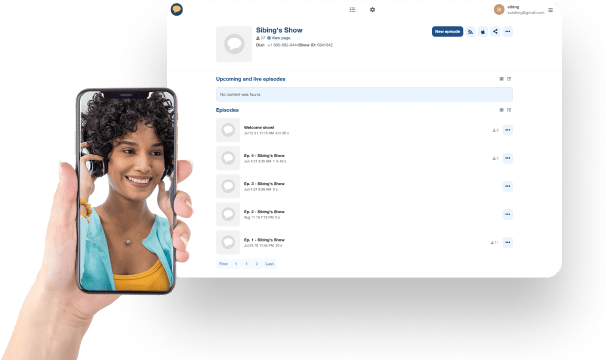
Be Heard & Get Discovered
Make Money

Your Podcast. Your Way.
Record your podcast in advance
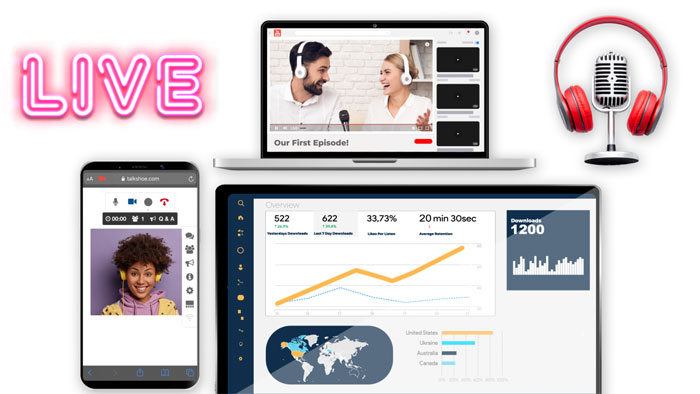
Stream Your Podcast Live
Everything You Need, All In Once Place.
Get the most when you host and Distribute with easy-to-use, and reliable podcast software
Host And Store Your Podcast
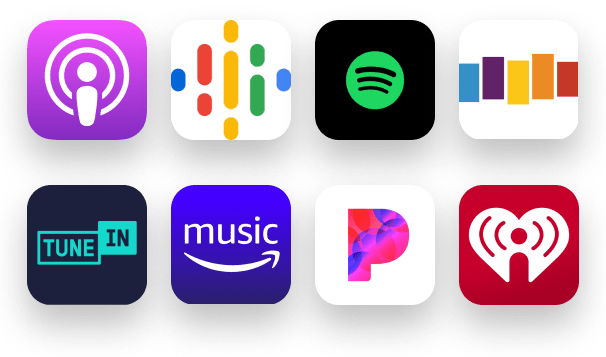
Distribute & Syndicate Your Podcast
Market And Monetize Your Podcast Easily And Efficiently
Market Your Podcast
Monetize Your Podcast
TalkShoe has no limits – neither should you!
Enjoy hosting and recording capabilities, distribution and syndication, joint moderator and co-hosting options, web or phone connections, easy to use RSS Feeds, auto-transcription, and way more.
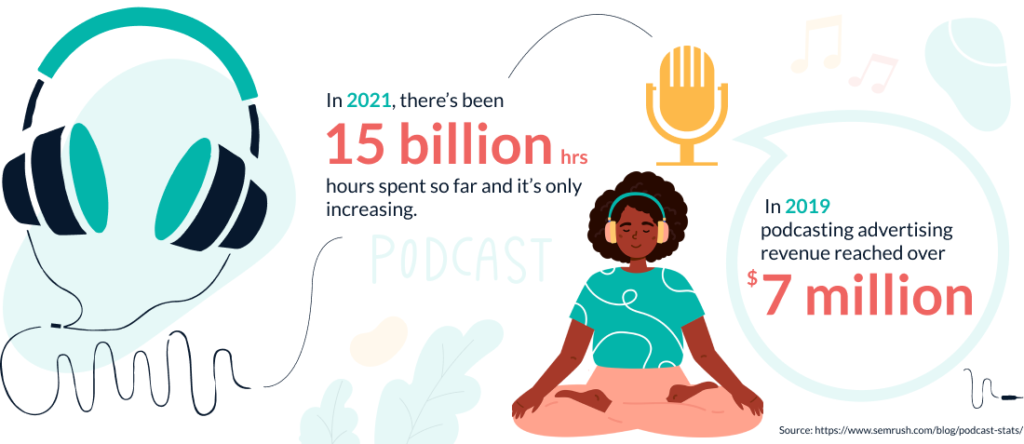
So are people even tuning into podcasts?
Start talking. Say what you need to with a top podcast platform.
Raconteurs, conversationalists, yarn spinners...
Hear what other TalkShoe podcasters have to say:
 "The TalkShoe podcast platform is fantastic! It’s super easy to produce, stream, record and share via RSS feed, not to mention the hosting and unlimited storage is free! It’s the perfect platform for those new to podcasting or for professional casters. Give it a try!"
Todd Shapiro
The Todd Shapiro Show, SiriusXM "As a long-time Podcaster, I love TalkShoe's functionality, ease of use, and constant refinements & updates! I highly recommend it for seasoned podcasters & vloggers, keen amateurs & enthusiasts. TalkShoe will give you the showcase you've wanted and much more!"
Dave Cooper
The Cultdom Collective Podcast
FAQ
Do you have a great idea for a podcast? Whether you want to record your podcast episodes live with an audience or upload pre-recorded episodes, TalkShoe’s podcast platform makes it easy to start your podcast today! First, head to talkshoe.com and choose “Sign up free” to create your free TalkShoe account. Pick a username that will reflect your show’s ideas and themes. Once you have your account created, click the “Create” button to bring your podcast to life. Click the “+ new show” button to start the process. Enter your podcast’s title, add a description, choose an appropriate age rating for your intended audience and your show’s themes, and pick a show category. Your new podcast is created! When you are ready for your first episode, click the “New episode” button on your show’s page. Choose whether you want to “schedule” a future live episode or to “upload” a pre-recorded episode in mp3 audio. In addition to the mp3 file, uploaded episodes will need a date and time of when you pre-recorded the episode, a title, and description. When scheduling your live episode, pick a title, choose a date and time when you will go live, a description for your episode, invite guests to your live recording with an email, and choose appropriate dial-in numbers that your guests can call in with using a phone. Don’t forget to advertise your scheduled episode on social media for maximum exposure. Your scheduled live episode will become active 15 minutes before the scheduled start time. At this time, you and your guests can connect to the TalkShoe Online Studio with a phone using one of the world-wide dial-in numbers, entering the podcast’s show ID, and their TalkShoe account’s PIN. Or even better, connect with the Internet through the TalkShoe website using a computer, smart phone, or tablet which will you and your guests to interact in the text chat and use video! Record your episode and have fun! You can use our podcast software to record in audio only or include video with your webcam, shared documents from a computer or smart device, and a shared screen from your computer. As the host, you can mute and unmute callers, control who can share video, and moderate the text chat. You can also assign trusted moderators to help you run the live episode. It couldn’t be easier with Talkshow’s podcast platform! Whether your episode was pre-recorded or performed live, don’t forget to advertise your new episode on social media after the end of the show. And for maximum exposure, list your new show on podcasting directories such as Apple Podcasts, Google Podcasts, Spotify, and more by using the auto-generated RSS feed! You only need to list the podcast once in each directory. Listeners will find your show with the directories and can subscribe. When you record or upload additional episodes of your show to our podcast platform, the directories will automatically update and those subscribers will automatically receive the new episodes! TalkShoe’s podcast software makes this process easy. Just subscribe for your free TalkShoe account, easily create your new podcast, upload a pre-recorded episode or schedule and record a live episode, advertise your show on social media, list your show on directories with the auto-generated RSS feed, and have fun! It’s as simple as that!
Your RSS feed will have a web-address which you can easily copy from the TalkShoe website. You can list your podcast on various directories, such as Apple Podcasts, Spotify, Google Podcasts, TuneIn, Stitcher, and many more by signing up with those services and providing your podcast’s RSS feed URL. You only need to register your show once on each service.
New listeners can find your podcast’s listing on those services and subscribe to your show. Your episodes, including any future episodes, will automatically download to their device so they can listen. It’s as easy as that. Just register on each service using your podcast’s RSS feed URL, provided to you for free by TalkShoe’s podcast software!
Partners