



Compare Ledger signers
| CARVIEW |
Select Language
HTTP/2 200
date: Tue, 27 Jan 2026 21:08:54 GMT
content-type: text/html; charset=UTF-8
content-encoding: gzip
vary: Accept-Encoding
strict-transport-security: max-age=31536000; includeSubDomains
access-control-allow-origin: *
access-control-allow-credentials: true
access-control-allow-methods: GET, PUT, POST, DELETE, PATCH, OPTIONS
access-control-allow-headers: DNT,Keep-Alive,User-Agent,X-Requested-With,If-Modified-Since,Cache-Control,Content-Type,Range,Authorization
access-control-max-age: 1728000
last-modified: Tue, 27 Jan 2026 12:16:48 GMT
cf-cache-status: HIT
age: 31926
expires: Wed, 28 Jan 2026 01:08:54 GMT
cache-control: public, max-age=14400
set-cookie: __cf_bm=jChcPlebpdq6ZuX8zY09INt.i3.V3wEHZDEu4MWSDq0-1769548134-1.0.1.1-2BFu8gjs_59PVnxg173CGdQBzl5kQWyRXU3tx7_W43abDsahUaXcccccpE5axsMSC3sTod_VbDWMxgVgHyi7d0LtfAEGDqTNRTaS_icMrQQ; path=/; expires=Tue, 27-Jan-26 21:38:54 GMT; domain=.ledger.com; HttpOnly; Secure; SameSite=None
server: cloudflare
cf-ray: 9c4b3a615985860e-BLR
Ledger Crypto Wallet - Security for DeFi & Web3





Ledger Wallet™
Discover what
Shop our wallets
Subscribe to our
Meet Ledger Nano™ Gen5, the most playful signer yet
Discover now
Do you want to change language to ?
Beware of phishing attacks, Ledger will never ask for the 24 words of your recovery phrase. Never share them. Learn more
Discover our devices
Ledger ecosystem




Learn Web3


Work with Ledger


LEDGER crypto WALLETS
Take control of your crypto today
Advanced trader? Total beginner? Now you can buy, swap, and more with 15,000+ multichain assets in one secure solution*.
-
Industry-leading
security -
Absolute
ease of use -
All-in-one
connectivity
Don’t trust, verify
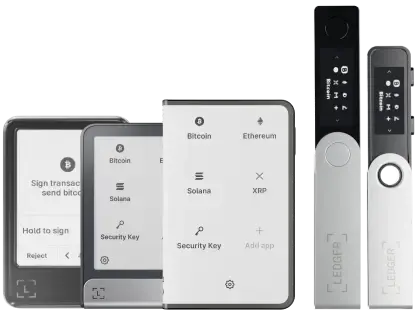
Ledger’s secure touchscreen signers make it easier for you to protect and manage your digital life
Discover Ledger signersChoose the signers that fit your lifestyle
Ledger Stax™
-
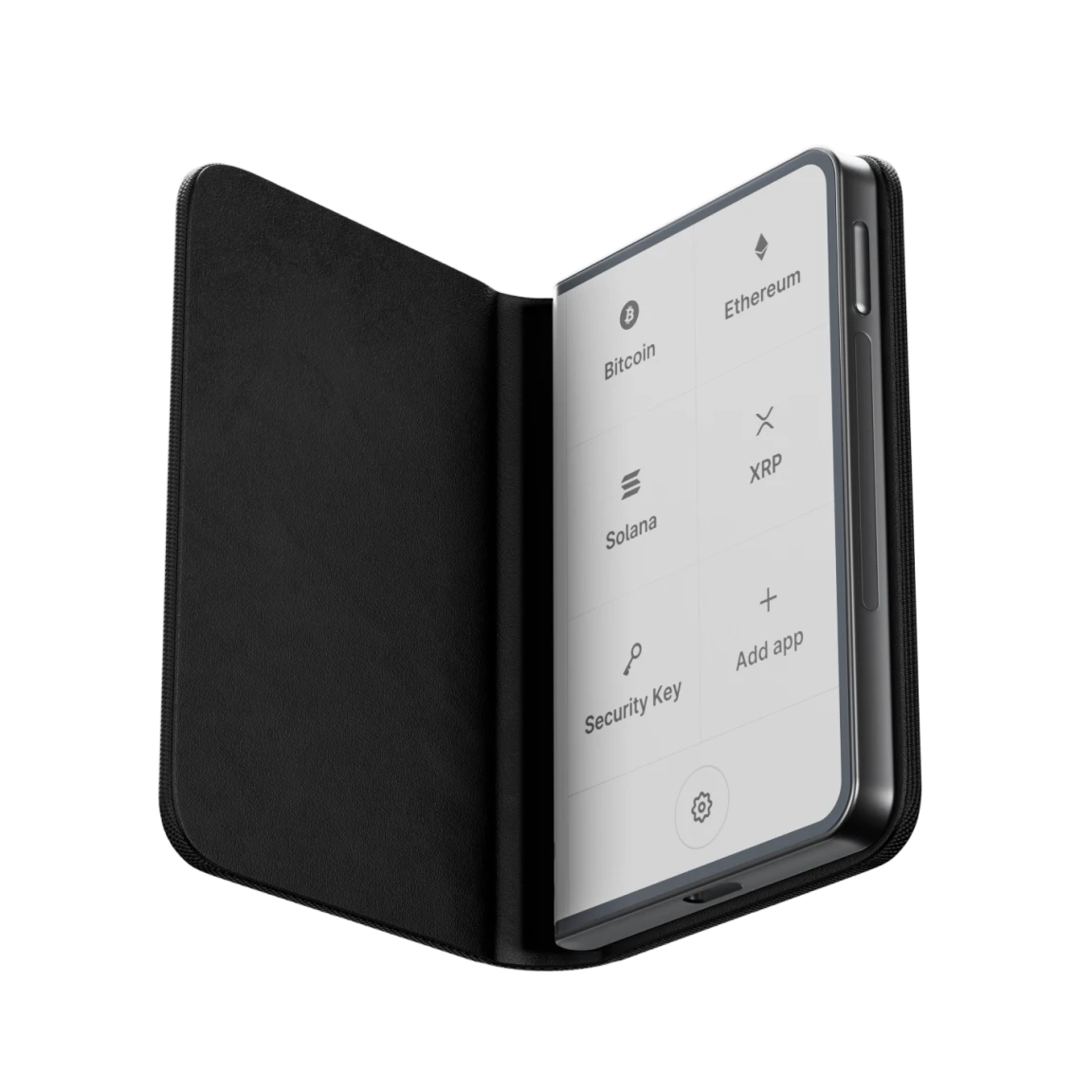
3.7“ high res screen
Premium from every angle, the elegant way to diversify your wealth and explore DeFi.
4.5/5
Discover now
Ledger Flex™
-
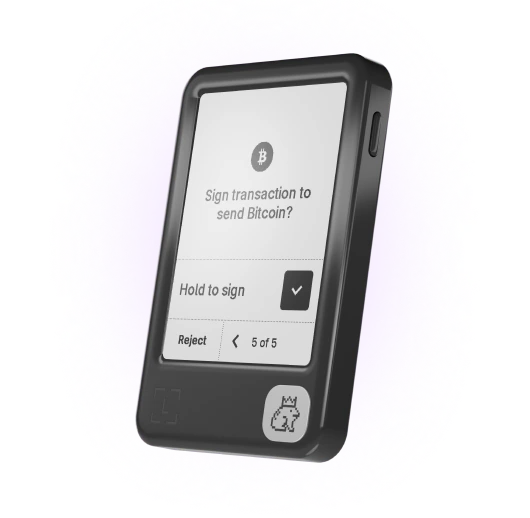
Durable 2.8“ screen
The new standard to grow your portfolio and manage your digital life with ease
4.3/5
Discover now
New
Ledger Nano™ Gen5
-
Lightweight 2.8“ screen
The fun, accessible way to manage your money, logins and life with clarity.
Discover now
Ledger Nano™ Classics
-
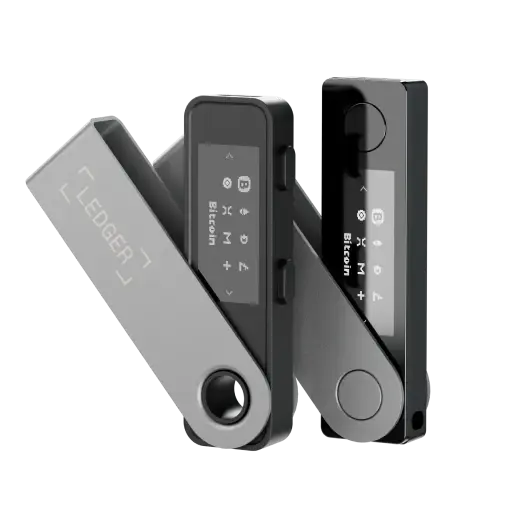
Classic signers
Convenient backup solutions to use at home or on the go.
4.5/5
Discover now
Trade different
all your crypto & DeFi
one secure app
Explore 15,000+ crypto
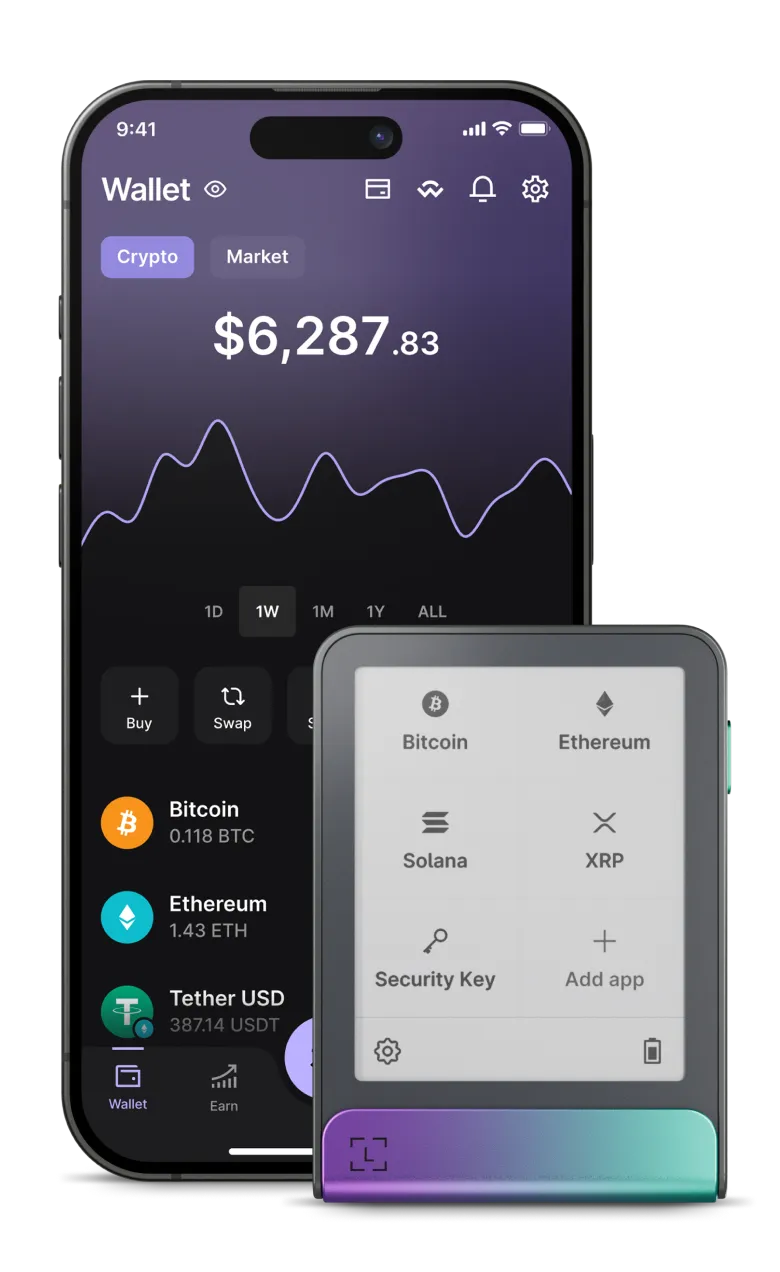
Bitcoin, Ethereum, Solana, XRP, stablecoins... you name it, it’s here.
Ledger Wallet™
the all-in-one crypto app
Your assets. Your rules. Your future.
Available on Mobile & Desktop
Top up with ease
Choose how you want to fund your accounts: Buy, Sell, Send, Receive.
Connect to dApps
Confidently navigate the DeFi landscape from a single secure space.
Diversify your assets
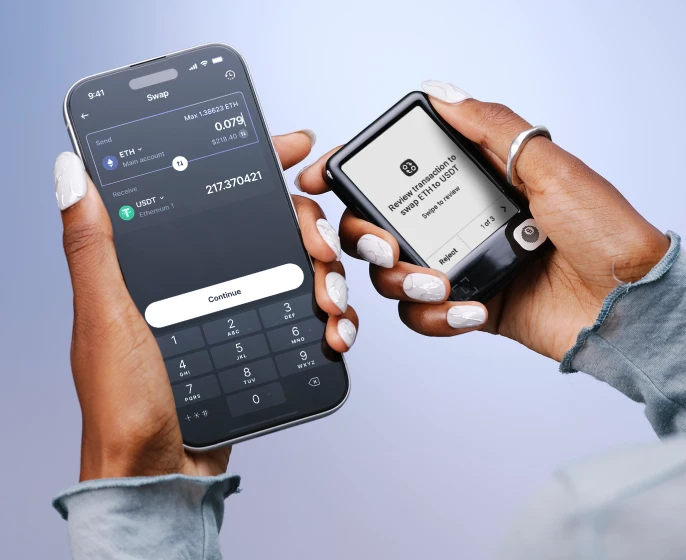
Swap securely across chains, CEX, DEX. Compare providers with clarity.
Grow your portfolio
Put your crypto to work for you by staking. Earn cashback by shopping worldwide.
Integrate your Ledger device with numerous wallets
Ledger hardware wallet secures more than 50 software wallets
Testimonials
“Ledger = peace of mind. I'm sure some of us know that unsettling feeling when you know you need a Ledger but haven't quite organized yourself to get it sorted. If I did it all again, I'd start with having a Ledger.”
Janet Onagah @Janet_Oganah
"I got hacked in January and lost 1000s worth of NFTs. I felt disgusted, lost, and willing to quit. Until my friend told me he's ordering a Ledger. So, we bought the duo deal. Since then, I've been sleeping."
PrimeNic.eth @primenic_eth
“I use multiple Ledgers. Different colours = different uses.Public Wallet. Never touch long term storage. Day to day fund holdings. A back up just in case.”
winny.eth @winnyeth
"I have 3 Ledgers. Hot Wallet: minting/drawings etc. Main wallet: store most NFTs. Vault wallet: cold storage of crypto."
2160 @rekt2160
“I have 5 Ledger total. My personal NFT bag. 1 for testing. And 1 for each of my 3 daughters.”
Fanzo 🧢 11.11.22 @iSocialFanz
"If I could, I would name my Ledger Hagrid. Cause it's the keeper of my keys."
Petrica Butusina @PetricaButusina
"My Ledger is already called "Stew". As it is the steward who looks after my crypto & NFTs, so I can sleep at night."
Lkmland Crypto 💫 @LkmlandCrypto
"Ledger makes cold storage downright easy. My NFTs land infinitely safer and I don’t have to feel as paranoid about connecting to new smart contracts."
Matt Oney @MattOney93
FAQ
Find answers to some of the most common questions.
Thinking about buying crypto or NFTs? You’ll need a crypto wallet.
When you create a wallet, two keys are generated: a private one and a public one. The wallet stores your keys and enables you to sign transactions, generate new addresses, initiate transfers, track portfolio balances, manage your crypto, and interact with dApps.
Crypto wallets come in many forms, from hardware wallets, like Ledger’s, to mobile apps that you can download on your phone or tablet.
When you buy crypto like Bitcoin and Ethereum, you’re issued two keys: one is public and the other is private.
The public key can be compared to a bank account number that you can share with third parties to receive crypto without worrying that your assets will be compromised.
The private key signs transactions and allows you to send and receive crypto. It’s crucial to keep your private keys secure and secret. If anyone has access to them, they will also have access to any crypto assets associated with those keys.
A crypto wallet stores your private keys and gives you access to your assets.
There are different types of crypto wallets, each with its own benefits and drawbacks.
Hot wallets are connected to the internet and usually convenient to use, however, they are also vulnerable to online attacks. Examples include web-based, mobile, and desktop wallets. Cold wallets keep your private keys offline and out of reach of online threats. Examples include paper and hardware wallets.
Wallets can also be categorized as custodial or non-custodial, depending on who holds the private keys. Storing your crypto in a custodial wallet means that a third party controls your private keys and, therefore, your assets. In contrast, non-custodial wallets, like Ledger’s, enable you to fully own and control your crypto.
Hot wallets store private keys on systems connected to the internet, which makes them susceptible to online attacks. Keeping your crypto on an exchange also means you have no true ownership or control over it. If the exchange files for bankruptcy or pauses withdrawals, you lose access to your funds.
Hardware wallets store your private keys offline, giving you full control and enhanced security. Even if you misplace or lose your hardware wallet, you can get a new one and use your Secret Recovery Phrase to access your assets.
Ready to get started? Here are the steps for getting your crypto wallet:
- Get a Ledger hardware wallet. It stores your private keys in a secure, offline environment giving you peace of mind and complete control over your assets. All Ledger crypto wallets are powered by an industry-leading Secure Element chip, together with Ledger’s proprietary OS that protects your crypto & NFTs from sophisticated hacks.
- Pair your Ledger crypto wallet with the Ledger Wallet app to easily manage your crypto, keep track of your portfolio, and securely access a wide range of dApps and Web3 services. All in one convenient place!
- Add crypto to your Ledger wallet. Ledger has integrated leading third-party providers to make it possible to buy, swap, stake, and manage crypto through the Ledger Wallet app. Your crypto will be sent to the safety of your Ledger hardware wallet.
Thinking about buying crypto or NFTs? You’ll need a crypto wallet.
When you create a wallet, two keys are generated: a private one and a public one. The wallet stores your keys and enables you to sign transactions, generate new addresses, initiate transfers, track portfolio balances, manage your crypto, and interact with dApps.
Crypto wallets come in many forms, from hardware wallets, like Ledger’s, to mobile apps that you can download on your phone or tablet.
When you buy crypto like Bitcoin and Ethereum, you’re issued two keys: one is public and the other is private.
The public key can be compared to a bank account number that you can share with third parties to receive crypto without worrying that your assets will be compromised.
The private key signs transactions and allows you to send and receive crypto. It’s crucial to keep your private keys secure and secret. If anyone has access to them, they will also have access to any crypto assets associated with those keys.
A crypto wallet stores your private keys and gives you access to your assets.
There are different types of crypto wallets, each with its own benefits and drawbacks.
Hot wallets are connected to the internet and usually convenient to use, however, they are also vulnerable to online attacks. Examples include web-based, mobile, and desktop wallets. Cold wallets keep your private keys offline and out of reach of online threats. Examples include paper and hardware wallets.
Wallets can also be categorized as custodial or non-custodial, depending on who holds the private keys. Storing your crypto in a custodial wallet means that a third party controls your private keys and, therefore, your assets. In contrast, non-custodial wallets, like Ledger’s, enable you to fully own and control your crypto.
Hot wallets store private keys on systems connected to the internet, which makes them susceptible to online attacks. Keeping your crypto on an exchange also means you have no true ownership or control over it. If the exchange files for bankruptcy or pauses withdrawals, you lose access to your funds.
Hardware wallets store your private keys offline, giving you full control and enhanced security. Even if you misplace or lose your hardware wallet, you can get a new one and use your Secret Recovery Phrase to access your assets.
Ready to get started? Here are the steps for getting your crypto wallet:
- Get a Ledger hardware wallet. It stores your private keys in a secure, offline environment giving you peace of mind and complete control over your assets. All Ledger crypto wallets are powered by an industry-leading Secure Element chip, together with Ledger’s proprietary OS that protects your crypto & NFTs from sophisticated hacks.
- Pair your Ledger crypto wallet with the Ledger Wallet app to easily manage your crypto, keep track of your portfolio, and securely access a wide range of dApps and Web3 services. All in one convenient place!
- Add crypto to your Ledger wallet. Ledger has integrated leading third-party providers to make it possible to buy, swap, stake, and manage crypto through the Ledger Wallet app. Your crypto will be sent to the safety of your Ledger hardware wallet.
*Crypto transaction services are provided by third-party providers. Ledger provides no advice or recommendations on use of these third-party services.
Discover what
security feels like
Shop our wallets
Stay in touch
Announcements can be found in our blog. Press contact:
[email protected]
Subscribe to our
newsletter
New coins supported, blog updates and exclusive offers directly in your inbox
Your email address will only be used to send you our newsletter, as well as updates and offers. You can unsubscribe at any time using the link included in the newsletter. Learn more about how we manage your data and your rights.