


| CARVIEW |
Professional Android Emulator
For Mobile Development, Testing, Demo, Learning, and much more!
Trusted by


Accelerate mobile testing and development success

Script your integration tests, regression tests, and more.

Develop and test your applications on Android virtual devices in the Cloud from anywhere.

Execute any desired action on an app that would be possible on a real device.

Bring game development to the next stage with flexible, high performance virtual devices.
Bring Android to the Next Level

Customer Support
- Ease your support and operational challenges: instant access to your mobile application from a web browser; no further installation needed
- Support agents can replicate bugs in applications or guide customers through the application for first level customer support.
- Centrally manage all the application versions and provide these remotely to the support agents.
Social Media
- Social media managers can securely handle the accounts of their clients from a web browser.
- No fear of loosing phones with their data.
- Automate social media posting and content production


Demo & Training
- Create interactive remote app demos and trainings for new customers.
- Onboard new comers with internal trainings and demo on your products.
- Project managers can easily create the demo and training environment from a website, and update it at any time for their teams to easily measure trainee retention.
- Trainees can directly interact with the device and follow the trainer’s instructions.
What if you could finally simplify your support and operational challenges?
Discover the power of Genymotion in 3 flavors





Integrate with your favorites CI/CD tools & Framework
Detox
Scale and run your tests on Genymotion SaaS with Detox.
Github Actions
Create workflows that build and test every pull request to your repository, or deploy merged pull requests to production.
CircleCI
Run your mobile automated tests on Genymotion SaaS Android Virtual Devices with CircleCI.
Bitrise
Build, test and deploy an app and improve efficiency with Bitrise and Genymotion SaaS.
Jenkins
Automate your instrumented tests from your Jenkins continuous integration server with Genymotion SaaS.
How Genymotion helps our customers?

How Genymotion helped AppsFlyer conducting global training
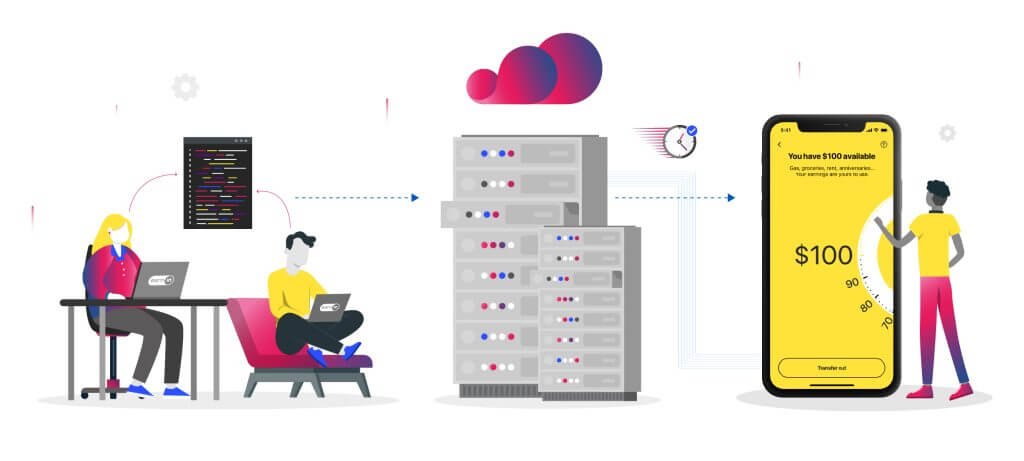
How Genymotion helped EarnIn bringing down testing time

How Genymotion helped Bolt Food scaling their mobile automated testing
BoltFood found the answer to their challenges with Genymotion SaaS, thus freeing them from setting and maintaining a device infrastructure for testing.
What our customers say


& Sanchit Dokania
Other solutions in the market needed to be more stable and mature, but thanks to the Genymotion Device Image solution, we started seeing automation and scale in our testing. This has sped up our development cycles and time to market.
Our experience with emulators and virtual Android devices on Genymotion has made our developers’ life easier while they focus on the company's core offerings. We are now doing our SDK testing at full speed, scale, and with just a button click.

& Paid Social Director at The Social Element
We use Genymotion on AWS Graviton to deliver a critical service to our clients in marketing and social media.
The Genymobile team has always been prompt in their replies, and keen to work with us to find solutions and new suggestions whether it be on complex use cases or security components. They have met our need for flexibility and growth by achieving AWS Graviton Ready status.
We appreciate our partnership with Genymotion and always look forward to new updates.
After a long search for a suitable and scalable Android emulator, Genymotion is now an active part of our social media product.
With the support of Genymotion, especially their engineers, we are now able to scale to a large number of emulators to simplify our customers’ work on social media.

We develop software for an Android POS and have been waiting many years for a solution like this! No longer do the entire team need to setup and maintain countless devices and rely on their own hardware.
The Genymotion cloud platform has allowed us to provide remote training and demonstrations which have not previously been possible. In this current times I don’t know what we would do without it.

We monitor Android apps, using them like real users. Genymotion on AWS Graviton meets our performance and compatibility requirements: we can therefore test and monitor all of our customers’ mobile apps with the same user experience as on a real device.
Functional Always active
Preferences
Statistics
Marketing
Contact Sales

Select Product Portal

SaaS Platform
Access to our SaaS solution and use virtual machines in the cloud on any web browsers.
Or
Or

Desktop Platform
Access to manage your Genymotion Desktop licenses, your invoices and account information.




How to get a quote for multiple Business Licenses?
- You need a Genymotion Desktop account. If you haven’t one yet, you can create it here.
- After creation and activation, or if you already have an account, follow this link.
- Add the number of desired licenses to your shopping cart and click “Continue to Billing”
- Add a shipping address, or select one if you already created one.
- In the next page, click “Get a quote”:

- A quote will be automatically generated in PDF format.
Genymotion Device Image for Cloud providers
- Private Offer -
Genymotion Device On-premise
- Contact Us -
Genymotion SaaS
- Increase Maximum Simultaneous devices -
Genymotion SaaS Enterprise Plan
- Get a Quote -
Genymotion SaaS Premium Plan
- Get a Quote -
Personal Use - Free
Genymotion Desktop for personal use is not suitable for trial or POC: you will not get any assistance and some features will be disabled. If you have already selected “personal use” and wish to get a trial license, please contact our Sales at [email protected].
Technical support is not available with Genymotion Desktop free edition for personal use. For more details, please refer to Genymotion conditions of use (Personal Use).
The following features are not available in personal use mode:
- Latest available Android version
- Quick boot
- Camera and Media injection widgets
- Network profiles
- gmtool full commands
- GPS route simulation
Follow these steps to get Genymotion Desktop and activate personal use mode:
- Go to the Download page and get the latest version for your system.
- Follow the instructions from Genymotion Desktop quickstart guide to install Genymotion Desktop.
- Launch Genymotion and click CREATE to create an account. You should receive an activation email within an hour. If not, make sure to check your spam.
- After activating your account, return to Genymotion and log in with your credentials.
- Select personal use when prompted.
- Read Genymotion Desktop quickstart guide carefully to setup Genymotion for your needs.
Indie Plan Application Form
This plan is strictly reserved to individual workers (freelancers, self-employed).
Contact Sales
- Premium Plan -
Educational Plan Application Form
The Educational plan is restricted to:
- schools, teachers or students who wish to use Genymotion Desktop for tuition
- students who wish to use Genymotion Desktop for a school project
It is subject to valid proof (student card, teacher card, etc.)