


| CARVIEW |
Select Language
HTTP/1.1 200 OK
Date: Fri, 26 Dec 2025 11:52:52 GMT
Server: Apache/2.4.41 (Ubuntu)
Upgrade: h2
Connection: Upgrade
Last-Modified: Fri, 26 Dec 2025 07:28:31 GMT
Cache-Control: max-age=0
Expires: Fri, 26 Dec 2025 11:52:52 GMT
Vary: Accept-Encoding
Content-Encoding: gzip
Transfer-Encoding: chunked
Content-Type: text/html; charset=UTF-8
AI Test Management Tool | Testomat.io


AI test management tool


 Testomat.io pricing
AI-powered

 More features
Manual testing
More features
Manual testing
 More features
Automation testing
More features
Analytics & reporting
More features
Integrations
More features
More features
Automation testing
More features
Analytics & reporting
More features
Integrations
More features


 Team management
Create tests or import tests outside
Create new project
Team management
Create tests or import tests outside
Create new project
 Manual test case
 Automation test case
BDD test case
Test automation
CI/CD integrations
AI assistant
Automation test case
BDD test case
Test automation
CI/CD integrations
AI assistant
 Issue management
Report notifications
Issue management
Report notifications


Install extension


Compare more
 Setup time
User experience
Maintenance
Test creation effort
Integration
Customer support
Productivity
Setup time
User experience
Maintenance
Test creation effort
Integration
Customer support
Productivity


 Learn more reviews


Meet comprehensive pricing details.
How does the free trial work?
How do I select a Plan suitable to my teams’ needs?
Do you want to understand all detail before purchasing. What should you do?
What if I already use a different test case management tool?
Do you need a credit card to get started with Free Plan?
Which payment methods are accepted?
Is it possible to cancel Paid subscription?
Do you send invoice?
What will happen if you do not pay the paid plan?
How can I contact you in case of any queries?



Features

AI orchestration
Proactive testing

Tests synchronization
Manual and automated

QA efficiency
Faster, streamlined testing

Agile workflow
Collaborate across team
AI test generation
AI-powered automation

Test organization
Clean, aligned test project

Team management
Manage roles, permissions

Reporting
Instant insights and trends
AI-prompted reports
With minimal user inputs

Test execution
Thousands of cases

Analytic dashboard
Track coverage, metrics

BDD support
Collaborate across teams

Automation testing
Runs 100K+ tests

Test management
Clean, aligned test suites

CI\CD and notification
Scalable scenarios

More features
Explore features
AI orchestration
Proactive testing
Tests synchronization
Manual and automated
QA efficiency
Faster, streamlined testing
Agile workflow
Collaborate across team
AI test generation
AI-powered automation
Test organization
Clean, aligned test project
Team management
Manage roles, permissions
Reporting
Instant insights and trends
AI-prompted reports
With minimal user inputs
Test execution
Thousands of cases
Analytic dashboard
Track coverage, metrics
BDD support
Collaborate across teams
Automation testing
Runs 100K+ tests
Test management
Clean, aligned test suites
CI\CD and notification
Scalable scenarios
More features
Integrations


AI test management tool
for modern QA workflows
Manage automated and manual testing in one AI test management tool, connecting BA, Dev, QA, and every non-tech stakeholder into a single loop to boost quality and faster delivery speed with AI agents.

50% faster
create tests

Reduce 40%
bugs

Increase 30%
coverage

Trusted by over 500 forward-thinking companies





























Powerful dynamic agentic automation
Empower your business with AI agents for seamless growth. Make complex testing tasks easy.
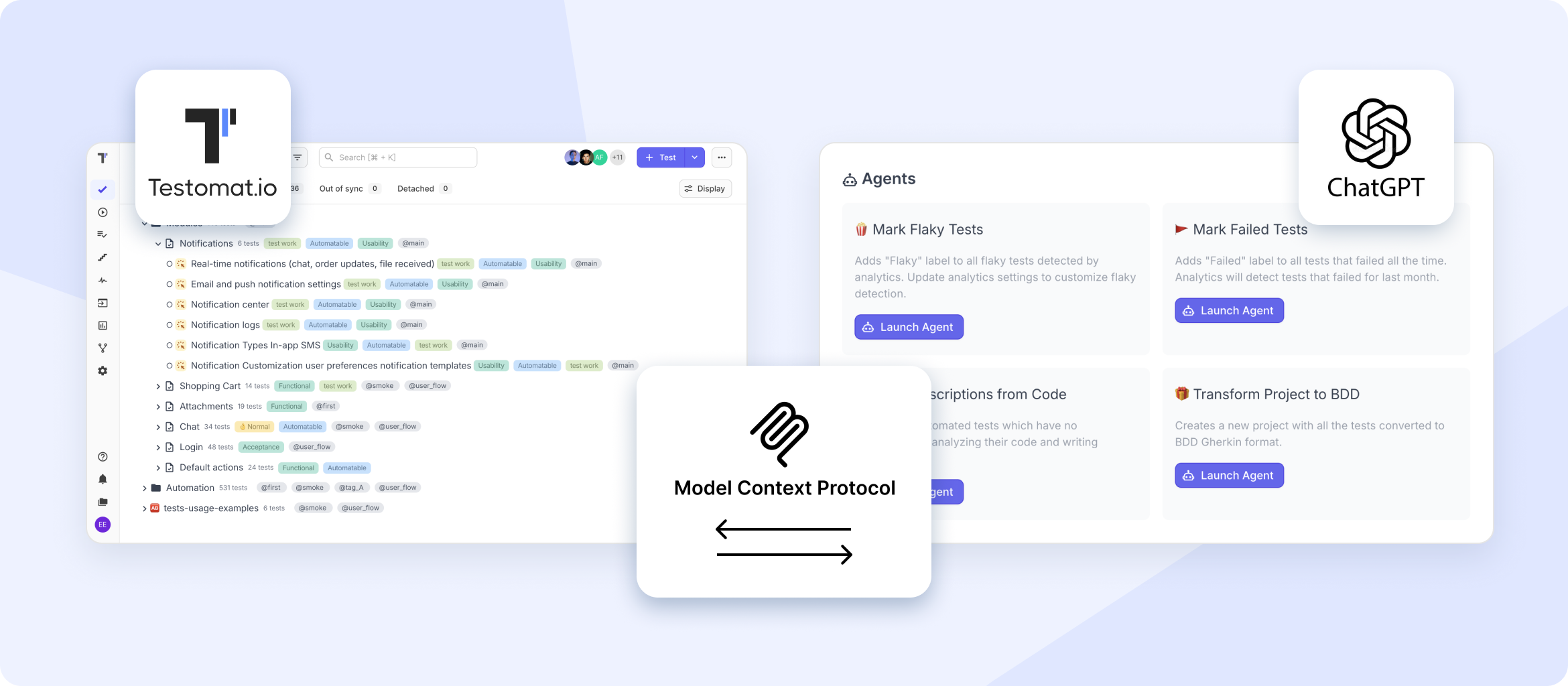
Connect directly to ChatGPT via MCP protocol in 2 clicks.
AI-generative test case and updates driven by context.
Auto-writing acceptance criteria during the 3 Amigos meeting.
Alerts QA teams for failed tests or flaky test patterns.
Multi-tasking assistants
Deliver reliable support and actionable insights to ensure secure, frequent releases.
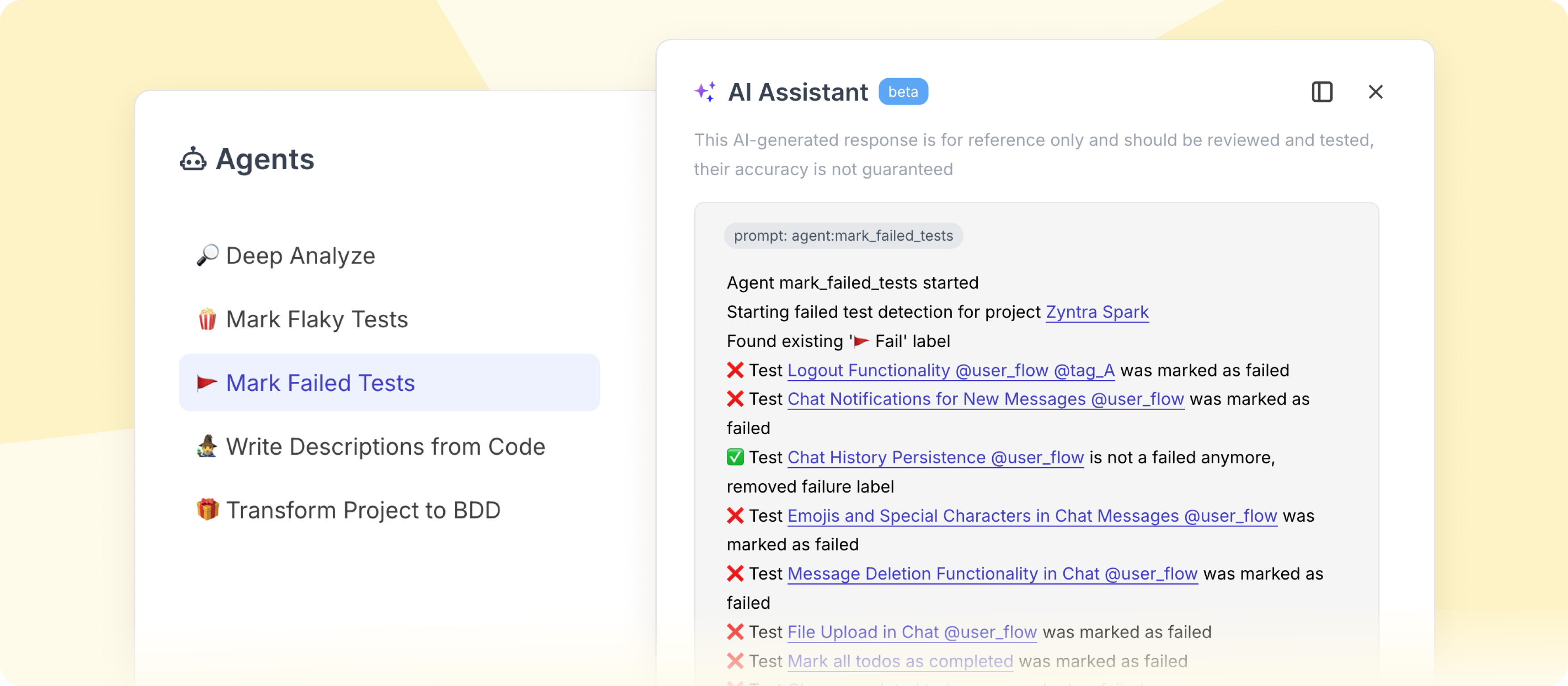
Boost productivity with fast creation of new instances.
Keeping test cases clear, complete, and fully informative.
Uncover anomalies that could escape standard QA checks.
Get unbiased real-time feedback
AI generation tests from requirements
Accelerate coverage, by turning user stories into test-ready scenarios on the fly.
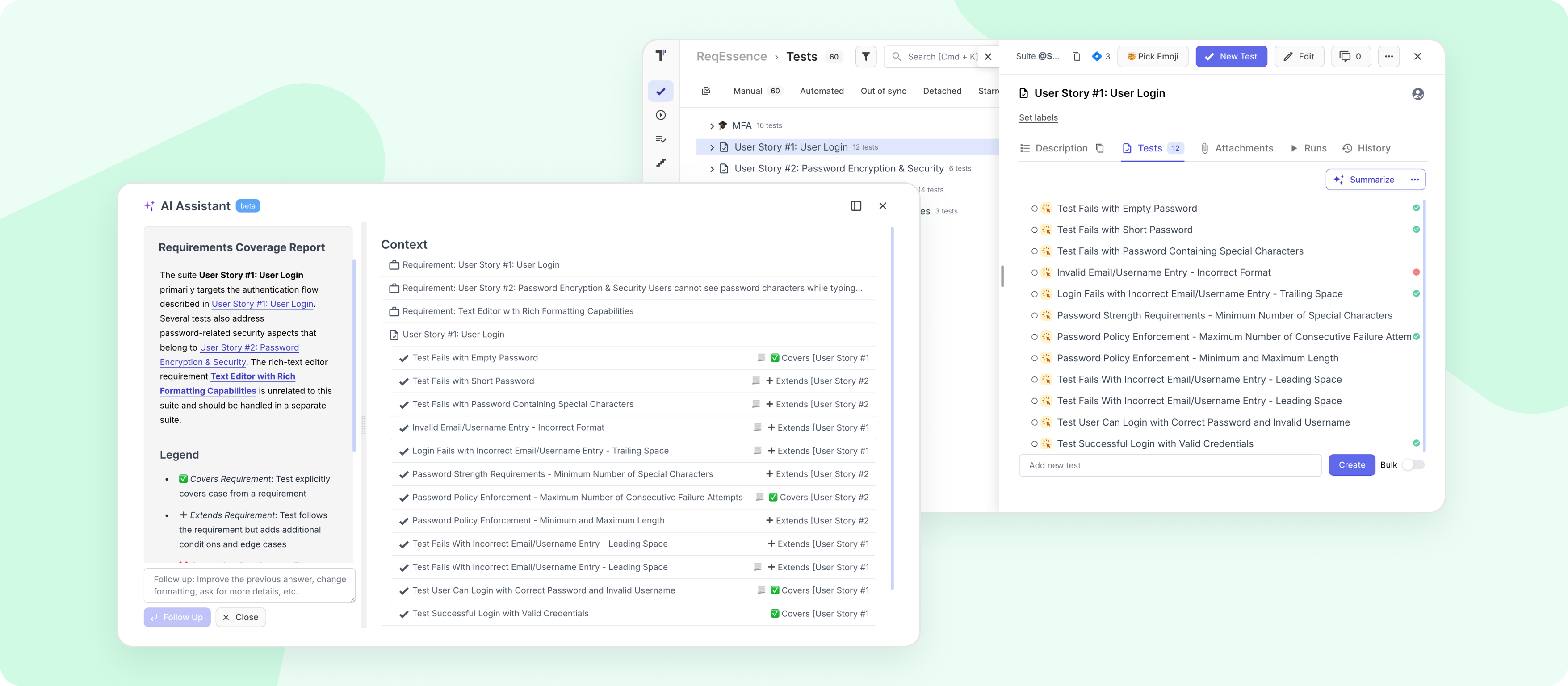
Map tests to requirements within the complete traceability matrix.
Speeds up QA cycles to catch gaps in requirements early.
Single space between tech and non-technical parts of the team.
AI Jira plugin with effortless two-way synchronization.
1 of 3
Key QA pain points we solve
Our testing solution adapts to resolve challenges across companies of every size. There are the most common problems and how to solve them.
Startups & small teams
Bring order to the chaos.
When everything lives in files and docs, testing quickly becomes messy and invisible.
System brings structure

Slow tests stall your progress.
Testomat.io handles 100K+ tests per project with lightning-fast execution.

Clunky interfaces waste your time.
Clean, intuitive UI designed for engineers, testers, and founders alike.

Struggling to build integrations.
We offer native test automation support — one command and your results sync.

You get logs, but no insights.
Smart dashboards and trend analytics, built in from day one.
Mid-sized products
Unify testing across QA, Dev, PM.
Your product's grown, and testing needs to keep pace. The challenge is alignment.
Everyone is into one workflow.

Too many tools, with no results.
Native connections with CI/CD, Jira, Slack, GitHub, and more.

No shared source of truth.
Bring everyone into one workspace, no more scattered test files.

Analytics only via spreadsheets.
Real-time insights and visualizations right in the platform.

Rigid workflows limit your agility.
Flexible structures and custom fields to match your processes.
Enterprises & projects
Built for scale. Ready for change.
High-growth teams can't afford QA bottlenecks or inflexible systems.
Allows master complexity.

Execution bottlenecks at scale.
Testomat.io runs 100K+ tests per project with enterprise-grade stability.

No unified QA environment.
One platform for QA, Dev, PM, BA, Product — all in one workspace.
No plug-and-play.
Out-of-the-box support for major frameworks, CI/CDs, and issue trackers.

No innovation, no AI, no roadmap.
We ship every two weeks. Our AI features bring real value to your pipeline.
All-in-one platform test case management & orchestration software
AI-powered
AI test generation
Acts as a smart testing copilot, creates new tests from Jira user stories, GitHub issues, plain text or old tests, reducing manual overhead.
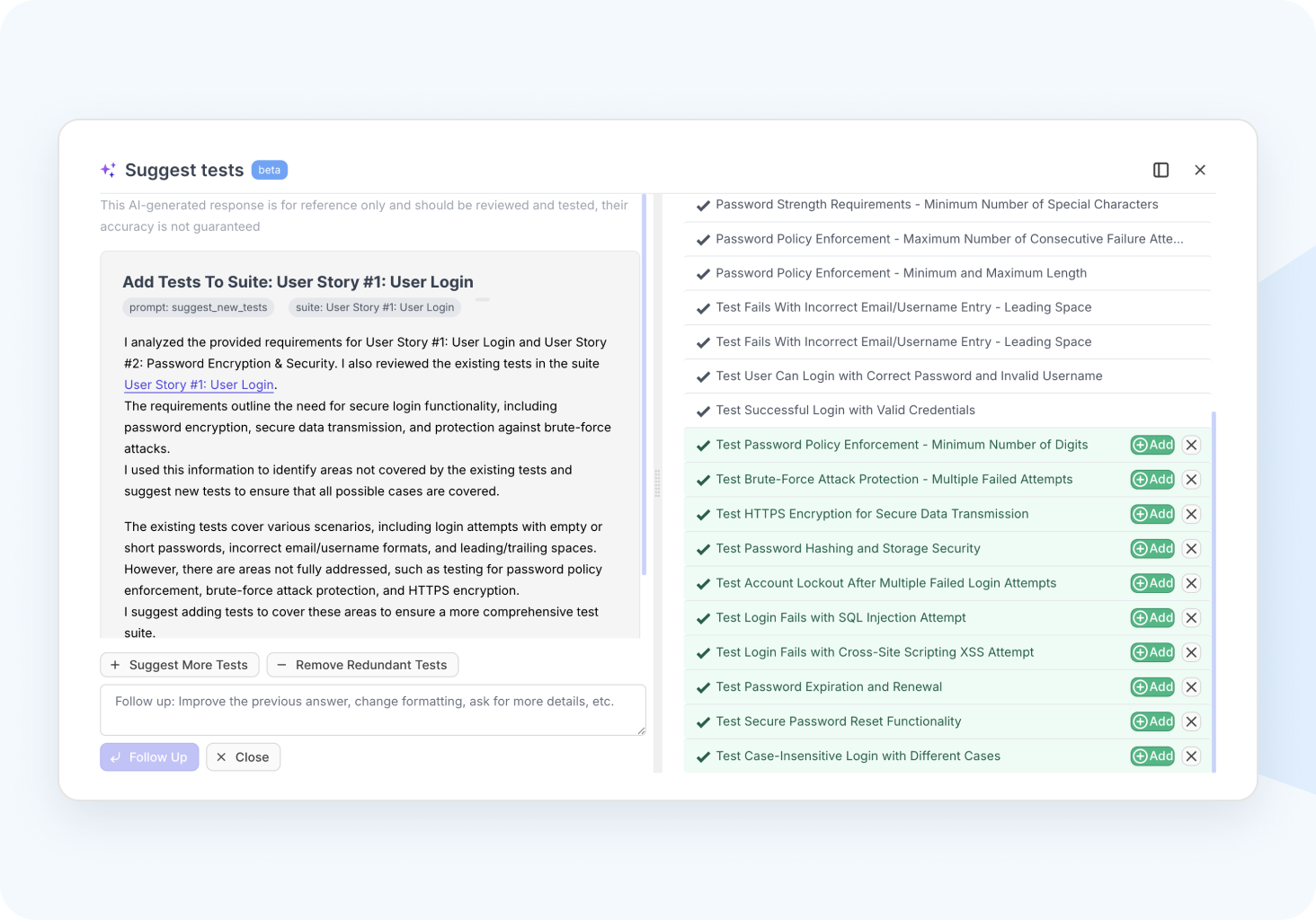
Smart AI fine-tuning
Trains on your test cases, requirements, and QA workflows, adapting follow-ups to deliver precise recommendations.
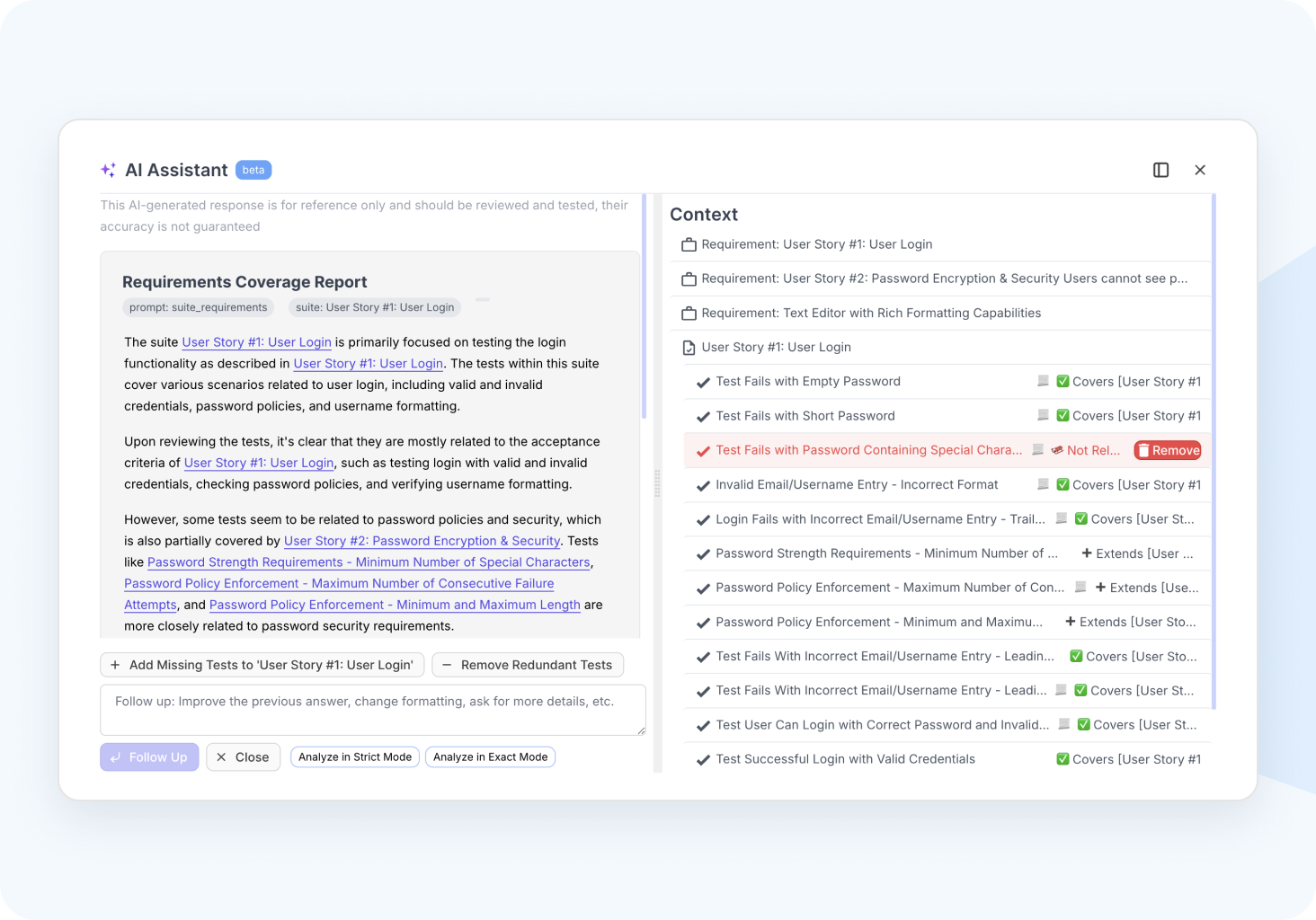
AI testing agent
AI-powered test orchestration is built into every stage of the testing process, helps you notice details and informs stakeholders about software readiness.
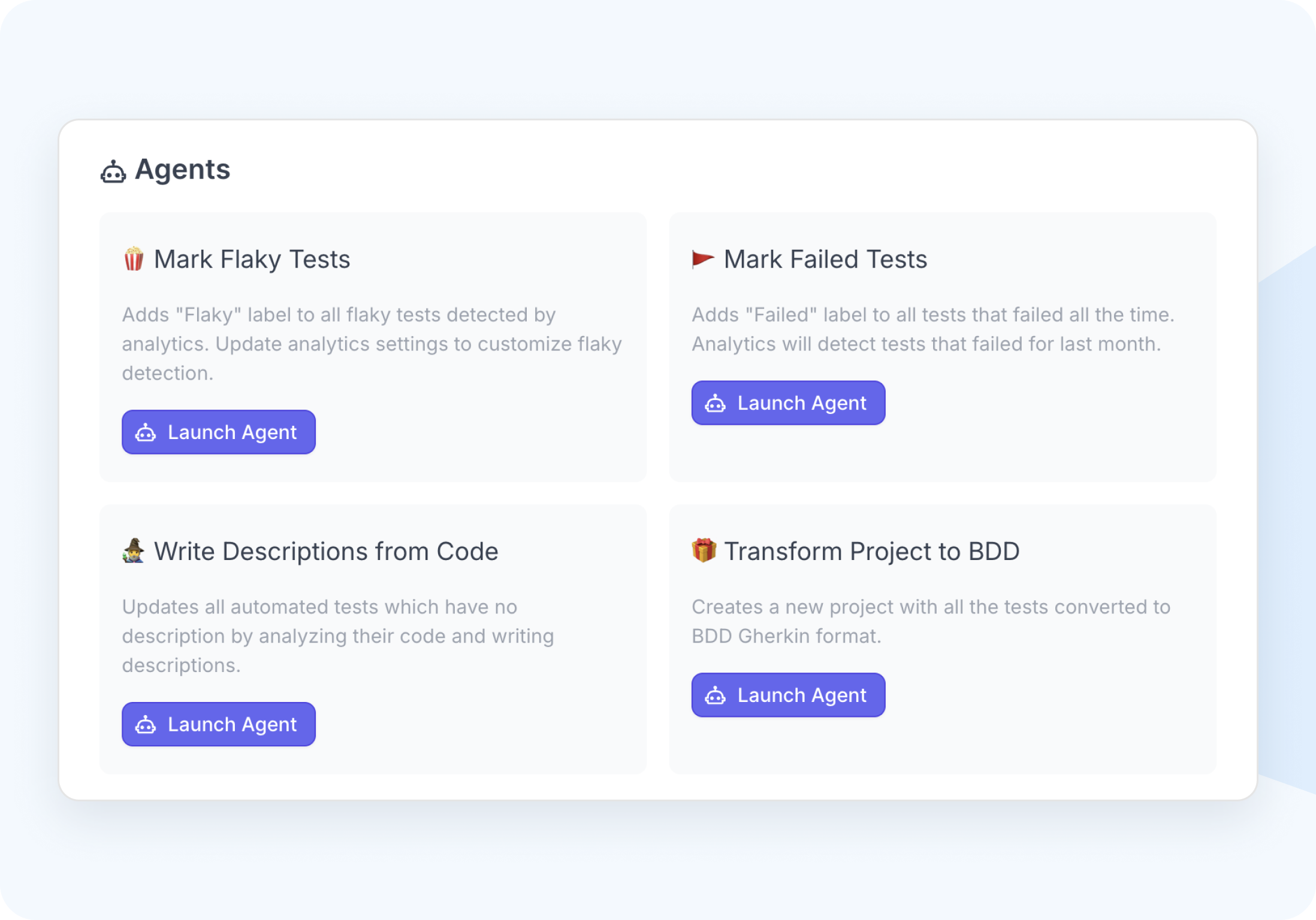
Flaky test detection
Analyzes test run history to spot instability patterns like inconsistent results or delays, and auto-tags them as Flaky.
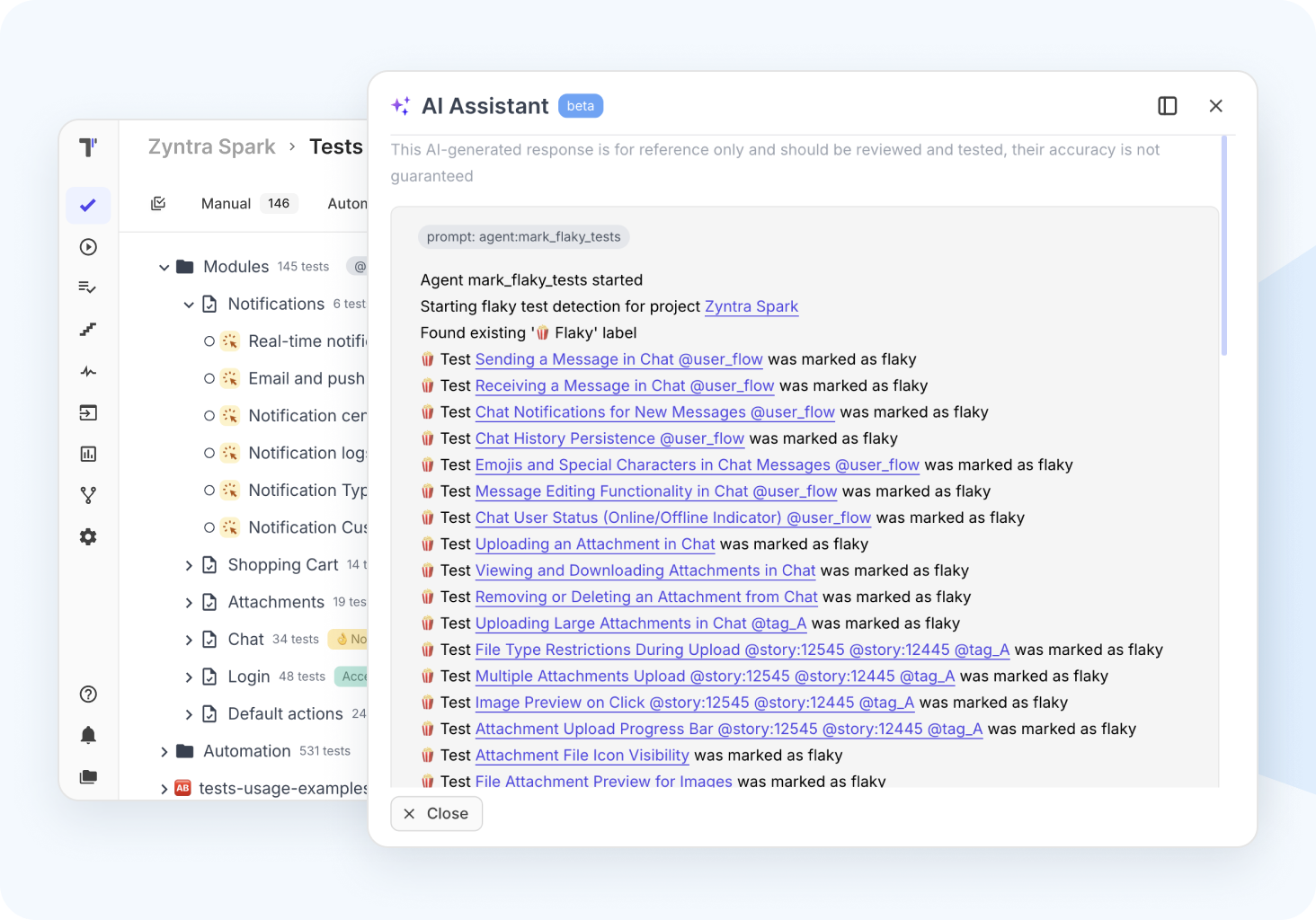

Speed & Efficiency

Custom AI provider

Effective prompt framework

Better insights
 Manual testing
Efficient manual testing
Create test cases faster with an intelligent Markdown and Gherkin editor, supported by reusable steps and templates. Manage both automated and manual tests.
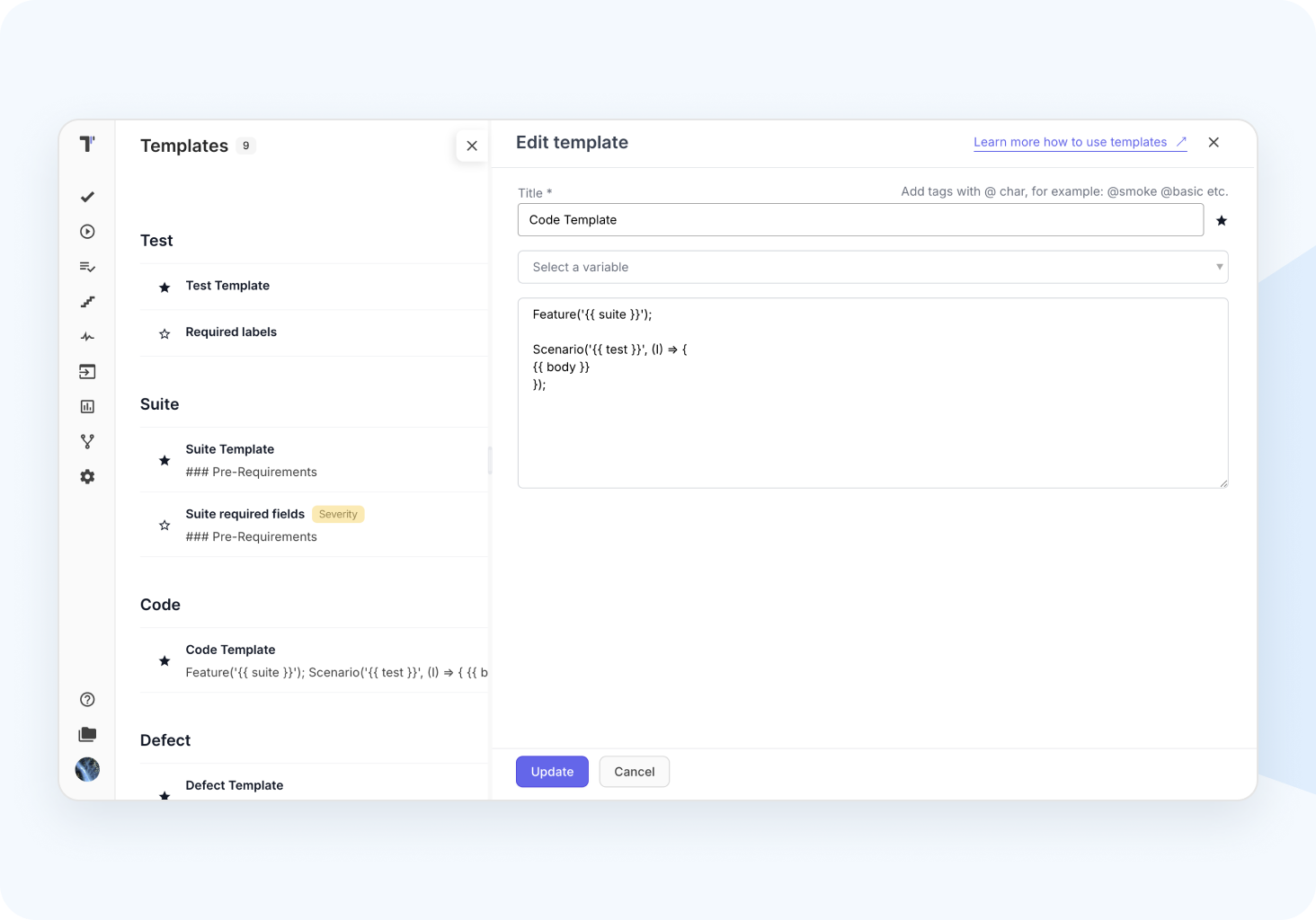
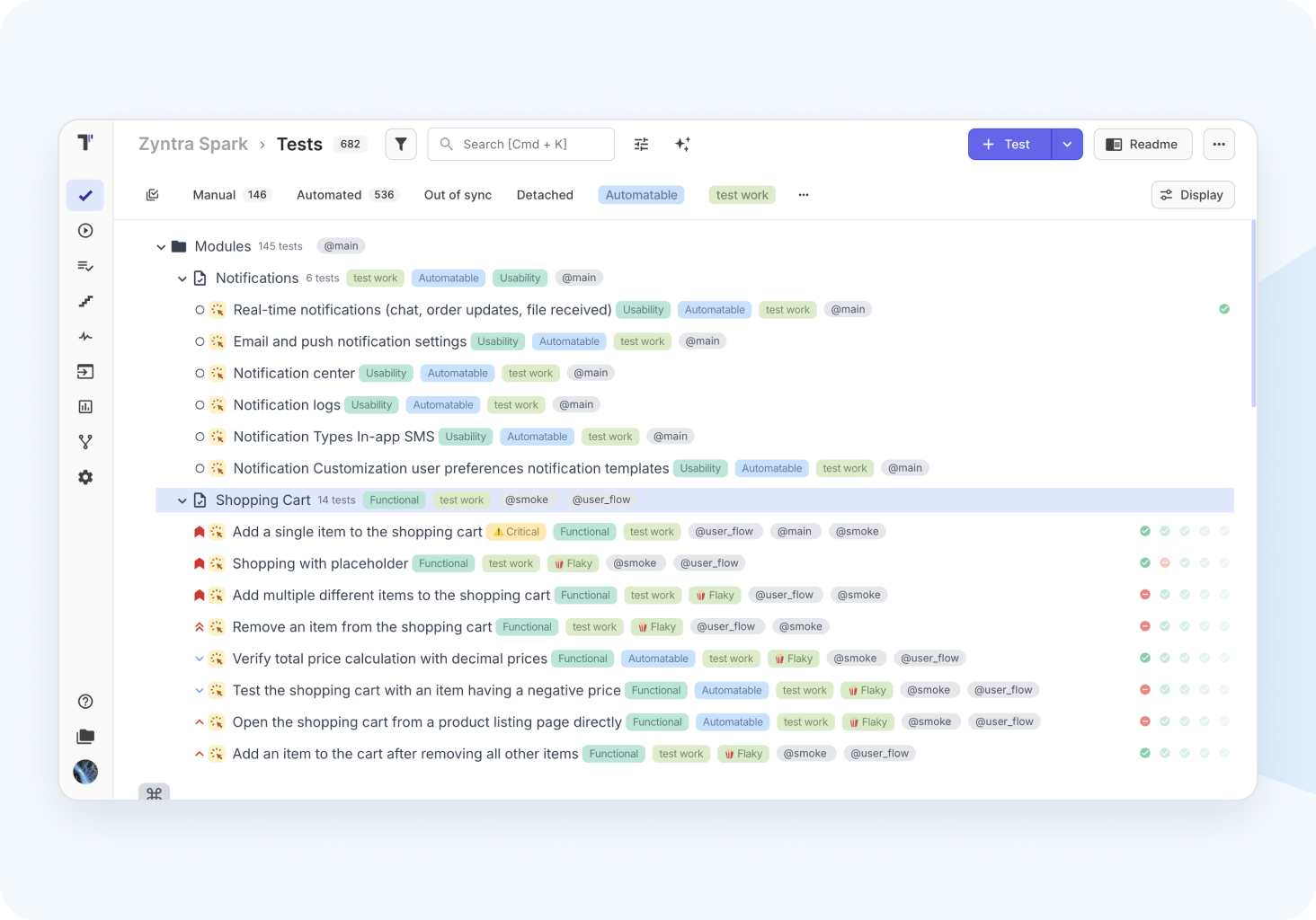
Structured test project
Intuitive, flexible, and scalable UI\UX, whether you're managing a small suite or a large enterprise-level one. A multi-level tree folder structure to mirror at a glance.
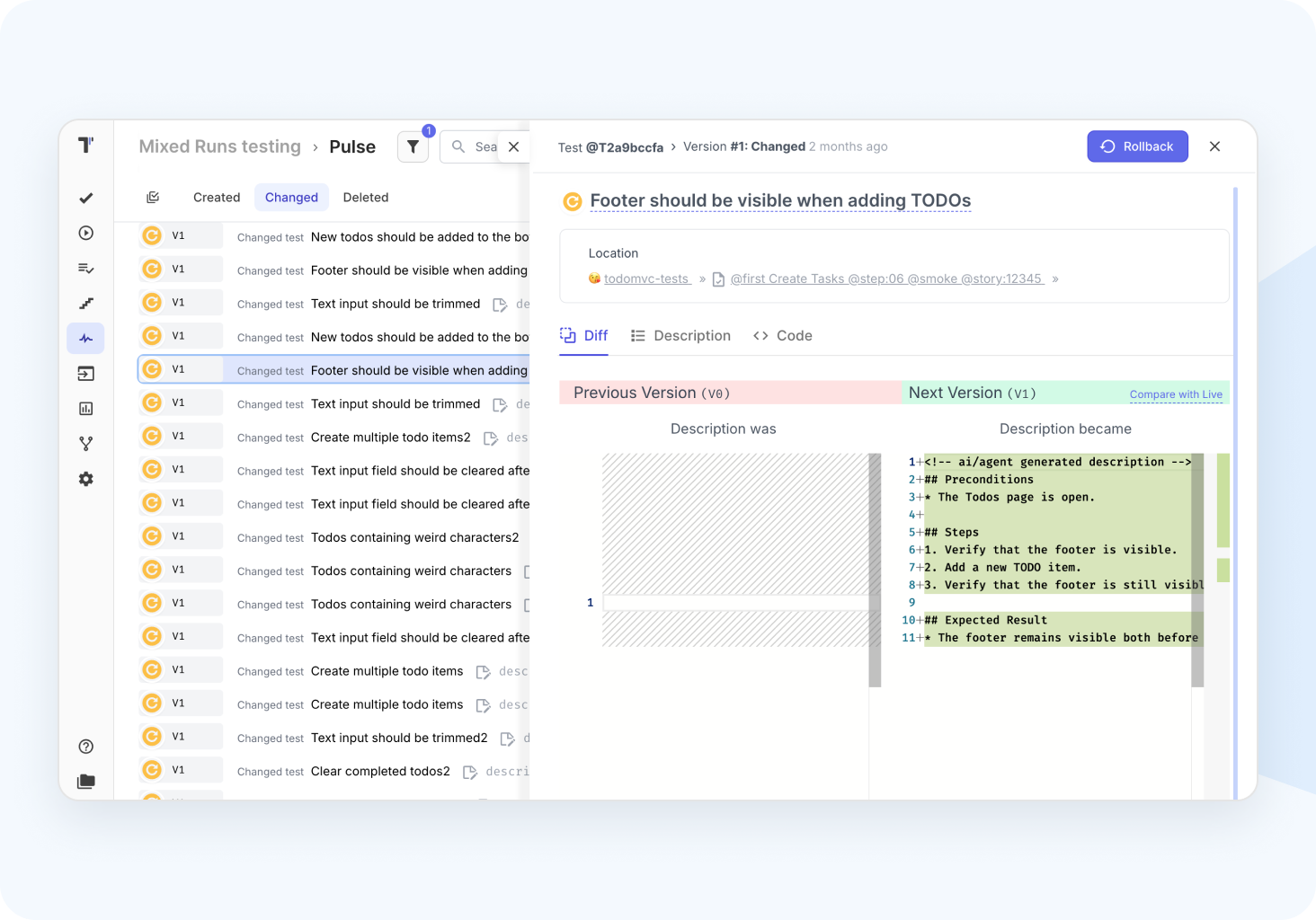
Archive, Versioning & Rollback
Stay in control of tracking project history through versioning and if something goes wrong, easily revert changes. Keep an eye on results with the test execution archive.
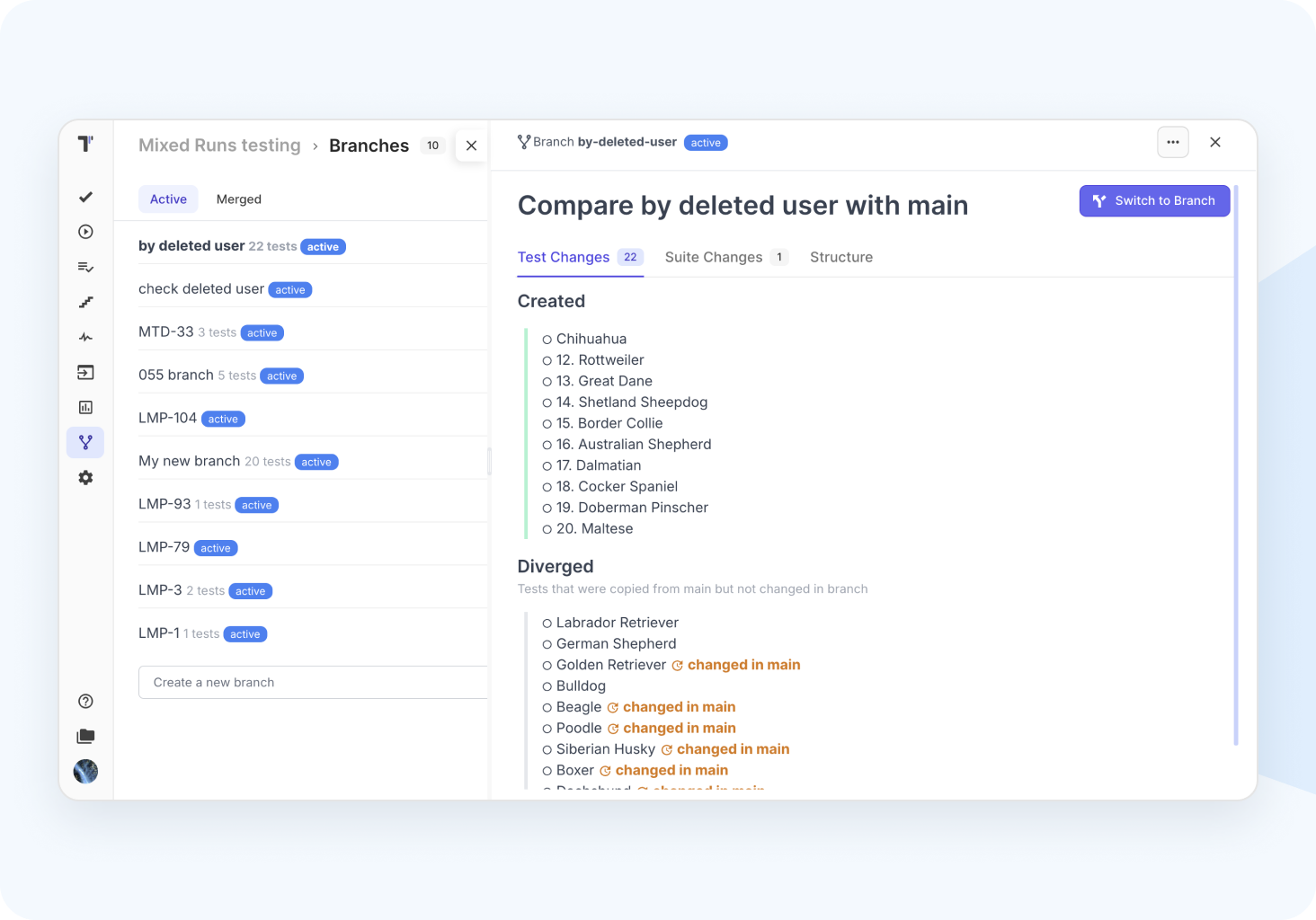
Branching
Work separately in branches like Git, through isolated, trackable branches. Perfect for parallel testing in streams, as you can merge your work with teammates later.

Import/Export to csv

Configurable workflows

Run tests from Jira

Parameterization and Variables
Automation testing
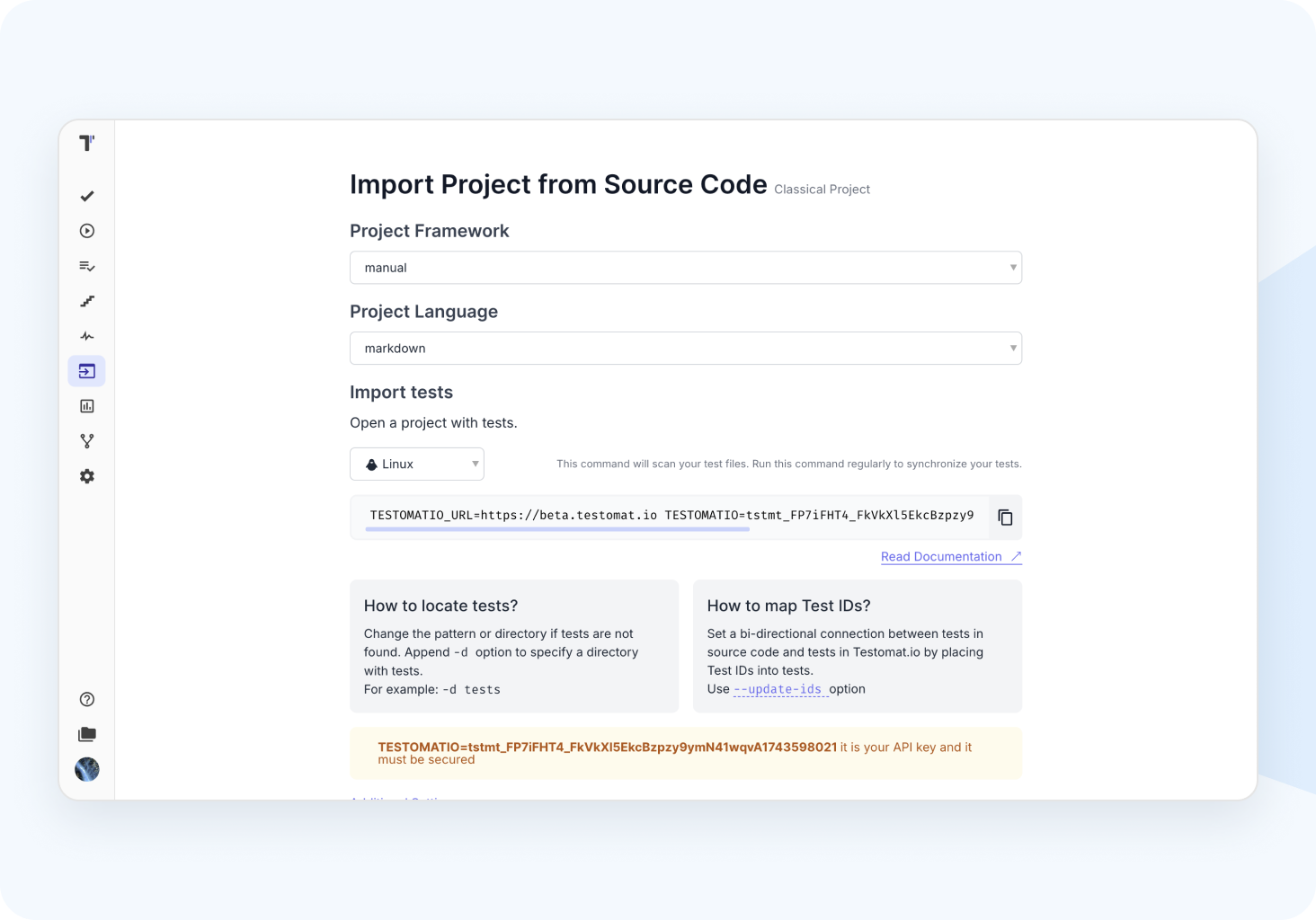
Seamless test import
The code-first approach integrates seamlessly into fast workflows, allowing flexible import of test framework code with real-time visibility for automation teams.
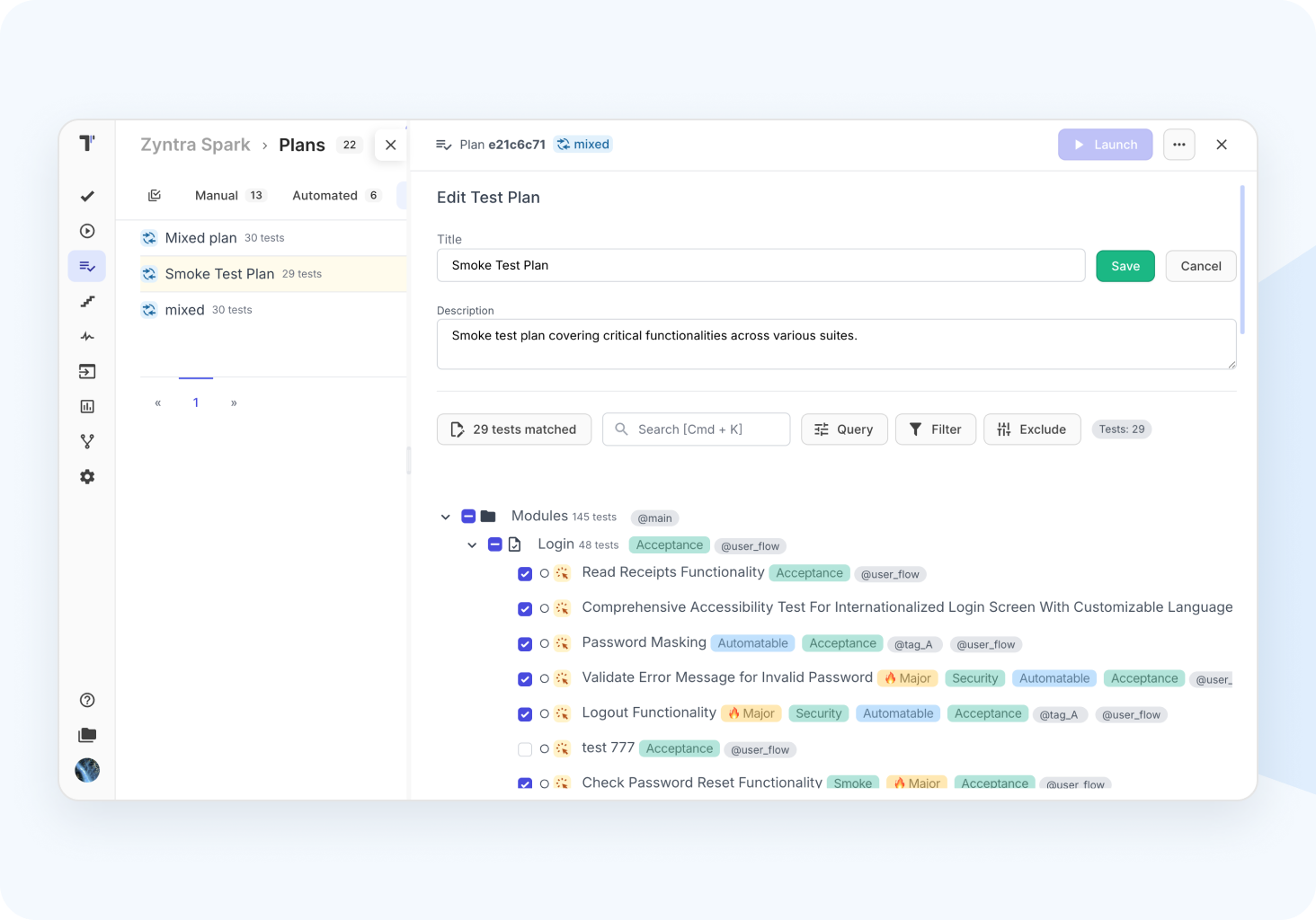
High-level test execution
Select tests using plans, tags, labels, filters, queries, or environments. Run them concurrently on CI/CD, manually, from Jira, or combine automated and manual tests.
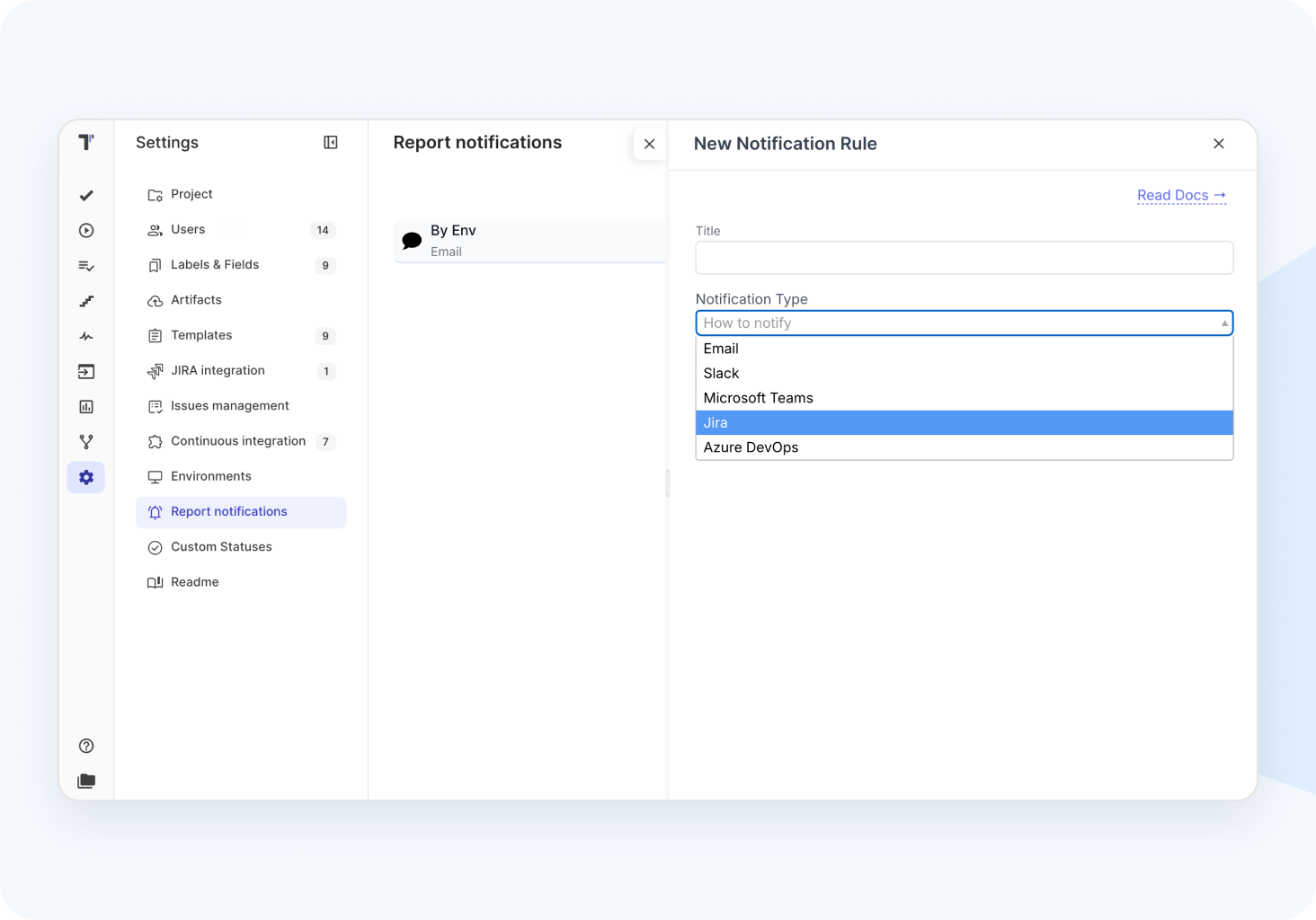
Linking tests and notifications
Sync tests by ID or title, link to requirements or Jira, and get alerts on results via Slack, Teams, or email. Failed tests are flagged as defects.
Test automation coverage
Identify test coverage gaps and convert manual tests to automated ones with AI-powered code suggestions.
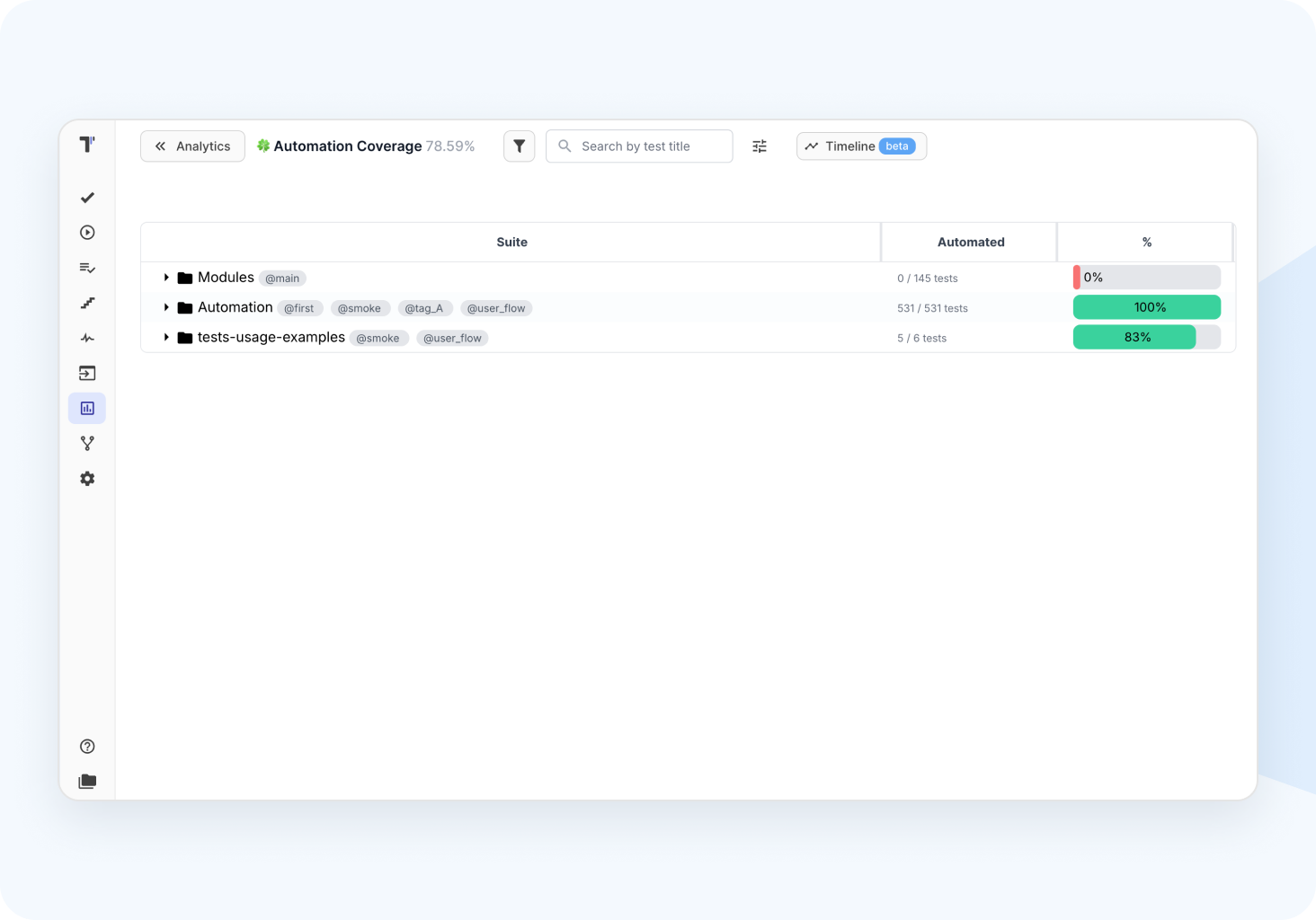

Import from source code

Syncronization

Productive test execution

Rerun failed tests
Analytics & reporting
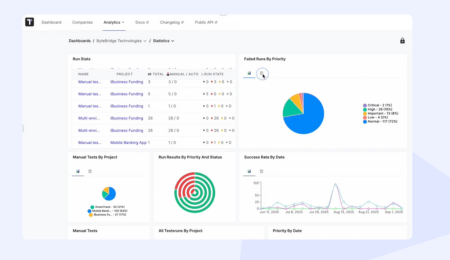
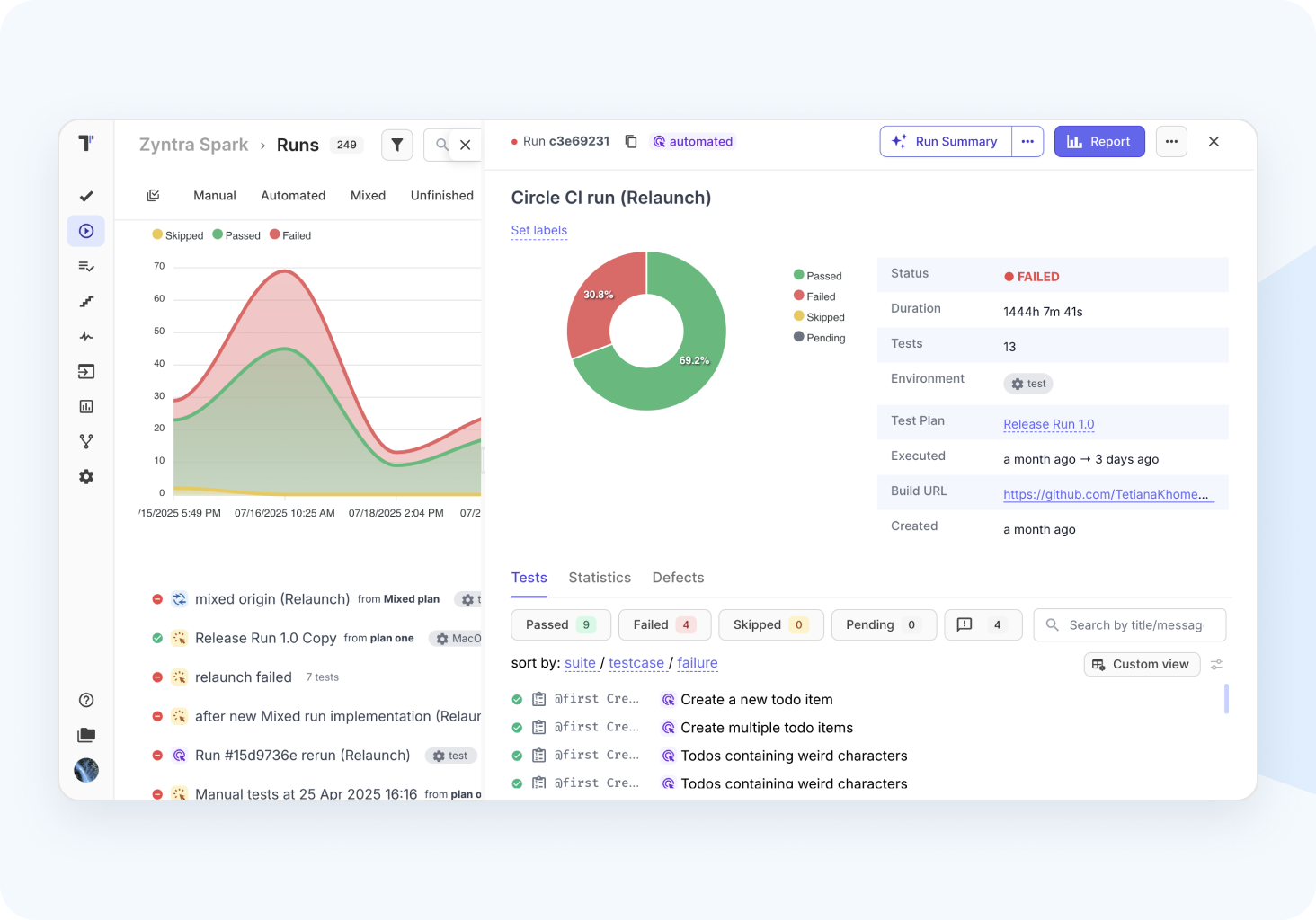
Actionable real-time report
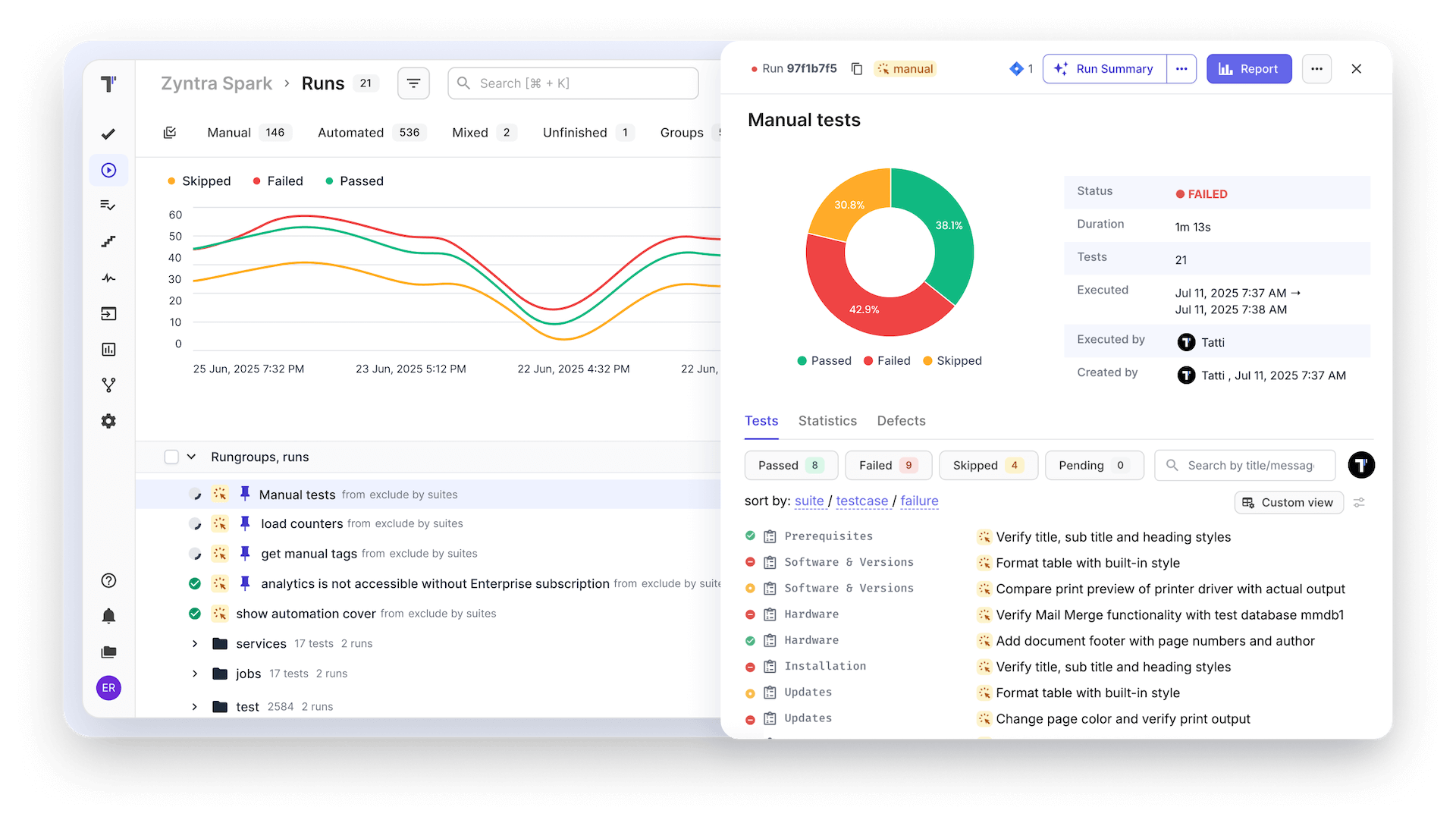
Real-time Reports: Provide teams instant test progress updates, visualize overall status and readiness, and share results with stakeholders.
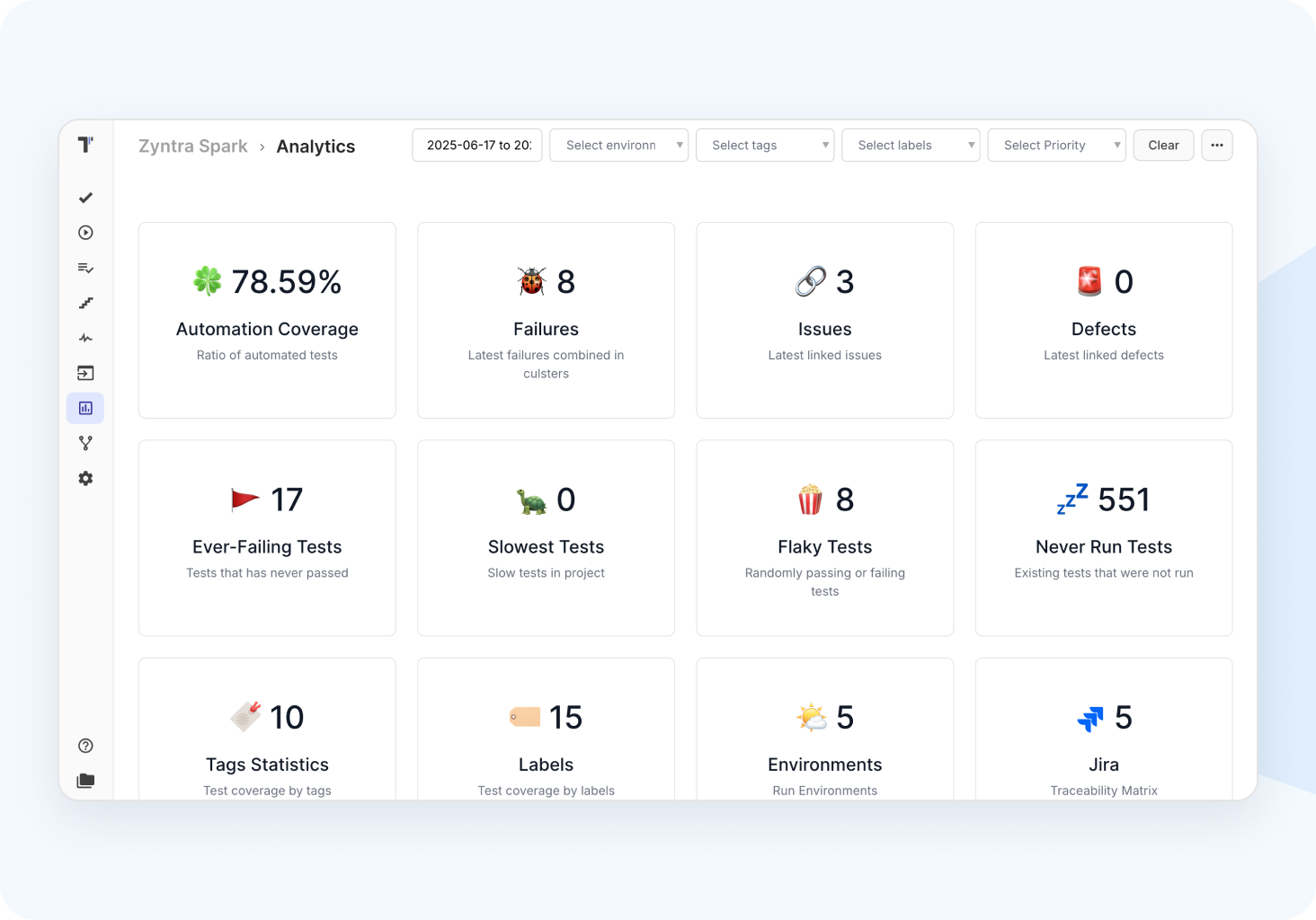
Advanced analytics dashboard
Provide visibility testing activities by tracking KPIs and metrics for stakeholders and management team. Share with them test report results.
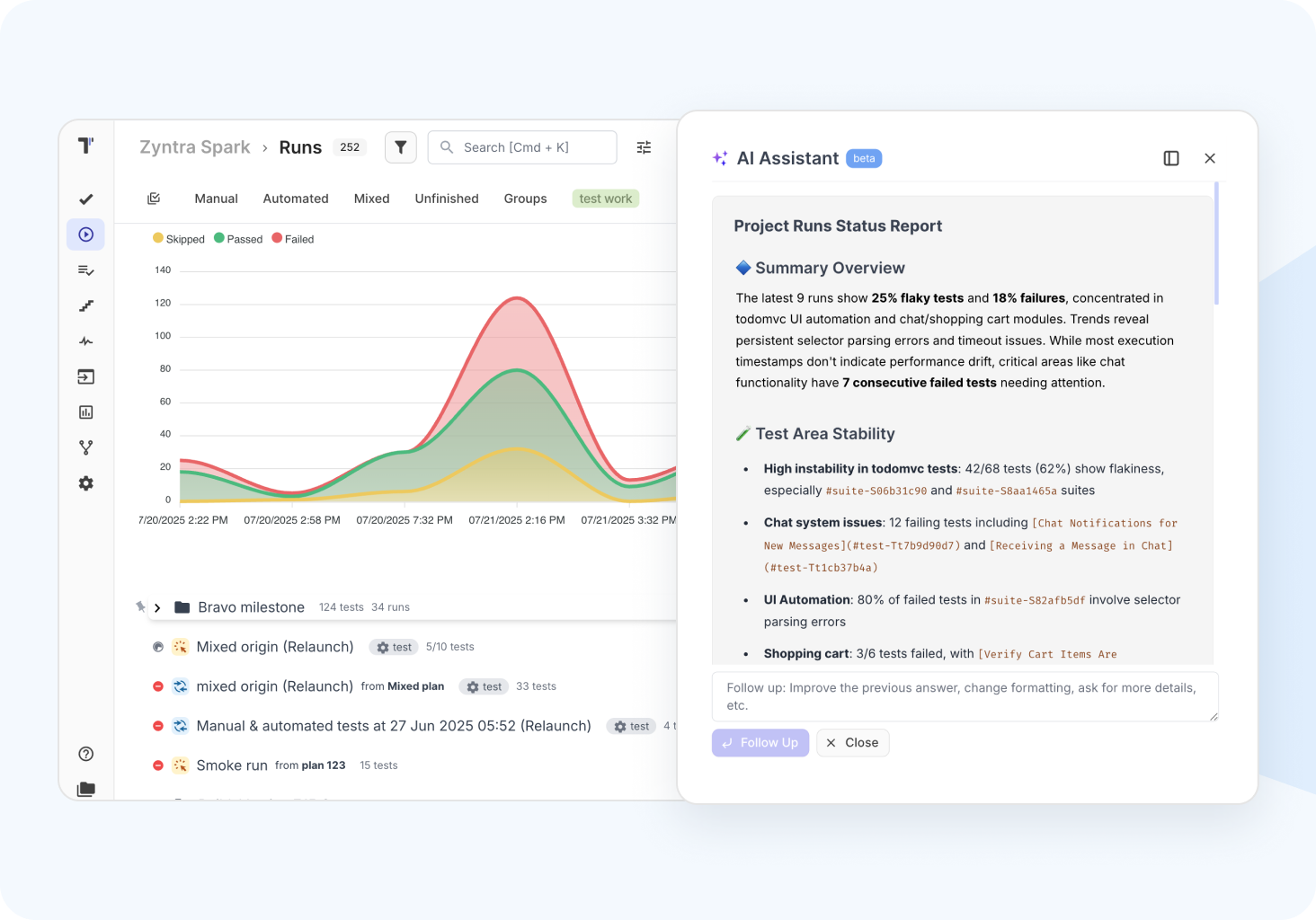
AI assisted reports
AI-driven reports summarize test statuses, trends, and defects, highlighting issues and grouping failures to identify root causes.
Public reports & read-only option
Access to test execution results with external stakeholders or team members without requiring a login to the platform empowers transparency and collaboration among them.
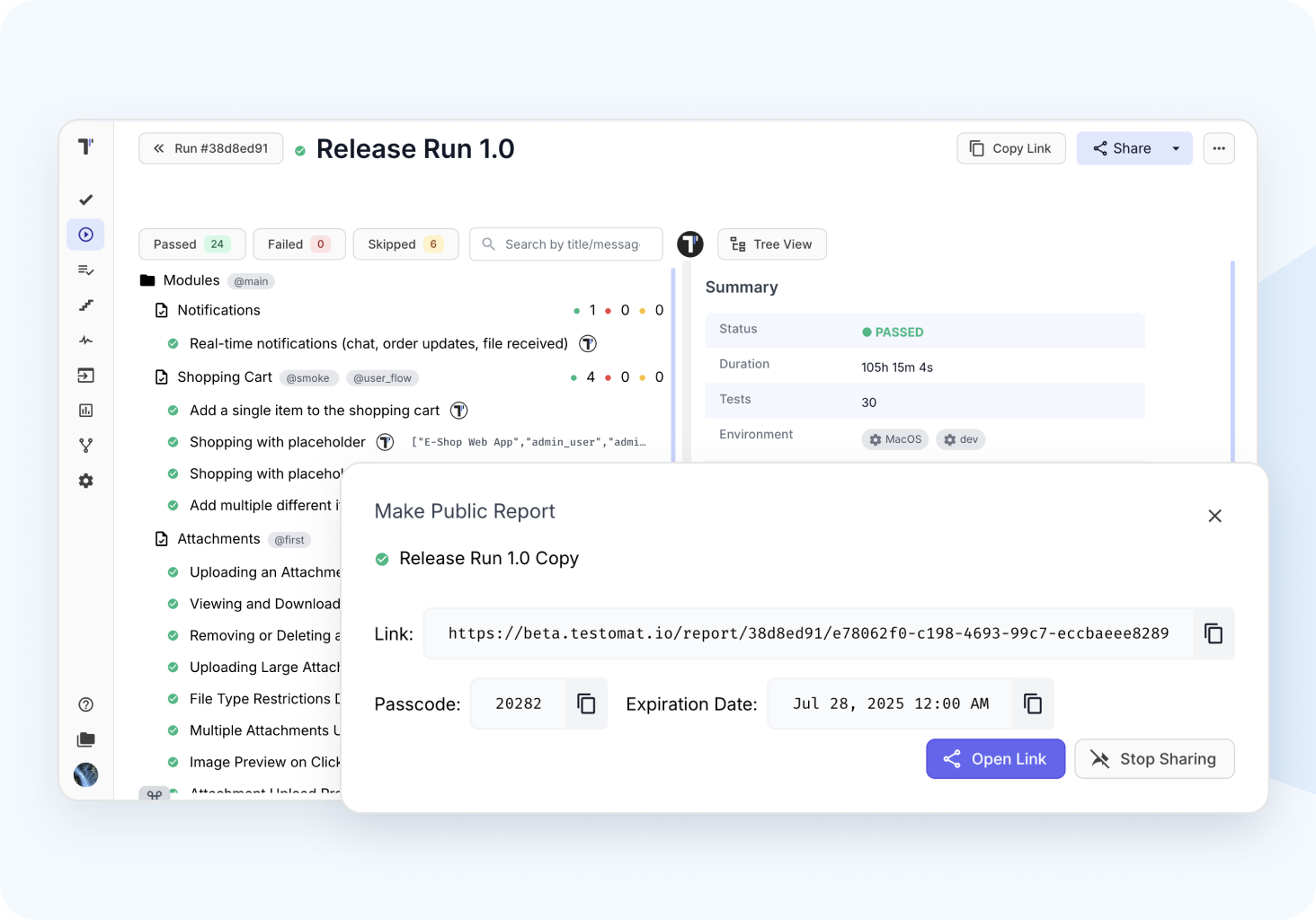

Predictive analytics

Run history and archive

Merge test reports

Custom reports
 Integrations
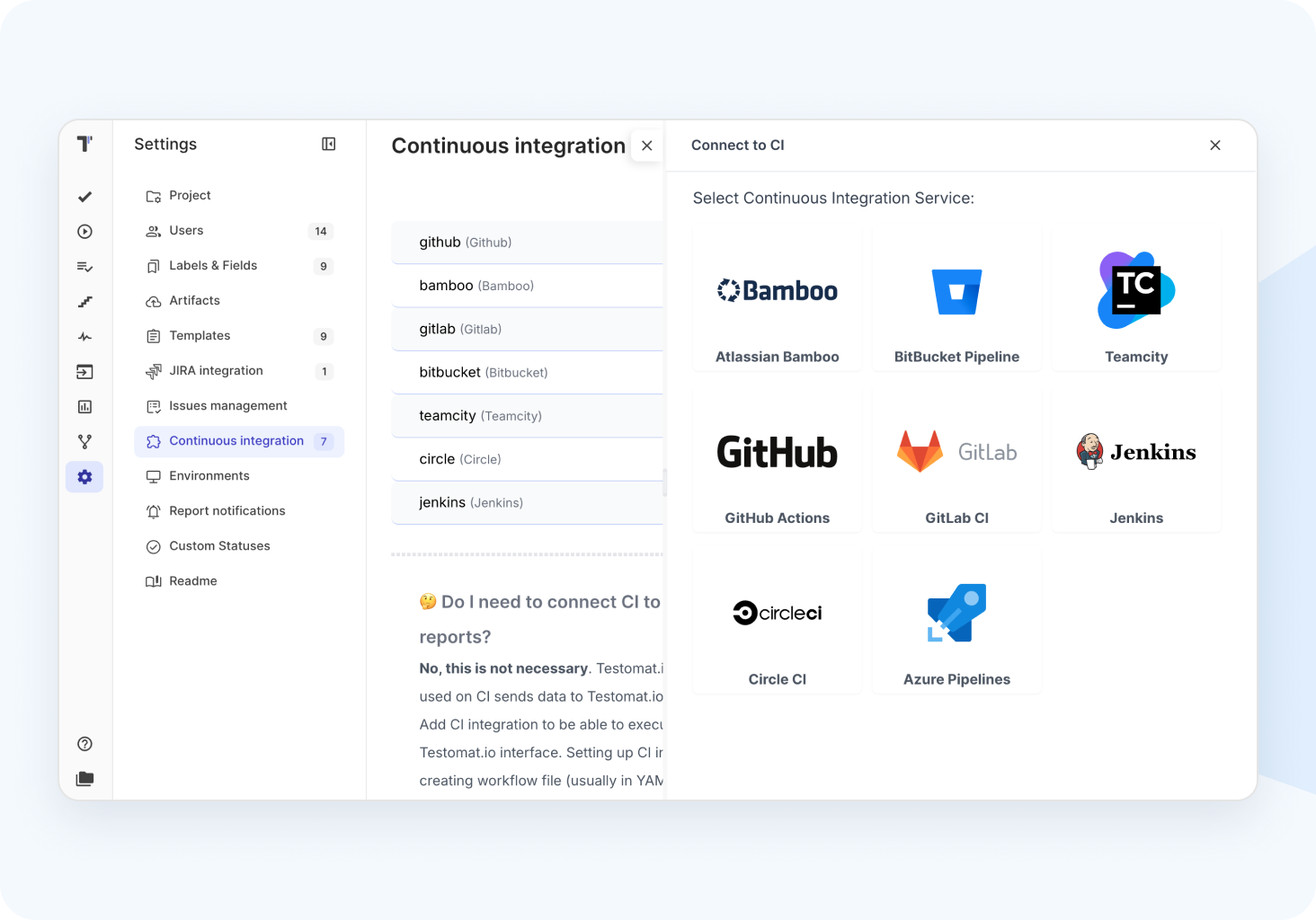
Live sync with CI\CD
Two-way integration with your CI/CD pipelines allows automated test execution on the platform, capturing results and metrics in real-time.
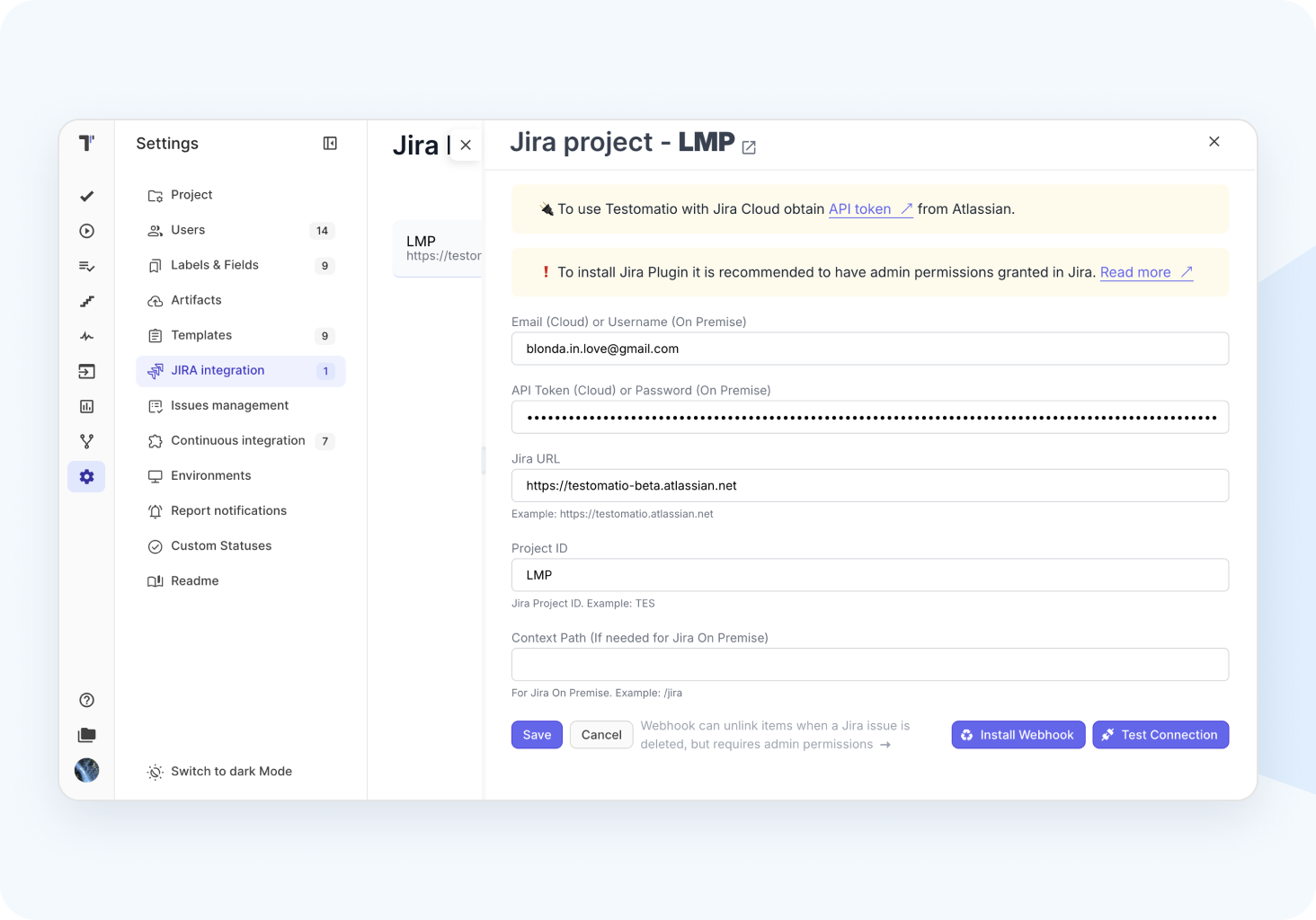
Advanced Jira plugin
Bi-directional adjusting between test cases, test runs, and user stories or epics which enables QA teams and non-techies to stay aligned without switching tools.
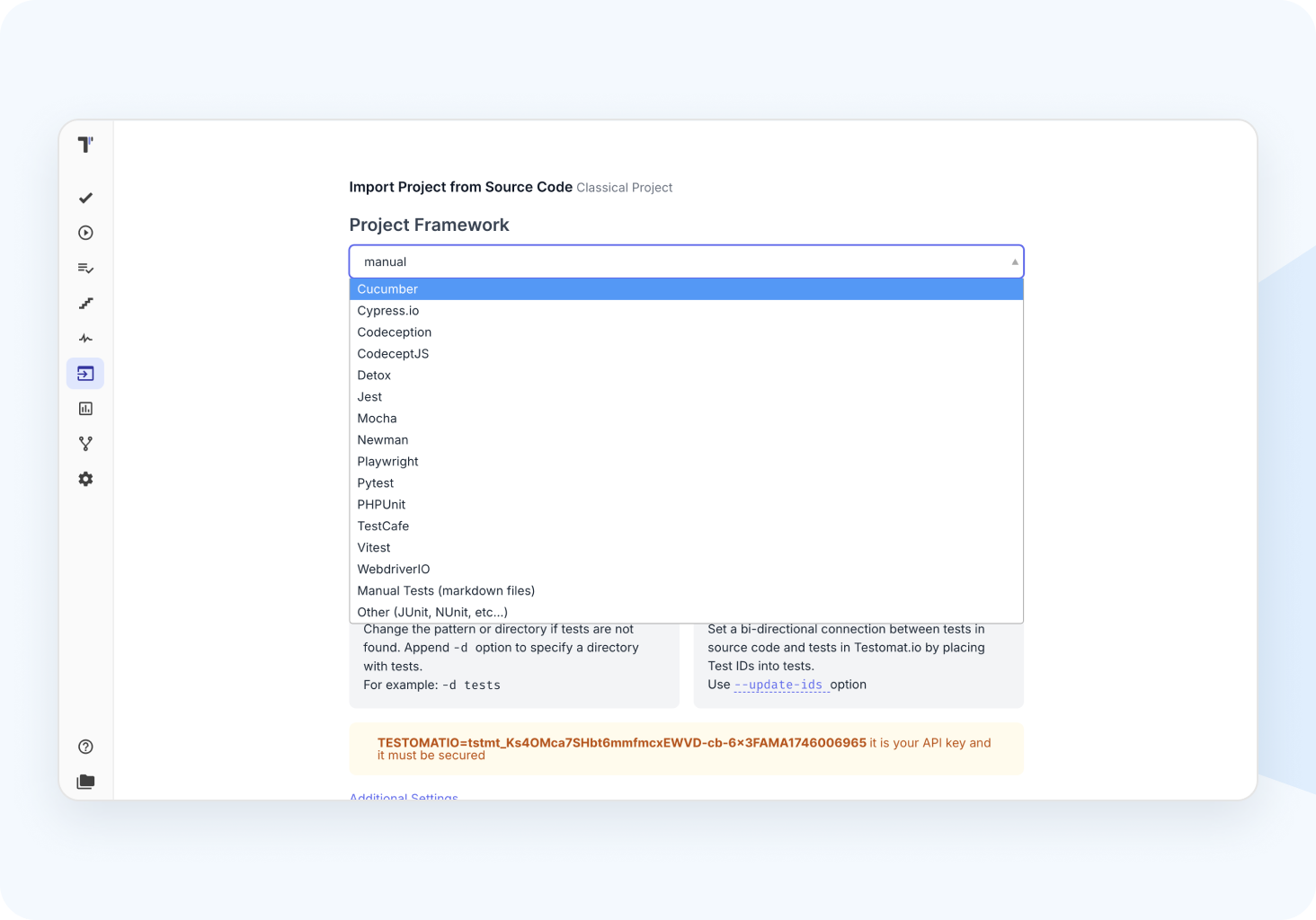
Multiple test frameworks
Native integration with a wide range of popular frameworks and its multi-language, like Playwright, Cypress, Cucumber, Jest, PyTest and many more.
Collaboration teams
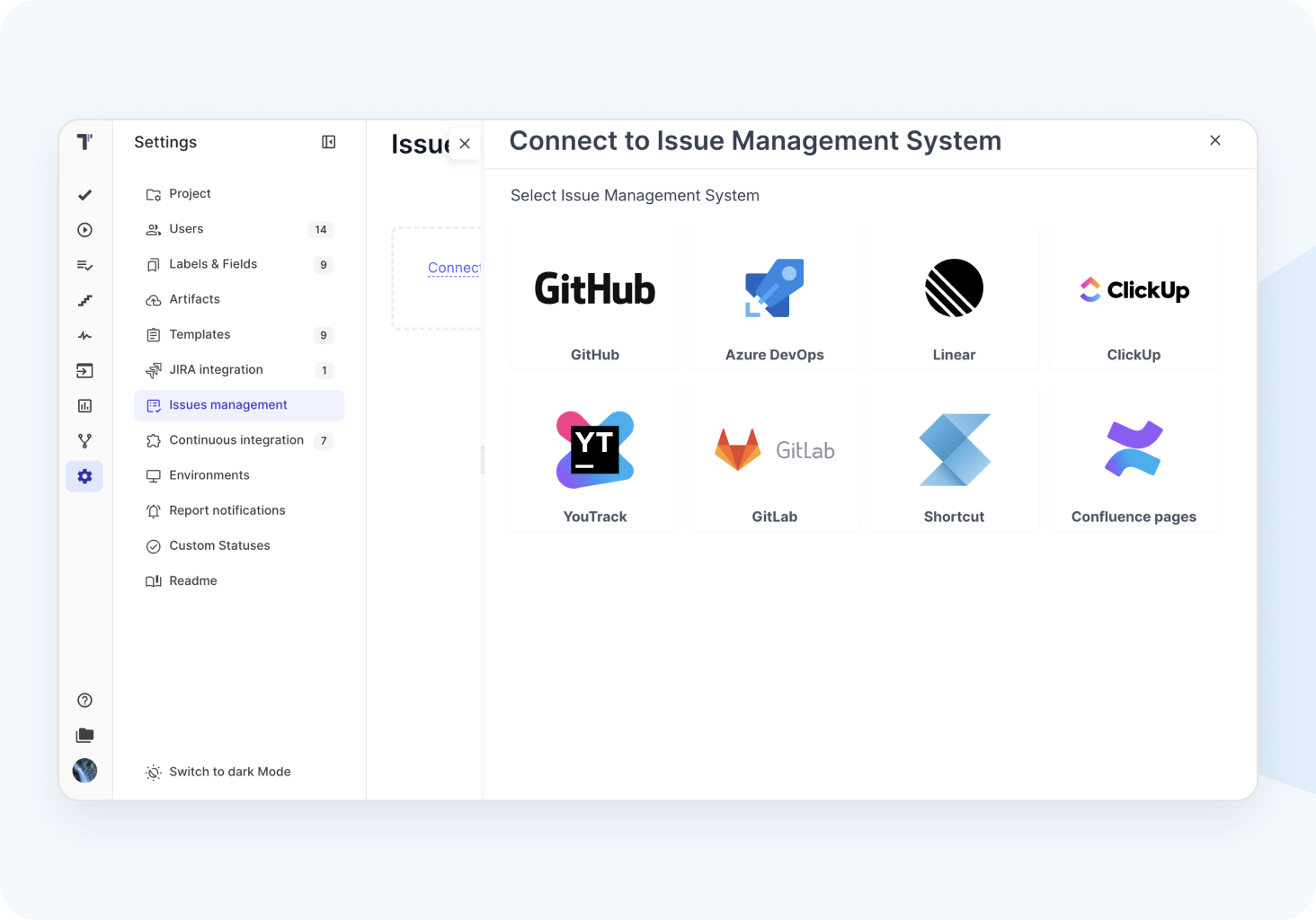
Full connection to your development lifecycle within software your team actually works, popular issue tracking, task management, and project collaboration tools.

Playwright reporting

Bidirectional GitHub connection

API integration
Powerful AI features
Top test management that teams trust
We are consistently recognized as a category leader in test management tools. Our customers prove that smarter test management is already here. QA teams love our feature innovation, flexibility, and fast customer support. Managers see results.

















































1M+ tests run daily

2,500+ teams onboard

98% user satisfaction
Smart testing workflow
Plan and coordinate every phase of your test project, adhering to the Agile process and release cycles.

1. Plan
Dynamic test planning based on filters allows for a focus on key areas.
Define test strategy goals
Design structure
Connect tools
Define environment

2. Design
Create test cases effortlessly and efficiently, saving time and resources.
Import existing test cases
Use AI-testing bot
Use templates, duplicate
Steps from database

3. Execute
High-level test execution configurations filters, queries, multiselection, etc.
Wide CI\CD integration
Run from issue trackers, Jira
Run autotests as manual
Mixed runs

4. Analyze
Report and rich Analytics dashboard Ready even 1 test executed.
Automation coverage
Usage statistics
Jira, defect statistics
PDF, XLS report export
Fully flexible configuration
From manual to AI-powered testing — manage every step in a seamless flow. Create, sync, and analyse tests with complete visibility and control.
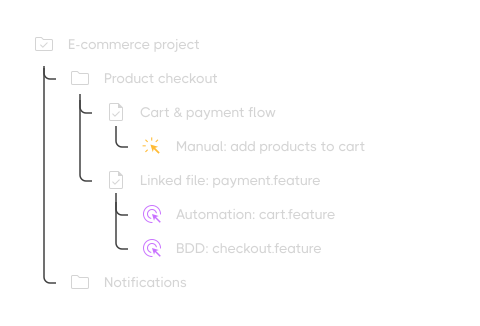
 Team management
  Create tests or import tests outside
  Create new project
  Manual test case
 Manual: add products to cart
Steps:
- Go to Product Page
- Click Add to cart
- Go to Cart Page
Expected result:
Product is visible in cart with correct title and price.
 Automation test case
 Automation: cart.feature
test('Add product to cart', async () => {

await page.goto('/product/123');

await page.click('text=Add to cart');

await page.goto('/cart');

expect(await page.textContent('.item-title')).toContain('Product 123');

});
 BDD test case
 BDD: checkout.feature
Scenario: Complete product checkout
    Given the user has items in the cart
    And they are logged in
    When they go to the checkout page
    And they click "Place Order"
    Then the order should be created
    And a confirmation message should be shown
 Test automation


 CI/CD integrations


Test management tool
 AI assistant
Write description
Summarize
Detection flaky tests
Check requirements
Suggest tests
Find duplicates
 Issue management


 Report notifications


High-level test execution
Run, combine, and control all types of tests from a single place.
- Launch tests from UI, Jira, or API
- Combine manual and automated tests in one run
- Cross-suite & cross-project execution
- AI-powered test run recommendations
- Parallel & multi-environment support
- Run history with full traceability

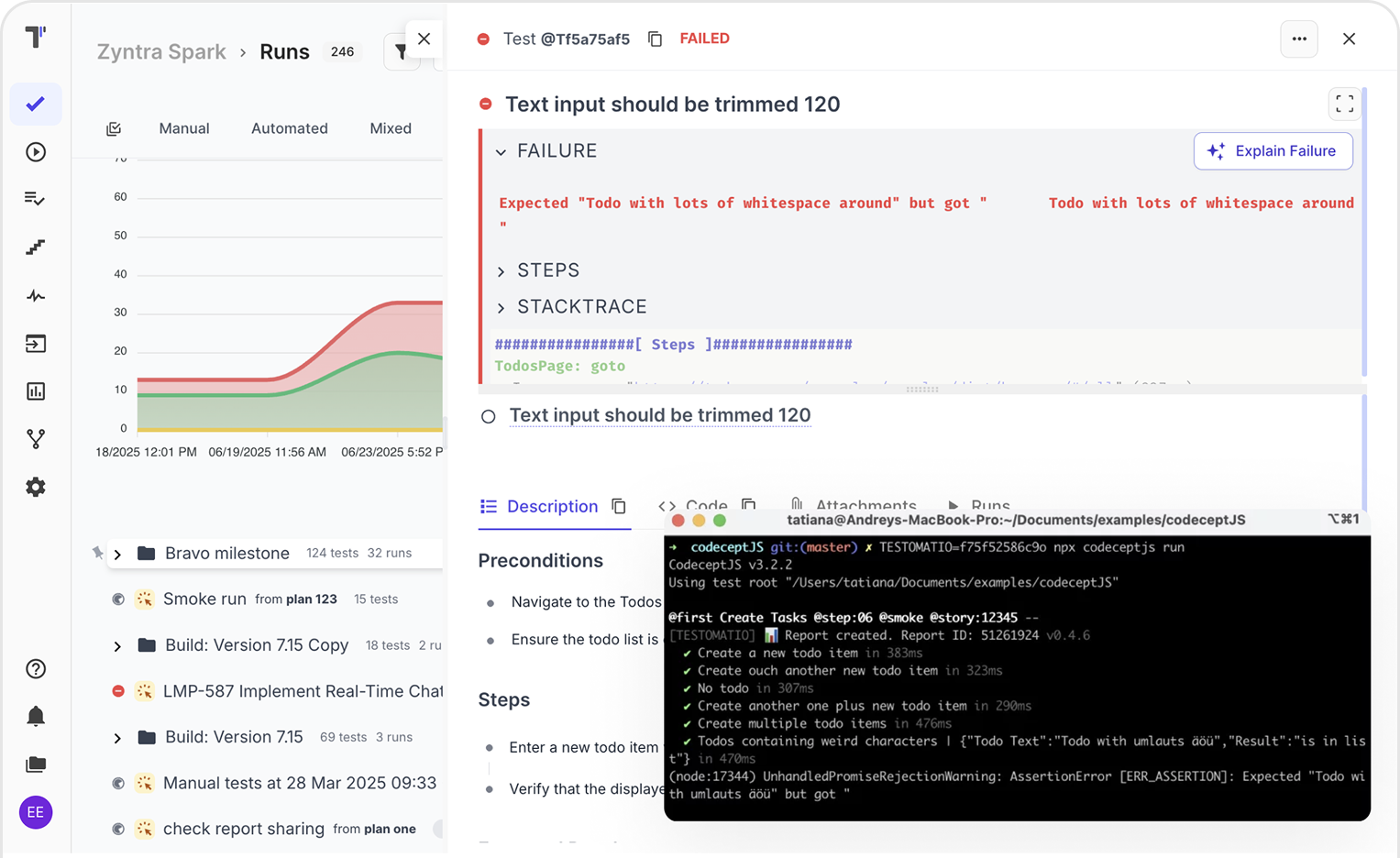
Analyze with report and analytics test results
Get full visibility into test coverage, trends, and product quality.
- Real-time dashboards with pass/fail trends
- Detect flaky tests with AI insights
- Trace tests to user stories & requirements
- Test coverage by feature, sprint, or tag
- Export results as CSV, JSON, PDF
- Filter by test type, priority, and status

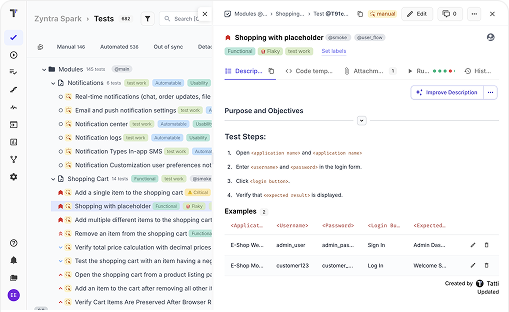
Manual testing
Streamline test cycles with flexible QA workflows to reduce repetitive tasks and routine effort, to focus more on high-priority issues and what truly matters.
Steps data base & snippets
Centralized test case updates
Transferring instances between projects
Living docs

Automation testing
Automated tests usually are hidden, our test management provides full visibility and align them with manual in one workflow, no matter the framework.
Suggest tests
Write code from description
Summarize
Write description
Check requirements
Find duplicates

Smart AI-powered toolset
AI capabilities make test management faster, smarter, and more efficient at every stage of the QA process, whether or not your team has coding or prompting experience.
Smart test prioritization & maintenance
AI improvements
Analysis requirements & test cases
AI automated test conversion
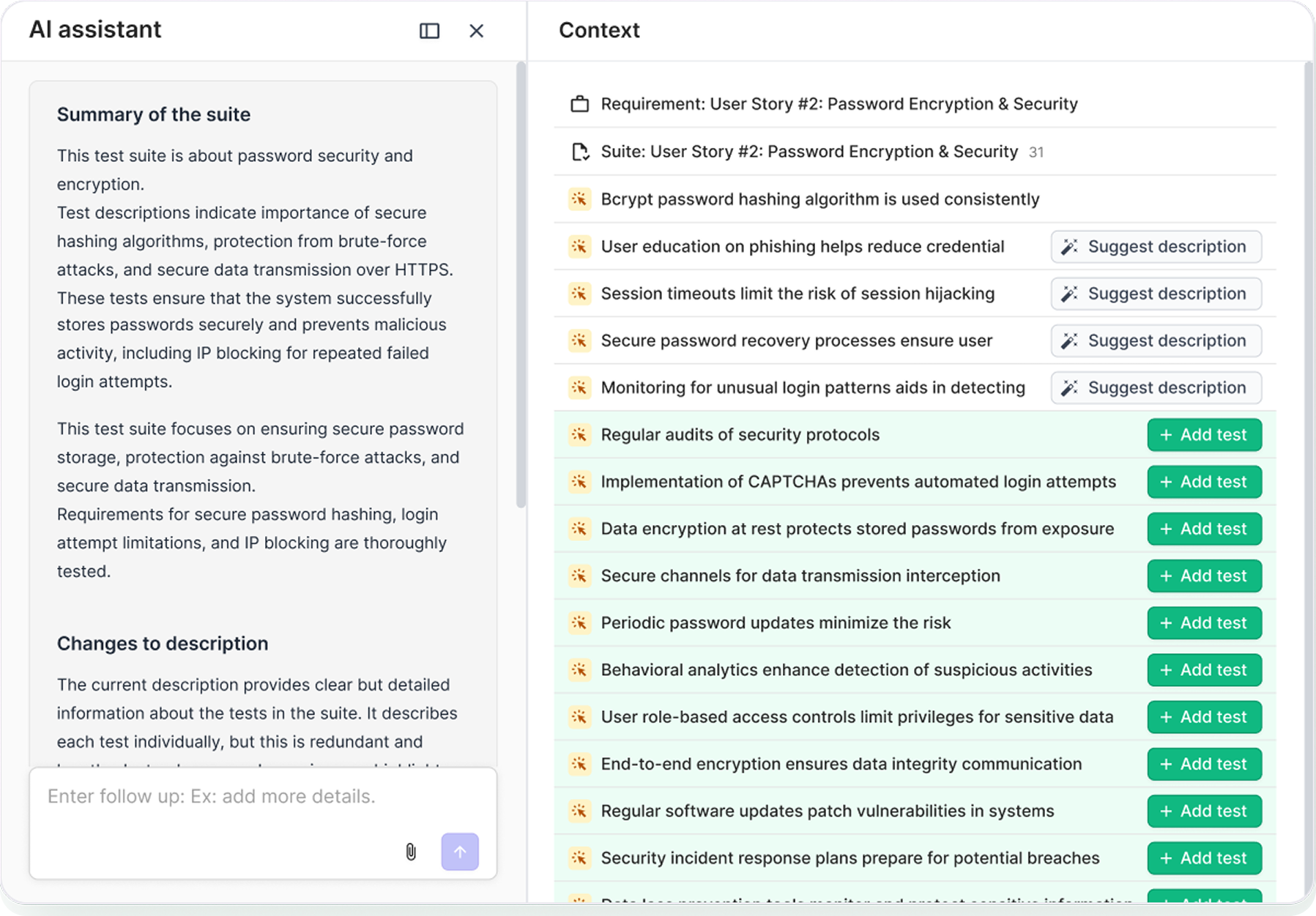

Stay in sync 40+ integrations
The most popular developer, project management and QA tools, enabling you to organize test case management, automation, defect tracking, and CI\CD reporting all in one place.
XML JUnit report
Java Frameworks
REST APIs tools
NodeJS Test Frameworks
Azure DevOps
Linear
ClickUp
YouTrack
ShortCut
Python Frameworks

 JIRA Integration
 JIRA Integration
Seamlessly connect Jira with your testing workflow. Advanced Jira Plugin brings full two-way synchronization between Testomat.io and Atlassian products like Jira, Confluence, and Bitbucket.
Bidirectional synchronization
Bi-directional updates between Jira and Testomat.io keep issues, statuses, and test results aligned, enhancing team collaboration and visibility.
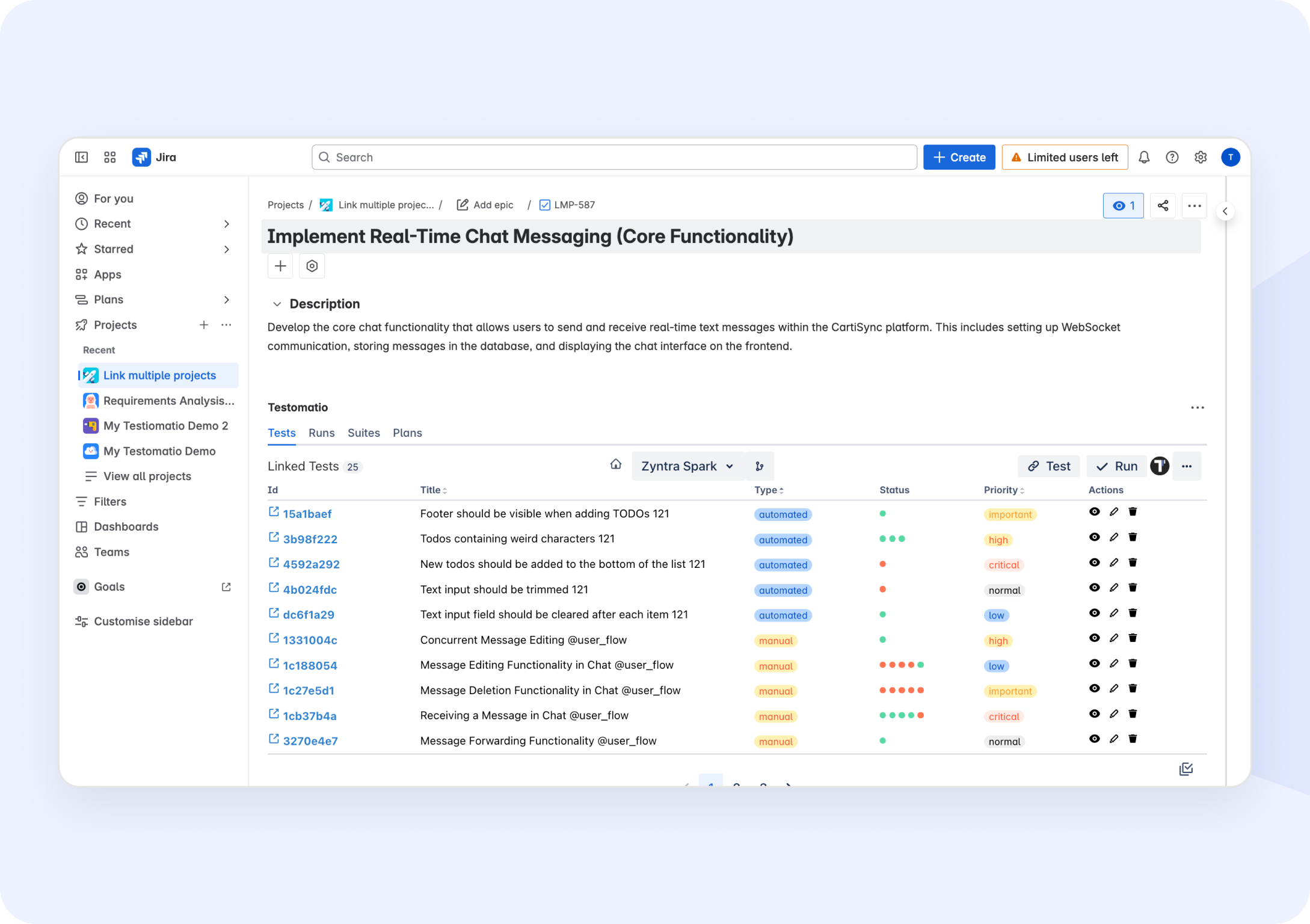
Run your tests directly from Jira
Run your tests directly from Jira to streamline your testing process, improve collaboration, and ensure seamless integration between development and quality assurance.
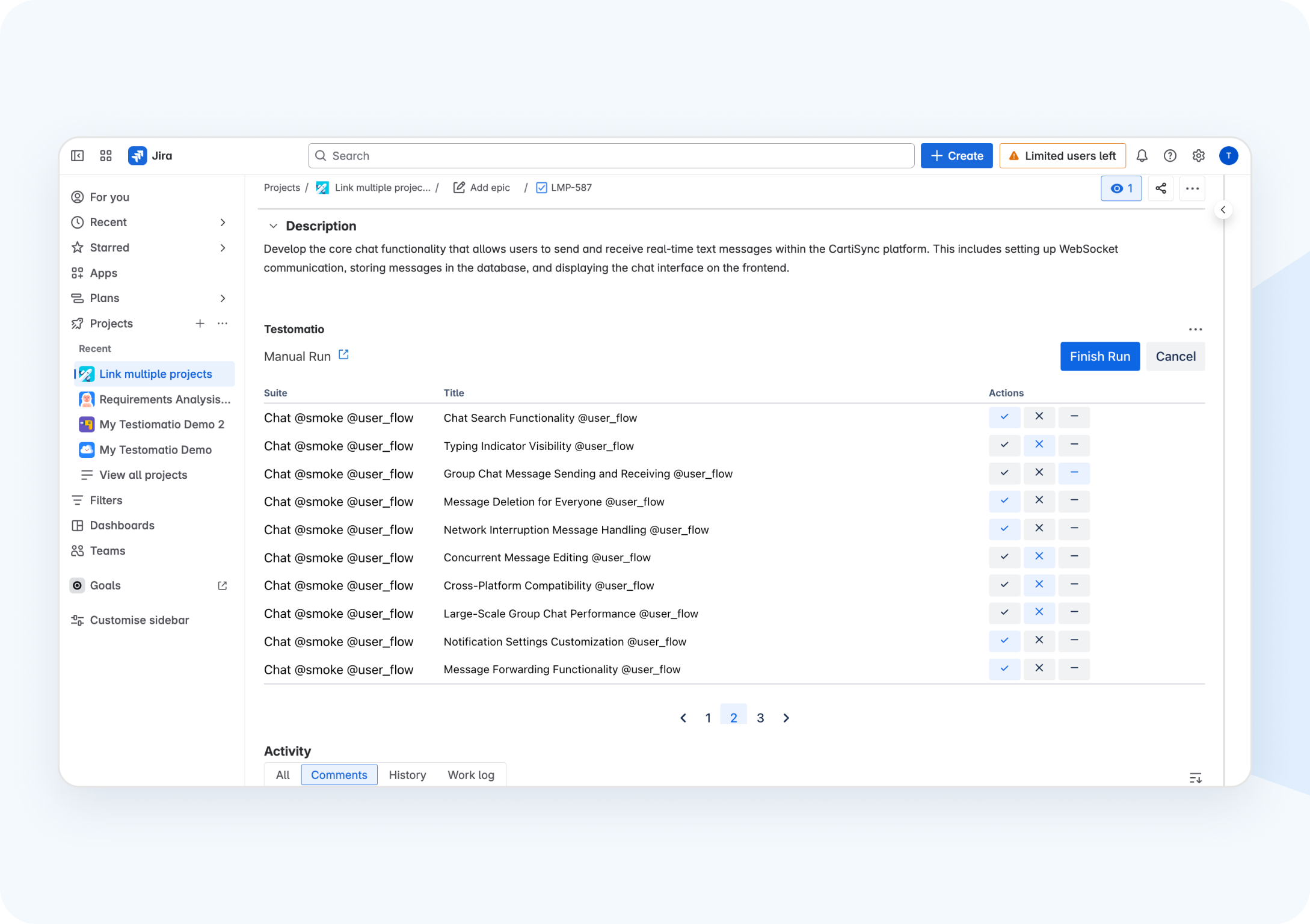
Jira statistic & defects widgets
Get real-time insights into testing progress and defect tracking to effortlessly monitor and improve your project’s health.
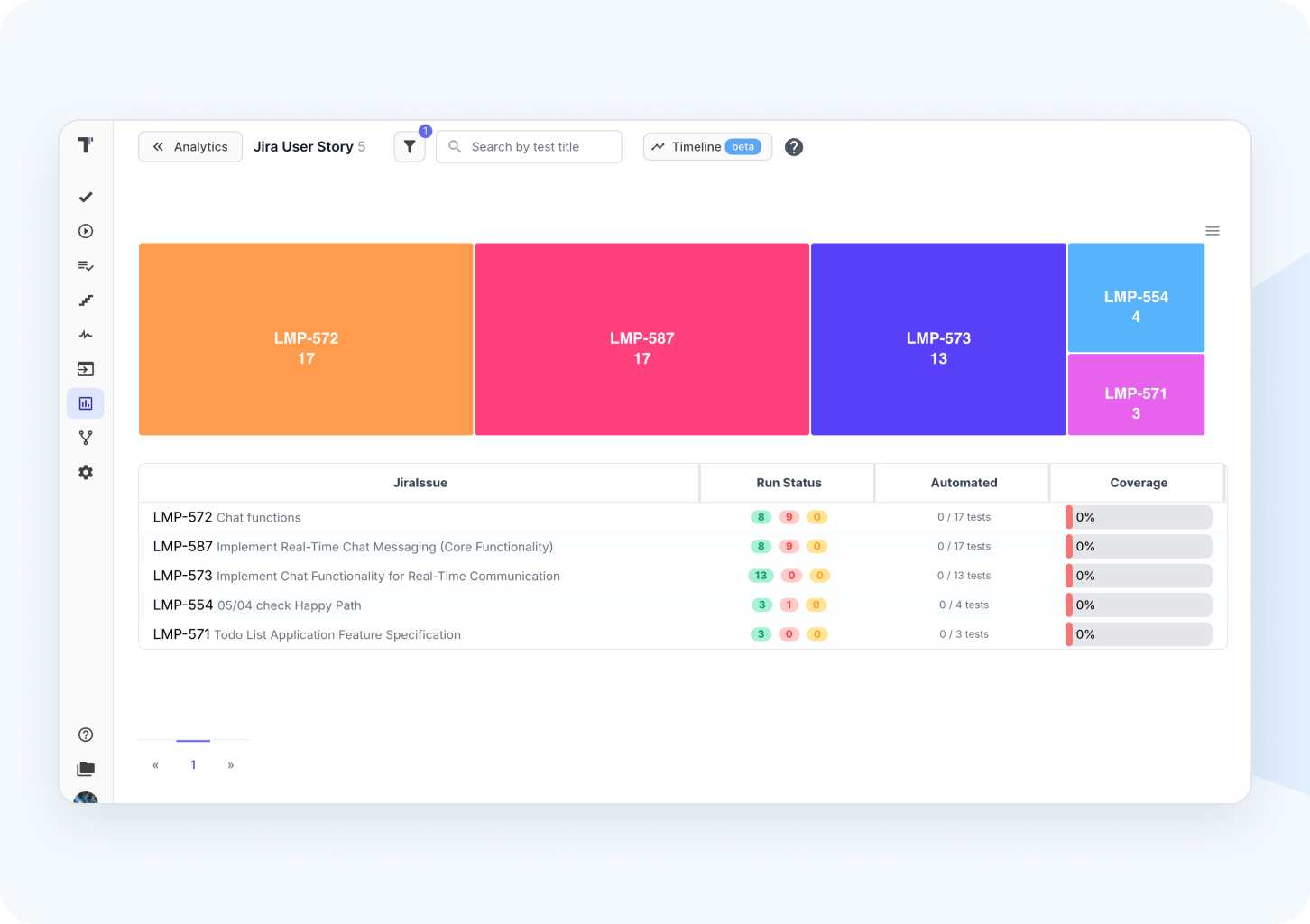
Link autotests
Run tests from Jira
Create issue on a fly
Jira statistics analytics
10X faster test management
See how Testomat.io outperforms traditional frameworks and tools in speed, simplicity, and scalability.

Setup time
Zero configuration, ready in minutes

User experience
Modern user-friendly UI

Maintenance
Self-healing & smart suggestions
Test creation effort
10X faster test creation

Integration
Seamless third-party integrations

Customer support
Seamless third-party integrations

Productivity
More than 100K tests per run
Custom solutions
Setup time
Time-consuming
User experience
Poor
Maintenance
Costly and manual
Test creation effort
High
Integration
Extensive
Customer support
Large and active
Productivity
Hight
Other tools
Setup time
Minimal to moderate
User experience
Visual or Keyword
Maintenance
Lack of flexibility
Test creation effort
Moderate
Integration
API integration available
Customer support
Only Email
Productivity
Slow loading
Custom solutions
Other tools
Setup time
Time-consuming
Minimal to moderate
Zero configuration, ready in minutes
User experience
Poor
Visual or Keyword
Modern user-friendly UI
Maintenance
Costly and manual
Lack of flexibility
Self-healing & smart suggestions
Test creation effort
High
Moderate
10X faster test creation
Integration
Extensive
API integration available
Seamless third-party integrations
Customer support
Large and active
Only Email
Seamless third-party integrations
Productivity
Hight
Slow loading
More than 100K tests per run

Join thousands of QA teams using Testomat.io to ship better software, faster.
What clients says
Recent reviews

“User-focused approach”
I think you guys have struck an amazing balance...
5/5

Danylo K.
QA/QC
“Perfect way to manage test reports and runs.”
We use Testomat in day-to-day use case, for all our test reports, test cases and test analytics. It gives us analysis of the automation coverages across the product. We easily did integration with our existing automation framework on Cypress and Jest.
5/5

Gaurav Goyal
Software Development Engineer in Test
“Excellent customer support”
Customer support is always prompt and high-quality. It's also great to see that user feedback is considered when developing new features. The team makes an effort to provide overviews of new features and keeps users informed about the latest updates.
5/5

Ingo Steinke
Frontend Web Developer
“Awesome codecept.js integration.”
Customer support is always prompt and high-quality. It's also great to see that user feedback is considered when developing new features. The team makes an effort to provide overviews of new features and keeps users informed about the latest updates.
5/5

Lars Jacob
Frontend Web Developer
“Best TMS I've ever used.”
Testomat.io is a really powerful automated testing tool. Its integration with various frameworks and CI/CD tools makes it very convenient for developers and testers. I am impressed with its analytics, reporting and support for an agile approach. 👍
5/5

Roman Kostiv
Quality Assurance Engineer
“Excellent customer support”
Customer support is always prompt and high-quality. It's also great to see that user feedback is considered when developing new features. The team makes an effort to provide overviews of new features and keeps users informed about the latest updates.
5/5

Aliona Kovalchuk
General QA
“The best QA tool in the market.”
It helped me to integrate many QA tools in one place. It's easy to learn, UI/UX friendly and covers many possibilities for testing.
5/5

Tiago P.
Senior QA Engineer
“Quality Assurance Automation Lead.”
Having a single pane of glass for our automated testing has brought a ton of value to our team. Not only does it allow us to access everything we need related to manual and automated testing, but it also provides us this data in realtime, which none of the other products we demoed provided
5/5

Justin S.
Mid-Market
“Helpful feature in the Test Manager Tool.”
I was surprised by the existing branches as a tool. I was thrilled when I learned that using branches to create cases in certain branches doesn't disturb the master. I work on a fast-changing project and collaborate with teammates, and using branches turned out to be the best way to keep our test documentation clear and stable.
5/5

Eduard T.
Senior Test Engineer Manual
“Gherkin-files end-2-end.”
We've embraced the BDD design and use Gherkin extensively to define acceptance criteria for all user stories and enablers in AzureDevOps. This works excellent in conjunction with Testomat.io, where we have automated the sync of Gherkin files (from Azure Repos) and can use the exact same files for testing all user stories.
5/5

Martin Born
Co-Founder, COO & UX-Lead
“Very convenient platform for managing test cases.”
The platform is convenient and intuitive to use. I’ve been using it long enough to say it’s very user-friendly. It’s clear that the team is constantly working on and improving the platform.
5/5

Alina L
Middle QA Engineer
“User-focused approach”
The fast and convenient display of the automated test runs. The clarity of the errors.
5/5

Volodymyr O.
QA/QC
Enterprise-testing
For large-scale releases, distributed teams, and complex infrastructures, designed to support exceptional productivity, availability, resilience, strict compliance requirements and security.


Growing teams and complex test environments, this enterprise-grade solution is adaptable to scale and offers remarkable productivity.



Frequently asked questions
Meet comprehensive pricing details.


For more detailed information, please visit the following link a comprehensive pricing details. If you have any questions or need a consultation, feel free to write contact@testomat.io via email or Crisp chat.
How does the free trial work?
The testomat.io team provides two trials for you to evaluate all features of the test management tool: a 30 Days Trial and an additional extra 14 Days Trial.
The first trial period starts automatically with a sign-up. The second trial will start by clicking on the button Request trial.
At the end of the second trial period, advanced features will being disabled and you will be able to use the Free plan for as long as you need or make a subscription upgrade.
The first trial period starts automatically with a sign-up. The second trial will start by clicking on the button Request trial.
At the end of the second trial period, advanced features will being disabled and you will be able to use the Free plan for as long as you need or make a subscription upgrade.
How do I select a Plan suitable to my teams’ needs?
You might have a look at the detailed features description of each plan mentioned above and would make a decision based on the availability of a particular feature in the plan, user and project limits, security preferences according to your testing needs.
Do you want to understand all detail before purchasing. What should you do?
You can Request a Demo here and schedule a demo with us at your convenient date and time. Our product experts will take you through the entire product in a one-on-one or together with your team. Also, you will be free to ask any questions and receive answers on them immediately.
What if I already use a different test case management tool?
You might continue the development of your existing testing project.
Built-in importer lets on import all your tests from csv/xls files, Test Rail, Zephyr, qTest automatically. Or use our API to import test sets from other test management tools in your interface.
Built-in importer lets on import all your tests from csv/xls files, Test Rail, Zephyr, qTest automatically. Or use our API to import test sets from other test management tools in your interface.
Do you need a credit card to get started with Free Plan?
No. You don’t need to provide credit card details for getting started with the Free plan testomat.io Test Management System.
Which payment methods are accepted?
You can pay via a debit card or a credit card. During transaction, you will be redirected to our stripe payment gateway for making payment.
Is it possible to cancel Paid subscription?
Yes. It is possible to cancel your subscription anytime. All you have to do is go to Subscription and click on Cancel Subscription. You will continue to have access to your current subscription level until the end of your current (already paid) billing period. After, any features beyond those allowed on the Free plan will be deactivated. If you renew or upgrade your subscription, your deactivated features and projects will be available again.
Do you send invoice?
We send the invoice. We will fulfill your order through invoice.
What will happen if you do not pay the paid plan?
Any features beyond those allowed on the Free plan will be deactivated. If you renew or upgrade your subscription, your deactivated features and projects will be available again.
How can I contact you in case of any queries?
We have a Contact Us page where are described all our contact channels.
Also, you can immediately direct mail us to contact@testomat.io for any assistance.
Also, you can immediately direct mail us to contact@testomat.io for any assistance.
Useful resources
Structured instructions and workflow examples to help you implement testing best practices with confidence.

10 Key Criteria Choose the best Test Management Tool for your team
Each project is unique and each team has its own needs. But all testing teams are united by the desire to work with quality tools that lead their

AI Agent Testing: Level Up Your QA Process
Unluckily, QA and testing teams have to cope with challenges in meeting the demands of modern software delivery and fail when balancing high-quality releases with effective bug findings along the way in the traditional testing process.

Are Cucumber with BDD useful in
a test engineer’s diet?
a test engineer’s diet?
The topic of “Behavior Driven Development” has been on the agenda of testers and automation engineers for many years. The testing community splits into two camps.