


| CARVIEW |



Install latest/stable of Slack
Ubuntu 16.04 or later?
Make sure snap support is enabled in your Desktop store.
| Channel | Version | Published |
|---|
| Channel | Version | Revision | Download SBOM |
|---|



Details for Slack
License
- Proprietary
Last updated
- 30 September 2025 - latest/stable
- 8 October 2025 - latest/beta
Websites
Contact
External link warning
You are about to open
Do you wish to proceed?
Report a Snap Store violation
Report Slack for a Snap Store violation
Snap Store Violation Report submitted successfully
Thank you for your report. Information you provided will help us investigate further.
Error submitting report
There was an error while sending your report. Please try again later.
Share this snap
Generate an embeddable card to be shared on external websites.
Share embeddable card
Customise your embeddable card using the options below.
Snap Store button:
Options:
Preview:
HTML:
Team communication for the 21st century.
Caution: Slack for Linux is in beta. We’re still busy adding features and ironing out potential issues.
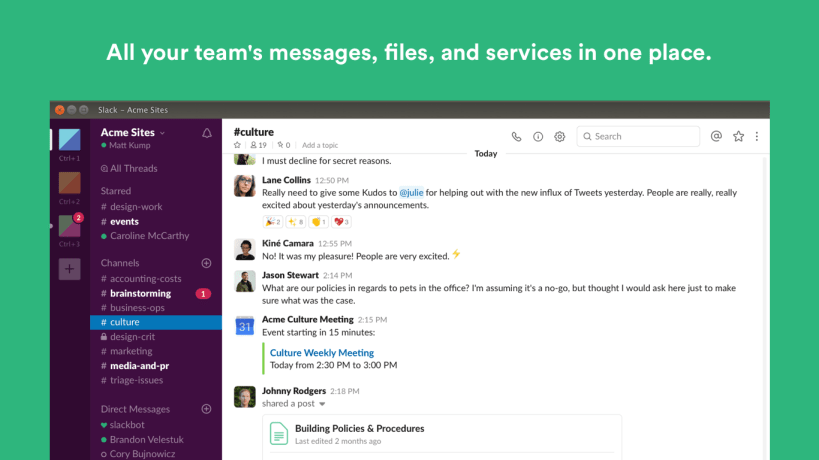
Slack brings team communication and collaboration into one place so you can get more work done, whether you belong to a large enterprise or a small business. Check off your to-do list and move your projects forward by bringing the right people, conversations, tools, and information you need together. Slack is available on any device, so you can find and access your team and your work, whether you’re at your desk or on the go.
Scientifically proven (or at least rumored) to make your working life simpler, more pleasant, and more productive. We hope you’ll give Slack a try.
Stop by and learn more at: https://slack.com/
Install Slack on your Linux distribution
Choose your Linux distribution to get detailed installation instructions. If yours is not shown, get more details on the installing snapd documentation.











