

|

|
| CARVIEW |
Preparation
- Cook the noodles according to the package instructions.
- Toss with 1 tablespoon of sesame oil and set aside.
- Add ½ teaspoon of sesame oil to a pot with the lightly beaten eggs. When the eggs are finished cooking, set aside.
- Pour the remaining ½ tablespoon of sesame oil into the pot and add the diced chicken breast. Cook until no longer pink in the middle, then set aside.
- Add the shallots to the pot and cook until lightly browned and fragrant. Then, add the noodles, eggs, and chicken back into the pot.
- Pour in the pad Thai sauce and toss to coat.
- Top with the bean sprouts, crushed peanuts, green onions, and cilantro, and stir until well blended.
- Dish up and garnish with extra peanuts, green onions, and cilantro.
Serve and Enjoy!
]]>Total Cooking Time: 1 hour
Total Meals: 5
Total Cost: $25.00 ($5.00 per meal)
Flavour Profile: ★★★★
Pack-ability: ★★★★
Healthy Choice: ★★★
Ingredients:
- 1 bundle of kale
- 2 turnips
- butternut squash or acorn squash
- leeks
- 2 chicken breasts
- hazelnuts
- goat cheese
- pesto
- red wine vinegar
- olive oil
- salt and pepper
Preparation
 Roast Veggies: Preheat oven to 400 degrees F. Peel and chop turnips and squash into medium 1′ size chunks. Wash and chop leeks into chunks roughly same size and other vegetable. Toss vegetables in a bowl with olive oil and salt & pepper to taste. Line a sheet pan with foil and spread the vegetables out on the sheet pan in a single layer (be sure the pan isn’t too crowded or your veggies will be mushy). Roast for 25-30 minutes or until vegetables are tender.
PRO TIP!: feel free to add another other of you favourite roasted veggies like onion, carrot, or cauliflower.
Once out of oven let veggies cool for 5 minutes then place back into bowl. Toss with 2 TBSP of pesto.
Cook Chicken: Preheat pan to mid-high heat. Season chicken with salt & pepper to taste. Cook chicken for 25-30 or until cooked through.
Prepare Kale: Wash and peel kale, then put in bowl. Massage kale for 1-2 minutes or until you smell a “grassy fragrance.” This will tenderise the kale. Toss kale in salad dressing.
Dressing: 3 TBSP red wine vinegar, 2 TBSP olive oil, 1 clove garlic, salt & pepper to taste. Blend well.
Put Together: Once veggies and chicken are cooked prepare salad by making a kale base tossed in vinaigrette. Top with veggies, goat cheese and crushed hazelnuts. Serve with sliced chicken.
Enjoy!
PRO TIP!: If you are making the salad for one, only put together enough for yourself. Store all ingredients separately for an easy-to-assemble salad the next day!
]]>
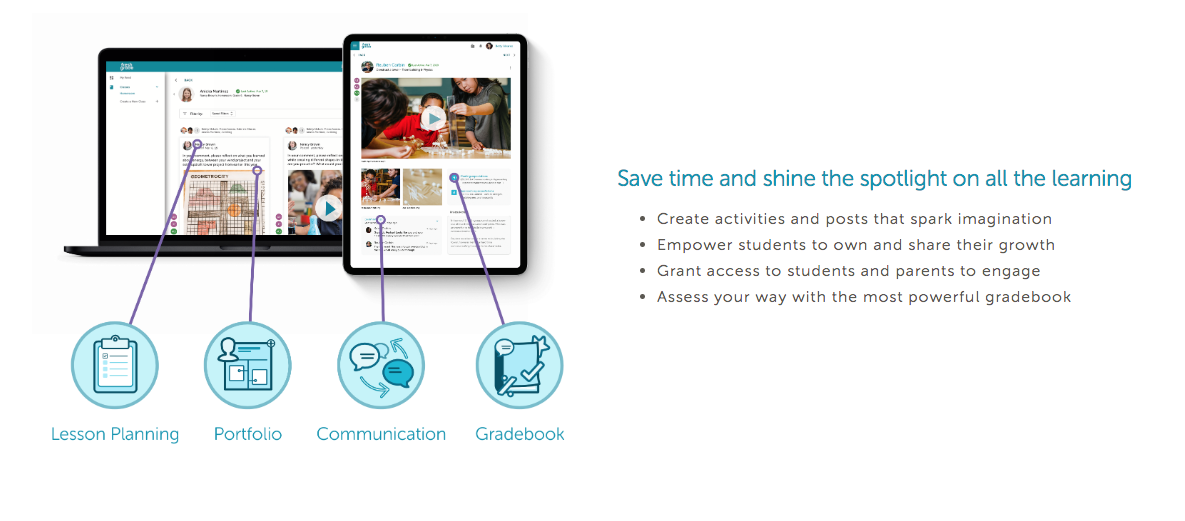
Fresh Grade is a communication platform between teacher – parent – student
- Lesson plans: align activities to standards, curriculum
- Portfolios: keep track of student learning. Online journal for self reflection, photos, audio, video. Documentation of student learning journey
- Announcements: upcoming events, requests, can see which parents read announcements
- Activities: schedules and deadlines online.
- Progression Reports: communication on learning progress, engages parents (parents can comment on photos), early intervention (post in real time)
- Report Cards: anecdotal comments, formative, summative and interim assessment. Less pressure for teachers come report cards because assessments are done throughout
Other Pros:
- Instant sharing
- Window into the classroom
- Multimodal engagement: photos and reflection
- Timely assessments
- Google Translate – comments and announcements can be translated for ELL parents
Fresh Grade Next (what is does that FreshGrade doesn’t)
- Can upload multiple photos at once
- Gradebook and portfolio look the same across all devices
- Announcements can be customized to particular parents and include photos
- Can tag post with cross curricular objectives
- When you create a profile, it will take the BC curriculum based on the grade and subject you teach.
Things Parents Should Know
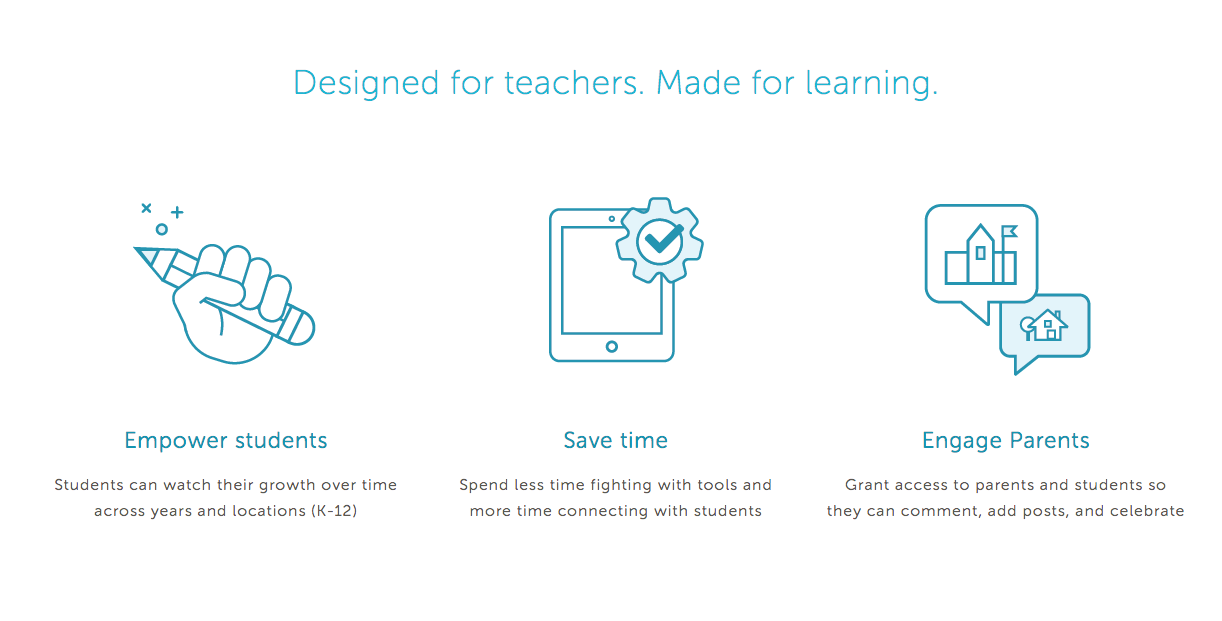
- Give parents tips and tricks for using freshGrade in order to keep up engagement
- Set strict guidelines – not meant as an instagram feed!
- When parents comment, it only goes to the teacher.
- Educate parents about saving photos posted on FreshGrade- when posted there they are private, but once saved to individuals computers, parents can’t share photos due to privacy concerns.
Considerations
- Make it part of your daily routine. Will save you lots of time later!
- At the beginning, only use for communication and announcements
- Focus on one subject at a time
- Quality over quantity
- Think about the group: instead of photographing each student individually, take a group photo and tag individual students to save you time. You can put comments for individual students
- Use your district email in order for your questions to be addressed first
]]>
 ]]>
]]>Total Cooking Time: 1 hour
Total Meals: 5
Total Cost: $25.00 ($5.00 per meal)
Flavour Profile: ★★★
Pack-ability: ★★
Healthy Choice: ★★★
Ingredients:
- 8 Cups (2L) Chicken Broth or Vegetable Broth
- Rotisserie chicken (optional)
- 1 ½ Cups Dried quinoa
- 3-4 celery sticks
- 2-3 large carrots
- ½ white onion
- 1 zucchini
- 2 Bay Leaves
- 1 tsp Italian seasoning
- Salt and pepper to taste
Preparation
Veggies: chop vegetables into small size chunks and add to large pot (leave zucchini aside for now). Cook celery, carrots and onion in olive oil on medium high until onions are slightly transparent. Add stock along with bay leaves, and seasoning. Bring to a boil then add quinoa. Cover pot and cook for 2 minutes on boil before bringing temp down to low simmer. Leave on simmer for 10-15 minutes.
PRO TIP!: While soup is cooking, chop rotisserie chicken into chunks to save you time!
Check soup: Once quinoa is partially cooked, add chicken and zucchini. (You can tell the quinoas readiness when the outside of grains are slightly transparent, while the inside are still opaque). Cover and simmer for another 10 minutes to let flavours blend. Add salt and pepper to taste.
Serve and garnish with cheese, cilantro and a nice baguette on the side!
Enjoy!
]]>
SAMR Model: A Practical Guide for EdTech Integration
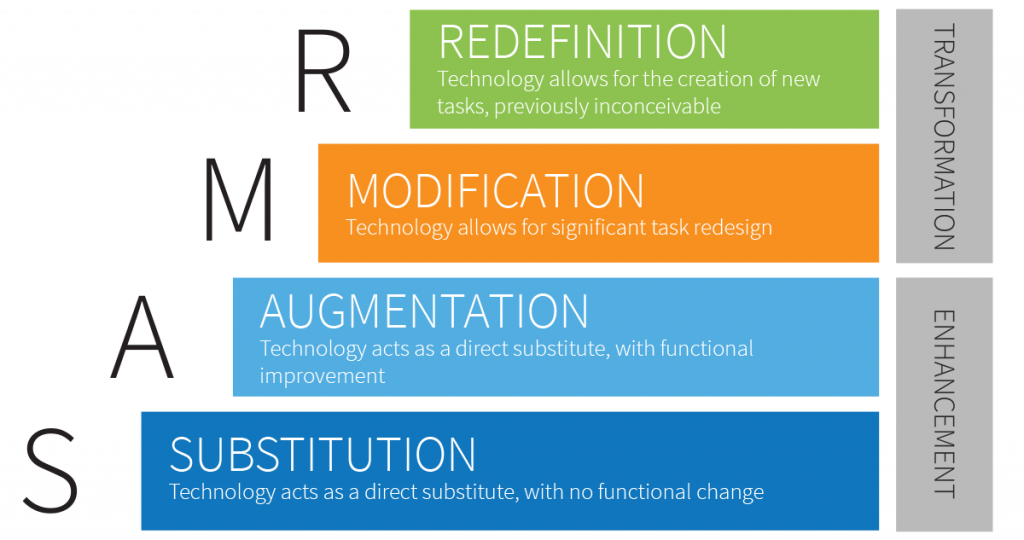
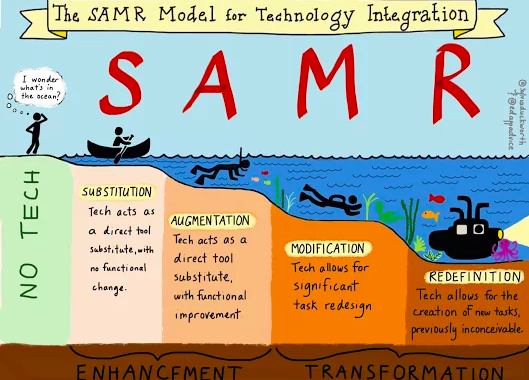
The SAMR Model is a framework created by Dr. Ruben Puentedura that categorizes four different degrees of classroom technology integration:
- Substitution: technology acts as a substitute for typical classroom activities with no real functional change to the task or student engagement.
- Augmentation: technology still substitutes, but with some functional change and enhances productivity
- Modification: technology allows for significant task redesign
- Redefinition: technology allows for the creation of new tasks, previously inconceivable to include competencies such as; creation, critical thinking, collaboration, and communication
This model can be likened to moving up a ladder. As you move up the ladder, you cross the threshold from enhancing learning (Substitution & Modification), to transforming learning (Modification & Redefinition), which promotes higher thinking skills such as; analysing, evaluating and creating. The SAMR framework can be a simple and effective way to assess how you are incorporating technology into your instruction.
Think:
- What will I gain by replacing older technology with newer technology?
- Have I added an improvement to the task process that could not be accomplished with the old technology?
- Does this modification fundamentally depend on the new technology?
- How is the new task uniquely made possible by the new technology?
Technology Pedagogical Content Knowledge (TPACK)
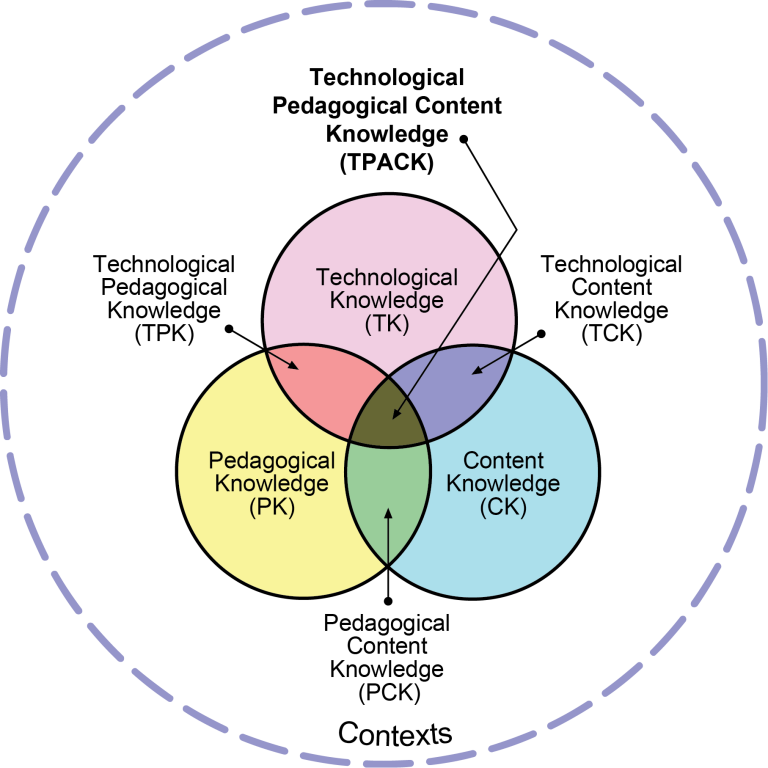
TPACK is a theory that was developed to explain the set of knowledge that teachers need in order to teach a subject, teach effectively, and use teach using technology. At the heart of the TPACK framework are the three primary forms of knowledge: Content (what teachers know), Pedagogy (how they teach), and Technology (how tech is used). Arranging these three categories into a Venn diagram helps us to see the four areas that are created in this framework.
- Pedagogical Content Knowledge (PCK): the knowledge you have in how to effectively engage students in learning concepts
- Technological Pedagogical Knowledge (TPK): your understanding and philosophy for how to choose and manage technology for your students.
- Technological Content Knowledge (TCK): how tech is used in a subjects area for deep and lasting learning
- Technological Pedagogical Content Knowledge (TPACK): refers to your knowledge of how tools in technology can enhance your teaching and support student learning more deeply and effectively.
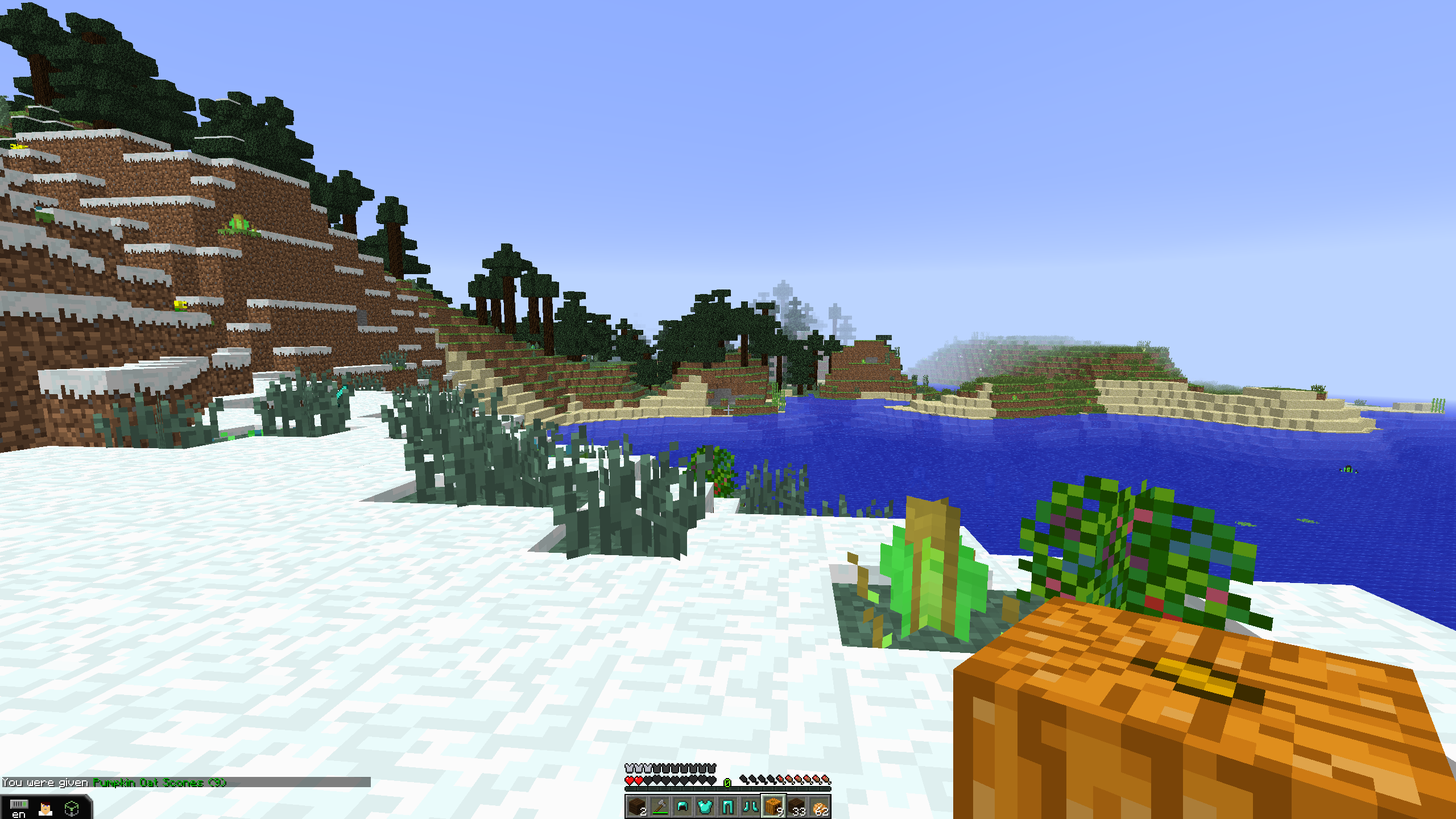
Minecraft is a 3D procedurally generated video game that allows players to build virtual worlds with a variety of different blocks. Players exchange IP addresses to invite others into their virtual world. As such, players require cooperation and creativity from players.
How can Minecraft be used as an Educational tool?
Minecraft touches upon many of the BC Core Competencies
- Communication through team building and cooperation with others
- build a sense of community both figuratively and literally as players build virtual words together
- collect and pool resources to build things
- at times, everyone has to be doing the same thing in order to advance (e.g. sleeping)
- Creative and critical thinking through designing worlds and problem solving
- there are fast ways to do things, or player can learn why they do things which is more sustainable for the longevity in the game
- Personal and social responsibility through reflective teamwork
- Players gain awareness of their impact and responsibility to themselves and their team
- Share food for group survival, build fences to keep in livestock, etc.
Minecraft also touches upon key topics in Curricular Competencies
- Math: work with x-y coordinates, equations, and patterns to build things
- Science: physics and environmental aspects
- Physics: players work with machines and pulleys to build and move buildings
- Environment: lessons on sustainability are built within the game. Players have to take care of their world (eg. if they harvest a tree correctly then the leaves create saplings, which go on to build an entire forest)
- However, there is the innate idea in the game that the world is infinite
- Social Studies: build and reflect on the creation of civilizations
- players develop a hierarchy and system of procedures
- teachers can instruct students to build civilization in biomes similar to those they are studying in class. Can visualize the challenges presented in that space and time?
New Zealand students are learning Indigenous Māori culture and practicing empathy and collaboration with a special Minecraft worlds and lesson called Ngā Motu.
Do teachers need to be experts in order to teach Minecraft?
No. Teachers should know a little bit about controlling the game and helping, but students will likely learn more, and different things from you and one-another. They become the leaders and help each other.
What is the impact of screen time on social interactions?
Many people argue that Minecraft is perpetuating antisocial behaviours because players are locked into their screens, however, step foot into a Minecraft classroom and you’ll notice right away that it is not a quiet game. Players constantly talk to each other as they work together to move through their worlds and construct new aspects. Players ask questions, and are required to communicate in order to work together.
How do you assess learning on Minecraft?
Stop and listen. You can get formative reflection by listening for the languages of the core competencies. Who are on task, who are the helpers? Who works well together? Minecraft brings out a different side of students, those who are quiet or shy become vocal and leaders who speak with authority.
Can also do student self reflection, where they need to justify their world, explain problems they came across, how they overcame problems, how they worked together.
Resources:
For tutorials and insider tips on Minecraft, youtube DanTDM
]]>I defiantly didn’t make this one up, but it’s too good not to share!
Total Cooking Time: 20 minutes
Total Meals: 4
Total Cost: $30 ($7.50 per meal)
- Flavour Profile: ★★★
- Pack-ability: ★★
- Healthy Choice: ★
Ingredients:
- 1 pound shrimp, peeled and deveined
- 1 tablespoon olive oil 1 tablespoon butter
- 2 cloves garlic, minced
- 1 teaspoon salt
- ½ teaspoon pepper
- 1½ cup milk
- 1½ cups chicken broth
- 8 ounces fettuccine pasta
- 4 cups spinach
- 1 teaspoon salt
- ½ teaspoon pepper
- ½ teaspoon Italian seasoning
- ¼ cup parmesan cheese, grated
Preparation
In a heated pot, melt butter and olive oil. Add garlic and shrimp, seasoning with salt and pepper. Cook until shrimp is pink, then put aside.
In the same pot, add milk, broth, and pasta. Cook for 10 minutes, stirring occasionally, so that the pasta does not stick to each other. Once pasta is al dente, add in spinach, salt, pepper, seasoning, and cheese, and mix until spinach is wilted and everything is coated in the sauce. Add the shrimp back in and give it a stir until fully incorporated. Serve with some extra parmesan cheese, if desired.
Serve and enjoy!
]]>
Difference between pixel and vector graphics:
- Pixel based graphics are made up from lots of tiny physical squares or ‘pixels’
- Vector graphics are mapped out using mathematical equations which calculate where the edges of the shapes sit in relation to one another. Because vector images are constructed mathematically, the image can be blown up or shrunken down without changing the image quality.
Open source Design Software systems:
- Krita is a powerful vector graphics creator with a heavy focus of digital painting and illustration. It is mainly used to design comic books.
- Gimp is one of the most popular and open-source graphics design and photo editing tools. It is a featured-packed graphic design suite and image editor, the same as Adobe photoshop layout.
- Inkscape is much like adobe illustrator. It is a powerful tool and available for Linux, Mac and Windows operating systems.
- Dia is mainly used to create electronic circuit type networks, flowchart, etc.
- Blender is a 3D drawing creation software. Its interface is quite complex at first, but when you go forward to design, then it is easy.
- Pencil2D is a drawing software; it is enabled to design hand-drawn animations using bit-map and vector graphics. It is straightforward to use, and it is integrated with a clearer interface and equipped with high-end animation tools.
- Skencil is a vector drawing application. It enables users to create some great diagrams and illustrations and useful drawings.
- Font Forge is a font editor, which support many font formats for designers.
- SVG-Edit can help to create vector graphics within the browser, without any additional software installation on your system. It is a cross-browser javascript graphic design tool.
Others: Bryan Mathers creates creative commons graphics that you can edit and use.
But, you can also make graphics with everyday programs from your computer!
- PowerPoint
- Can crop, edit, flip images and resave them to your computer as a new image
- Can create graphics (for letterheads and logos): layer images, smart art, shapes, and text and group them together. Once finished, select whole image and save as a png to your computer.
- Excel – can create pixelated images by filling cells in with colour.
]]>