


| CARVIEW |
The integration of our 3D Stereo Vision products with your Universal Robot is easy: We have developed the Roboception URCap that enables a plug-and-play installation and usage. This element is available for download free of charge (in our Knowledge Base) or can be delivered on a USB key.
Roboception’s URCap requires PolyScope version 3.12.0 (or higher) for CB-Series robots or version 5.6.0 (or higher) for E-Series robots.
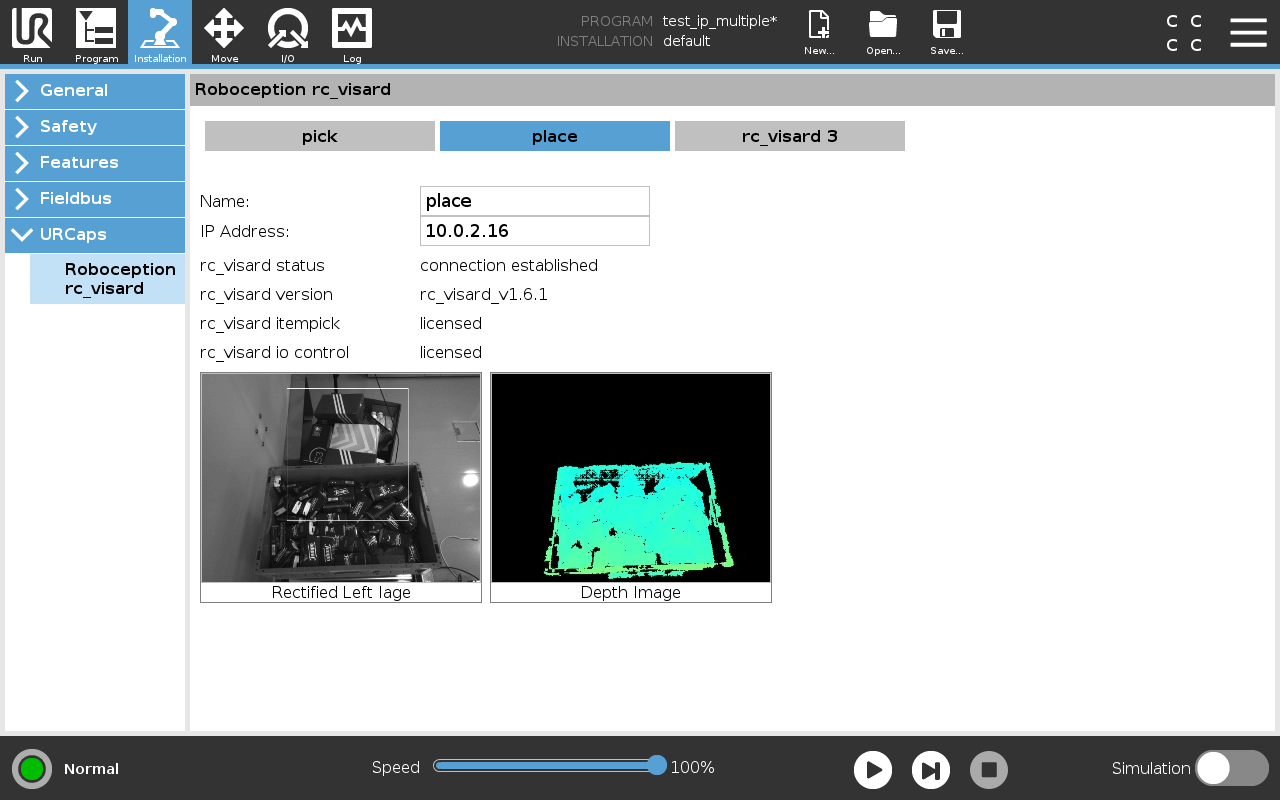
A URCap serves as a Java-based plugin seamlessly integrated into PolyScope, the graphical programming interface designed for Universal Robots. Its purpose lies in expanding the capabilities of PolyScope, offering users the ability to craft user-friendly programming screens for configuring hardware or generating new programming templates tailored to tasks like packaging and remote management operations.
The primary components of a URCap comprise a setup screen known as the Installation Node and a multitude of program commands referred to as Program Nodes. These elements coexist with the built-in UR nodes, enabling users to configure both the robot program and its application in tandem.
Installation Nodes typically handle general settings and the application environment, encompassing aspects like end-effectors, conveyors, and coordinate systems. On the other hand, Program Nodes execute specific commands at designated times or within a program sequence, such as moving to a specific position, closing a gripper, or relocating with a grasped object.
In our Universal Robots Tutorials you can learn step by step how to connect, configure and use the rc_visard or rc_cube with a UR robot. The tutorials cover everything you need to know to easily get started with your robot vision solution for your UR robot:
For more detailed information about our products and our software tools for your robot vision solution, please visit our Knowledge Base:
You would like to find out whether our portfolio is suitable for your robotic application? Simply request a feasibility study free of charge, and get a live demo of our products.
Would you like to try out one of our sensors and software solutions? Our Try-&-Buy-option gives you the chance to test our products before you decide, and to be sure you make the right choice for your application.