

|

|
| CARVIEW |


There are so many quality, and free, image editing tools we can use nowadays that it can be difficult to choose the tool that will be most helpful for any given task or problem you’re trying to solve. Today we’ll focus on two tools that provide me with the most functionality while at the same time being easy to use.
If you’d like to use a powerful image editing tool that is fully compatible with Adobe Photoshop, and free to use, I’d recommend that you carve out 90 minutes to work through the following UVic Libraries Digital Scholarship Commons workshop: Image Editing with Photopea
For today we’ll look at 2 different tools to help use with traditional photo editing, and the other using Generative AI to modify existing images, or create completely new images.
Google Photos
If you have a Gmail account you can access Google Photos every easily. If you prefer Apple Photos then you can do everything below, except for “Magic Eraser”
- Magic Eraser
- Cropping
- Filters
Gemini “Nano Banana” Image Creation
You can do similar things using Microsoft CoPilot, ChatGPT, or Google Gemini. I’ll be demonstrating Gemini today:
- Create an image from a prompt only: “Create a photorealistic image of a killer whale jumping out of the water in the inner harbour of Victoria, BC Canada.” – Image
- Create an action figure from an image: “Turn this pet into a collectible action figure, complete with a dynamic pose, detailed costume, and a glossy toy package box. Add a name logo on the box using the name Ziti Warrior Princess and make it look like something you’d see on a toy store shelf.” – Image
- Remove the background from an image: “Leave the red object, and remove the background from the image and replace it with a pure, solid white backdrop.” – Image
- Canva will help you create professional looking infographics without the help of a graphic designer. Here are the self-paced Canva Infographic workshop activities.
- Zotero will help you save time, avoid heartache when citing sources and also help you create a bibliography with 2-clicks and in 5-seconds! Here’s the library workshop you can work through to learn about all it can do for you: Zotero Workshop (self-paced)
If you get stuck or have any questions during the workshop, please ask for help in the chat, and we will be happy to answer your questions or go to a breakout room to help you.
Resources:
- Canva Infographic Workshop (self-paced)
- Zotero Workshop (self-paced)

Generative AI (GenAI) is top of mind as many educators struggle to address it with their students’ assignments, whether they don’t want their learners to use GenAI or if they want to model the responsible and ethical use of GenAI.
Workshop participants will explore the use of GenAI to assist with Student learning, and administrative support, as well as consider ethical and legal considerations. Participants will gain a basic understanding of GenAI and in the hands-on portion of the workshop, participants will explore GenAI tool usage and output evaluation for accuracy and biases. The workshop will also encourage informed, responsible GenAI use.
Learning Objectives
- Understand GenAI: Define GenAI’s strengths & its limitations.
- Using GenAI Effectively: Describe possible use cases for GenAI in school settings for administrators, teachers, & learners.
- Practical Applications: Demonstrate how to write effective prompts for GenAI tools for academic, instructional, & administrative purposes.
- Evaluate Quality & Reliability: Demonstrate how to critically evaluate the outputs of GenAI tools, for things like accuracy, relevance, & biases.
- Ethical & Environmental Considerations: Describe some of the issues around the responsible use of GenAI in education.
- District GenAI Policies: Explore district-level GenAI policy templates & examples.
Presentation Slides
Here is a link to the slides from my presentation to the Island Chapter of the BC School Superintendents Association. Below the embedded slides are hands-on activities, plus links to additional resources & suggested next steps.
Hands-on Activities
If you have experience with Generative AI tools I’d recommend you check out each activity in tern and skim over the activities until you encounter something that is new or interesting to you. If you’re fairly new to using GenAI tools then I’d suggest you start working through the first activity and go from there.
GenAI Intro & Prompt Design (Intro)
If you’re fairly new to using GenAI tools then this is where you will want to start with a gentle introduction to the sorts of things GenAI could potentially help you with: GenAI: Introduction & Prompt Design (Introduction)
NotebookLM a Personal Tool for Research & Productivity (Intermediate)
Notebook LM is a great Google tool that is free for anyone to use. It allows you to specify specific documents for it to use as data sources to respond to the prompts you give it, which makes it less likely to make mistakes or hallucinate. It does so much more as well and is one of my current favourite tools. Here’s the link to the workshop materials: GenAI: NotebookLM a Personal Tool for Research & Productivity (Intermediate)
- Use the built-in prompts in the “Notebook guide” to quickly create: Briefing documents & an Audio summary of the documents in a 2-person podcast format
- Prompt NotebookLM to create a summary based on who is the intended audience for the summary, and the purpose of the summary (for example meeting notes).
- Summarize and analyze research literature such as journal articles, reports, presentations and videos including citations. Verify all facts and claims.
- Summarize large numbers of short-answer survey responses, to help you quickly understand the key issues being brought up by respondents.
Transcription with Free AI Tools (Intermediate)
Transcribe audio and videos with locally installed software using the open-source and free-to-use Whisper.ai: Transcription with Free AI Tools (Intermediate)
- Transcribe audio or video with Microsoft 365, Whisper.ai, & Zoom
- Learn about the benefits and use cases for transcribing audio with Microsoft 365, Whisper.ai, & Zoom compared to other transcription technologies
Running GenAI Tools on Your Laptop (Advanced)
explore the use of Generative AI (GenAI) including installing and using local Generative AI software on a laptop, using specific documents as the training data for the GenAI tool, and performing sentiment analysis on free from survey questions. In the hands-on portion of the workshop, participants will explore GenAI tool usage and output evaluation for accuracy and biases: GenAI: Research Tools (Advanced)
- Explore the use of advanced GenAI tools & techniques including installing and using local GenAI software
- Explore GenAI tools using specific documents as the training data, analyze datasets, perform sentiment analysis on free-form survey questions, & assist with qualitative coding
Suggested Readings to Assist in Developing a District GenAI Policy
- BC Ministry of Education AI landing page: Digital literacy & the use of AI in education
- BC Ministry of Education, Materials for school boards, district leaders: Considerations for Using AI Toolsin K-12 Schools
- BC Ministry of Education, Materials for teachers, Curriculum Connections: Digital Literacy and the Use of AI
- Edutopia: 4 Simple Steps for Crafting a District AI Policy
- Alberta Schools AI Policy Guidance
- Okanagan School District AI Policy
- BC Hydro’s surprisingly good article on AI & Education with lesson plans for energy & AI-related topics for grades 4-12.
- BCcampus – Developing Policies for Generative Artificial Intelligence at Post-Secondary Institutions: What We Need to Consider (not K-12 specific)
- KPMG’s Preparing your board for generative AI (not education specific)
Recommended Books
- The Future of the Professions: How Technology Will Transform the Work of Human Experts, by Richard Susskind & Daniel Susskind
- Weapons of Math Destruction: How Big Data Increases Inequality and Threatens Democracy, by Cathy O’Neil
Free GenAI Training from UVic Libraries
Generative AI (GenAI) tools are truly double-edged swords. They can be helpful to subject-area experts, making their work more efficient. However, for those who lack subject expertise, these tools can lead to embarrassment or worse if the facts and analysis provided by GenAI tools are not checked for accuracy.
This UVic Libraries GenAI workshop pathway series is designed to help subject area experts and non-experts, by offering foundational to advanced research & productivity skills training.
- GenAI: Introduction & Prompt Design (Introduction)
- AI: Tools for Literature Reviews (Introduction)
- GenAI: Spotting AI-generated content online (Introduction) – COMING SOON
- GenAI: NotebookLM a Personal Tool for Research & Productivity (Intermediate)
- Transcription with Free AI Tools (Intermediate)
- GenAI: Presentation & Multi-Media Tools (Intermediate) – COMING SPRING 2025
- AI: Tools for Literature Reviews (Advanced) – COMING SPRING 2025
- GenAI: Research Tools (Advanced)
Here is a link to the presentation slides from my presentation to the Legal Educators about Generative AI & Legal Education. Below the embedded slides are links to additional resources & suggested next steps.
Resources & Next Steps
- Get familiar with GenAI tools. One way to do this is by taking in-person or self-paced Digital Scholarship Commons Workshops GenAI workshops – lib.uvic.ca/genai-pathway
- If you’re new to working with GenAI tools you might want to start with our Generative AI for Student Research: A Double-Edged Sword workshop.
- Next, you might want to learn more about personalizable GenAI tools: GenAI: NotebookLM a Personal Tool for Research & Productivity
- Test all your assignments with Lexus+AI as well as with tools like ChatGPT (preferably a more capable paid version) and Google’s NotebookLM to see if you need to make changes.
- Check out information from the American Association of American Law Schools (AALS) on AI in Legal Education
- Read the following Canadian Bar Association article: Law professor gives Lexis+ AI a failing grade
- Think about requesting a LTSI Custom Training session in the following areas:
- How to interpret GenAI outputs
- Ethical usage of GenAI in course design and training
- Building assignments using GenAI or how to redesign your assessments


Here’s what I looked like while I was “flying”:
If you’re interested in a DJI Neo drone you can see what I used for this video:
- DJI Neo Fly More Combo – $445
- DJI Goggle N3 – $309
- DJI First Person View Controller 3 – $109
Let me know if you give the little DJI Neo drone a try! For just $249 you can buy just the drone and one battery, but if at all possible I’d recommend starting with the Fly More combo. Enjoy!
]]>Admittedly for the panoramic video above, I was using a controller and extra batteries that came with the $445 CDN DJI Neo Fly More package, but the quality of the video and photos that you can get out of this little drone are amazing.

After testing the out in my back yard a couple of times, I took it on a day hike to Englishman River Falls, and used the built-in AI powered “Follow Me” mode show off some of the trails and log bridges along the river. You’ll notice at the beginning of the video how useful the propeller guards are as the drone bumps into a tree and then continues following me.
The follow me mode, and five other built-in modes, do not require a controller and could be done with the $249 package. The Neo weighs only 128 grams, which is about 1/3 of the weight of a Tall Starbucks coffee. Its compact size, light weight, and propeller guards make it an excellent drone for quick videos while hiking or exploring.
The video below is a quick Rocket mode shot on the banks of the Englishman River. I have the height setting at 10 meters for this video which is the maximum height for this preset mode. The default height for this mode is 4 meters.
Circle mode is a fun way to show off what things look like when you’re in an open location with obstacles or people close by. You can vary the distance of the circle, up to 10 meters, which you can see in the video below.
Direction tracking mode is a great way to record video from beside you rather than from behind in Follow mode. Because the Neo doesn’t have any object avoidance detection capabilities, you’ll need to make sure that there isn’t anything in front of it that it will run into as it tracks you.
In this last video I use the controller in DJI Neo Fly More package, to orbit around a little condominium taking videos and photos as part of a roof inspection. When you’re taking longer videos like this it’s good to keep in mind that the rate fly time is 18 minutes, in a more real world setting with a bit of wind, I’m able to fly between 12-15 minutes.
As I said at the start, I’m loving playing with my little DJI Neo drone, and using it for some real work. The drone itself costs only $249 CDN, and you can manually control it with your phone, but are limited to flying it a distance of 50 meters away from you, and 30 meters hight.

If you’re ready to buy one for yourself, I’d highly recommend purchasing the controller in Fly More package for $445 CDN. It comes with the drone, a controller, and 2 extra batteries to extend the time you’re able to fly. The controller allows you to fly it a maximum of 7 kilometres away from you to an altitude of 120 meters.
Have fun and fly safely!
]]>
In my presentation to the Canadian Club, I talked about what Artificial Intelligence (AI) is by using examples from movies and everyday life. We also explored the workings of AI and Generative AI (GenAI), detailing at a high level how large datasets and statistical models power them. We also reviewed some of the limitations of AI tools, discussed their use in various industries such as healthcare, finance, transportation, and education, and speculated about the future of AI and its potential impact on society. I concluded the presentation with resources for further exploration and reading.
Resources Referenced in the Presentation
- Free to use general purpose Generative AI tools:
- Google’s NoteBookLM – A free-to-use personalizable Generative AI tool
- UVic Library free workshop: Introduction to Generative AI
- Recommended book readings:
- The Future of the Professions by Richard & Daniel Susskind (2022)
- Weapons of Math Destruction by Cathy O’Neil (2016)
- Article about BC Lawyer who used ChatGPT for a court filing
Presentation Slide Show
If you’d like to see the whole slide show, including speaker notes (which contain many of the links to resources mentioned in the presentation, please check out the complete presentation. Below are the presentation slides without speaker notes:
AI Drone video following Rich around:

A short video showing how I drew it:
Here’s my sketchnote cheat sheet:

If you get stuck, you should probably work through the Pivot table and charts activity in the DSC Excel workshop. If still stuck please ask the instructor for help.

Next Pivot Table tasks:
- Sort the pivot table by the “Total” column.
- Look at the categories in the pivot table and identify fields that should be combined or collapsed. Go to sheet #1 and search and replace the misspelled fields in the “data cat” field.
- Create a chart based on the cleaned data now in the pivot table.
Questions to reflect on and discuss after completing the pivot table:
- Why are there so many similar categories in the “data cat” field?
- Could some categories be collapsed together to make the table (and any charts made from it) easier to read without losing any important information?
- What are two or more other fields that it would be interesting to create pivot tables on?
I created this conference video and infographic for the 2024 International Symposium on Academic Makerspaces at the University of Sheffield, from September 11-13, 2024:
Here is another helpful 2-minute Lumi-produced highlight video:
Resources to Get Started:

- Lumi editing & publishing toolkit (Open Source) (start here)
- Interactive Video – A 3D Printer safety video with formative assessment (informal feedback)
- Game Map – Laser Cutter safety equipment game map which ends with a formative assessment
- Virtual Tour – Laser Cutter VR tour with text and video demonstrating the use cases for all of the safety equipment in the room
- Branching Scenario – This excellent public health nurse example includes videos which show the client’s response to both the correct and less correct choices learners make.
- Generic H5P multimedia activity examples for all 50 activity types (Open Source)
- UVic Libraries, Digital Scholarship Commons workshop curriculum (CC-BY)
Citations:
- Crazy Glue (Instrumental Version) by Josh Woodward is licensed under a Creative Commons Attribution License.
- P. Black and D. Wiliam, ‘Assessment and Classroom Learning’, Assessment in Education: Principles, Policy & Practice, vol. 5, no. 1, pp. 7–74, Mar. 1998, doi: 10.1080/0969595980050102.
- ‘H5P’. Accessed: Aug. 25, 2024. [Online]. Available: https://h5p.org/ P. Black and D. Wiliam, ‘Inside the Black Box’, Phi Delta Kappan, vol. 80, no. 2, p. 139, Oct. 1998, Accessed: Jun. 17, 2024.
- ‘Lumi Education’, Lumi Education. Accessed: Aug. 25, 2024. [Online].
- E. Trunbell and A. Lash, ‘Understanding Formative Assessment: Insights from Learning Theory and Measurement Theory’, WestEd. Accessed: Jun. 17, 2024.
- Photo of two women by Ketut Subiyanto
If anyone is interested, here is a Clean Technica article about Tesla’s FSD AI problems and their attempted solution.
]]>Here are some of the examples I demonstrated in my presentation:
- My presentation last year on Storytelling with Data
- StoryMaps JS example: Emily Eden’s Journey
- Juxtapose JS example: UVic Library then and now
- TimeLine JS example: UVic Buildings over time
- Storyline JS example: US Income over time
- Marzopano VR Tours: DSC virtual tour
- Datawrapper Charts
- Animated Charts (a Google Sheets plugin)
- Google My Maps: Victoria parking
- DJ3 Javascript Library: A day in the life of Americans
- Shorthand: UVic Trudeau visit article & Nature article
UVic Libraries Digital Scholarship self-paced workshops (free of charge for anyone to work through on their own):
- Data Analysis with Excel
- Intro to Data Visualization (including: StoryMap JS, Juxtapose JS, TimeLine JS, Storyline JS)
- Data Visualization with Tableau
- Infographics with Canva
- Death by PowerPoint
- 360 Tours

My partner and I purchased our first 100% electric car in September 2023, but until this spring had not been on an extended road trip with it until just a couple of weeks ago in May 2024. The trip was from Victoria, BC, Canada to Reno, Nevada, a distance of about 1,375 KM (or 854 miles), which we drove over two days, stopping in Bend, Oregon on the way down, and then Vancouver, Washington on the way home. We were hoping that our experience fueling up our new Tesla Model 3 with electricity would be good enough that we would be comfortable selling our gas-powered Toyota.

Charging our Tesla Model 3 RWD at home, which has a maximum range of 438 KM, with our level 2 charger is arguably easier than gassing up our Toyota at a gas station, to say nothing of being much less expensive with our solar panels. That said, we’d few horror stories about others travelling with their electric cars and finding that some of the faster non-Telsa level 3 charging stations that they were planning on stopping at to charge their cars were either at capacity with other cars, leading to sometimes long wait times, or just broken down and unusable. In both cases, their trips were slowed down by unplanned extended stops while they waited for a level 3 charger to free up. That said, I’m happy to report that we had no problems at all at the 5 charging stops that we made in each direction.

At all but one of the stops we made, we were the only vehicle at the charging stations (each with 8-16 chargers available), and at one station about 2/3’s of the chargers were occupied, so we had no problem finding a spot to charge. If we arrived at a Supercharger stop near a meal time we often stayed longer than our Telsa recommended and charged our car closer to 100% which meant that we could make the next Supercharge stop shorter. In either case, our Tesla made sure that we had more than enough get enough electricity in the battery to get us to the next charger (with some buffer for the unexpected). The estimated charge times in the image to the right ended up being overly pessimistic given the way we drove so our charge times were overall shorter than estimated (5 MPH over the speed limit until 70 MPH which we didn’t go over often except to pass slower vehicles).

So, in the end for our whole trip, we spent $157 CAD on electricity at superchargers, compared with the estimated $300+ CAD we would have spent on gas for a similar-sized gas-powered vehicle. I added the “+” because the Airbnb we stayed at had a charging station that we were able to use at no extra cost as you can see in the image to the right (the red bars indicate Supercharging, the grey bars represent free chargers, and the blue bars indicate when we charge at home on solar energy). We ended up saving about 50% on energy costs for the trip, and it didn’t take any longer to travel which is what we were hoping for. A win-win situation!
We ended up saving about 50% on energy costs for the trip, and it didn’t take any longer to travel which is what we were hoping for. A win-win situation!
One important thing to note is that if you are travelling to or through an area without Tesla Superchargers you may not have the same experience that we did. Not that you won’t necessarily be able to charge your Telsa, but you will have to find 3rd party charging station to use, which does not seem as reliable as the Tesla network. Tesla helpfully provides a map of Superchargers around the world so you can see if there are Tesla charging stations on your route, as well as a route planner for the model of Tesla you’re thinking of purchasing.
If you’re considering buying an electric vehicle in 2024 and plan on doing a fair bit of road-tripping, then you should seriously consider how a Tesla and it’s Supercharger network could make your road trips less stressful and more enjoyable. Happy road tripping!


Other optional data visualization activities:
]]>Create a WordPress Website

- OAC Signup Instructions
- Navigate the OAC interface
- Create a blog post
- provide comments on others’ posts
- Use tag/category
- Workshop activities
As you work through the hands-on video creation and podcasting activities below, please think about these three things while keeping in mind the subjects and grade levels you hope to teach:
- Would it be useful for you to make some of your own instructional videos or podcasts to help your learners? Are there videos that others have made that you could share with your learners to save your valuable time?
- What are some of the benefits your learners gain by creating their own video or podcast?
- Do you anticipate that your learners will have access to laptops to watch and/or create videos or podcasts?
Video Editing Activities
iMovie and ClipChamp are powerful tools that enable you to easily edit and modify video footage. Both software packages are free to use on their respective platforms and have numerous features that create wonderful effects. iMovie is created by Apple which supports Mac and IOS users whereas Microsoft ClipChamp is automatically included in Windows 11 (and downloadable for Windows 10 users). This workshop will walk you through the key features of these video editors.
- Step 1 – Video Editing Basics: Mac -OR- Windows
- Step 2 – Adding Music: Mac -OR- Windows
- Step 3 – Slow Motion & Cropping: Mac -OR- Windows
- Optional – Green Screen: Mac -OR- Windows
Podcasting Activities
You might want to quickly look over these Podcast Planning & Tips before diving into the hands-on Podcasting activities below:
- Step 1 – Podcast Recording
- Step 2 – Editing Audio
- Step 3 – Audio Transitions
- Optional – Remote Interviews with Zoom
Interactive Screencasts (Optional But Very Cool)
STEP 1 – SCREENCAST RECORDING:
- Note: You will need to use the Google Chrome or Microsoft Edge web browser as Screencastify is a Chrome plugin. If you don’t have one of these browsers, either talk to Rich about your options, or download and install either Google Chrome or Microsoft Edge on your laptop.
- Select a website or web game that you are familiar with that you can demonstrate how to use in your screencast tutorial. For example, I’m a UnSplash.com fan so I’d open up Unsplash in preparation for making a screencast of how to use it.
- Work through this screencasting with ScreenCastify activity, and create a 1-2 minute tutorial video for how to use the website you chose to demonstrate (25 min)
STEP 2 – EDIT YOUR SCREENCAST:
- I would like everyone to develop at least a basic competency in Video editing as video editing is an important tool for creating multimedia learning objects. Here is an example of the screencast style of video I would like you to create, using your own screencast recording, right after you finish watching it (2 min):
- Edit the screencast video you just created using either the Mac or Windows tutorials depending on your laptop (please use the screencast video you just created and not the “miniature goat” video linked to in the tutorial).
- Following the instructions in the tutorial, either upload your screencast video to YouTube (and then embed it in your Blog), or upload your video directly to your Blog. You will eventually include your video as part of your weekly reflection.
Step 3 – Make your Screencast Interactive with H5P:
You might want to watch the short H5P video below before you create your own Interactive H5P video on your OpenEd.ca blog:
Make your screen cast (or edited video) interactive by working through this H5P interactive video activity: H5P Video Activity!
]]>Note: that the Whisper.ai link above is to the open-source code for the project which is quite difficult for non-programmers to use... don't worry I'll provide links to more user-friendly versions of the software below.

For example, I installed the Whisper Transcription software (for Mac’s which is a graphical wrapper on the open-source Whisper.ai command line tools) on my 14-inch M1 MacBook Pro, and it transcribed a 30-minute podcast interview in 1 minute and 15 seconds! Not only did it transcribe the interview, but it also gave me the option of grouping the transcribed text into paragraphs for each speaker, to make it easier for me to know who was talking at different points in the recording.
For Windows users, a good option is GoWhisper which also uses a freminum model to fund the development of their Whisper.ai graphical interface.
Whisper.ai Background
Whisper.ai is an openly licensed project (MIT license) from the folks at OpenAI, however unlike ChatGPT which runs on cloud-based servers, and ingests your prompts as training data, Whisper.ai can be installed locally on your laptop and does all the processing on your computer. This eliminates the privacy concerns inherent in Otter.ai for example, which for Canadian-based researchers means that they do not have to write cloud-based computing into their research ethics proposals, and cloud-based storage consent into the consent forms that their research participants need to read and sign.

While there are a lot of paid tools available for transcribing and translating speech to text like Otter.ai, and some free tools like YouTube that work fairly well, almost all of them use cloud-based services to process the transcriging. up until relatively recently, I have not encountered any free tools that will transcribe audio locally on my laptop without doing any processing in the cloud. Enter Whisper.ai from Open AI, the makers of ChatGPT!
Whisper.ai Reliability
Whisper.ai is quite reliable in my experience, but its reliability does vary by language. Below are charts provided by OpenAI outlining its reliability for various languages, and available language models. Note: The smaller bars on the charts below indicate more reliable transcription.

Whisper.ai Pros and Cons
Why should you consider using a Whisper.ai based tool to transcribe your audio files?
- Whisper.ai is free to use
- Whisper.ai uses your computer’s processing power for transcription, so there are no worries about personally identifiable or confidential information stored in the cloud or potentially being used as training data for other AI tools
- The graphical wrappers on Whisper.ai – Whisper Transcription & GoWhisper – are very easy to use
- Whisper.ai relatively fast
- The Mac-based Whisper Transcription software creates separate paragraphs for different speakers (which can make analyzing interviews easier for researchers)
- Creates files for closed captioning video
What are some potential drawbacks to Whisper.ai?
- Whisper.ai is slower than Otter.ai (instead of processing a 30-minute interview in 20 seconds, Whisper.ai took 1 minute and 15 seconds on my M1 MacBook Pro).
- The Free versions of both Whisper Transcription & GoWhisper – allow users to use smaller models for analyzing the audio, and require users to pay a licensing fee to enable the software to use the larger and more accurate models (but also slower)
- Older computers will take longer to transcribe audio than newer faster computers
Useful Whisper.ai Resources
- Whisper.ai Github repository of code
- Whisper Transcription software (best option for Mac users)
- GoWhisper software (for Windows & Mac)
- Otter.ai
- YouTube for free audio transcription


An interesting, and from our perspective, accurate description of the Christchurch Gondola from their website:
“The Christchurch Gondola offers stunning 360-degree views of the city and beyond from the summit station situated atop the Port Hills. See the snow-capped Southern Alps, sprawling Canterbury Plains and the sparkling waters of Pegasus Bay and the Pacific Ocean. Explore the many walking tracks amid fresh mountain air, learn about the history of the area and indulge in a spot of shopping at the Shop at the Top gift store. Sit back and relax with a snack from the Red Rock Cafe and take in the spectacular views. A must-do family-friendly experience perfect for locals and visitors alike.” – Chritchurch Gondola website
After taking in the views from the summit station, we headed out for a small hike to the nearby peak of Mt. Pleasant and were rewarded with views of the huge Pegasus Bay surrounding the port Lyttelton.

The views all around were stunning, and we’d highly recommend a visit to the Christchurch Gondola on any day, but especially a sunny or clear day, to see the views of the city, the ocean and the mountains.

We ate lunch in our RV in Gondola parking lot, which also provided us with a nice view of the Christchurch.

After lunch we drove down town, and had trouble finding parking. We ended up circling and circling further and further from downtown to find a place where we could park our RV. As an added bonus it was free. We finally found parking in a commercial area about a 30 minute walk from down town. The good news is that our to downtown included a stroll through what seems like the Central Park of Christchurch. Hagley Park is huge, and is a beautiful mix of gardens, open fields, and sports fields. It covers 1.65 square kilometres compared to the 3.4 squared kilometres of Central Park in New York City. It looked like part of the park was being prepared for a music festival for the coming weekend.
We’d booked an afternoon tram tour earlier in the morning over breakfast and enjoyed a tour of downtown Christchurch on a restored tram car that was 80 or 90 years old. The tour was in turn interesting, entertaining and educational. The cool New Zealand accent of the tram conductor didn’t hurt, but we learned a lot from the stories of what happened to individuals who lived through the 2011 Christchurch earthquake.

On the tour, saw some of the remaining devastation from the earthquake several yrs ago. They’ve transitioned from stabilization to deconstruction, and then after that is complete, to re-development. From Wikipedia:
“A major earthquake occurred in Christchurch on Tuesday 22 February 2011. The 6.2 earthquake struck the Canterbury region in the South Island, centred 6.7 kilometres (4.2 mi) south-east of the central business district. It caused widespread damage across Christchurch, killing 185 people in New Zealand’s fifth-deadliest disaster. Scientists classified it as an intraplate earthquake and a potential aftershock of the September 2010 Canterbury earthquake.” – Wikipedia article

After a wonderful afternoon exploring down town Christchurch we walked the 30-minutes back to the camper, and lucky for us much of the walk was back through the beautiful Haley Park. We then drover north, and a little ways out of town to spend the night before we headed home at the Top 10 Holiday Park Spencer Beach. Got our camper plugged into our RV site’s power supply, and then decided to do some exploring. We walked to the amazing near by beach for a pre-dinner walk.

The RV site was huge, with wonderful amenities, including up to date kitchens and showers. There were very view people at the park, so we had a lot of open space around us in the open field where we were parked. After dinner we starting packing all of our things up for air travel the next day.

The next morning we packed up the last few odds and end we needed overnight and then prepared our RV camper to be returned. We wiped the camper down from top to bottom, took out garbage, then emptied out the grey and black water at the campground. On our way to the Maui RV location right beside the airport we filled the RV up with diesel and exchanged propane tank for a full one. We then stopped at McDonald’s for a small breakfast so we wouldn’t need to do anymore cleanup in the RV. We also stoped at the One World store for some Kiwi-based sweets to bring home.
We had a couple of hours before our RV drop-off appointment so we decided to check out the International Antarctic Centre just a kilometre away from the Maui RV centre. We ended up spending all two hours we had at the Antarctic Centre. It was a much more interesting experience than we expected.
The blue penguins were very cute both in and out of the water, and the staff at the centre were there to answer and questions people had.

There were some husky’s that a trainer brought in and told us about the life of a working husky back when they were the only mode of transportation on Antártica (besides walking of course). Those who wanted to were given an opportunity to give the two beautiful husky’s a pat and scratch.

We also went into the “deep freeze room” to help people get a sense for what it would feel like visit the South Pole. When we entered the room there was a ready a couple of groups in the room, including one with people from India. The snow a cold seemed like a novelty to them, and when one of the staff noticed that our jackets weren’t done all the way up she asked us where we were from. When we said Canada, her said that she suspected we were from somewhere colder than India at least.

As it got closer to the time we needed to return the RV, we dropped Heather off at airport with luggage, and I drove the 1K to the RV centre, and went through the 30 minute drop off procedure.

I then walked the 1km back to the airport, past the United States Antarctic Program hanger on the Airport grounds.

After I arrived at the airport, Heather and I checked in our 1.5 hour flight to Auckland. We had a 3 hour layover before catching our flight to Vancouver. Unfortunately there was some sort of problem with the nose cone radar on the Air New Zealand Boeing 787 so our flight was delayed about 2 hours while they got it back in working order.
It was a 13 hour return fright to Vancouver with a 2-3 hour layover in Vancouver before our 15 minute flight to Victoria.

All in all we enjoyed an amazing trip to New Zealand. Another bucket list item that lived up to its reputation.
]]>

I particularly wanted to take a few pictures of the beautiful purple flower we had seen by highways all over the north and sound islands. We wondered if it was an indigenous flower, or something imported from abroad. It turn out that the flowers are called Lupins, and are not native to New Zealand.

Here is a description of how Lupins ended up all around New Zealand from the Discover New Zealand website:
“Surprisingly, lupins aren’t native to New Zealand. They were introduced in the 1940s by a local farmer, Connie Scott, who had a vision of turning the harsh, barren landscape of Mackenzie Country into a more vibrant and lush environment. She scattered seeds all over the region, not knowing that this simple act would create a national sensation. Lupins were first brought in as a way to help stabilise the soil and add nutrients back to the land, but what no one realised was how quickly these flowers would spread and take root across the country. Nowadays, they’ve become synonymous with picturesque New Zealand landscapes. If you’re planning to visit during the blooming season, lupins are a must-see, but there’s more to these beauties than just their good looks.”

On our way to Mt. Cook, we decided to stop in Twizel for gas and noticed a community market in their main square. It was a beautifully sunny but crisp morning, and spent about an hour wandering around the market.

At the local grocery store I bought a giant 360 gram Cadbury Dairy Milk Fruit and Nut chocolate bar for us to enjoy over the next couple of nights. I’m not sure why, but chocolate bars were very inexpensive in New Zealand. For example, this huge chocolate bar was only about $5.50 CAD!
By the time we decided to hop in our RV and drive to our camp spot at Mount Cook, it was pleasantly warm in Twizel.

We arrived at the White Horse Hill Campground at the earliest possible time to hopefully get a campsite with a decent view of the the mountains and were lucky enough to get a good spot… until a tall camper parked beside us and blocked our view! Fortunately, we found an even better spot that backed onto a forested area.


We chilled in the camper for a bit while we looked at All trails to figure out what hike we would do that afternoon. Because we were only staying for one night we decided to hike the world famous 11km Hooker Lake track before dinner time.

There were a lot people who had the same idea as us, so the very accessible out and back trail was quite busy. The trail was very well maintained and the many boardwalks on the trail made is the track very accessible.

The weather that afternoon was amazing and the scenery was spectacular. We highly recommend this rather easy hike with such amazing views!

In the end, it took us about 2 hours and 20 minutes to hike the almost 11km out and back Hooker Lake track.

Back at our RV, we made dinner together while listening to a podcast. After dinner we went for a short walk around the camp site to checkout the central kitchen and showering facilities for the following day. Before bedtime we watched a couple of shows that we downloaded while on the Twizel public wifi and then went to bed exhausted.

The next morning it was again beautiful and clear but a chilly morning in the mountains before the sun was able to warm up the campground. We had an enjoyably slow morning sipping coffee, and then decided to warm up and stretch legs with a short hike before we had to vacate our camp spot. We enjoyed a short 3km out and back hike on the Kea Point Track that ended at a spot overlooking Hooker Lake.

We waited until the very last minute that we could be in the campground before heading off to Lake Tekapo for a hike and short swim, and then onto a Top 10 RV campground in Geraldine, NZ for the the night.

We decided to hike the 9.2km Mount John Walkway and along the way were able to enjoy amazing views of the deceptively tropical blue looking Lake Tekapo. The hike started with a fairly steep climb on a wooded hillside, and then opened up to a scrub brush track that passed by an observatory.


After the hike Heather decided to take a quick, but bracingly chilly, dip into Lake Tekapo before we started our dive to the Geraldine Top 10 Holiday Park.

We arrived at the Geraldine Top 10 Holiday Park before dinner time, so after we got settled in we looked for a restaurant near by but couldn’t find anything that looked great. In the end we bought some meat pies from a little grocery store and then took them back to our RV and warmed up there. We were boy quite tired after all the hiking we did in the hot afternoon sun, so we did some laundry and took it easy before bedtime.

The next morning we did one more small load of laundry (forgot a few items yesterday), and then stretched our legs with a short walk around Geraldine’s Main Street, and purchased a few small wool items to take home with us for presents. We also bought time TimTam’s as a snack for our drive north along the coast.

On our 3-hour drive to the Rakaia Hut Campground, we had to stop on a highway for sheep crossing! Rakaia is right by the ocean with several kilometres of farms between the campground and the main coastal highway.

After lunch, went by the beach and watched waves crash and saw three porpoises. We planning on walking down the beach aways to find a hiking trail, but the rocky beach made it too hard. We had spotty cell reception and wifi at the campground, but after all the hiking we did the previous day it was nice to have a chill afternoon. It was a windy but nice place to spend the evening.

Before we headed to bed we booked some activities and a campground for Christchurch the next day.
]]>
It was very windy when we arrived at Lake Wanaka and were not surprised to see whitecaps on the lake around the #ThatWanakaTree! It was so windy we decided to drive to the campground spot we’d booked about 20 minutes away on the lake.
We arrived at Hampshire Holiday Park – Glendhu Bay, but it was still very windy and chilly so we hunkered down in our camper until the wind subsided and then went for a shoreline walk.


We enjoyed another nice dinner in our RV, and then sat by the beach until the bugs came out as the sun went down. We listened to a podcast and played word games in the camper until we were tired enough to head to bed in preparation for our big hike the following morning..
As planned as soon as we woke up we drove straight for the Roy’s Peak parking lot so we could hopefully find an unoccupied spot. One of the reviews we’d read the previous night mentioned that the lot typically filled up before 8am on sunny days. We arrived with the lot about one-third full, and enjoyed our morning coffee and breakfast in our RV before gearing up to begin our hike up Roy’s peak!

The All Trails app warned us that the average time to hike up and down Roy’s Peak was 7 hours and 26 minutes! We’d hoped that it wouldn’t take us that like to climb up and down the 1,310 meter mountain, and likely it took us just under 5 hours to make it up and down. That said, it was a taxing climb but we made it, and the views at the top were spectacular!
The weather was a crazy mix of warm sun, cool breeze, cloudy, and some decent but temporary snow falling. It started out sunny and warm, with plenty of sheep beside the track, and plenty of sheep patties to avoid stepping in, but it was a beautiful start to the climb.


About halfway up the climb, clouds blew in, it got foggy and started to snow! We were prepared for weather like this but really didn’t expect to experience any snow given how beautiful the weather had been so far on our trip. The photo below is after the snow had stopped, and the fog had cleared out when we were over the halfway mark of the climb.
Almost at the summit, there was a very popular viewpoint for photos that we stopped at to take some pictures. We had to wait in line with other photographers for about 10-minutes before we could take our photos, including some photos of us that other hikers from Canada generously offered to take for us. The wait was well worth it as you can see from the next two photos:


The summit provided us with amazing views and a beautiful spot to sit and enjoy a well-earned rest and lunch.

And you can just see a little bit in the photos below, the mountain ranges across Lake Wanaka from Roy’s peak are the “Misty Mountains” from the Lord of the Rings movies. Because of the low clouds, as you can see in the two photos below, we only were able to enjoy occasional views of the “Misty Mountains” while at the top of Roy’s Peak. Even so, the contrast between the green around the lake, and the towering snowcapped mountains behind was breathtaking.


The hike down was much easier on our legs and knees than the hike up. As an added bonus the fog and snow were no where to be seen and we could see some beautiful views that were hidden to us on our way up the mountain.


On our way down at one point we heard a lone lamb bleating and then its mother responding some distance away. As they continued to exchange bleats the lamb eventually ran across the track in front of us and was eventually was reunited with its mother.
The lamb then decided it needed a soothing nurse as we walked by 


By the time we arrived at our RV at the base of the mountain we had walked almost 17km and climbed over 1,300 meters. Like the challenging “Mount Doom” hike on the North Island, climbing Roy’s Peak was well worth the effort!
After the hike, we hopped in our RV and drove to a beautiful freedom campsite on the edge of Lake Pukaki. Once we arrived their was some ambiguous signage that made us think that it might not still be a freedom campsite anymore. We are all diced hoping that we wouldn’t get busted, but we had a peaceful night with no interuptions. We could even see Mount Cook off in the distance, which was our destination for the next day.
]]>
On the edge of town beside the airport, we stopped at the Maui RV rental location to have our drawers fixed by their maintenance staff. The repairs only took about 30 minutes to complete, and we didn’t have any other problems for the rest of the trip.
A day or two before on our freedom camping app we found a modern and well appointed Driftaway Holiday Park RV park just outside of Queenstown with an amazing view overlooking Lake Wakatipu. We booked one night there so we could explore Queenstown, have a hot shower and recharge all the batteries in the RV.

After getting settled in at the RV park we decided to walk along a lakeside pathway to downtown Queenstown which was about 7km from us.


The downtown area has a lot of activities going on and does a great job catering to all the tourists visiting this gem nestled between Lake Wakatipu and the surrounding mountains. Queenstown reminded me in a good way of a town like Canmore in Canada. We enjoyed some ice cream cones while we people-watched and heard people talking with accents from around the world. So far in our trip we think this was our favourite town. It had a good vibe.

When we were ready to head back to the RV park, another 7km walk didn’t sound very appealing given how tired our legs were feeling, so we spotted a water taxi that stopped at a few different places on the lake including our RV park. When we arrived back we made dinner in the spacious common kitchen and then had nice long showers.

Before we went to bed we planned our next few days. We’d planned on staying one night in Queenstown, but when we saw how beautiful the area around the city was, we booked a second night at the Driftaway Holiday Park.

The next morning we rented bikes at a bike shop only a 5-minute walk from the RV park. Heather chose an e-bike and I rented a regular mountain bike. We then started a 27km mainly uphill bike ride to the historic Arrowtown. There were some pretty steep sections of the mix of bike trails and roads on the route that Strava suggested for us, which Heather was able to motor up, and she kindly waited for me to huff and puff my way to the top. Over all it was a beautiful ride, and I was able to get the kind of cardio workout that I hadn’t been able to do so far on our trip.


In Arrowtown, we wandered around the formerly precious minerals mining town, exploring the little shops and eateries. We eventually found a nice place to enjoy an outdoor lunch and enjoyed to ambiance of the town.
Heather brought a cool t-shirt in Arrowtown before we started our 27km ride back to the RV park. We couldn’t stay too late or we would arrive too late to return our rental bikes at the bike shop. As it turned out we had about 30 minutes to spare, even if if meant that I was huffing and puffing pretty hard when we pulled up to drop off our bikes.

Once we were back at the RV park we made use of their shower facilities before starting on dinner for the night.

After that, we used the excellent RV park laundry facilities and then decided to walk about 2km to a grocery store. We’d done some meal planning so that we could stock up on food before we travelled to other smaller towns in the mountains. On our way back from shopping we were treated to a spectacular sunset that we were able to get a picture of before the sun went completely down. We arrived back at our RV in almost complete darkness, but we were stocked up and ready to drive to Lake Wanka the next day.

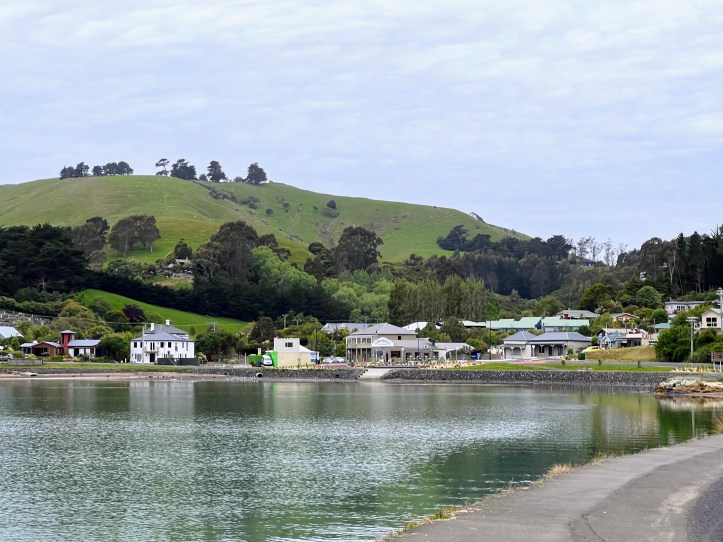

We went for a short evening walk around the tiny town of Portobello, and then started our laundry before making a tasty brinner (breakfast-dinner). After that we took advantage of the trailer park wifi and watched a movie on Netflix.

The next morning we ate some leftover “brinner” for breakfast (mmmmmm), had a hot shower and then decided to do a quick local hike before hitting the road again.
Our expectations were pretty low for the Harbour Cone track, which turned out to be an extinct volcano. The start of the hike was quite steep following a fence line, before opening up to an equally steep sheep pasture on the hillside.


As we zig-zagged up the hill we were able to admire the many sheep on the hill, while at the same time marking sure we didn’t step in any of the many fresh sheep patties.

Once we reached the top we were treated to some spectacular views of not just Portobello, but of a near by shipping port, and towards the Pacific Ocean a beautiful estuary.


We then hopped into our Maui RV, and drove to Gore, NZ to the Dolamore Park municipal campground. It was a large, beautiful and inexpensive camping area that we had basically to our own. That said there was no cellular service and the campground did not have any wifi that we could take advantage of.

We hiked Dolamore Loop Track which ended up with a beautiful view of the valley and near by farms. At the lookout at the top of the loop we finally got some cell reception, so I called my mother to check in and see how she was doing back in Canada.
While we still had some cell service we called the Maui RV support people to let them know we had a couple of kitchen drawers that kept opening when we went around corners, and made an appointment to stop in at their Queenstown location to get the drawers fixed up.

When we arrived back from our hike, we made some dinner, showered, cleaned up, and then watched a downloaded movie, and planned our drive to to Queensland before heading to bed.
]]>
The morning after our massive hike over the Tongariro Crossing, we took it easy to let our bodies recover as we enjoyed a slow, gentle morning sipping coffee in bed. There was a hot water spot on the beach right by our hotel that I discovered as I walked to a nearby coffee shop. I didn’t even realize it was there until about an hour before we had to check out of our hotel. It’s too bad we hadn’t discovered it earlier, so we could have soaked in the hot water after our Tongariro Crossing hike to speed our recovery.
We drove back to Auckland to catch our afternoon flight to Christchurch on the South Island. As an added bonus, Heather and I got an emergency row to ourselves on our short Air New Zealand flight. On our descent, I checked to see which hotel I’d booked us into, but couldn’t find a reservation in my email… then I realized that a month previous, we had to reschedule the pickup of our “Maui” RV rental to the next day because the pickup deadline was 4 PM, and we were landing just after 4 PM. Fortunatel,y I was able to hop on the Expedia app on my phone as soon as we touched down, and was able to book a room at a nice hotel near the airport before we pulled up at our gate.

We discovered that our hotel ended up being only about 100 meters away from the airport, which made taking the shuttle seem a little ridiculous. After we settled in, we wandered over to a little strip mall next door and ate some incredible mango chicken and naan bread. It was an unassuming little Indian food place called Little India Restaurant at the Spitfire Square.

The next morning, I went to pick up a coffee at the nearby McDonald’s however, the coffee machine was broken, so we had to settle for black tea for our morning caffeine fix. The Maui RV rental location was less than a kilometre away, so I walked over and picked up our camper van, which took about 40 minutes to do all the paperwork and get an orientation on all the van’s systems. When I arrived back at the hotel, Heather was waiting with our luggage, so we loaded it up and hit the road!

We drove south along the coast and used the Rankers Camping NZ app to find a beautiful little freedom camping spot on a bluff overlooking the ocean in Timaru, called the Patiti Point Reserve.

We enjoyed an amazing view of the ocean while sitting at the table in the back of our RV at Patiti Point.

We did some exploring on our evening walk to the Timaru Botanic Gardens nearby. We met an elderly gentleman walking his dog, and enjoyed talking about his travels in Western Canada 50 years ago. While standing outside an aviary in the park, he also gave us some great NZ travel tips, including advice to stop in Oamaru the next day to see the blue penguin sanctuary there.


The morning before we headed to Oamaru, further south down the coast, we went for a long walk on the beach towards the Timaru port facility, and saw several cute little fur seals on the breakwater.

At the very end of the bluff in the photo below, you can see a bit of white; that is our camper van, and as I mentioned, the bluff gives us a priceless view of the ocean.

After our beach walk, we hopped into our Maui RV and travelled south on the main east coast highway. Interestingly, it was primarily a two-lane highway with occasionally passing lanes. The lack of places to pass cars was especially noticeable to us as the highway speed limit in NZ for RVs is 90 kilometres per hour (or 56 miles per hour). So frequently we would either be behind a big train of RVs cruising along at 90km/h or have several vehicles piled up behind us, passing us when possible. The good news about the lower RV speed limit is that we got excellent gas mileage from our diesel Mercedes RV, and our total fuel bill was much lower than we expected.
We arrived in Oamaru around lunch time, so pulled into a grocery store to buy food for the next couple of days, and then drove to the waterfront to visit the blue penguin sanctuary and eat lunch.

Unfortunately for us, the blue penguins were hunkered down in their dark nest boxes, so we could only see them in a darkened little building with red lights that 12 or so nests were attached to.

It was very interesting learning about them, and it was a nice way to spend a couple of hours in Oamaru before heading further south along the coast to Dunedin.
]]>
Then travelled to the edge of Mordor to start our hike.


We walked through the desolate landscape and eventually found the entrance to Sauron’s forge…


But having the appetites of Hobbits we couldn’t spare the time to explore inside…


Or we’d miss our reservation back at the Green Dragon in Hobbiton


Seriously though it was a challenging 6-hour hike, but with some amazing other worldly views to experience!


We woke to a beautiful morning at our hotel on the shores of the beautiful Lake Taupō, which appears to be the largest lake in New Zealand. We had to get on the road early to make it to the pickup spot for the bus that would drop us off at the trail head for an epic hike up and over the world famous Tongariro Alpine Crossing. Mount Ngauruhoe’s cone like shape, which was where filming was done for the Mount Doom and Mordor scenes in the Lord of the Rings trilogy, was looming in the distance.
For anyone considering doing the hike, please know that in November 2023 we had to go online to obtain a free permit from the National Parks Service before we could do the hike. Because the trail head and end of the trail are on opposite sides of the mountain most people will need to book a shuttle to get to and from the hike. We used the Tongariro Crossing Shuttle which cost $60 NZD per person and were quite happy with their service and our driver was amazing.


At the trail head our bus had to navigate around a truck with a tanker trailer behind it, and when I took a closer look at the tanker I saw that it had “Jet Fuel” written on the side. That was curious given that we were in the middle of no where and in a national park. A few minutes later we all discovered why there would be a tank jet fuel there when a helicopter dropped off something it had been carrying by a cable underneath it and then landed to refuel. The “thing” it was carrying was a porta potty cassette, and it was interesting to watch as it made six or seven more trips during the first hour of our hike.
The start of the hike was a gentle incline on gravel paths alternating with boardwalks over some rocky areas. There were quite a few people starting the hike but we all soon stretched out over the trail.

As we progressed up the valley we started to enter lava fields with black clumpy boulders scattered around the boardwalk. The terrain became more and more desolate looking as we hiked closer to the beginning of the really steep part of the climb.

The most difficult portion of the climb found us zig zagging back and forth up a very steep hill of ancient lava debris and boulders.

We took our time and as we crested the steep section onto a table smooth lava plain, and were treated with amazing views of the valley we’d just hiked up on one side, the lava plain, as well as “Mount Doom.”


As we hiked across the lava plain there was a heavy mist on the far side of it that we ended up walking through on our way the crater ridge.


On the other side of the ridge were the world famous blue lakes of the Tongariro Crossing. It was a bit chilly and windy, but the sky’s were blue and beautiful. The next day we saw in the news that the weather had turned and they had to close down the trail because of the rain, cold and wind conditions.


The piercing blue lakes were in stark contrast with the mainly desolate lava and rock terrain with the occasional vent visible from the telltale sulfur laden steam coming from underground.

Another flat lava plain we walked by had at some point been been partially covered by a newer clumpy and lumpy black lava flow as you can see below. There were even a couple of pockets of snow where shadows from the edge of the flow cast shadows.

As we started the down hill portion of the hike we noticed an old lava vent that looked like it was straight out of the Lord of the Rings movies and could easily have doubled as the entrance to Sauron’s Forge.

One of the most interesting things I saw on the hike was some interesting looking coloured fluid coming out of a sulphur steam vent that emptied into the aqua marine blue lake near by.
Also interesting was the underwater vegetation in the lake that was thriving in this volcanic environment. In canada our blue alpine lakes seem to be devoid of visible aquatic vegetation, which I guess makes sense given how cold they are.

Unlike the freezing cold glacier fed blue lakes in Canada, these ones are probably warm. We didn’t dip our hands in to see how warm they are as the blue lakes on the mountain are sacred to the Maori peoples and we were asked by park staff to enjoy our views of the lake and not touch the water.
One our way down from the summit of the Tongariro Crossing, we walked through a handful of snow drifts in shadowy hollows on the south side of the mountains.
Eventually we were treated to stunning views of Lake Taupō and another smaller lake nearby as we made our way down the track to the shuttle pickup point.

Even in the scrub brush a fair ways down the mountain there were plenty of steaming sulfur vents that if you couldn’t see the steam near the ground, you could definitely smell them.

Hiking the Tongariro Alpine Cross was a challenging 5-hour hike for us, but was completely worth it given the amazing other worldly views we experienced!


After our Hobbiton visit, we hit the road again, this time on our way to Rotorua to visit the Te Puia Geothermal Valley, along with the Maori culture centre situated in the middle of the geothermal activity and famous Pohutu geyser.
The entrance to the park and cultural centre was an amazingly beautiful and intricate carved arch to welcome all of the visitors. We started off by taking a quick look at the main guiser that the park is best known for, before heading back to the ceremonial village for a Haka that would take place just mid-afternoon.

The Haka was entertaining, interesting, and educational. It was wonderful to learn about Mauri culture from the Mauri people themselves and in the context of a traditional Mauri village. The guiser nearby is a sacred site as well, so it was wonderful to be able to learn about the connections the Mauri people have to active geothermal sites across Aotearoa (aka New Zealand).

Our guide also told us about one of the longest place names in Mauri, which is, Te Whakarewarewatangaoteopetauaawahiao, which translates to English means, The war dance of the war parties of Wāhiao.

Once the tour was over we wandered around the park on our own and saw some amazing ponds of scalding hot bubbling mud, which is something I’ve never seen in Canada.

All in all, we thoroughly enjoyed our visit to Te Puia and highly recommend it to anyone who visits the Rotorua area of New Zealand and would like to learn more about the Maori people and their culture.

Late in the afternoon, we hopped back in our rental car to drive to our hotel on the shore of Lake Taupo, in preparation for our amazing Tongariro Crossing (aka Mount Doom) hike the next morning.
]]>
Thankfully the road south was much better than the logging road we accidentally took the day before. Better, meant that the road was paved, but it was still very narrow and twisting, combined with driving on the “wrong” side of the road made the 3-hour drive challenging. The good news is that the views of the ocean road were spectacular in spots, even if we sometimes felt a little bit uncomfortable with big logging trucks flying by us in the opposite direction.

We also learned if you don’t know the speed limit on a highway, it’s almost always 100km/hr no matter how windy the road is and how unsafe it would be to drive that fast!

We were on our way to the Hobbiton Movie Set but stopped along the way at some lookouts and hiked around an old mining site nearby for an hour or so. It was amazing to see photos of the damage the miners did to the river valley and how nature has reclaimed the site and is breaking down many of the mining buildings.

It was a great place to stop and enjoy a hike in an area that probably looked like an industrial waste land 100+ years ago, but seems to have recovered and is slowly reclaiming the buildings and mining infrastructure.

We ended up doing a beautiful 2.3km hike called the Karangahake Windows Walk (All Trails link), before we hopped back in our car to drive to our Hobbiton Movie Set tour just after lunch.


We arrived at Matamata in plenty of time for our tour of the Hobbiton Movie Set and had time to say hello to the resident sheep and check out the gift shop before we hopped on the tour bus that took us on a 10-minute drive to the movie set itself.
The guide we had for our tour of the movie set was wonderful. She did a wonderful job giving us the back story on some of the interesting things that happened during the creation and filming on the site, along with plenty of trivia.
There were 44 Hobbit hole facades that were built for the Lord of the Rings and Hobbit movies. We missed being able to go into one of the new Hobbit holes that were under construction while we were there by about 2 weeks.


We ended our Hobbiton tour by visiting the Green Dragon Pub and enjoying a tasty Sackville Cider beside a roaring fire.


It was a wonderful way to finish off our tour of Hobbiton before hopping on the tour bus and heading back to the gift shop and our car. As we neared our hotel in town, we saw a very appropriate-looking visitors centre for Hobbiton (aka Matamata)! It was closed, unfortunately, but when we looked through the windows in the front door we noticed that they had built a beautiful hobbit facade over top of quite a nice-looking stone building.

P.S. Thanks to our good friend Deb, we learned the many dead animals we were seeing on the road in NZ are many possums 


Dead tired, we immediately rented a car so that I could try my luck driving on the left (or wrong) side of the road. It probably would have been a better idea to rent the car after a good night’s sleep, but we had to get around town so we drove away from the airport in our cute and functional Toyota Yaris Cross rental car.
After checking out All Trails for some nice walks nearby we drove to the Mangere Mountain Loop which is on a very old, very green dormant volcano just outside of Auckland.

It was a nice easy 1.9km hike to get our legs moving and heart rates up a little bit after a very long plane ride. The view from the top was beautiful to say nothing of the rolling green contours of the hill that hide it’s violent past. Here is a link to the All Trails map of the Mangere Mountain Loop hike in case you’re interested in checking it out.


We then drove downtown, parked at our hotel and walked around downtown Auckland. We went to the All Blacks Experience which was an interesting experience with a quirky tour guide. Shopped at the Weta Workshop store where they had loads of Lord of The Rings and Hobbit-related things to purchase.
We also checked out a Costco store which looks almost the same as North American Costcos (except that they had loads of summer-related items to purchase in preparation for the impending southern summer season). We returned to our downtown hotel and unsurprisingly slept very soundly.
The next morning we checked out and headed to the Hot water Beach on the Coromandel peninsula. On the bad advice of Apple Maps, we drove on a treacherous narrow gravel road as 25A was closed for repairs. There were tons of cows and sheep all along the three-hour drive.


When we arrived at our cozy hut at the Hot Water Beach Top 10 Holiday Park we took a short meander down to the beach and tried to dig a hole in the sand to find some hot water to soak in, but unfortunately, the tide was too high to get the full hot water beach experience. That said, we did enjoy a lovely couple of hours on the beautifully warm beach soaking in the sun and beautiful scenery. On our first full day in New Zealand, we learned if you don’t know the speed limit on any given road, it’s probably 100km/hr no matter how windy and narrow the road, no matter how crazy it might seem!


Can Generative AI tools help student admission and transfer professionals evaluate course transfer credits? The presentation slides and all other materials were created or curated by Rich McCue, MA, BComm (Digital Scholarship Commons Manager and Education Technology Instructor in the Faculty of Education). Here are the materials from the presentation:
- A YouTube video of the presentation, including slides (the video is embedded below)
- Presentation Slides: Generative AI & Student Transfers: A Useful Tool?
- I highly recommend reading Wally Boston’s excellent article titled, Could the Transfer Credit Analysis Process Be Simplified Using ChatGPT?
- “Where to Start?” Infographic for the instructors
- UNESCO flow chart to help students understand when it’s safe to use Generative AI in and out of the classroom (see below)
- A high-quality multi-media presentation that does an excellent job describing how Generative AI works (by the Financial Times Visual Storytelling Team)
If you have any comments, questions, or suggestions please feel free to reach out to me at: rmccue@uvic.ca

Below is the infographic that I created to accompany the conference video. I’ve also included the script of the video below for those who might want to read it.

“In January 2021 we led the largest workshop in our Library based Makerspace history! We taught our 3D Design & Print workshop to a 1st-year Robotics class of 191 students. Their Electrical Engineering professor wanted to make sure everyone had the skills to design custom-designed parts for their VEX Robotics kits.
While the number of participants in that workshop was unusually large, it is representative of the hundreds of workshops we’ve taught in for-credit classes at the invitation of professors since 2017. So far we’ve taught almost 20,000 workshop participants in for-credit classes compared to just over 7,000 who participated in drop-in makerspace workshops.
One of the primary objectives of our makerspace is to provide hands-on making experiences to as many students as possible. That said, offering makerspace workshops through for-credit courses was not something that we planned for, but luckily it happened organically. From our opening day, we made our workshops available to all students, staff and faculty, which turned out to be one of the best decisions we made.
Two months after opening our doors, a professor took our 3D Design & Print workshop and then asked us if we could lead the workshop for his EdTech class. Of course, we said yes! This was the first workshop we embedded in a for-credit class, and it opened our eyes to the benefits of partnering with professors, and we help them solve at least two problems:
- First, we help their students acquire skills that the professor didn’t feel “expert” enough to teach on their own, often in the service of alternate format assignments, which have become very popular with the advent of Generative AI tools.
- Second, we offer to teach in-class workshops even when the instructor is out of town.
We always consult with professors requesting workshops to make sure that our curriculum aligns with their course objectives. We did this for the Robotics class by creating a new tutorial on how to modify VEX parts.
One of the things that we often see in our workshops is that the level of engagement rises noticeably once the active learning portion of the workshop begins. Feedback from students is overwhelmingly positive. Most love the new “high-tech” maker skills they are acquiring.
Here is some feedback from workshop participants:
- A History professor said, ‘The library makerspace is an exciting venue where my students and I have been exposed to cutting-edge digital tools.’
- A student emailed us saying, “The libraries makerspace workshops are the best-kept secret on Campus!”
While we were fortunate to discover how helpful partnering with instructors can be to increase the reach of our workshops, there have been a few challenges:
- First, makerspace classroom overscheduling has been a pain point. The main way we avoid overbooking is to run workshops in a professor’s classroom unless makerspace equipment is needed.
- Second, as the number of workshop requests grew, our instructors eventually ran out of time to take on new workshop requests.
- One solution was to hire “Graduate Assistants” to lead workshops in their areas of expertise.
- Secondly, we asked returning professors if they would like to lead workshops on their own using our curriculum and support.
It’s hard to believe that we’ve taught 20,000 makerspace workshop participants in the past 6 years. Partnering with faculty to embed our workshops in their courses has in large part made it possible to reach so many students, many of whom did not know that there was a makerspace open to them in the library. The positive feedback we receive from both teaching faculty and students makes all the hard work we’ve done worthwhile.”
]]>


 , Think
  , Wonder
 ” technique could be used to facilitate guided inquiries as early as kindergarten.


 The algorithm for the Oregon Trail game (think peanut butter and jam sandwich making video):


