

|

|
| CARVIEW |

Black Friday & Cyber Monday began for WPCustomify!
We are very excited to share our happiness in this main event with the amazing discount offers list related to Customify Pro add-on.
To claim your discount, use the following code at checkout: BFCM2018
This offer will only be available between the 22th-27th of November, so hurry up and don’t wait as this deal won’t be around for long…
The post Announcing the biggest sale – Black Friday & Cyber Monday 2018! appeared first on PressMaximum.
]]>The post New in Customify: WooCommerce Features + Shop Demo appeared first on PressMaximum.
]]>Since our release on the WordPress.org theme directory a few months ago, there have been more than 50,000 of you who have tried Customify for yourself, and more than 20,000 of you who are actively using
This is a huge achievement for us, and a truly remarkable experience to see so many WordPress users get behind our vision for Customify as the most customizable WordPress theme on the market.
In this announcement post, we’re going to take a closer look at new features added for users who operate an eCommerce business using the WooCommerce plugin.
And at the end of the post, we
WooCommerce Product Designer
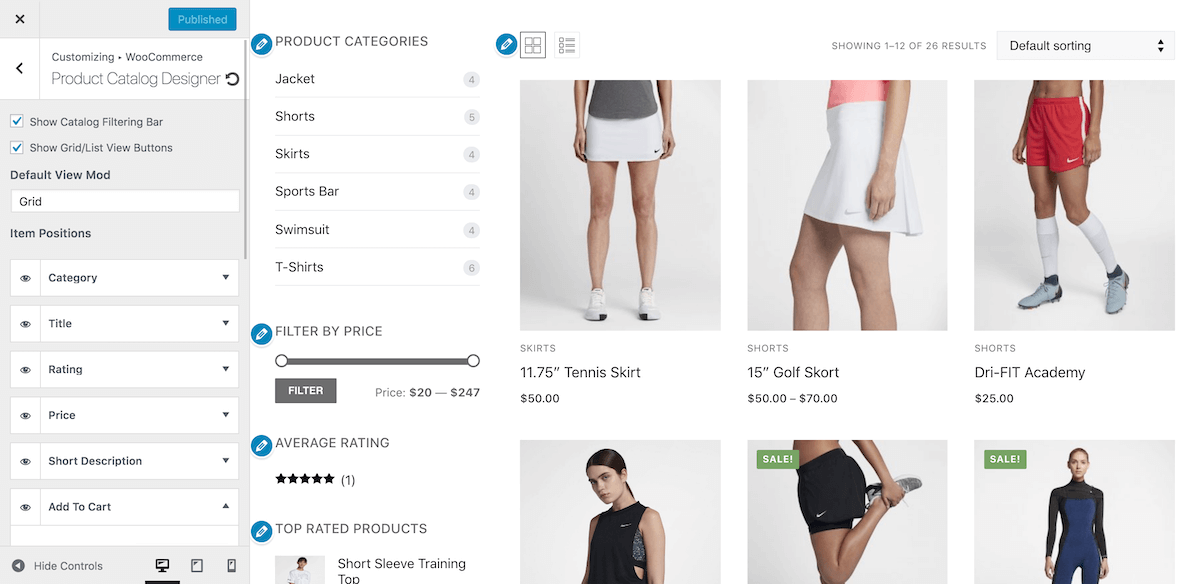
First major feature we have added is a Product Catalog Designer.
Since visitors spend most of their time browsing the catalog for new purchases, it only makes sense that you would want to customize your product listings to reflect your overall design.
This new feature allows you to rearrange listings, choose from different view modules, and organize product display.
Mini Cart + Ajax on the Add To Cart button
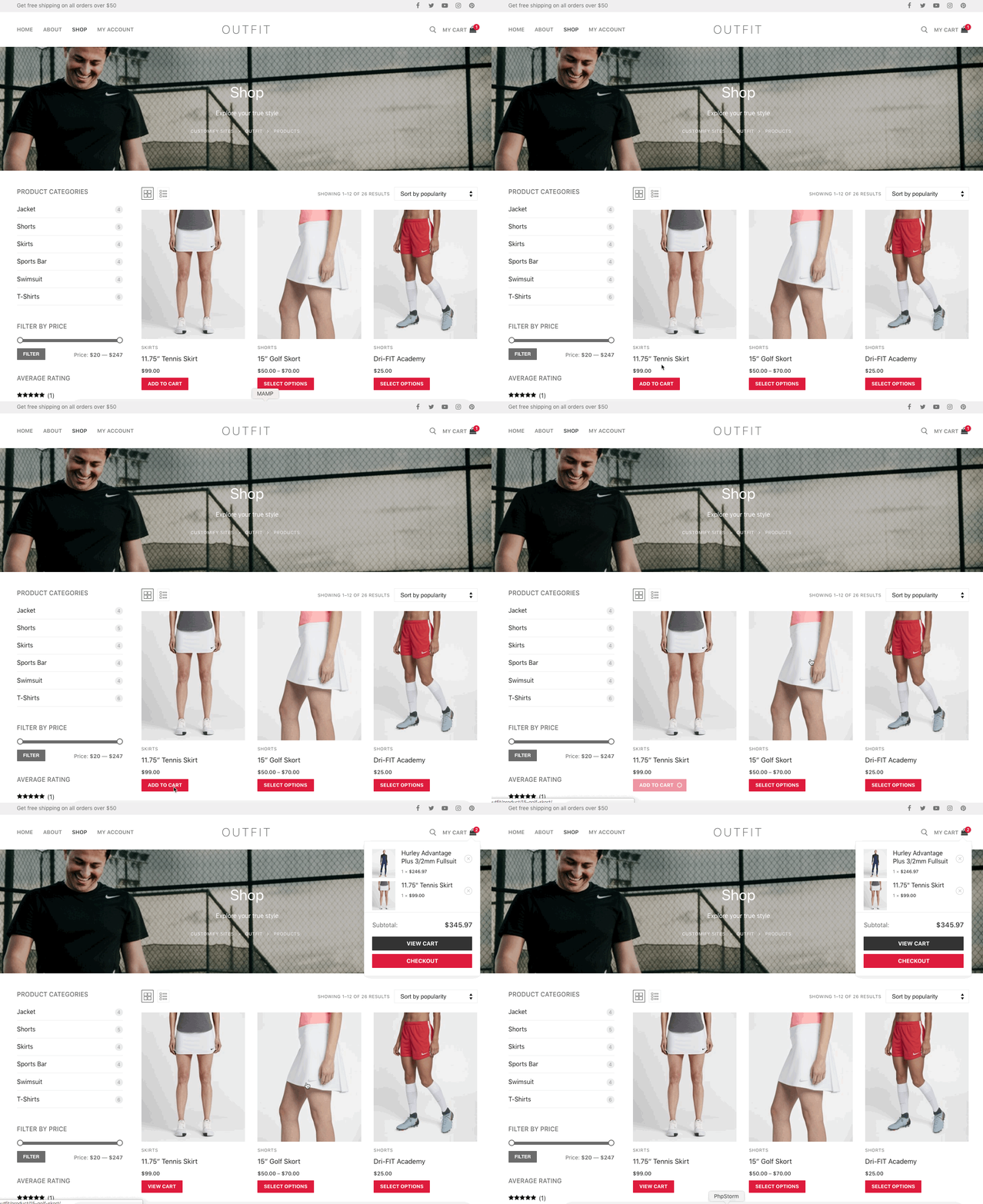
Next, we are adding a new feature which many of you suggested over the last couple of months: mini cart, and an Ajax-based cart button.
Now your visitors can instantly add products to their shopping cart, and see the overall value of items they have added. Additionally, the Mini Cart includes a button for instant checkout.
Vertical & Horizontal product tabs layout


Our goal is to make Customify the most flexible and adaptive WordPress theme ever. As a result, we are adding additional layout options for displaying product tabs.
When customizing your Single Product pages, you can choose from a Vertical or a Horizontal style display for all your product information.
Product navigation
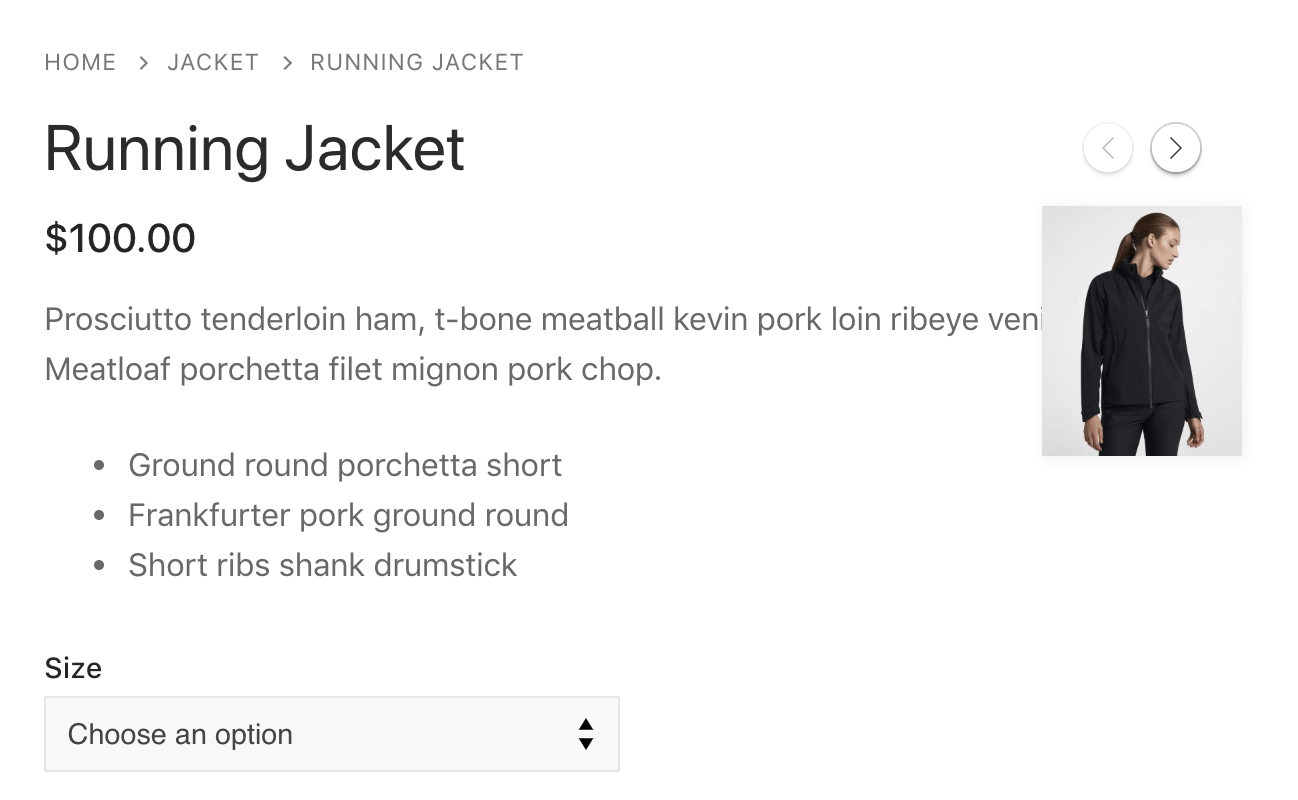
In this update, product pages now feature a stylish set of Next and Prev buttons to create a smoother product navigation experience.
Shoppers can browse products in a specific category without having to leave the product page.
Minimal Cart & Checkout Pages
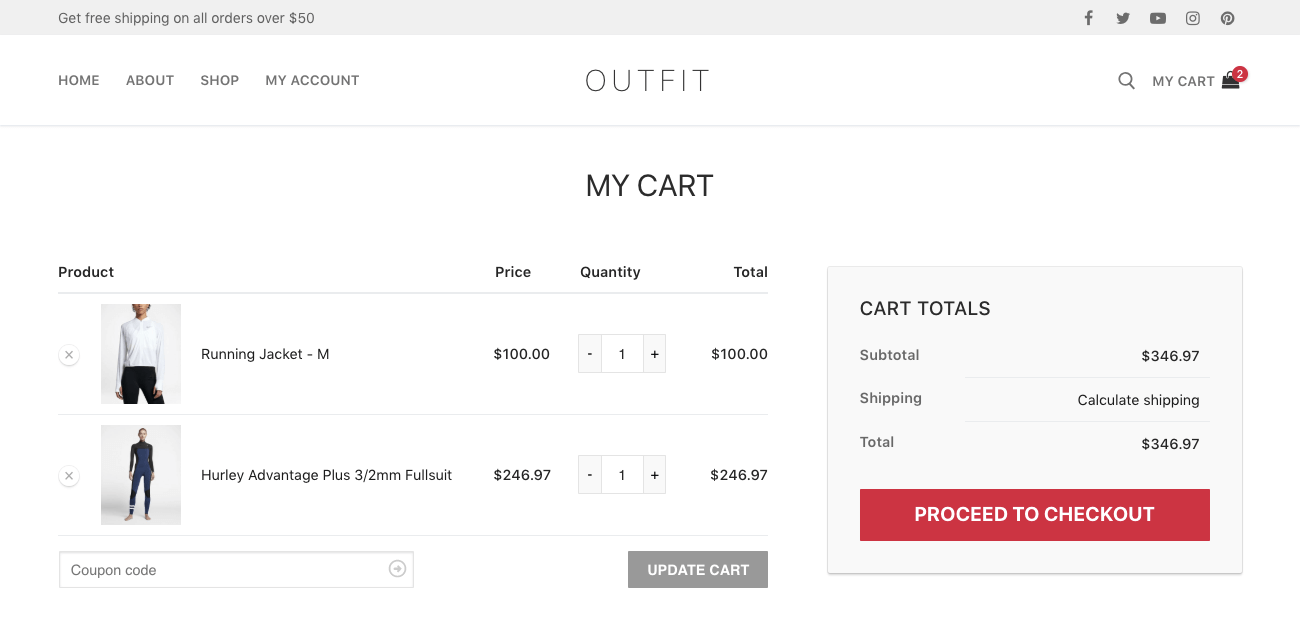
We’re introducing a complete redesign of Checkout Pages to meet minimal design standards, and provide a more user-friendly browsing experience.
Our goal with this update is to ensure that your customers can shop as quickly as possible, without being held back by obnoxious design elements.
New WooCommerce Demo: Outfit
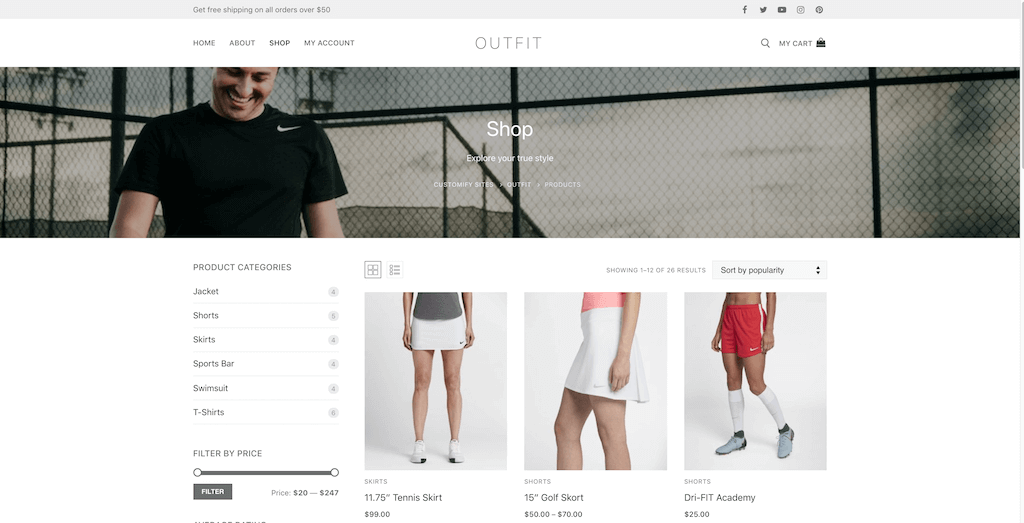
In order to give you a more realistic example of all the new features, we’ve created a custom WooCommerce-based demo called Outfit.
This demo includes all of the said
All Customify users get access to this demo site in the new update.
The post New in Customify: WooCommerce Features + Shop Demo appeared first on PressMaximum.
]]>The post Introducing Customify – The Most Customizable WordPress Theme appeared first on PressMaximum.
]]>Click here to start download Customify theme »
So, what’s so unique about Customify?
Customify is both a WordPress Theme and a WordPress Theme Editor. It’s a powerful styling platform that ensures exceptional design control over your website’s looks and feel. If you are completely new to WordPress, we have added several Site Templates that you can use to instantly add an authentic design to your WordPress website. And if you are someone who has worked with WordPress in the past, we are giving you the tools to maximize the design potential through our custom design editor.
Customify is natively compatible with other WordPress website builders. Meaning, you can use site builders like Visual Composer, Elementor, BeaverBuilder and others in combination with Customify to reap maximum design customization benefits. Our mission is simple; we want to empower WordPress users to gain control over every single website element in a refreshing and simple manner.
Introducing Header & Footer Builder
In our initial release of Customify we are putting primary emphasis on our unique Header & Footer Builder engine. This highly-flexible feature will help anyone to create a Header and a Footer layout in accordance to modern design standards. Great design is the epitome of pleasing user experience, and the first thing your visitors see when coming to your site is the header section. Why not give your users an unforgettable first impression?
The Header & Footer Builder is built around a real-time visual editor, with separate modes available for designing mobile headers, and site headers for different device sizes. E.g. You can have a custom header for your Desktop, Mobile, and Tablet versions of the site. This is something we have worked hard on perfecting in Customify. We want to give you the tools to craft beautiful designs for all modern devices and browsers.
A traditional approach to Header and Footer design would be to go inside the actual Theme files and make customizations using scripting. While certainly a good technique for editing site design, writing your custom scripts and theme files isn’t feasible if you don’t have prior programming experience. With Customify, anyone can craft a fresh Header & Footer design using in-built Rows, Widgets, and Theme Elements.
Our editor considers your custom design as the core Header/Footer specification of your theme. As a result, you will not encounter issues and design problems that commonly occur when modifying standard WordPress themes.
You can layer your Header/Footer design to consist of multiple levels, and you can add as many or as little elements in your Header/Footer as you like. Each element — menus, icons, images, etc,. — is seen as a separate entity, and has separate design options to give you absolute styling freedom.
Customize everything and anything
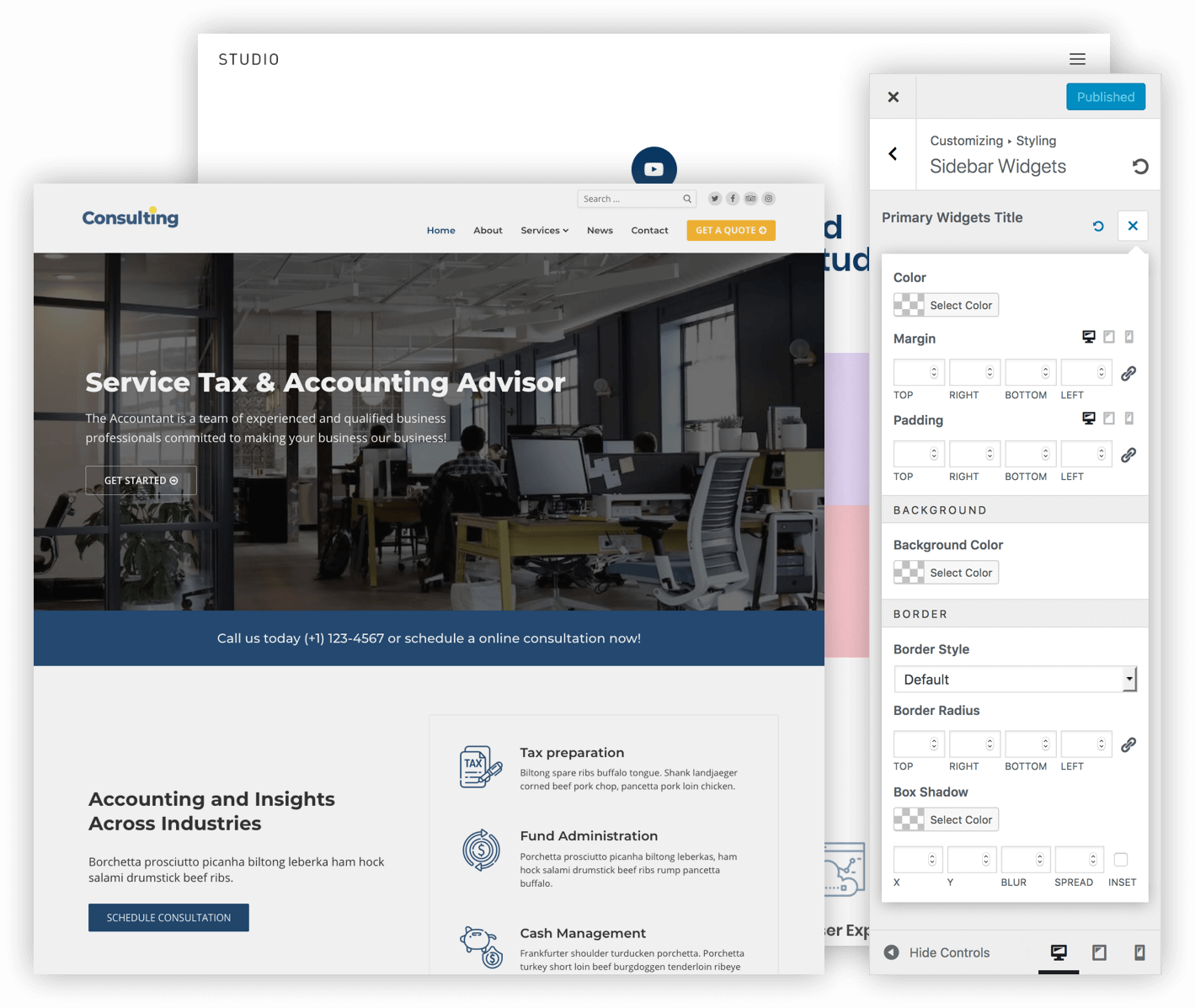
The native WordPress Customizer has its place in customizing your theme design, but with Customify we are taking it a step further to ensure that any website elements matches your desired structure. This means you can edit titles, icons, paragraphs, and other website elements with utmost precision.
Change colors, adjust custom margin and padding ratios, use in-built tools to adjust border design, and so much more. All of our Customization features are tailored for tablet and mobile devices, too. If there was ever a WordPress Theme Editor to consider, then this is everything you have been looking for and more.
Outstanding Performance & SEO Optimization
As a new Customify user you are not required to make any performance or SEO optimizations of your own. Not only have we built the codebase to reflect modern standards in performance and search engine optimization, the Customify theme works flawlessly in tandem with other WordPress optimization plugins.
Customify is free, now & forever.
Follow these steps in the GIF picture below to install Customify theme from your WP-Admin dashboard, or you can download the theme file here.

Try it out and be sure to let us know how you like it by leaving a comment below.
The post Introducing Customify – The Most Customizable WordPress Theme appeared first on PressMaximum.
]]>