




Beschrijving
Boost your website with feature-rich tables that your visitors will love!
TablePress is the most popular and highest-rated WordPress table plugin.
- Easily create, edit, and manage beautiful and modern data tables, no matter if small or large!
- Add live sorting, pagination, searching, and more interactivity for your site’s visitors!
- Use any type of data, insert images, links, and even math formulas!
- Import and export tables from/to Excel, CSV, HTML, and JSON files or URLs.
- Embed tables into posts, pages, or other site areas using the block editor, an Elementor widget, or Shortcodes.
- All with no coding knowledge needed!
Even more great features for you and your site’s visitors and priority email support are available with a Premium license plan of TablePress. Go check them out!
Meer informatie
Visit tablepress.org for more information, take a look at example tables, or try TablePress on a free test site. For latest news, follow @TablePress on Twitter/X or subscribe to the TablePress Newsletter.
How to use TablePress
Nadat je de plugin hebt geïnstalleerd, kan je tabellen maken en beheren op het “TablePress” scherm in het WordPress Dashboard.
To insert a table into a post or page, add a “TablePress table” block in the block editor or a widget in the Elementor page builder and select the desired table or use Shortcodes with other page builders.
Beginner-friendly step-by-step tutorials, guides, and how-tos show how to achieve common and popular tasks with TablePress.
Examples for common styling changes via “Custom CSS” code can be found on the TablePress FAQ page.
You may also add certain features (like sorting, pagination, filtering, alternating row colors, row highlighting, print name and/or description, …) by enabling the corresponding checkboxes on a table’s “Edit” screen.
Even more great features for you and your site’s visitors and priority email support are available with a Premium license plan of TablePress. Go check them out!
Schermafbeeldingen
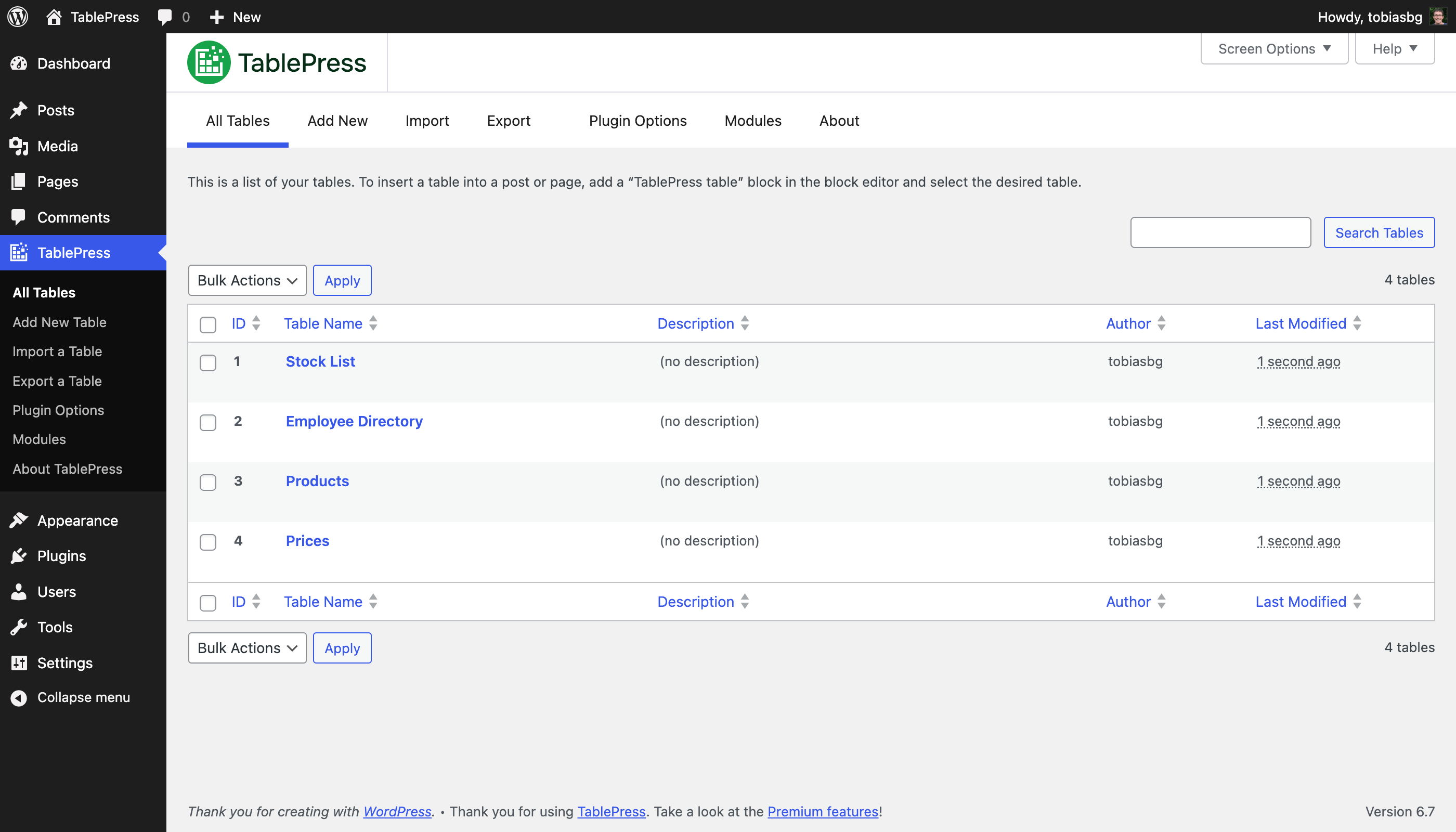
“Alle tabellen” scherm 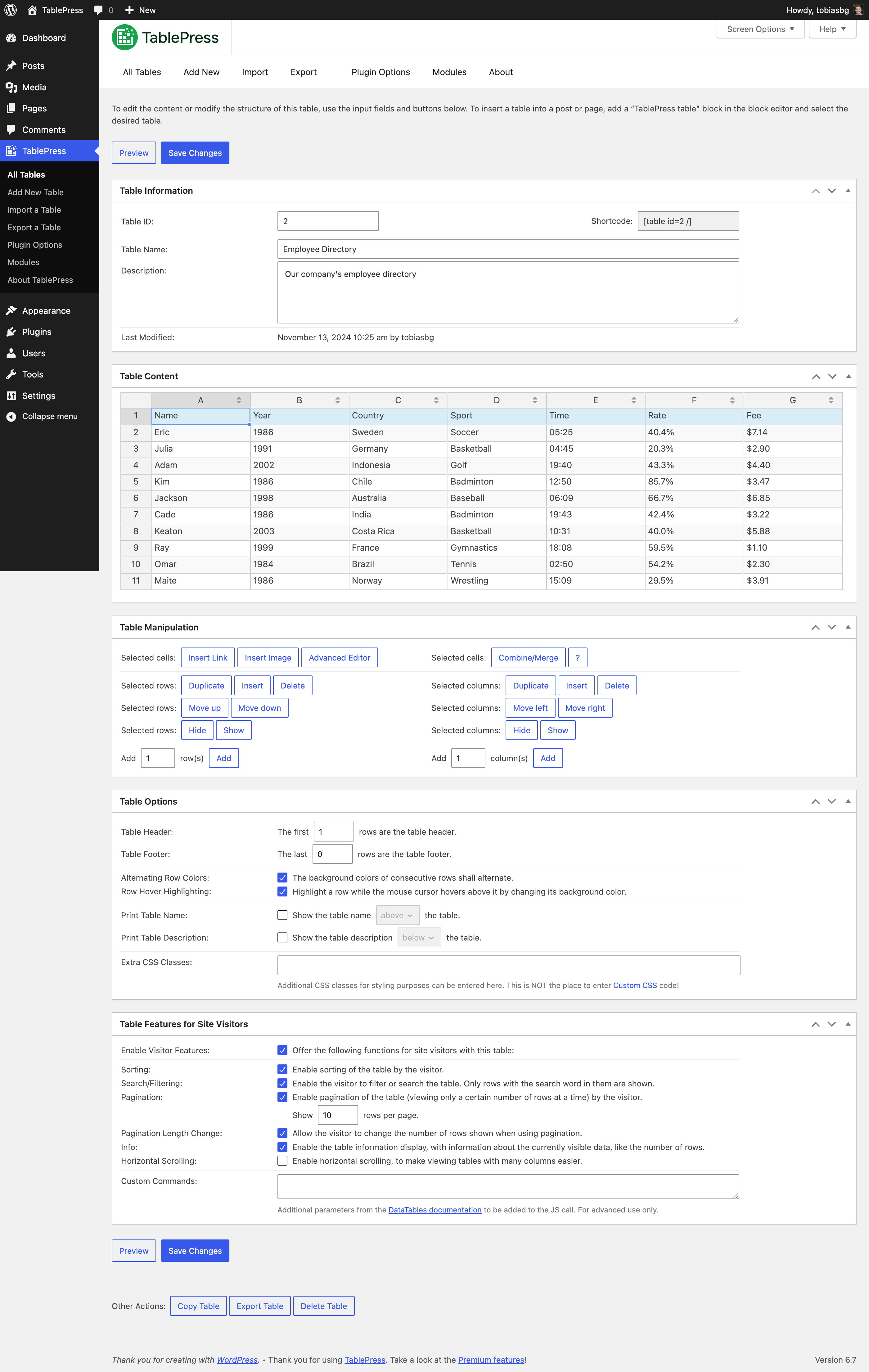
“Bewerken” scherm 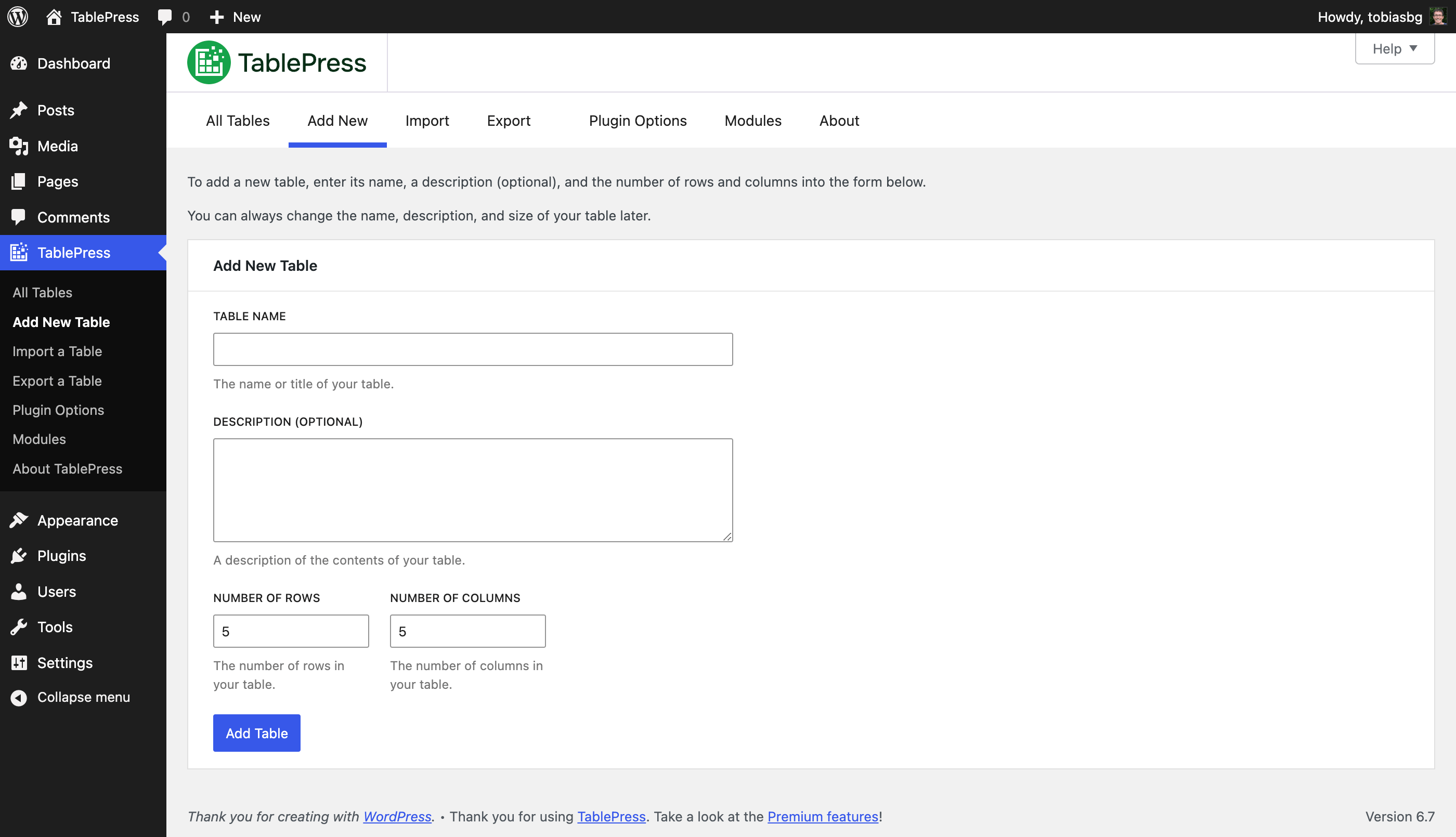
“Toevoegen” scherm 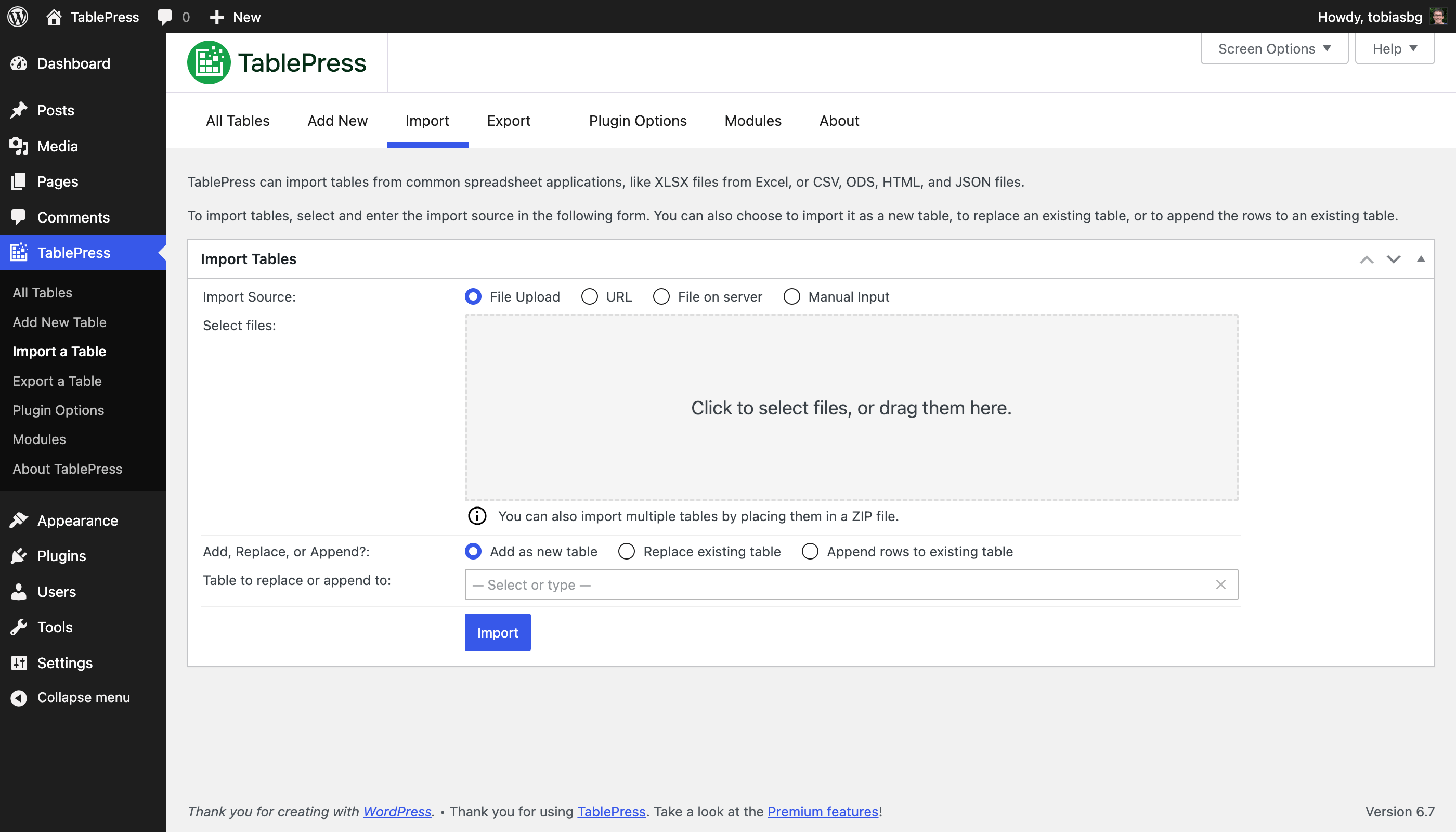
“Importeren” scherm 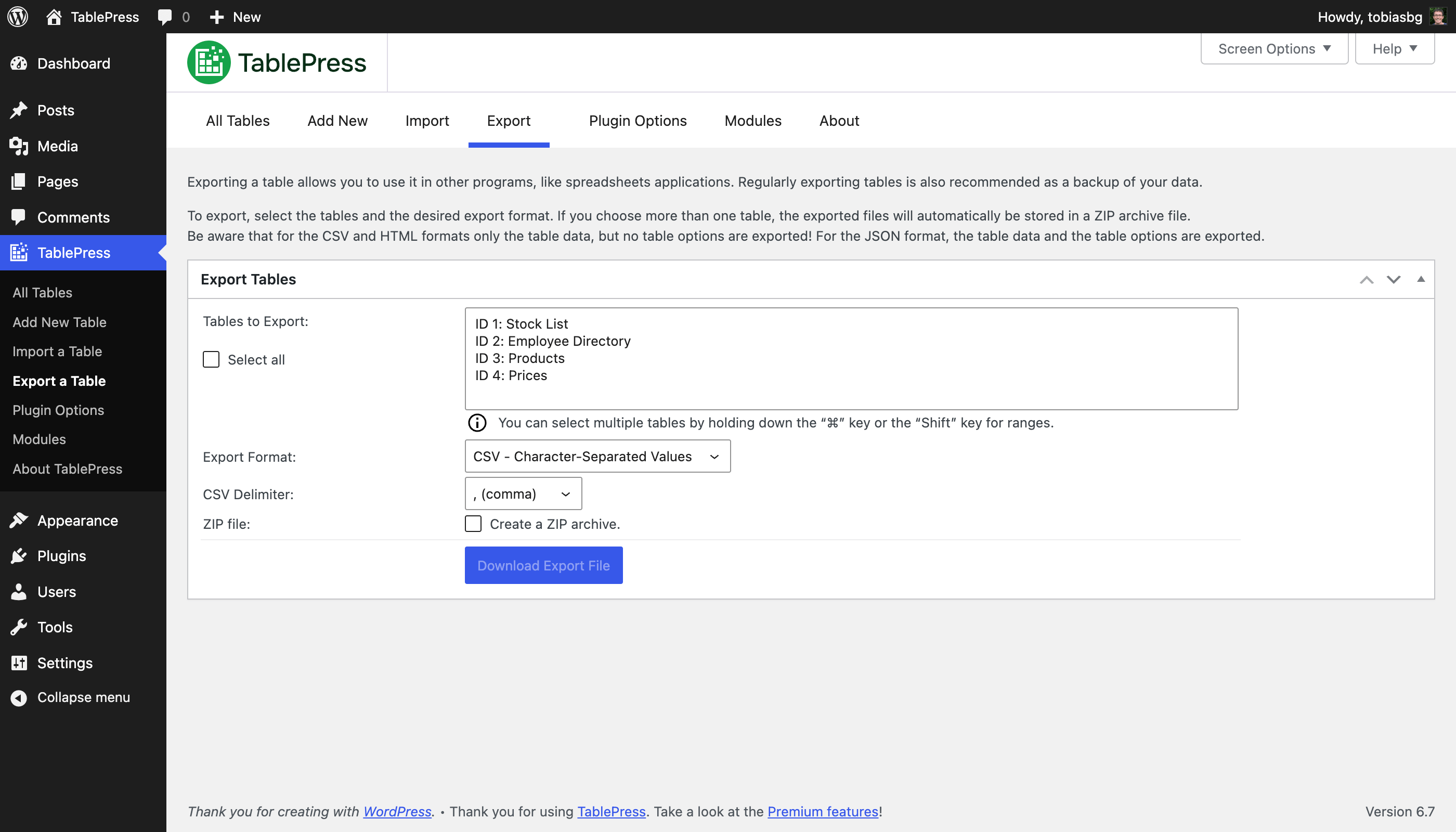
“Exporteren” scherm 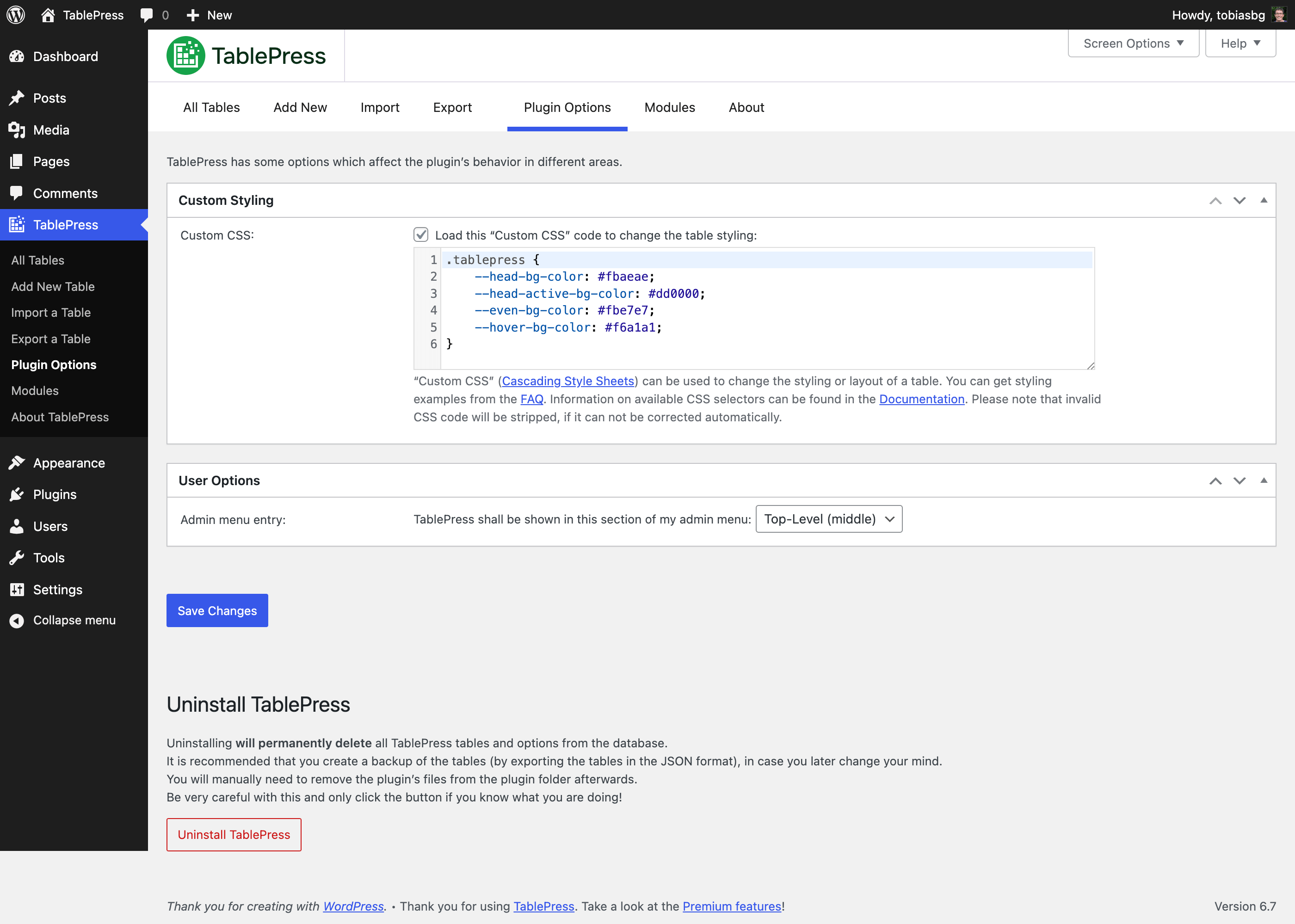
“Plugin opties” scherm 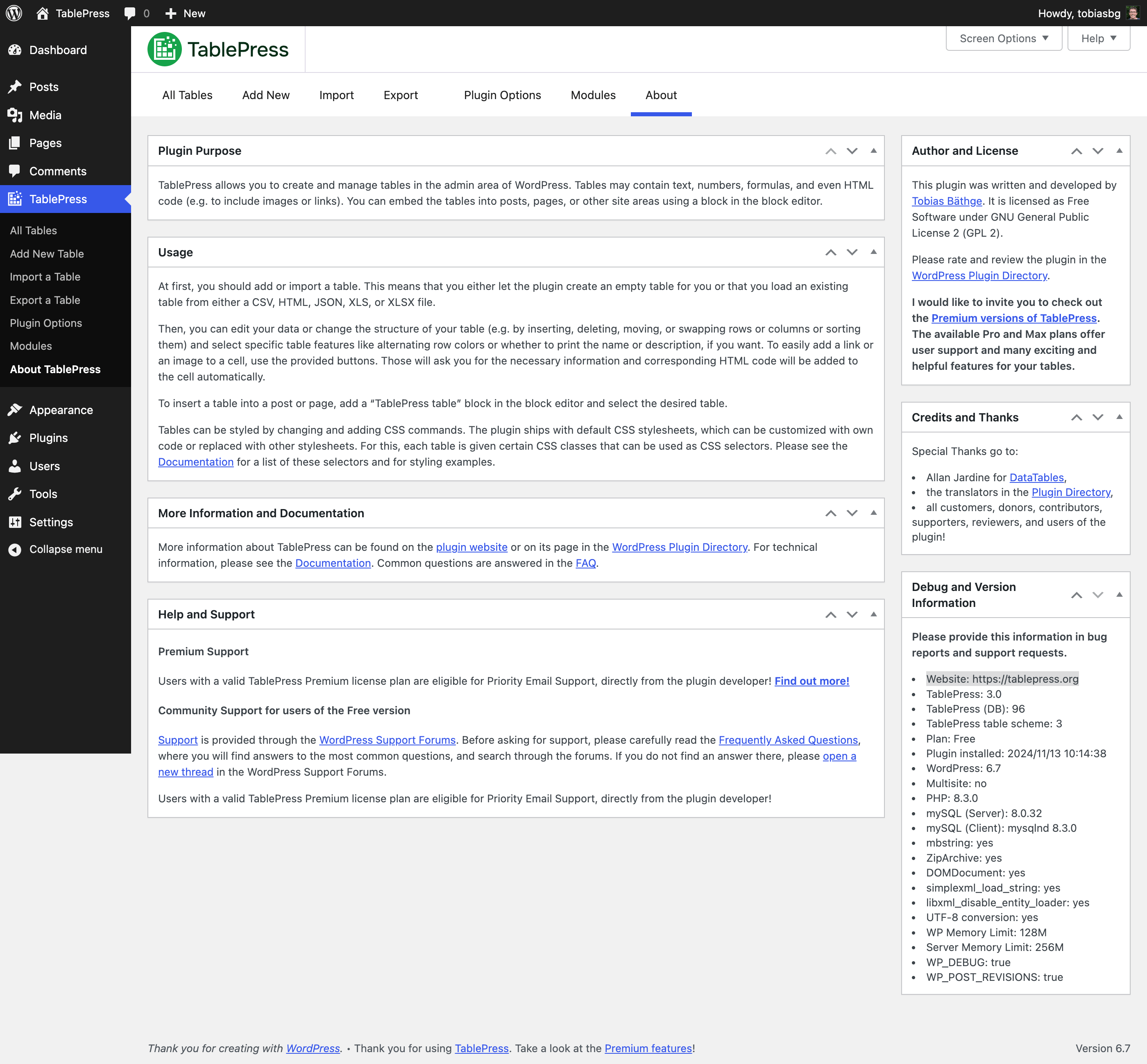
“Over” scherm 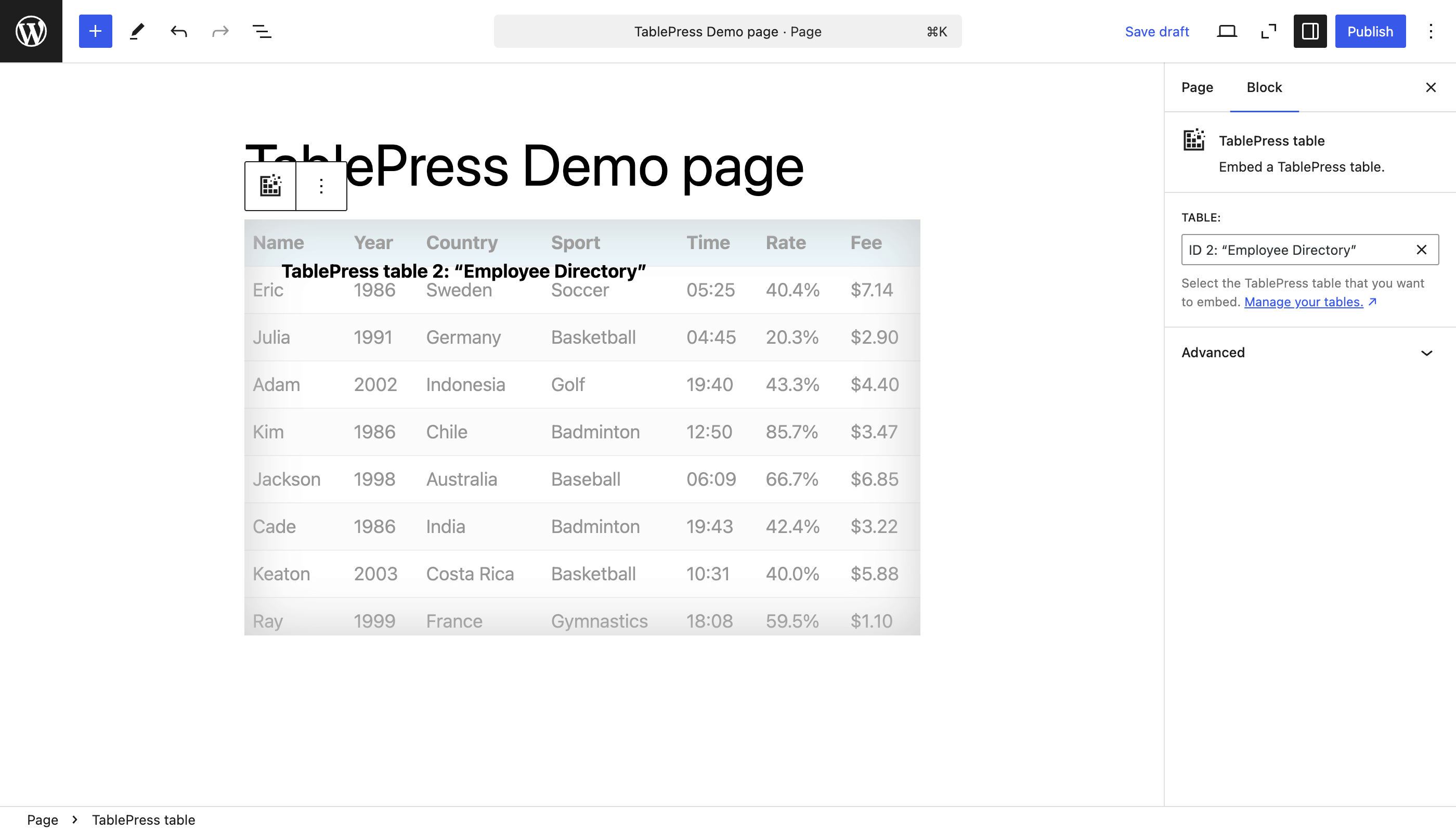
The “TablePress table” block in the block editor 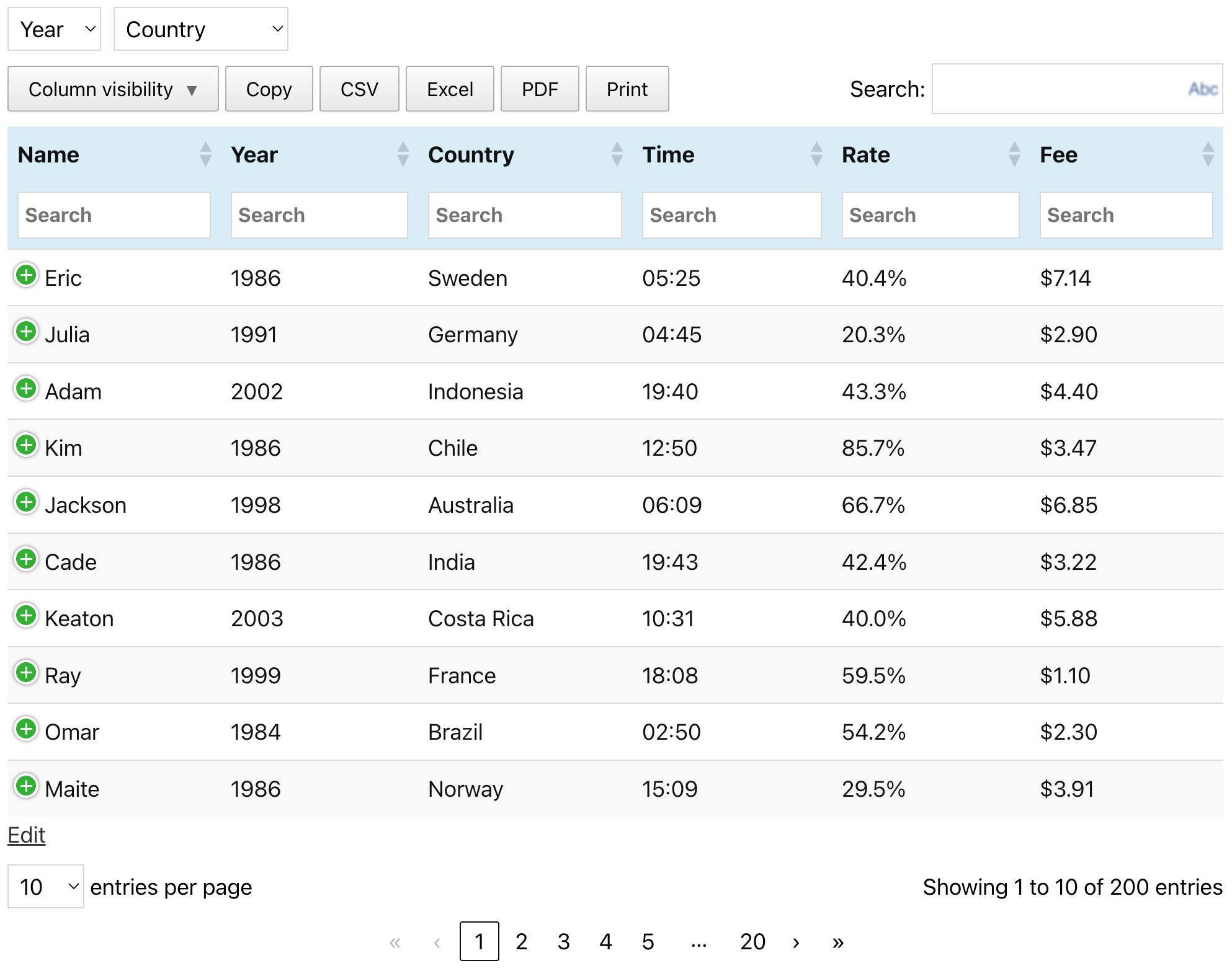
Een voorbeeld tabel (zoals te zien is op de TablePress website)
Blokken
Deze plugin voorziet 1 blok.
- TablePress table Embed a TablePress table.
Installatie
The easiest way to install TablePress is via your WordPress Dashboard:
- Go to the “Plugins” screen, click “Add Plugin”, and search for “TablePress” in the WordPress Plugin Directory.
- Click “Install Now” and after that’s complete, click “Activate”.
- Maak en beheer tabellen door naar het “TablePress” scherm te gaan in het beheerder menu.
- To insert a table into a post or page, add a “TablePress table” block in the block editor or a widget in the Elementor page builder and select the desired table or use Shortcodes with other page builders.
Handmatige installatie werkt op dezelfde manier als andere WordPress plugins:
- Download het TablePress ZIP bestand.
- Go to the “Plugins” screen on your site and upload it by clicking “Add Plugin” “Upload Plugin”.
- Or, extract the ZIP file and move the folder “tablepress” to the “wp-content/plugins/” directory of your WordPress installation, e.g. via FTP.
- Activeer “TablePress” op het “Plugins” scherm van je WordPress dashboard.
- Maak en beheer tabellen door naar het “TablePress” scherm te gaan in het beheerder menu.
- To insert a table into a post or page, add a “TablePress table” block in the block editor or a widget in the Elementor page builder and select the desired table or use Shortcodes with other page builders.
FAQ
-
Waar kan ik antwoorden vinden op veelgestelde vragen?
-
Many questions, regarding different features or styling, have been answered on the FAQ page and in the extensive TablePress plugin documentation on the TablePress website.
-
Ondersteuning?
-
Premium Support
Users with an active TablePress Premium license plan are eligible for Priority Email Support, directly from the plugin developer! Find out more!
Community Support for users of the Free version
Voor ondersteuningsvragen, bug rapporten of aanvragen voor nieuwe functies, dien je het WordPress ondersteuningsforum te gebruiken. Zoek eerst in de forums en maak alleen een nieuw onderwerp als je geen bestaand antwoord vindt. Bedankt!
-
Vereisten?
-
In short: WordPress 6.2 or higher, while the latest version of WordPress is always recommended. In addition, the server must be running PHP 7.4 or newer.
-
Talen en lokalisatie?
-
TablePress gebruikt het“Translate WordPress” platform. Zie de zijbalk op de TablePress pagina in de WordPress Plugin Directory voor beschikbare vertalingen.
Om TablePress beschikbaar te maken in je taal, ga je naar de TablePress-vertalingspagina, log je in met een gratis WordPress.org-account en begin je met vertalen.
-
Ontwikkeling
-
Je kan de ontwikkeling van TablePress volgen in de officiële GitHub repository.
-
Where do I report security issues?
-
Please report security issues and bugs found in the source code of TablePress through the Patchstack Vulnerability Disclosure Program.
The Patchstack team will assist you with verification, CVE assignment, and notify the TablePress developer. -
Waar kan ik meer informatie vinden?
-
Visit the plugin website at tablepress.org for the latest news on TablePress, follow @TablePress on Twitter/X, or subscribe to the TablePress Newsletter.
Beoordelingen


Bijdragers & ontwikkelaars
“TablePress – Tables in WordPress made easy” is open source software. De volgende personen hebben bijgedragen aan deze plugin.
Bijdragers
“TablePress – Tables in WordPress made easy” is vertaald in 42 talen. Dank voor de vertalers voor hun bijdragen.
Vertaal “TablePress – Tables in WordPress made easy” naar jouw taal.
Interesse in de ontwikkeling?
Bekijk de code, haal de SVN repository op, of abonneer je op het ontwikkellog via RSS.
Changelog
Recente wijzigingen worden hieronder weergegeven. Voor eerdere wijzigingen, zie de changelog.
Version 3.2.6 (December 16, 2025)
- Improvement: The CSS code for styling hovered rows when child rows are present was improved for better performance.
- Improvement: It’s easier for developer to adjust or modify the file name or contents of automatically exported tables. (TablePress Pro and Max only.)
- Bugfix: The “Delete Table” button at the bottom of the “Edit” screen now longer raises and error.
- Bugfix: Don’t accidentally prevent the filter term “0” in the “Row Highlighting” and “Cell Highlighting” feature modules. (TablePress Pro and Max only.)
- Cleaned up and simplified code, for easier future maintenance, to follow WordPress Coding Standards, and to offer helpful inline documentation.
- Several external code libraries and build tools have been updated to benefit from enhancements and bug fixes.
- Volledige compatibiliteit met WordPress 6.9.
- Improved support for PHP 8.5.
Version 3.2.5 (October 28, 2025)
- Security fix: Authenticated Stored XSS (CVE-2025-12324). Thanks to Rafshanzani Suhada and the Wordfence team for following responsible disclosure policies when reporting this issue!
- Cleaned up and simplified code, for easier future maintenance, to follow WordPress Coding Standards, and to offer helpful inline documentation.
- Updated external libraries to benefit from enhancements and bug fixes.
- Improved support for PHP 8.5.
Version 3.2.4 (October 21, 2025)
- Improvement: Improve table import when importing URLs from external services like Google Sheets, Microsoft OneDrive, and Dropbox.
- Bugfix: Elementor integration: Prevent an error with the “Element Cache”.
- Cleaned up and simplified code, for easier future maintenance, to follow WordPress Coding Standards, and to offer helpful inline documentation.
- Updated external libraries to benefit from enhancements and bug fixes.
Version 3.2.3 (September 23, 2025)
- Elementor integration: Support for clearing the “Element Cache” was added.
- Elementor widget: The “Configuration Parameters” field is now shown properly again.
- Elementor widget: “Dynamic Tags” are now supported for the “Configuration Parameters” field.
- New feature: The “Advanced Pagination Settings” feature module now offers pagination with a select dropdown field. (TablePress Pro and Max only.)
- Improvement: The “Individual Column Filtering” search fields now support the native Clear button. (TablePress Pro and Max only.)
- Bug fix: Ensure that available premium translation files are loaded correctly. (TablePress Pro and Max only.)
- Cleaned up and simplified code, for easier future maintenance, to follow WordPress Coding Standards, and to offer helpful inline documentation.
- Updated external libraries to benefit from enhancements and bug fixes.
- Improved support for PHP 8.5.
Version 3.2.2 (September 23, 2025)
This version was not released, due to issues in the release process.
Version 3.2.1 (August 28, 2025)
- Security fix: Authenticated Stored XSS (CVE-2025-9500). Thanks to Muhammad Yudha and the Wordfence team for following responsible disclosure policies when reporting this issue!
- Cleaned up and simplified code, for easier future maintenance, to follow WordPress Coding Standards, and to offer helpful inline documentation.
- Updated external libraries to benefit from enhancements and bug fixes.
- Improved support for PHP 8.5.
Version 3.2 (August 26, 2025)
TablePress 3.2 is a feature, stability, maintenance, and compatibility update. Here are the highlights:
Improved Frontend Table Performance
- Tables and their interactivity features are more accessible for visitors with disabilities and users of assistive technologies, with improved labelling and easier-to-use keyboard navigation!
Many New Features and Enhancements for Existing Premium Features
- Fixed Header
- When combining the Fixed Header Row with Horizontal Scrolling, the header will scroll properly as well.
- Server-side Processing
- It is now possible to use the “Column Filter Dropdowns”, “Individual Column Filtering”, and “Inverted Filtering” feature modules while benefitting from the fast loading of large tables from the server!
- Advanced Access Rights
- The user interface now allows filtering for users and tables, to quickly find the right combination!
- Only user roles that are allowed to edit tables will be shown, making the overview much more lightweight!
- Index or Counter Column
- The rendering performance has been improved for large tables.
- Row Order and Column Order
- The “Random” option is now shown in the block’s feature section’s dropdown!
- Advanced Pagination Settings
- The “Show more” button shows better scrolling behavior when using it with long tables!
- Column Filter Dropdowns
- The filtering dropdowns can now be used with Server-side Processing, making it a great choice for large tables!
- Individual Column Filtering
- Besides text input fields, the dropdowns are now also supported when using Server-side Processing!
- Inverted Filtering
- Large tables now benefit from speed improvements, when using Server-side Processing and Inverted Filtering!
Behind the scenes
- Several minor bugs and inconsistencies have been fixed and improved!
- Cleaned up and simplified code, for easier future maintenance, to follow WordPress Coding Standards, and to offer helpful inline documentation.
- Updated external libraries to benefit from enhancements and bug fixes.
- Automated code compatibility checks and build tools simplify chores for easier development.
- Improved support for PHP 8.4.
Premium versions
- Even more great features for you and your site’s visitors and priority email support are available with a Premium license plan of TablePress. Go check them out!