


| CARVIEW |

Think deeper
than one page
Muse is a cozy space for deep thinking.
Let your ideas branch and grow inside nested boards.

Download for iPad & iPhone.
Download for iPad & iPhone.
Also available on Mac.

Download for Mac.


Join the conversation.
Email updates roughly once a month.
Join our Discord community for in-progress work, feature requests, and conversation with other Muse users.
Thanks. Check your email to confirm your subscription.
Beyond whiteboards
Each Muse board is like a whiteboard that can hold even more whiteboards. Stay in the ideation flow, worry about organizing later. Your boards grow organically over time, as you develop an idea or work on a project.
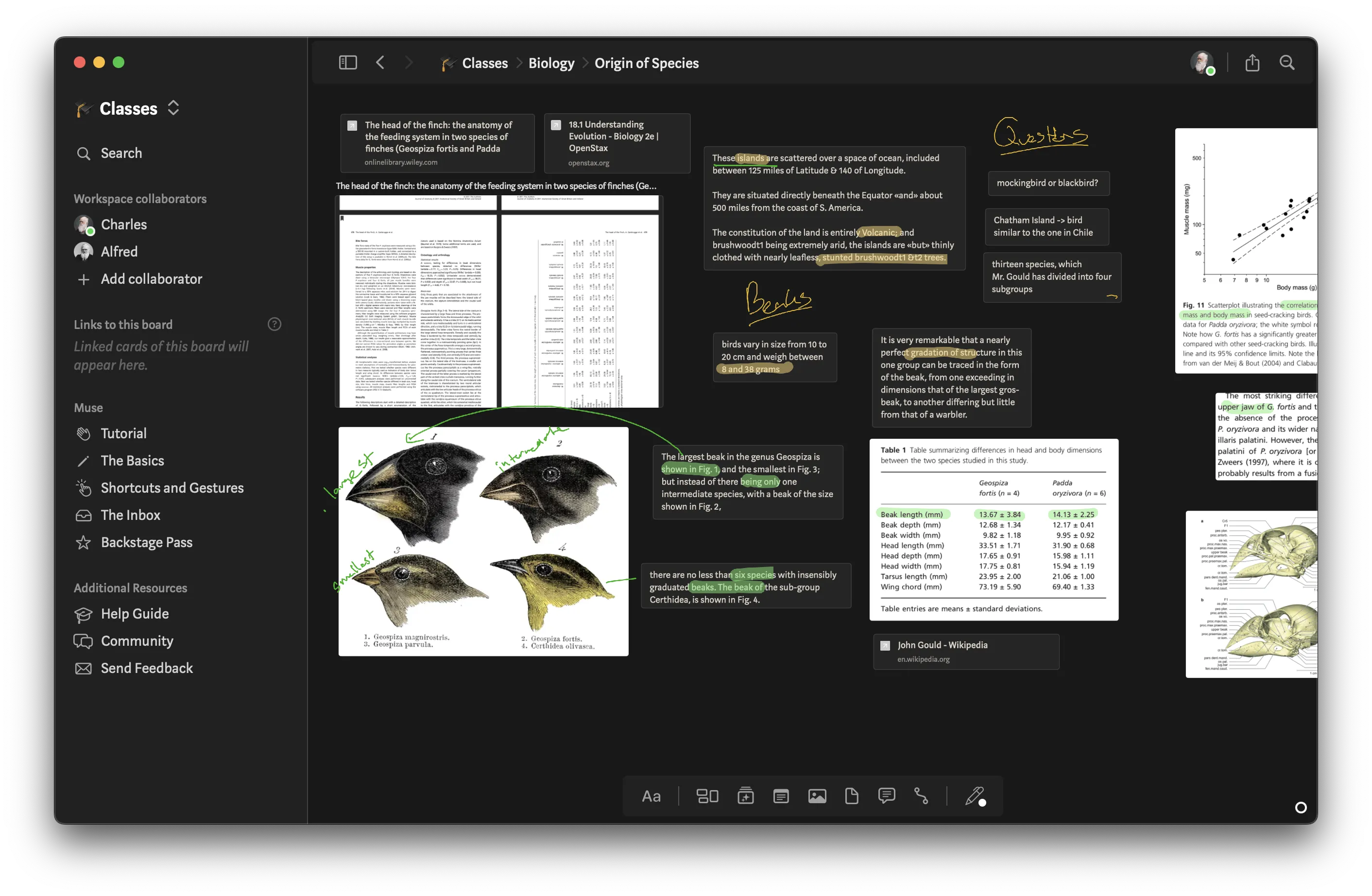
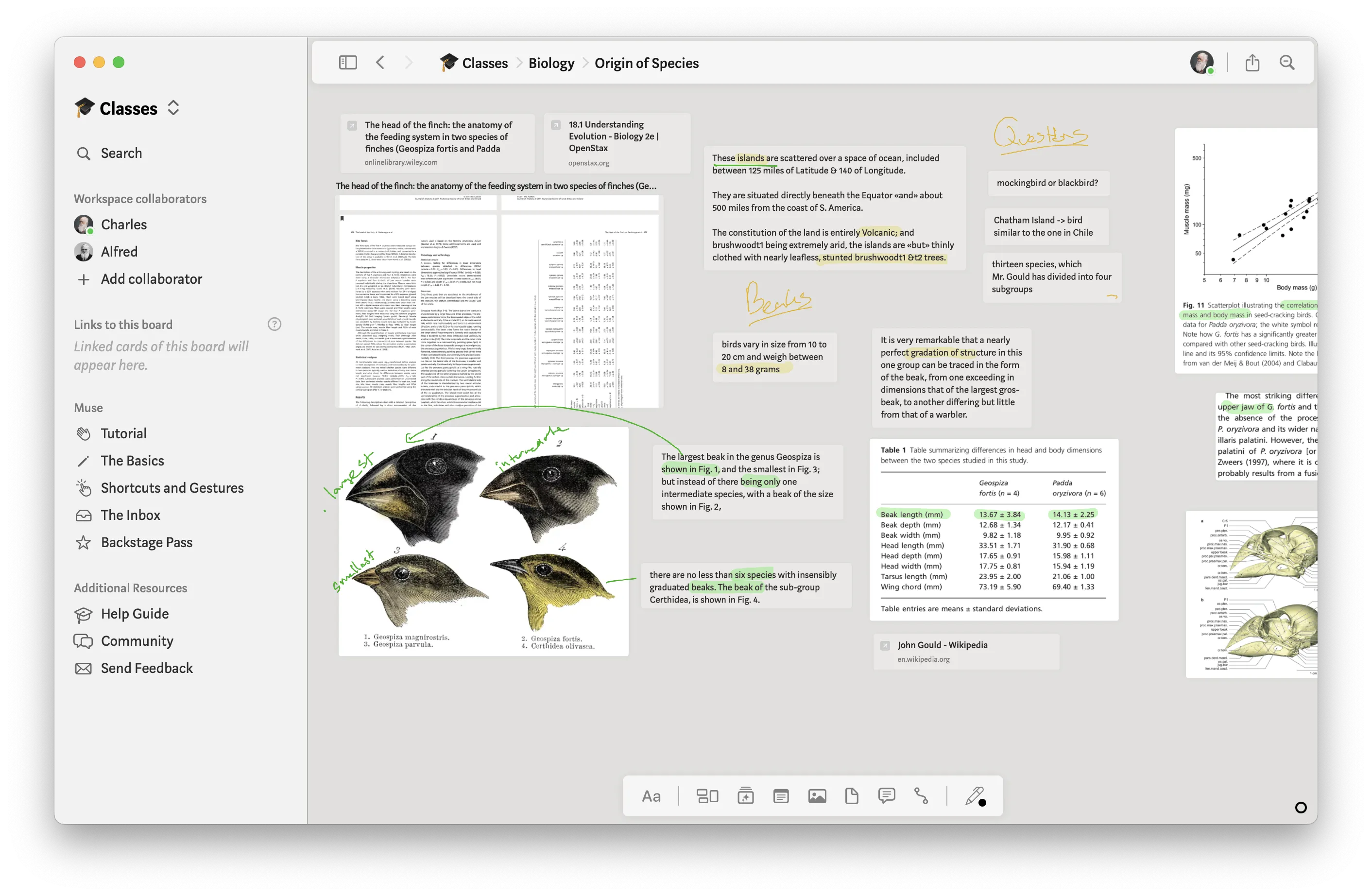
Calm your mind and your eyes
Muse feels cozy and comfortable, whether you prefer the warmth of light mode or the focus of dark mode. A distraction-free environment designed to flow with your mind.
One canvas for anything
Developing an idea starts with collecting inspiration and stray thoughts. Muse lets you put everything on a single canvas: writing, scribbles, notes, images, videos, PDFs, web links, and any other files. Lay out all the raw materials, then connect the dots with ease.

The Inbox
Thoughts don't march in straight lines — they leap, spiral, and discover. Your cards can follow along, tucked into the Inbox at the left edge of your creative space.
Collaboration
Add collaborators to a Muse workspace to plan and strategize your next steps together. They'll feel right at home with live cursors, comments, following, and templates.
There's plenty more …
- Search and quick-jump to boards
- Read and annotate PDFs
- Create connections between cards
- Export boards as PDFs or PNGs
- Local-first data with instant sync
- Native to iPad & Mac
… and plenty less
Muse is about putting down the broad strokes of an idea. Details must wait. Some features you might know from other tools are intentionally not part of Muse.
- Drawing brushes? No
- Complex text formatting? Nope
- Endless canvas zooming or rotation? Nay
- Finicky interactions? Never
- Always-online requirement? 404
Infinitely flexible
Synthesize user research, sketch low-fidelity mockups, and explore workflows.

Annotate and excerpt from the literature.

Make sense of opportunities and risks in your business.

Sketch out and iterate on your story.

Use Muse for any thinking, problem-solving, or brainstorming in your work and life.

In the words of our users
No UI clutter
The app's design tools are simple enough that I have no thinking overhead about HOW to express myself on MuseApp, I can just focus on my ideas instead.
The Muse app is like an app from far in the future.
I own and use pretty much every note taking and productivity app and there is nothing like Muse. It's like an app from the future. There is no friction to Maserati paced creativity.
Nested boards make all the difference
The magic trick here is that you can put a canvas inside a canvas inside a canvas and so forth and link any of them to the any of the previous ones, allowing for complex and unordered relationships.
"When something can be like work or like play, never make it work"
Thinking things through, sketching, storyboarding, reading, annotating, planning with Muse never feels like work. It's more fun than the text-first apps, more fluid than all the other canvas apps.
Muse's superpower
What sold me on muse was a) the tools are carefully chosen to help you think and not get stuck polishing a prototype, b) it takes iPad pencil support really seriously, c) boards can be nested and put anywhere so you organize however your mind groups your thoughts.
I can't imagine living without it now
If you're an intuitive thinker and despise linear tools like Notion, you will fall in love with Muse.
Pricing
Support an independent business and a product made with love.
Free
- Mac, iPad, and iPhone
- Small board size
- 2 workspaces
- 100 cards per workspace
- 1 other collaborator per workspace
- Community support
Free forever

Unlimited
- Mac, iPad, and iPhone
- Huge board size
- Unlimited workspaces
- Unlimited cards
- Unlimited collaborators
- Priority email support
- Warm fuzzy feeling for supporting independent software
$9.99/month
$99.99/year
Setapp
- Mac*, iPad, and iPhone
- Huge board size
- Unlimited workspaces
- Unlimited cards
- 5 collaborators
- Warm fuzzy feeling for supporting independent software
$9.99/month
Students and teachers can contact us at hello@museapp.com for an education discount.
*Mac device is required for Setapp; iPad and iPhone are optional.
Get Muse now for iPad or Mac.
Give yourself a quiet hideaway to collect and organize your thoughts.

Download Muse for iOS.
Scan with your iOS device.
Muse builds in public.
Get email updates from us, roughly one per month.
Thanks. Check your email to confirm your subscription.
App Store Editors' Notes
"Brutal minimalism, be damned: Muse's organized chaos wrangles your files, photos, drawings, and text to provide a perfect brainstorming workspace."