


Description
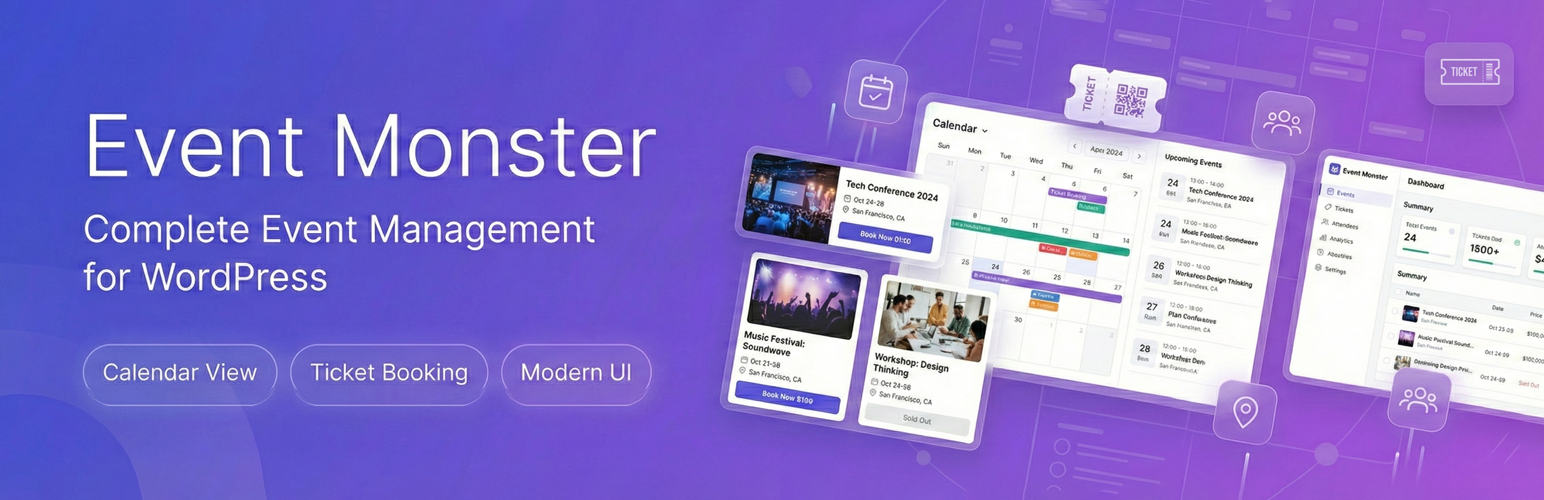
Event Monster is an event manager that helps you create, organize, and display events on your website. Whether you run conferences, workshops, community meetups, or corporate gatherings, this plugin gives you the tools to handle event creation, attendee registration, and calendar displays without any hassle.
Pro Demo Links
Check Pro Demo: Event Monster Premium
More About Pro: Event Monster Premium Details
Where To Buy: Buy Event Monster Premium
The plugin comes with a modern admin interface where you can set up events in minutes. Add event details like date, time, location, description, speakers, sponsors, and more. Your visitors can view events through an interactive calendar or browse through a card-based event list with search and category filters.
What Can You Do With Event Monster?
Create Events Quickly
Set up unlimited events with all the details your attendees need. Include event schedules, speaker information, sponsor logos, and photo galleries. Each event gets its own dedicated page where visitors can learn everything about it.
Display an Interactive Calendar
Show your events in a calendar format that visitors can explore. Switch between month, week, day, or list views. The calendar uses FullCalendar 6.1.10, which provides smooth navigation and works on all screen sizes.
Accept Event Registrations
Let visitors register for your events directly through your website. The built-in registration forms collect attendee information, and you can manage all registrations from your admin dashboard.
Track Your Attendees
See who signed up for each event, view their details, and export attendee lists when needed. Send confirmation emails automatically when someone registers.
Show Event Locations
Display event venues on an interactive map using OpenStreetMap. No API key required – it works right out of the box.
Build Excitement with Countdown Timers
Add countdown timers to your event pages so visitors know exactly when your event starts.
Available Shortcodes
[EM id="123"]– Display a single event (replace X with event ID)[EM-LIST]– Show all events in a card layout[EM-CALENDAR]– Display the interactive event calendar[EM]– Legacy support (shows event list)
Free Version Features
The free version includes everything you need to run basic events:
- Unlimited Events – Create as many events as you want
- Interactive Calendar – Month, week, day, and list views
- Event Registration – Accept free registrations on your site
- Attendee Management – Track registrations and attendee details
- Email Confirmations – Automatic emails when someone registers
- OpenStreetMap Integration – Show event locations without an API key
- Countdown Timers – Display time remaining until events start
- Social Sharing – Let visitors share events on social media
- Gallery Images – Add up to 5 images per event
- Speakers – Add up to 3 speakers per event
- Sponsors – Display up to 3 sponsors per event
- Schedule Items – Create up to 5 schedule entries per event
- Two Layout Styles – Default and Magazine templates
- Mobile Responsive – Works on phones, tablets, and desktops
- Organizer Profiles – Showcase event organizers with contact info
Pro Version Features
Event Monster Pro removes all limits and adds advanced features:
- No Limits – Unlimited galleries, speakers, sponsors, and schedules
- Payment Processing – Accept payments through PayPal, Stripe, Razorpay, and Square
- Ticket Management – Create different ticket types with varying prices
- Coupon Codes – Offer discounts with promotional codes
- Custom Layout Builder – Drag and drop elements to design event pages
- Email Templates – Customize confirmation emails with your branding
- SMTP Support – Reliable email delivery through your mail server
- Priority Support – Direct assistance from our team
Works For All Event Types
Event Monster adapts to whatever events you organize:
- Conferences and seminars
- Workshops and training sessions
- Webinars and online meetings
- Concerts and performances
- Community gatherings
- Corporate events and meetings
- Fundraisers and charity events
- School and university functions
- Religious events
- Sports events and tournaments
Resources
Screenshots
Interactive Event Calendar – Browse events in month, week, and day views 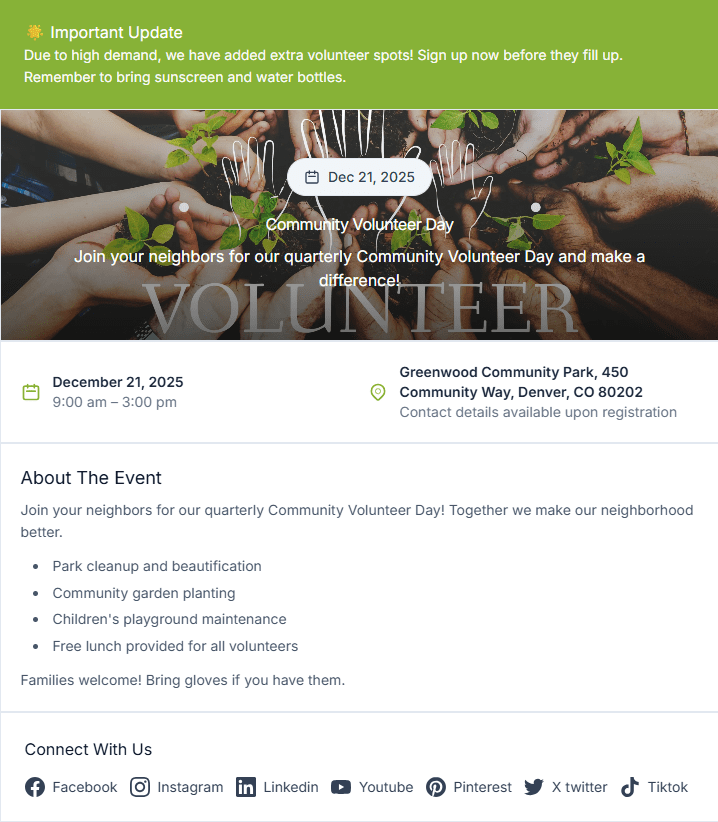
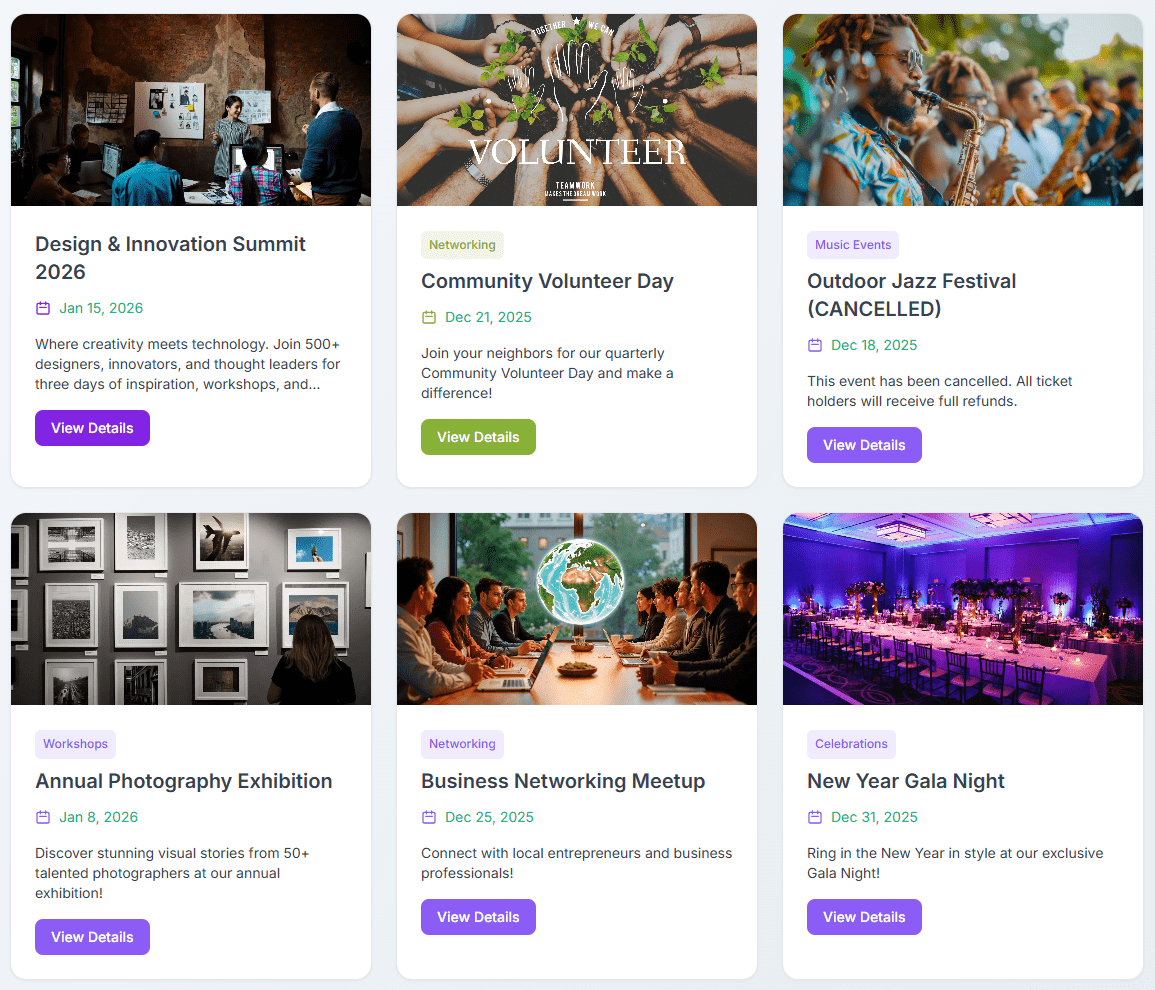
Event List – Modern card layout with search and filtering 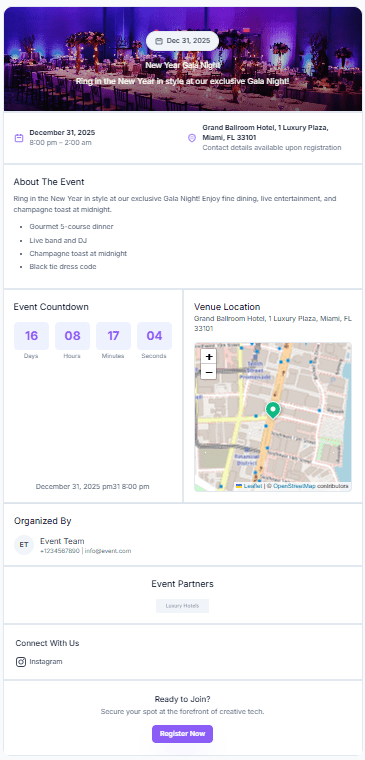
Event Details Page – Clean display of event information 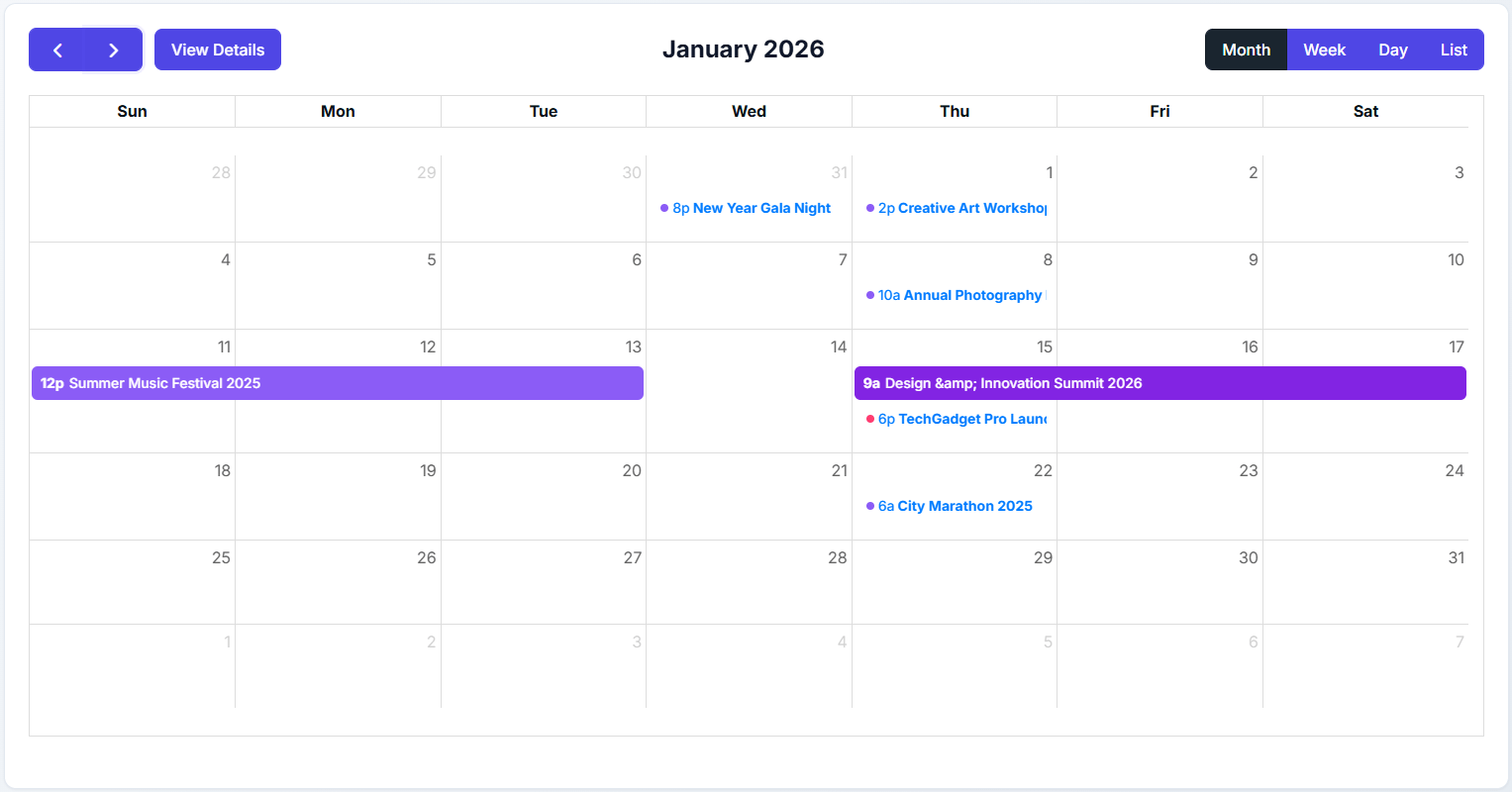
Admin Dashboard – Create and manage events easily 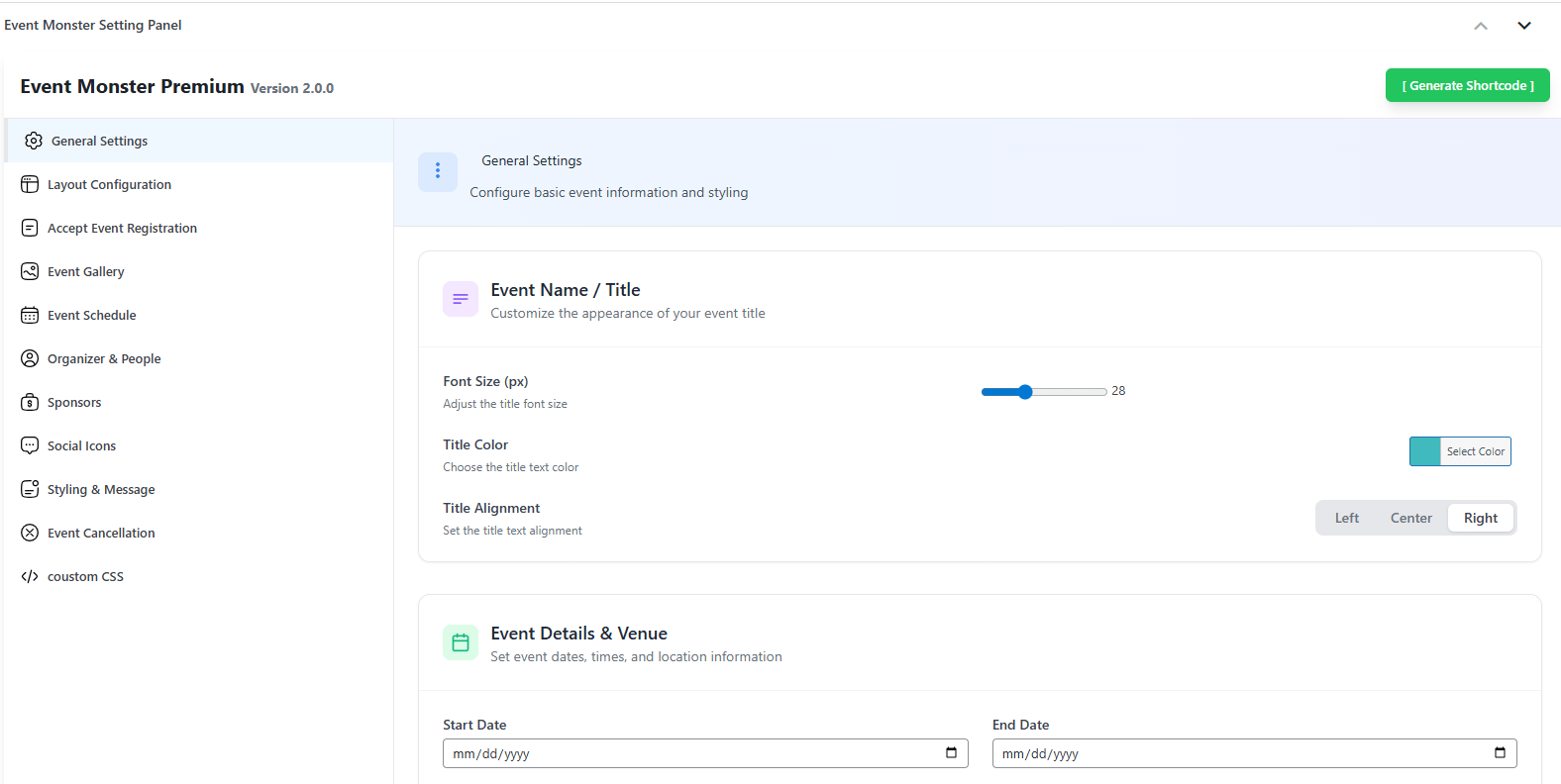
Registration Form – Simple signup for attendees
Installation
Install From Dashboard
- Go to Plugins > Add New in your admin panel
- Search for “Event Monster”
- Click Install Now, then Activate
- Find Event Monster in your admin menu to start creating events
Manual Installation
- Download the plugin ZIP file
- Go to Plugins > Add New > Upload Plugin
- Select the ZIP file and click Install Now
- Activate after installation completes
Getting Started
- Navigate to Event Monster > Add New Event
- Fill in your event details
- Add the
[EM-CALENDAR]shortcode to any page for the calendar - Use
[EM-LIST]to display your event list
FAQ
-
How do I display the event calendar on my website?
-
Add the shortcode
[EM-CALENDAR]to any page or post. The calendar shows all your events with month, week, day, and list view options. -
How do I show a list of all my events?
-
Use the shortcode
[EM-LIST]on any page. This displays events in a card-based layout with search and category filtering. -
How do I display a single event?
-
Use
[EM id="X"]where X is the event ID. You can find event IDs in the Event Monster > All Events list in your admin. -
Can visitors register for my events?
-
Yes. Each event can have registration enabled. Visitors fill out a form on the event page, and you can view all registrations in your admin dashboard.
-
Can I accept payments for event tickets?
-
The free version supports free registrations only. Event Monster Pro includes PayPal, Stripe, Razorpay, and Square payment gateways for paid tickets.
-
Is there a limit on how many events I can create?
-
No. Both free and pro versions allow unlimited events.
-
Do I need a Google Maps API key?
-
No. Event Monster uses OpenStreetMap for location maps, which works without any API key or setup.
-
Will this work with my theme?
-
Event Monster is built to work with any properly coded theme. The CSS is scoped to prevent style conflicts.
-
Can I create recurring events?
-
Currently, each event is created individually. For recurring events, you would create separate event entries for each occurrence.
-
Does the plugin support multiple languages?
-
Yes. Event Monster is translation-ready. You can translate it using any standard translation plugin or add custom translation files.
-
Can I categorize my events?
-
Yes. You can create event categories and assign events to them. Visitors can then filter events by category.
-
How do I customize the look of my events?
-
The free version includes two layout templates. Event Monster Pro adds a drag-and-drop layout builder for complete customization.
-
Can I export my attendee list?
-
Yes. You can export attendee information from the admin dashboard for use in spreadsheets or other applications.
-
Is my data safe when updating the plugin?
-
Yes. Updates preserve all your events, settings, and attendee data. We always recommend backing up your site before major updates as a precaution.
-
Where can I get support?
-
Visit the support forum for free version questions. Pro users receive priority support through our helpdesk.
-
Can I import events from another plugin?
-
Currently, there is no automatic import feature. Events need to be created manually in Event Monster.
-
Does Event Monster work with WooCommerce?
-
Event Monster operates independently and does not require WooCommerce. Payment processing in the Pro version uses its own integrated gateways.
-
Can I add custom fields to the registration form?
-
The registration form includes standard fields. Custom field support is available in Event Monster Pro.
Reviews


Contributors & Developers
“Event Monster – Manager & Ticket Booking” is open source software. The following people have contributed to this plugin.
Contributors


“Event Monster – Manager & Ticket Booking” has been translated into 1 locale. Thank you to the translators for their contributions.
Translate “Event Monster – Manager & Ticket Booking” into your language.
Interested in development?
Browse the code, check out the SVN repository, or subscribe to the development log by RSS.
Changelog
2.0.0 – December 2024
Major Update – Complete Redesign
New Features:
* Redesigned admin interface with modern look
* New event list template with card layouts
* Interactive calendar shortcode [EM-CALENDAR]
* OpenStreetMap integration (no API key needed)
* Drag-and-drop layout builder (Pro)
* Improved mobile responsiveness
* Event search and category filtering
Improvements:
* Faster performance
* Better code organization
* Enhanced settings panel
* Updated email templates
* Improved image handling
Compatibility:
* All existing shortcodes continue working
* [EM] shortcode now displays event list
* Existing events and data preserved
1.4.9
- Added major update notification
- Preparing for version 2.0.0 release
1.4.8
- Tested with latest version
- Bug fixes and improvements
1.4.7
- Security updates
- Minor bug fixes