


| CARVIEW |
Select Language
HTTP/2 301
date: Tue, 30 Dec 2025 07:59:23 GMT
content-type: text/html; charset=iso-8859-1
location: https://captcha4wp.com/
server: cloudflare
host-header: 6b7412fb82ca5edfd0917e3957f05d89
x-proxy-cache: MISS
x-proxy-cache-info: 0301 NC:000000 UP:
cf-cache-status: DYNAMIC
nel: {"report_to":"cf-nel","success_fraction":0.0,"max_age":604800}
report-to: {"group":"cf-nel","max_age":604800,"endpoints":[{"url":"https://a.nel.cloudflare.com/report/v4?s=6GGLkmoZkfogb%2Brr1M7SRwXpb9HGAdL75hewocSuXz9Dszfz8ErSnaX8oyO7yW%2BvULFzvIYcDmva6eZ1OlXMfNPx3oLJst1o7WlOsw%3D%3D"}]}
cf-ray: 9b5fff53687f0bc9-BLR
HTTP/2 200
date: Tue, 30 Dec 2025 07:59:23 GMT
content-type: text/html; charset=UTF-8
content-encoding: gzip
cf-ray: 9b5fff5a8cf8443d-BOM
cf-cache-status: HIT
age: 59016
cache-control: public, max-age=0, s-maxage=86400
last-modified: Sun, 28 Dec 2025 09:50:01 GMT
link: ; rel="alternate"; title="JSON"; type="application/json", Captcha4WP - Best Anti-spam Solution for WordPress
Anti-spam CAPTCHA plugin








You have a great plugin, simple and clear code. Therefore, I decided to choose your plugin to include anti-spam support in my plugin for WooCommerce.







Captcha 4WP has been acquired by WPKube.

Anti-spam CAPTCHA plugin
solution for WordPress
Use reCAPTCHA, hCaptcha, or Cloudflare Turnstile to protect your sites & e-commerce stores from spam, fake registrations & orders.
Add CAPTCHA to any form on your WordPress websites including comments, login, registration, & checkout forms.
Get started with CAPTCHA 4WP in minutes and protect your website from spam, fake account registration, fake orders, and automated spam bot attacks.
Plugin benefits & features highlights
See the features and benefits that make CAPTCHA 4WP the most capable and user-friendly CAPTCHA plugin for WordPress websites and multisite networks.
Extensive compatibility with third party plugins
Compatible with all WordPress forms and login pages, as well as with WooCommerce, Contact Form 7, Gravity Forms, BuddyPress, bbPress, MailChimp for WordPress, and others.
Support for multiple CAPTCHA providers
Choose from multiple CAPTCHA service providers, including Google ReCAPTCHA, hCaptcha, and Cloudflare Turnstile – all can be integrated via the user-friendly wizard.
One-click WooCommerce support
Easily add CAPTCHA to the WooCommerce login, checkout, and other pages. You can even specify where in the checkout CAPTCHA should be added and configure other parameters.
Geo-blocking
Deny or allow form submissions from specific countries and set action-based comment handling behavior based on country for easier submission management and less spam.
Superior CAPTCHA user experience
Configure CAPTCHA failover so when the automated checks that require no human interaction fail, your customers’ journey is not interrupted. Instead they are prompted with another CAPTCHA to confirm they are not a bot.
Easy, quick installation and setup
No coding experience or editing is required. Simply follow the setup wizard to enter the CAPTCHA keys, and then select on which forms to add CAPTCHA tests. Everything can be done and set up within just a few clicks.
What our customers are saying about CAPTCHA 4WP
Variety of options and the support from their team is fast too.
faisal95bd
Djo
Great Lightweight Plugin. Great plugin. I've been using it for at least a couple of years. It works great with every plugin. This is perfect as a free plugin and offers premium features anyone who wants to upgrade.
rushoverinc
Small, efficient & fully features. Great efficient plugin with all the features and only loads resources on the pages where they are needed, helping to improve your sites overall SEO score.
lifeforceinst
Best WP reCAPTCHA plugin. Without any doubt, I will recommend it to anyone else.
Zark
A Plugin I use with most sites. I've been using this plugin for a while. It's under new management now. I hope it will continue to be as useful as it has been in the past. I'm thankful for a reasonable answer to captcha on wordpress.
Laughter On Water
I had an issue with my blog and they came back with the solution in hours!
tristanelosegui
More than 100,000+ active installs
Protect your WordPress websites and e-Commerce store from spam, fake orders and fake registrations while allowing real humans to easily interact with your website.
Frequently Asked Questions
How do I add CAPTCHA to WordPress?
The easiest and most secure way to add CAPTCHA to WordPress is by using CAPTCHA 4WP. It’s an easy-to-use plugin that allows you to add CAPTCHA, including ReCAPTCHA to your WordPress website. It’s compatible with 3rd party plugins, includes geo-blocking for additional security, and much more.
Who should use CAPTCHA 4WP?
CAPTCHA 4WP is designed for all WordPress websites and business owners, administrators, and managers who want to reduce spam comments, fake registrations, and fake orders on their websites and e-commerce stores. You can also add CAPTCHA to your login pages and password reset request forms to stop possible automated login attacks.
Do I need coding skills to use CAPTCHA 4WP?
No. You can use the plugin to its full potential without any coding knowledge. CAPTCHA 4WP is designed to be easy to use so that any person of any technical background can use the plugin.
Installing CAPTCHA 4WP Free
Well done you. You're one step closer to safeguarding your WordPress website from spam and automated attacks with CAPTCHA 4WP. You'll be able to effortlessly integrate CAPTCHA into your forms and enjoy a website with enhanced security.
Below are two ways to install CAPTCHA 4WP on your website:
OPTION 1
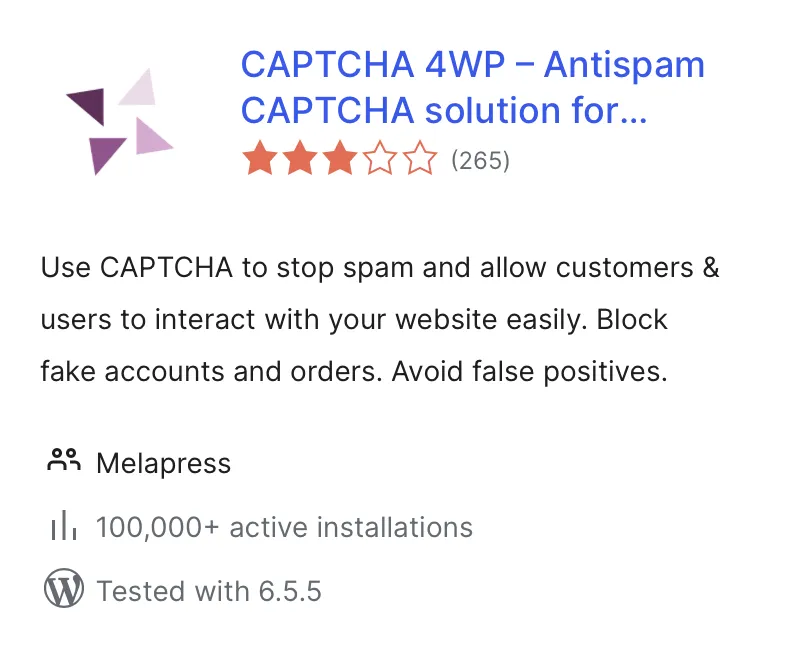
Go to your plugin dashboard on your site, then go to "Add New", and then search for CAPTCHA 4WP.
OPTION 2
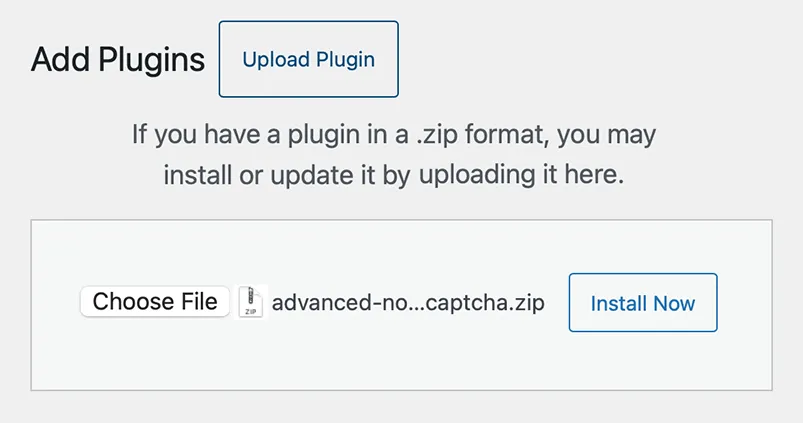
Download the CAPTCHA 4WP plugin zip, then select upload in your plugin dashboard under "Add New".