


| CARVIEW |
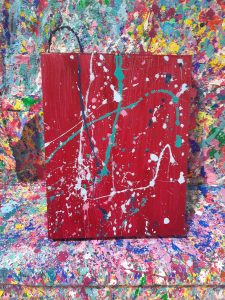
So to go a bit off book, I went to a paint splatter evening with some friends at Four Cats at Uptown. We all did an individual canvas. Here is mine:
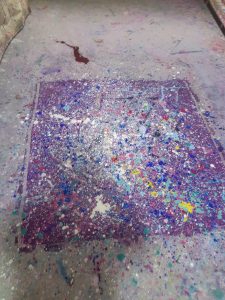
Once we had all completed our individual canvases, we did a group canvas which is here:
It was a lot of fun and I definitely found some fun and enjoyment from the painting activity! If you know someone who is not super keen on painting I would highly recommend a paint splatter night.
Overall, I have really appreciated having the opportunity to explore and try out an activity of my choice. It is not often that University courses allow for the freedom in choosing how you go about learning, so this was very much appreciated!
]]>We used HP Reveal for the augmented reality. Unfortunately the iPads were not working for me to create my own pictures, however I was able to access the ones created by other students and profs.
After playing around with that I went to the Digital Scholarship Commons and flew around the world using Google Earth
https://onlineacademiccommunity.uvic.ca/dsc/
I was able to go back to my hometown, find my high school and locate my childhood home. I was also able to look out at space, which was pretty neat.
]]>What I should have done first was watch this video on how to blend acrylic paints together:
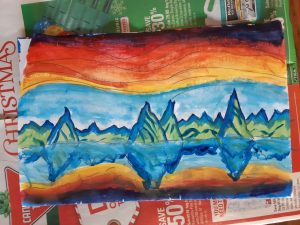
Since that is not really my style, I have found this video to use in the future when I attempt another sunset painting again! Live and learn, am I right?
I had a lot of fun doing this painting but something I definitely need to continue to work on is being patient when I am painting. I was taking my time for the top half of the painting and then I rushed through the reflection portion of the painting. In the future I would like to work on taking a break, then coming back to the painting rather than rushing to get it done!
Here is the final product:
There are lesson plans, activities and explanations on here. This would be a great way to integrate coding and math!
]]>- Comic Life
- Create visually appealing comics
- Imagine Forest- free
- Includes writing prompts, visual aids, and technical support
- Speech Journal- $3.99
- Take photos, talk about experiences, more formal and personalized writing
- iNaturalist- free
- Upload photos and record observations
- Identifying plants, animals
- Collaborate with others to collect info
- Access observational data from other peers
- BioBlitz- not an app but iNaturalist is a great way to carry out a BioBlitz
- Seek- by iNaturalist- free
- More user friendly, simpler and quicker than iNaturalist
- Once something is identified, you can go to the link for more information
- Using research grade information from iNaturalist database, not actually contributing to the research grade
- iTrack Wildlife- cost $
- Interactive learning about animal tracks
- Gives names, easy to use, info about animals
- Merlin- free
- Bird identification app
- Answer questions or upload photo to identify bird
- Marine Debris Tracker****
- Contributes to a database of where marine debris is found around world
- On top of cleaning the beach with students, can record where the debris was found
- Seaweed Sorter
- Makes identifying seaweeds more simple
- PeakFinder- $4.99
- Identifies the names of the peaks around you
- Peak Visor is free, similar but not as good
- Globe Observer
- Citizen science app
- Tracking weather, mosquitoes, tree heights, and land cover
- Better for older grades, formalized science process of how to accumulate accurate data
- NASA App- free
- Full of amazing content
- Skype a Scientist- website- free
- Class can connect via webcam with a scientist
- Hundreds of scientists to choose from
- Live sessions and previously held
Photo by Helloquence on Unsplash
Magical!
Video conferencing, robot in classroom. Way for all to access the learning.
Typically, if you’re there you benefit, if you aren’t then too bad. This is a way to give people the access they need and remove the barriers (physical or not) keeping them from attending a class.
Should not mean that you are not communicating with the learners, still need that “face to face” interaction time.
Information stays with you for the rest of you life, generally tends to be more accessible over time.
Allows students to learn from instructors they would never be able to access in person- massive online course. *Anyone can enroll with no costs*
Traditionally classes have been face to face OR online. Now we are trying to have more of a blended class. Give students more information online so that you can get more productivity out of the face to face time.
Multi-access, where students can access the class in person or online. When a classmate used the robot to attend class from Vancouver, they were given a way to access the class that was not in person.
Takeaway: Be flexible in how our students attend classes, support them with their needs so that they can get the most access and learning from their classes. If a student will learn better from home, from a different environment than the classroom, why force them into the square classroom where their learning is not at its greatest potential. Why have a student ferry and drive multiple hours of the week to sit in a desk when they have a desk at home?
]]>doc.new
Pretty neat!
Today in class we learned about technology introduction. We were introduced to two models for doing so:
- SAMR
- TPACK
The one that really resonated with me is SAMR. SAMR stands for Substitution, augmentation, modification, and redefinition.
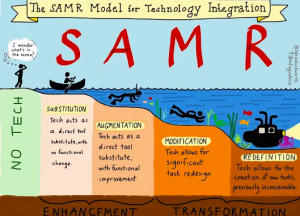
Thank you to https://sylviaduckworth.com/ for the image!
Substitution- rather than pen and paper, have learners write on a Chromebook. Use tech in place of tools you are already using
Augmentation- adding in something that can only be done with technology, improve on the activity
Spell check, auto format
Modification- tech creates a significant change in the task.
Adding in videos, links in a paper. Linking to an interactive site that you have written on.
Redefinition– by using tech, create a space for an entirely different or new task. Something that could never have been done before
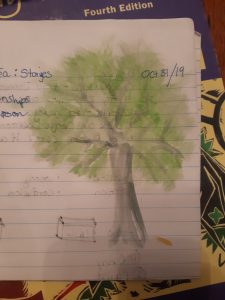
]]>I enjoyed playing with the texture of the paint for the leaves in this one:
This one was not nearly as exciting but I did blend some blues, greens, and greys to make the colours in it:
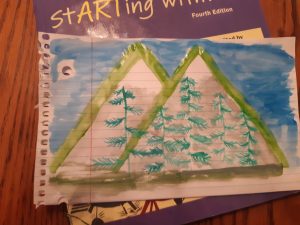
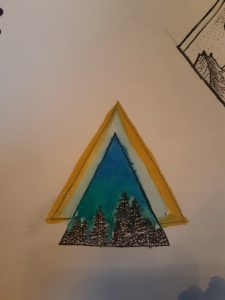
The colours I added messed up my tree lines a bit but I had a lot of fun blending the green with the blue!
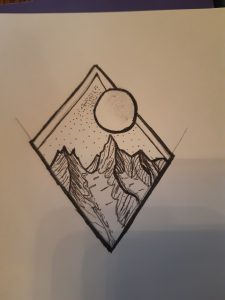
I decided to not paint this one, as I felt the colours would take away from the fine detail I put into the sketch.
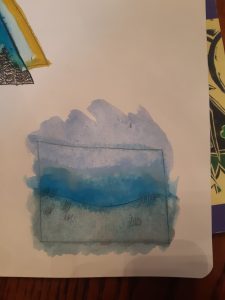
This one was a bit off a mess up but I was playing with blending the colours to create a grey sea day.
]]>