




설명
방문자가 좋아할 기능이 풍부한 표로 웹사이트를 강화하세요!
TablePress는 가장 인기 있고 평점이 높은 워드프레스 표 플러그인입니다.
- 규모에 상관없이 아름답고 현대적인 데이터 표을 쉽게 만들고, 편집하고, 관리하세요!
- 귀하의 사이트 방문자를 위해 실시간 정렬, 페이지 매김, 검색 및 더 많은 상호 작용 기능을 추가하세요!
- 모든 유형의 데이터를 사용하고, 이미지, 링크, 심지어 수학 공식까지 삽입하세요!
- Excel, CSV, HTML, JSON 파일 또는 URL에서 표를 가져오기나 내보내기를 할 수 있습니다.
- 블록 편집기, Elementor 위젯 또는 단축코드를 사용하여 글, 페이지 또는 기타 사이트 영역에 표를 삽입하세요.
- 코딩 지식이 전혀 필요 없습니다!
TablePress Premium 라이선스 플랜을 이용하시면 귀하와 사이트 방문자를 위한 더욱 유용한 기능과 우선 이메일 지원을 이용하실 수 있습니다. 지금 바로 확인해 보세요!
추가 정보
자세한 내용은 tablepress.org를 방문하거나, 예시 표를 살펴보거나, 무료 체험 사이트에서 TablePress를 사용해 보세요. 최신 소식을 확인하려면 Twitter/X에서 @TablePress를 팔로우하시거나 TablePress 뉴스레터를 구독하세요.
TablePress 사용 방법
플러그인을 설치한 후 워드프레스 대시보드의 “TablePress” 화면에서 표을 만들고 관리할 수 있습니다.
글이나 페이지에 표를 삽입하려면 블록 편집기에서 “TablePress 표” 블록을 추가하거나 Elementor 페이지 빌더에서 위젯을 추가하고 원하는 표를 선택하거나 다른 페이지 빌더와 함께 단축 코드를 사용하세요.
초보자 친화적인 단계별 튜토리얼, 가이드 및 사용법을 통해 TablePress를 사용하여 일반적이고 자주 사용되는 작업을 수행하는 방법을 보여줍니다. “사용자 정의 CSS” 코드를 통한 일반적인 스타일 변경 사례는 TablePress FAQ 페이지에서 확인할 수 있습니다. 표의 “편집” 화면에서 해당 체크박스를 활성화하여 특정 기능(정렬, 페이지 매김, 필터링, 행 색상 변경, 행 강조 표시, 이름 및/또는 설명 인쇄 등)을 추가할 수도 있습니다.
TablePress Premium 라이선스 플랜을 이용하시면 귀하와 사이트 방문자를 위한 더욱 유용한 기능과 우선 이메일 지원을 이용하실 수 있습니다. 지금 바로 확인해 보세요!
스크린샷
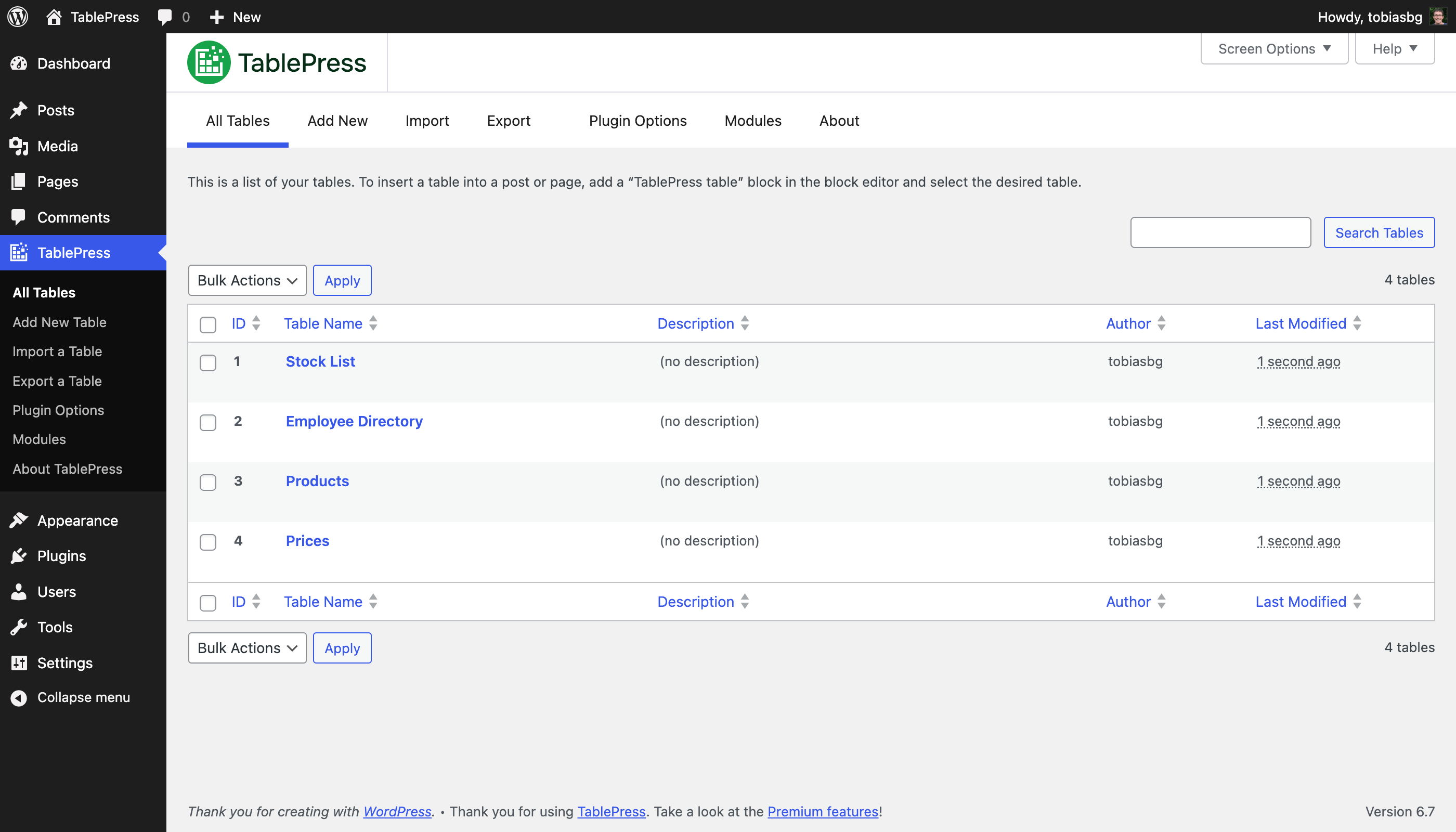
“모든 표” 화면 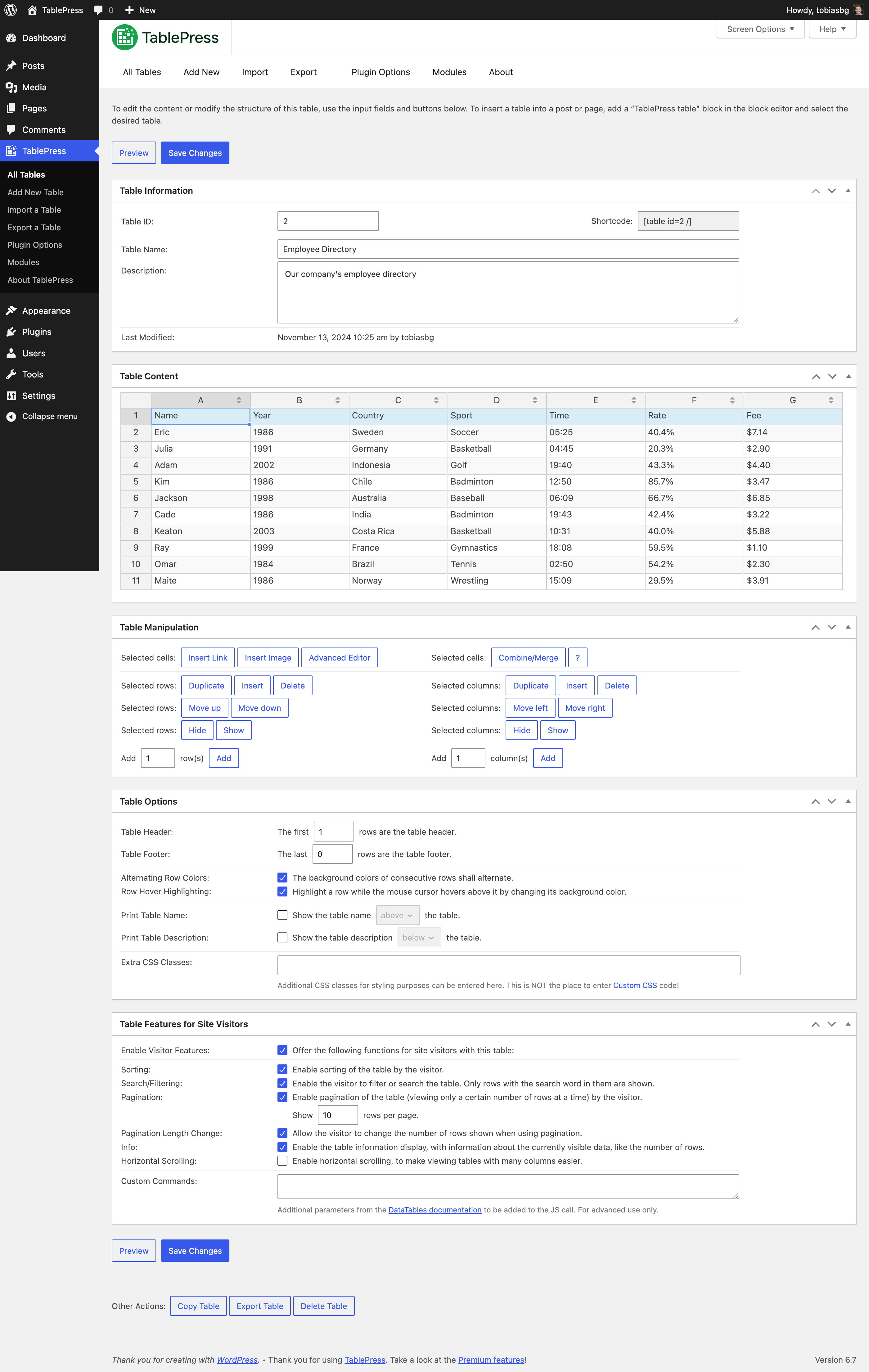
“편집” 화면 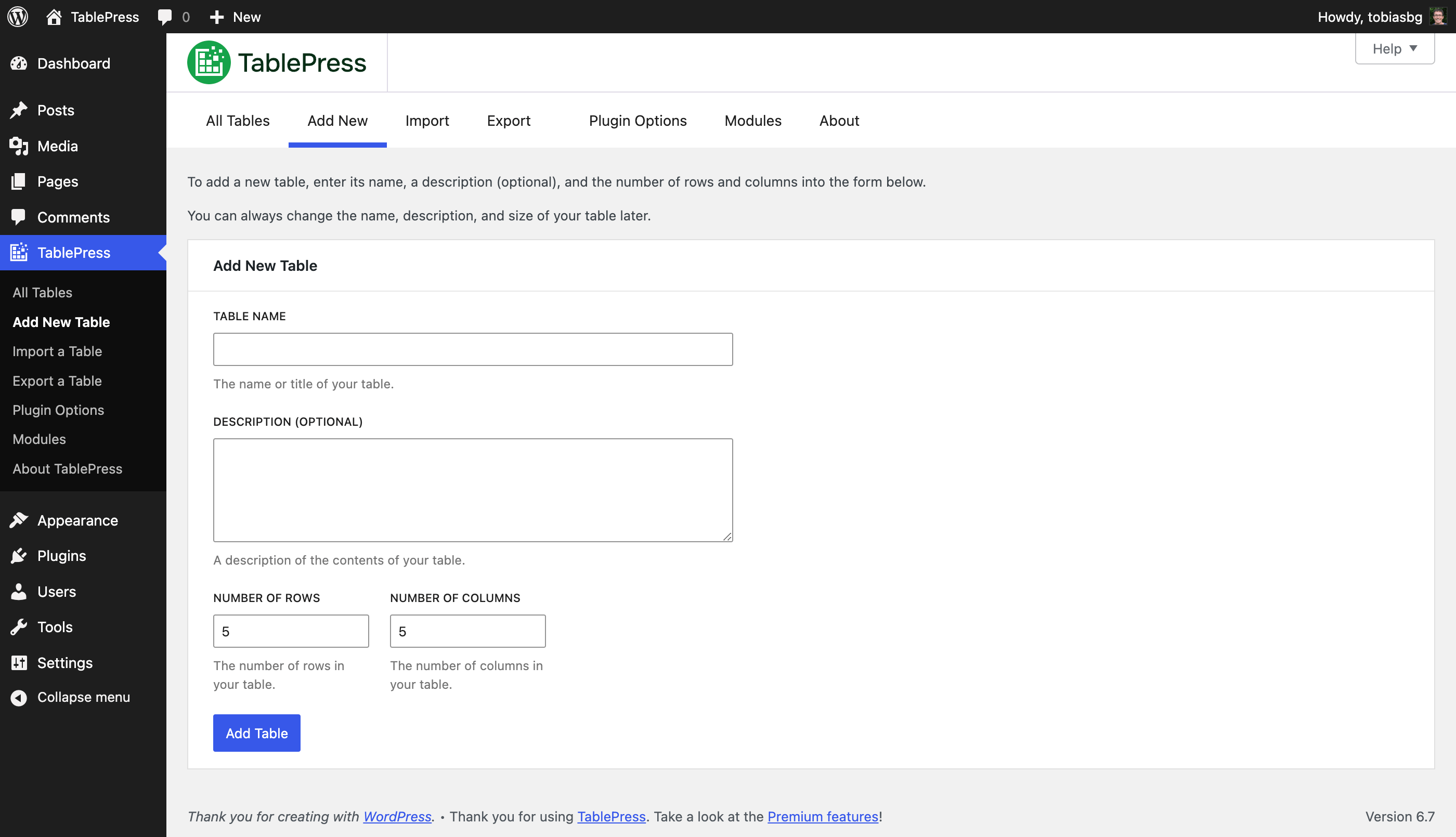
“새 표 추가” 화면 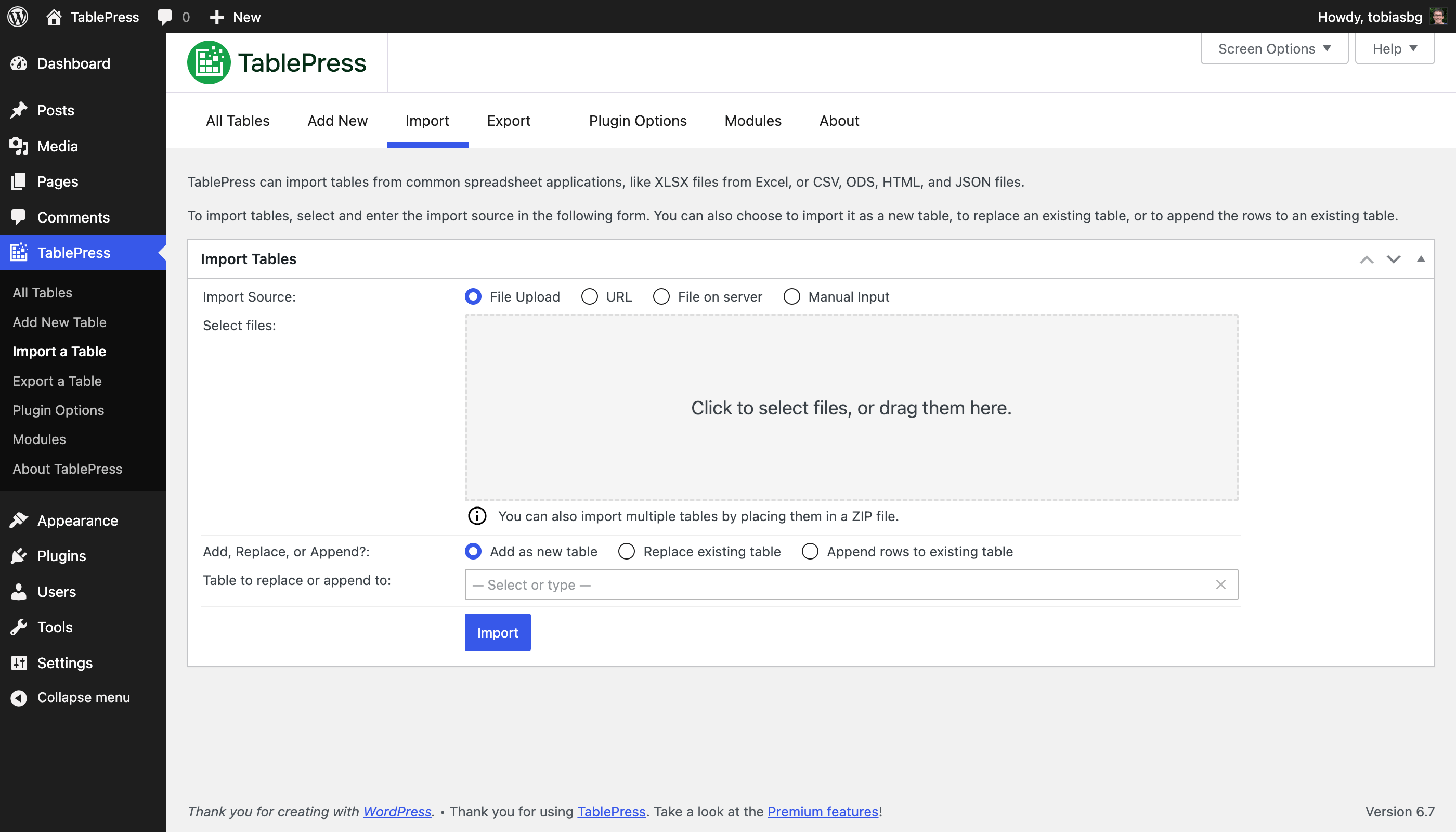
“가져오기” 화면 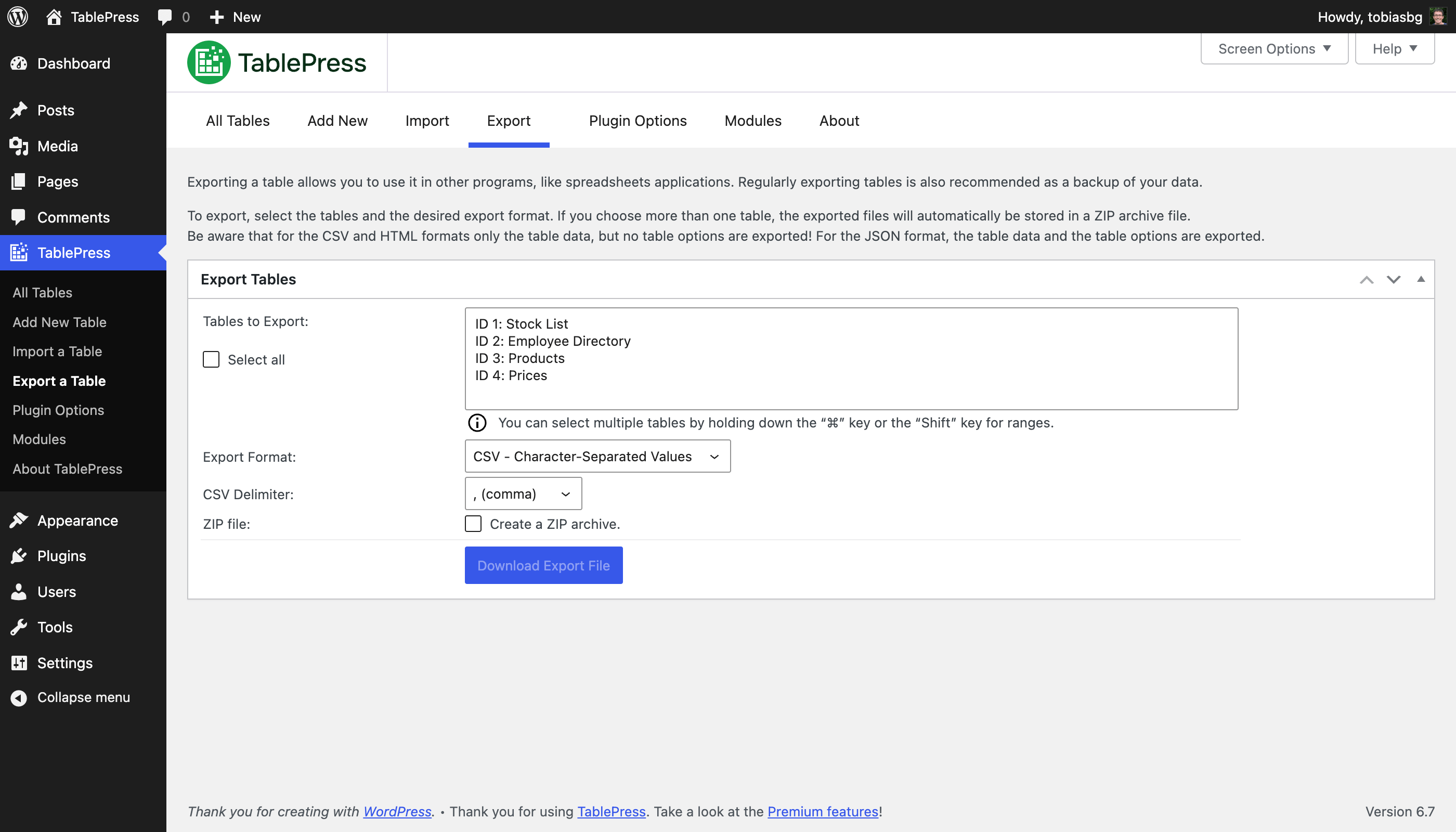
“내보내기” 화면 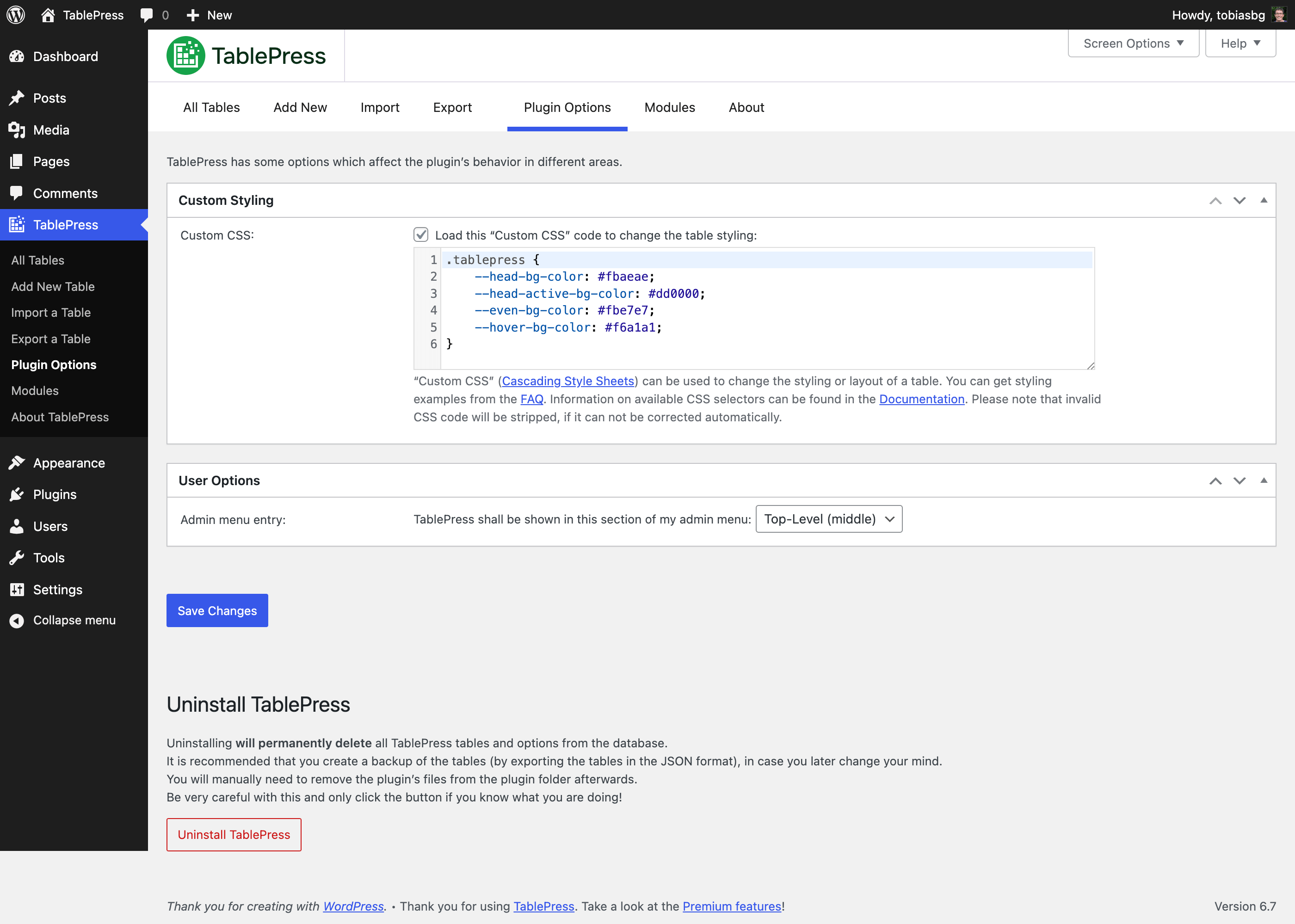
“플러그인 옵션” 화면 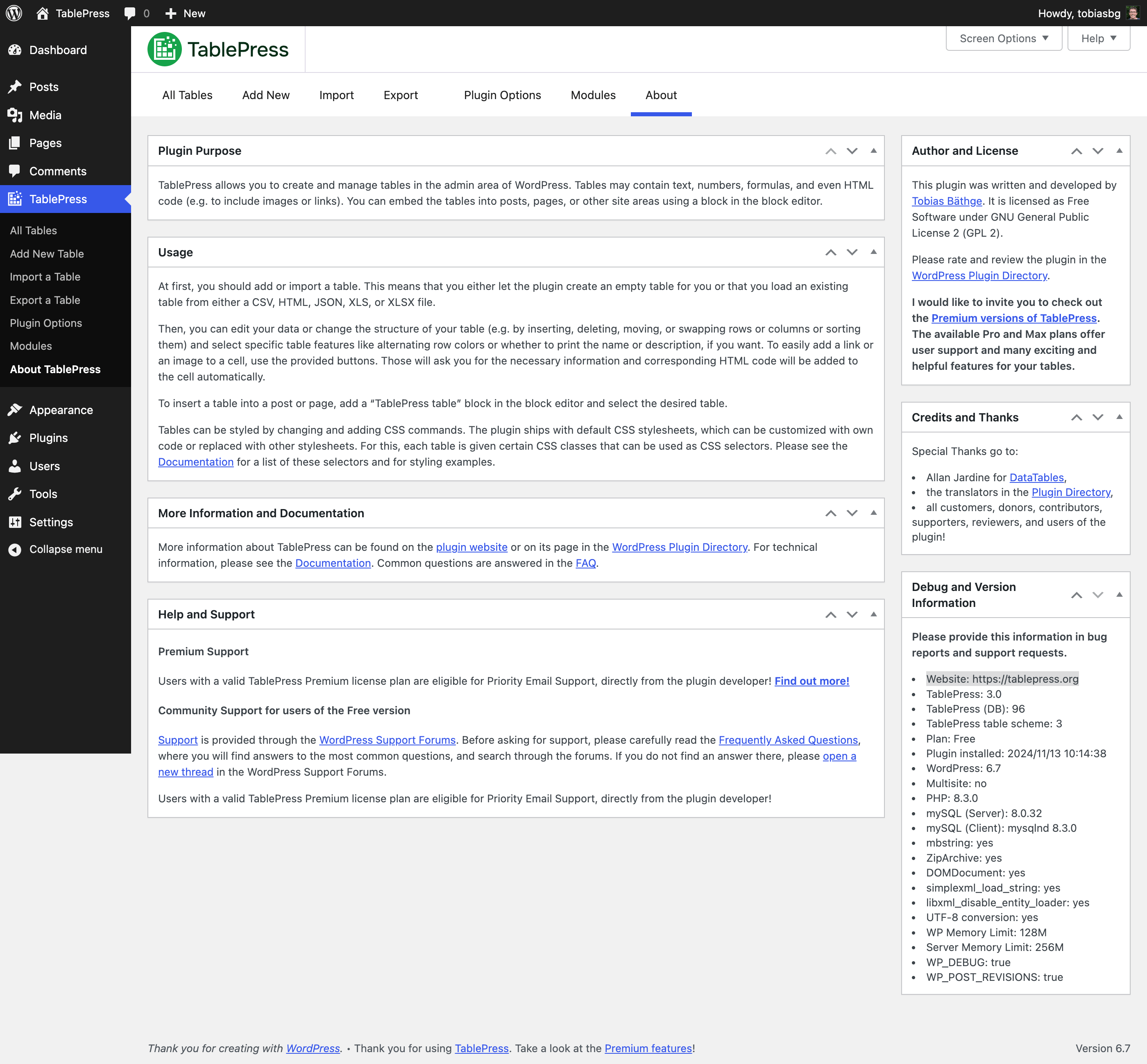
“정보” 화면 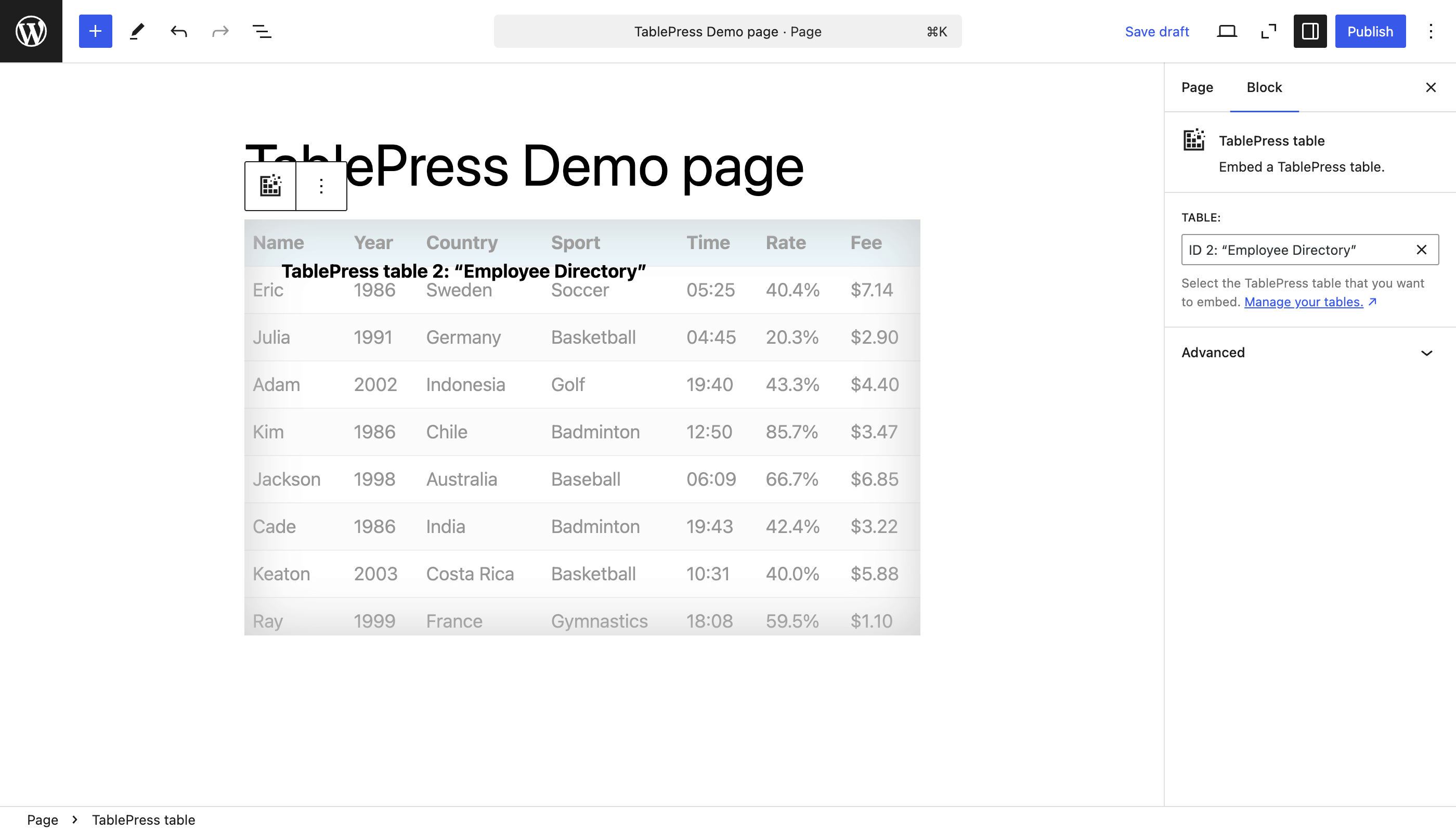
블록 편집기의 “TablePress 표” 블록 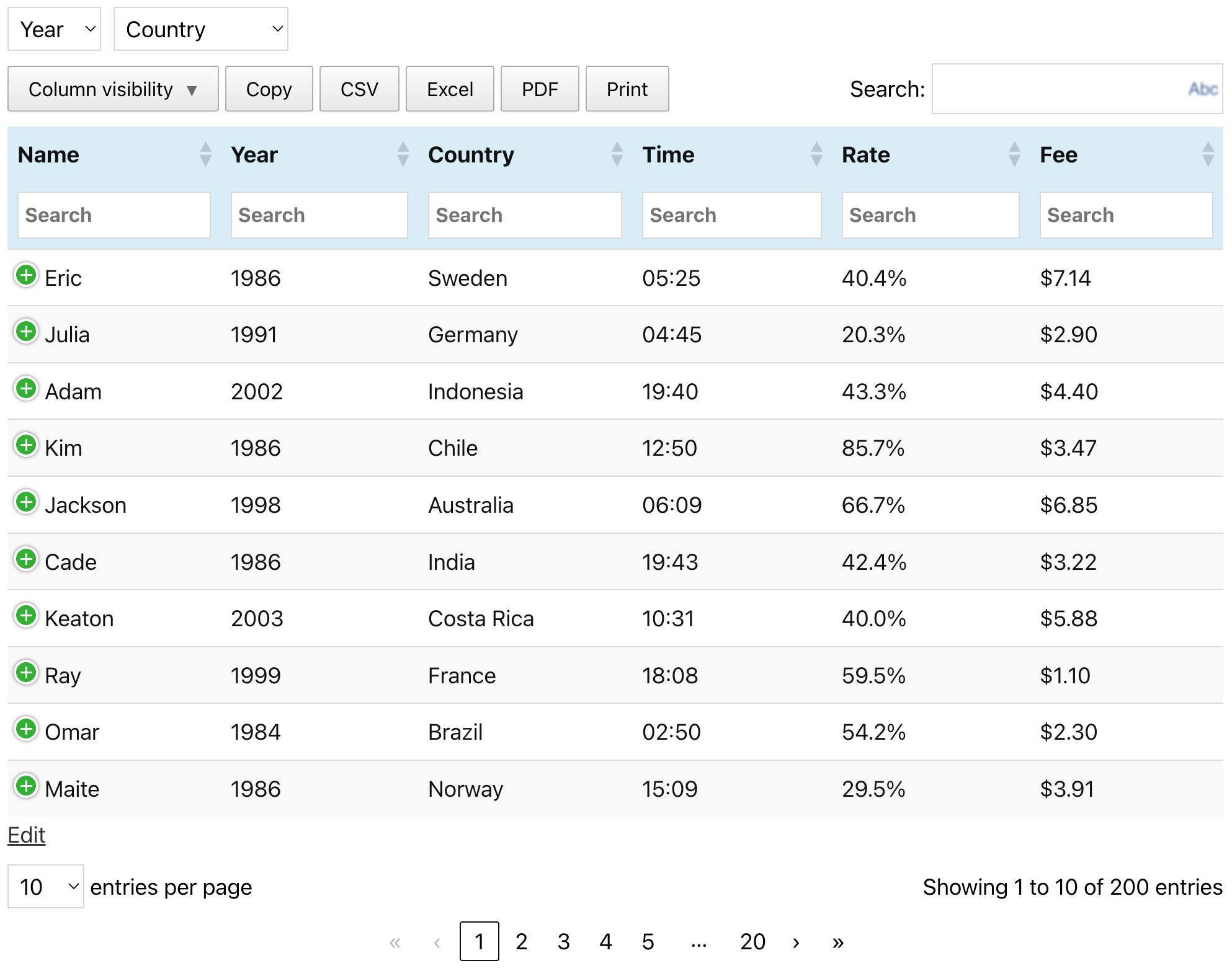
예시 표( TablePress 웹사이트에서 볼 수 있는 것과 같음)
블록
이 플러그인은 1개의 블록을 제공합니다.
- TablePress table Embed a TablePress table.
설치
TablePress를 설치하는 가장 쉬운 방법은 워드프레스 대시보드를 이용하는 것입니다.
- Go to the “Plugins” screen, click “Add Plugin”, and search for “TablePress” in the WordPress Plugin Directory.
- “지금 설치”를 클릭하고 완료되면 “활성화”를 클릭하세요.
- 관리자 메뉴의 “TablePress” 화면으로 가서 표을 만들고 관리하세요.
- 글이나 페이지에 표를 삽입하려면 블록 편집기에서 “TablePress 표” 블록을 추가하거나 Elementor 페이지 빌더에서 위젯을 추가하고 원하는 표를 선택하거나 다른 페이지 빌더와 함께 단축 코드를 사용하세요.
수동 설치는 다른 워드프레스 플러그인과 마찬가지로 작동합니다.
- TablePress ZIP 파일을 다운로드하세요.
- Go to the “Plugins” screen on your site and upload it by clicking “Add Plugin” “Upload Plugin”.
- Or, extract the ZIP file and move the folder “tablepress” to the “wp-content/plugins/” directory of your WordPress installation, e.g. via FTP.
- 워드프레스 대시보드의 “플러그인” 화면에서 “TablePress”를 활성화하세요.
- 관리자 메뉴의 “TablePress” 화면으로 가서 표을 만들고 관리하세요.
- 글이나 페이지에 표를 삽입하려면 블록 편집기에서 “TablePress 표” 블록을 추가하거나 Elementor 페이지 빌더에서 위젯을 추가하고 원하는 표를 선택하거나 다른 페이지 빌더와 함께 단축 코드를 사용하세요.
FAQ
-
자주 묻는 질문에 대한 답변은 어디에서 찾을 수 있나요?
-
다양한 기능이나 스타일과 관련된 많은 질문은 FAQ 페이지와 TablePress 웹사이트의 광범위한 TablePress 플러그인 문서에서 답변했습니다.
-
지원?
-
Premium 지원
TablePress Premium 라이선스 플랜을 사용 중인 사용자는 플러그인 개발자로부터 직접 제공되는 우선 이메일 지원을 받으실 수 있습니다! 자세히 알아보세요!
무료 버전 사용자를 위한 커뮤니티 지원
지원 관련 질문, 버그 보고 또는 기능 요청은 워드프레스 지원 포럼을 이용해 주세요. 먼저 포럼을 검색해 보시고, 기존 답변을 찾을 수 없는 경우에만 새 주제를 만드세요. 감사합니다!
-
요구사항?
-
간단히 말해, 워드프레스 6.2 이상이어야 하며, 항상 최신 버전의 워드프레스를 권장합니다. 또한 서버에서 PHP 7.4 이상을 실행해야 합니다.
-
언어 지역화?
-
TablePress는 “워드프레스 번역” 플랫폼을 사용합니다. 사용 가능한 번역은 워드프레스 플러그인 디렉터리의 TablePress 페이지 사이드바를 참조하세요.
TablePress를 귀하의 언어로 제공하려면 TablePress 번역 페이지로 이동하여 무료 wordpress.org 계정으로 로그인하고 번역을 시작하세요.
-
개발
-
TablePress의 개발 과정은 공식 GitHub 저장소에서 자세히 확인할 수 있습니다.
-
보안 문제는 어디에 보고해야 하나요?
-
TablePress 소스 코드에서 발견된 보안 문제 및 버그는 Patchstack 취약점 공개 프로그램을 통해 보고해 주세요. Patchstack 팀에서 검증 및 CVE 할당을 도와드리고, TablePress 개발자에게 알려드리겠습니다.
-
더 많은 정보는 어디서 얻을 수 있나요?
-
TablePress에 대한 최신 소식을 알아보려면 tablepress.org의 플러그인 웹사이트를 방문하시고, Twitter/X에서 @TablePress를 팔로우하시거나, TablePress 뉴스레터를 구독하세요.
후기


기여자 & 개발자

변경이력
최근 버전의 변경 사항은 아래와 같습니다. 이전 변경 사항은 변경기록 내역을 참조하세요.
Version 3.2.6 (December 16, 2025)
- Improvement: The CSS code for styling hovered rows when child rows are present was improved for better performance.
- Improvement: It’s easier for developer to adjust or modify the file name or contents of automatically exported tables. (TablePress Pro and Max only.)
- Bugfix: The “Delete Table” button at the bottom of the “Edit” screen now longer raises and error.
- Bugfix: Don’t accidentally prevent the filter term “0” in the “Row Highlighting” and “Cell Highlighting” feature modules. (TablePress Pro and Max only.)
- 향후 유지관리가 더 쉬워지도록 코드를 정리하고 간소화했으며, 워드프레스 코딩 표준을 따르고 유용한 인라인 문서를 제공합니다.
- Several external code libraries and build tools have been updated to benefit from enhancements and bug fixes.
- Full compatibility with WordPress 6.9.
- Improved support for PHP 8.5.
Version 3.2.5 (October 28, 2025)
- Security fix: Authenticated Stored XSS (CVE-2025-12324). Thanks to Rafshanzani Suhada and the Wordfence team for following responsible disclosure policies when reporting this issue!
- 향후 유지관리가 더 쉬워지도록 코드를 정리하고 간소화했으며, 워드프레스 코딩 표준을 따르고 유용한 인라인 문서를 제공합니다.
- 향상된 기능과 버그 수정을 통해 외부 라이브러리를 업데이트했습니다.
- Improved support for PHP 8.5.
Version 3.2.4 (October 21, 2025)
- Improvement: Improve table import when importing URLs from external services like Google Sheets, Microsoft OneDrive, and Dropbox.
- Bugfix: Elementor integration: Prevent an error with the “Element Cache”.
- 향후 유지관리가 더 쉬워지도록 코드를 정리하고 간소화했으며, 워드프레스 코딩 표준을 따르고 유용한 인라인 문서를 제공합니다.
- 향상된 기능과 버그 수정을 통해 외부 라이브러리를 업데이트했습니다.
Version 3.2.3 (September 23, 2025)
- Elementor integration: Support for clearing the “Element Cache” was added.
- Elementor widget: The “Configuration Parameters” field is now shown properly again.
- Elementor widget: “Dynamic Tags” are now supported for the “Configuration Parameters” field.
- New feature: The “Advanced Pagination Settings” feature module now offers pagination with a select dropdown field. (TablePress Pro and Max only.)
- Improvement: The “Individual Column Filtering” search fields now support the native Clear button. (TablePress Pro and Max only.)
- Bug fix: Ensure that available premium translation files are loaded correctly. (TablePress Pro and Max only.)
- 향후 유지관리가 더 쉬워지도록 코드를 정리하고 간소화했으며, 워드프레스 코딩 표준을 따르고 유용한 인라인 문서를 제공합니다.
- 향상된 기능과 버그 수정을 통해 외부 라이브러리를 업데이트했습니다.
- Improved support for PHP 8.5.
Version 3.2.2 (September 23, 2025)
This version was not released, due to issues in the release process.
Version 3.2.1 (August 28, 2025)
- Security fix: Authenticated Stored XSS (CVE-2025-9500). Thanks to Muhammad Yudha and the Wordfence team for following responsible disclosure policies when reporting this issue!
- 향후 유지관리가 더 쉬워지도록 코드를 정리하고 간소화했으며, 워드프레스 코딩 표준을 따르고 유용한 인라인 문서를 제공합니다.
- 향상된 기능과 버그 수정을 통해 외부 라이브러리를 업데이트했습니다.
- Improved support for PHP 8.5.
Version 3.2 (August 26, 2025)
TablePress 3.2 is a feature, stability, maintenance, and compatibility update. Here are the highlights:
개선된 프런트엔드 표 성능
- 장애가 있는 방문객과 보조 기술을 사용하는 사람들도 표과 표의 상호작용 기능에 더 쉽게 접근할 수 있게 되었으며, 라벨 표시 기능이 개선되었고 키보드 탐색 기능이 더 사용하기 쉬워졌습니다!
기존 Premium 기능에 대한 많은 새로운 기능 및 향상된 기능
- Fixed Header
- When combining the Fixed Header Row with Horizontal Scrolling, the header will scroll properly as well.
- Server-side Processing
- It is now possible to use the “Column Filter Dropdowns”, “Individual Column Filtering”, and “Inverted Filtering” feature modules while benefitting from the fast loading of large tables from the server!
- Advanced Access Rights
- The user interface now allows filtering for users and tables, to quickly find the right combination!
- Only user roles that are allowed to edit tables will be shown, making the overview much more lightweight!
- Index or Counter Column
- The rendering performance has been improved for large tables.
- Row Order and Column Order
- The “Random” option is now shown in the block’s feature section’s dropdown!
- Advanced Pagination Settings
- The “Show more” button shows better scrolling behavior when using it with long tables!
- Column Filter Dropdowns
- The filtering dropdowns can now be used with Server-side Processing, making it a great choice for large tables!
- Individual Column Filtering
- Besides text input fields, the dropdowns are now also supported when using Server-side Processing!
- Inverted Filtering
- Large tables now benefit from speed improvements, when using Server-side Processing and Inverted Filtering!
비하인드 스토리
- 여러 가지 사소한 버그와 불일치 사항이 수정되고 개선되었습니다!
- 향후 유지관리가 더 쉬워지도록 코드를 정리하고 간소화했으며, 워드프레스 코딩 표준을 따르고 유용한 인라인 문서를 제공합니다.
- 향상된 기능과 버그 수정을 통해 외부 라이브러리를 업데이트했습니다.
- 자동화된 코드 호환성 검사와 빌드 도구로 작업이 간소화되어 개발이 더 쉬워졌습니다.
- PHP 8.4에 대한 지원이 개선되었습니다.
Premium 버전
- TablePress Premium 라이선스 플랜을 이용하시면 귀하와 사이트 방문자를 위한 더욱 유용한 기능과 우선 이메일 지원을 이용하실 수 있습니다. 지금 바로 확인해 보세요!