




説明
訪問者が喜ぶ機能豊富なテーブルでサイトを強化しましょう !
TablePressは、最も人気があり、最も評価の高いWordPressのテーブルプラグインです。
- 小さくても大きくても、美しくモダンなデータ テーブルを簡単に作成、編集、管理できます !
- Add live sorting, pagination, searching, and more interactivity for your site’s visitors!
- Use any type of data, insert images, links, and even math formulas!
- Excel、CSV、HTML、JSON ファイルまたは URL からテーブルをインポートおよび エクスポートします。
- ブロックエディター、Elementor ウィジェット、またはショートコードを使用して、投稿、固定ページ、またはその他のサイト領域にテーブルを埋め込みます。
- すべてコーディングの知識は必要ありません !
Even more great features for you and your site’s visitors and priority email support are available with a Premium license plan of TablePress. Go check them out!
詳細情報
Visit tablepress.org for more information, take a look at example tables, or try TablePress on a free test site. For latest news, follow @TablePress on Twitter/X or subscribe to the TablePress Newsletter.
TablePress の使い方
After installing the plugin, you can create and manage tables on the “TablePress” screen in the WordPress Dashboard.
投稿または固定ページにテーブルを挿入するには、ブロック エディターで「TablePress テーブル」ブロックを追加するか、Elementor ページビルダーでウィジェットを追加して目的のテーブルを選択するか、他のページビルダーでショートコードを使用します。
初心者向けのステップバイステップの チュートリアル、ガイド、ハウツー では、TablePress で一般的なタスクを実行する方法を説明します。↵
「カスタム CSS」コードによる一般的なスタイル変更の例は、TablePress FAQ ページ にあります。↵
また、テーブルの「編集」画面で対応するチェックボックスを有効化することで、特定の機能 (並べ替え、ページ区切り、フィルタリング、行の色の切り替え、行の強調表示、名前や説明の印刷など) を追加することもできます。
TablePress のプレミアムライセンスプランでは、あなたとサイト訪問者のためのさらに便利な機能と優先メールサポートをご利用いただけます。ぜひご確認ください !
スクリーンショット
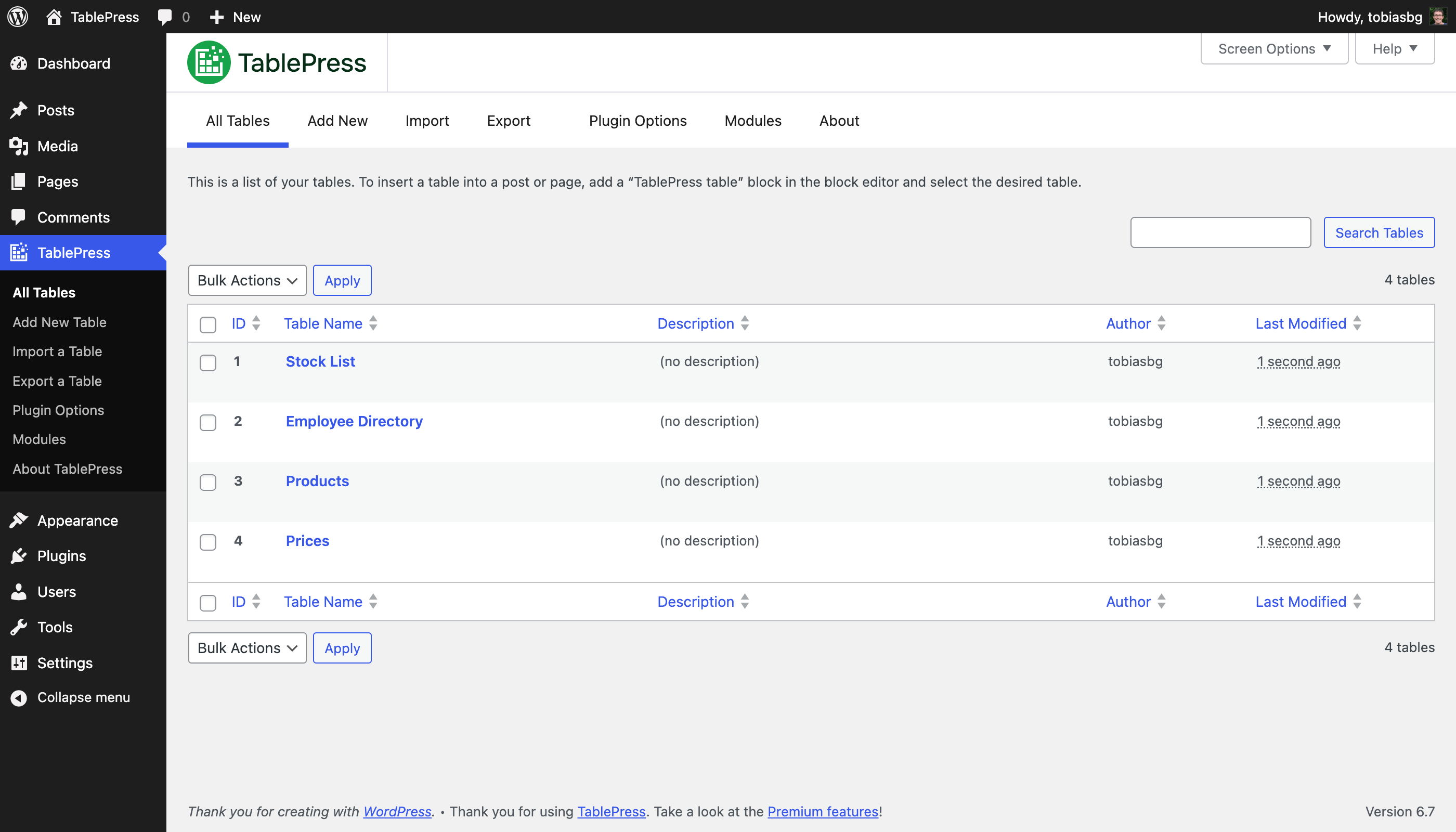
「テーブル一覧」画面 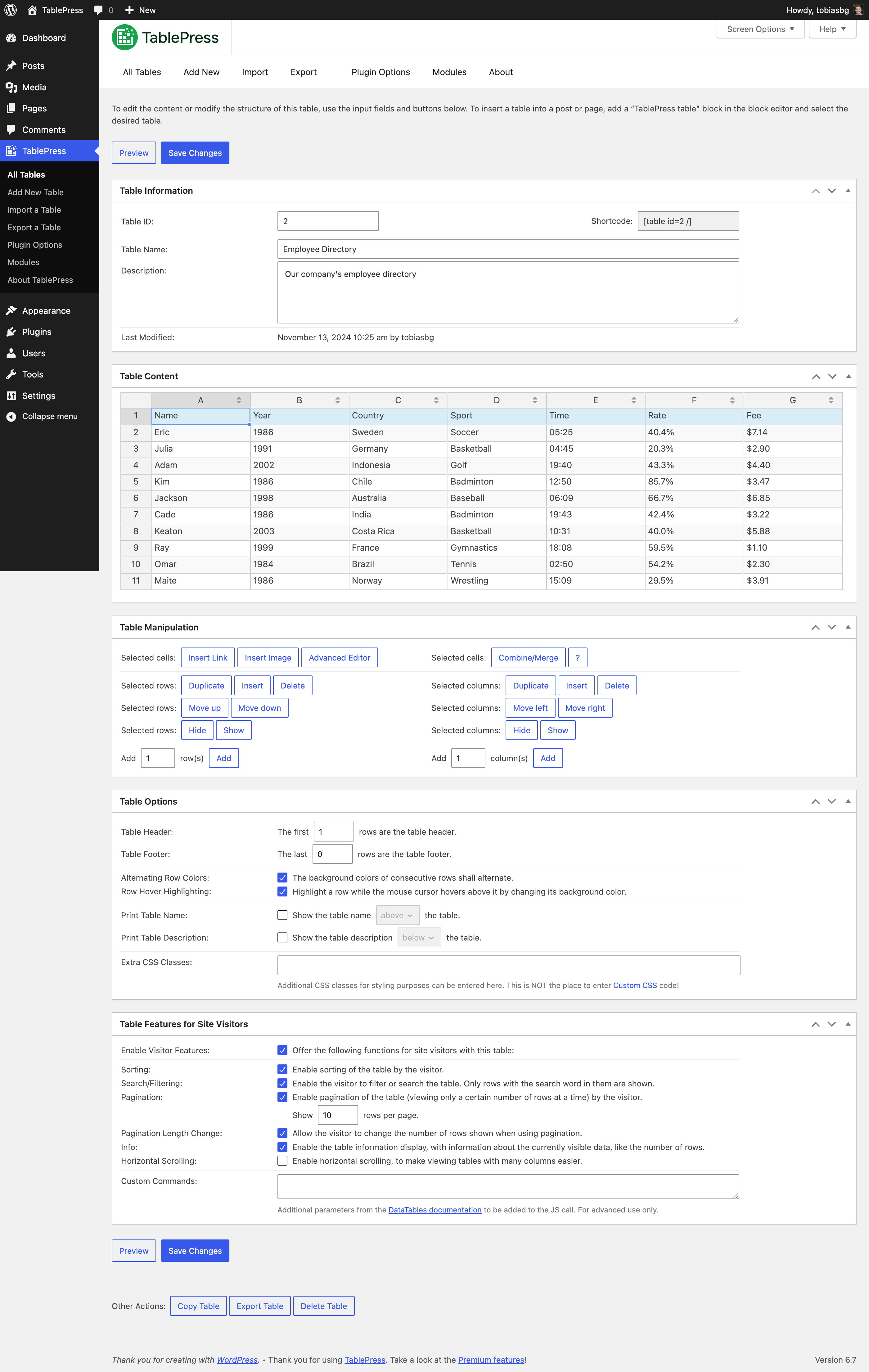
「編集」画面 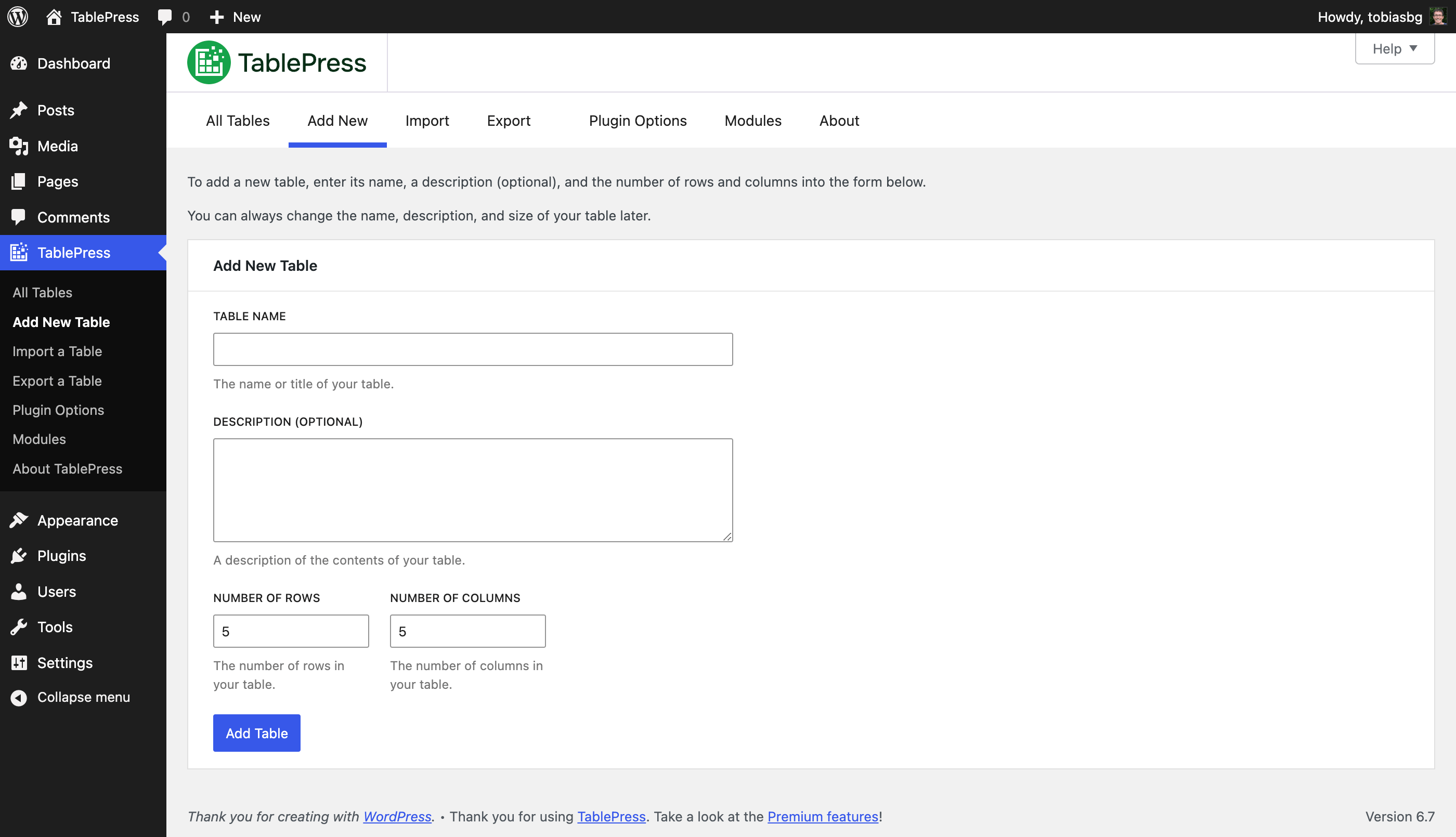
「新規テーブルを追加」画面 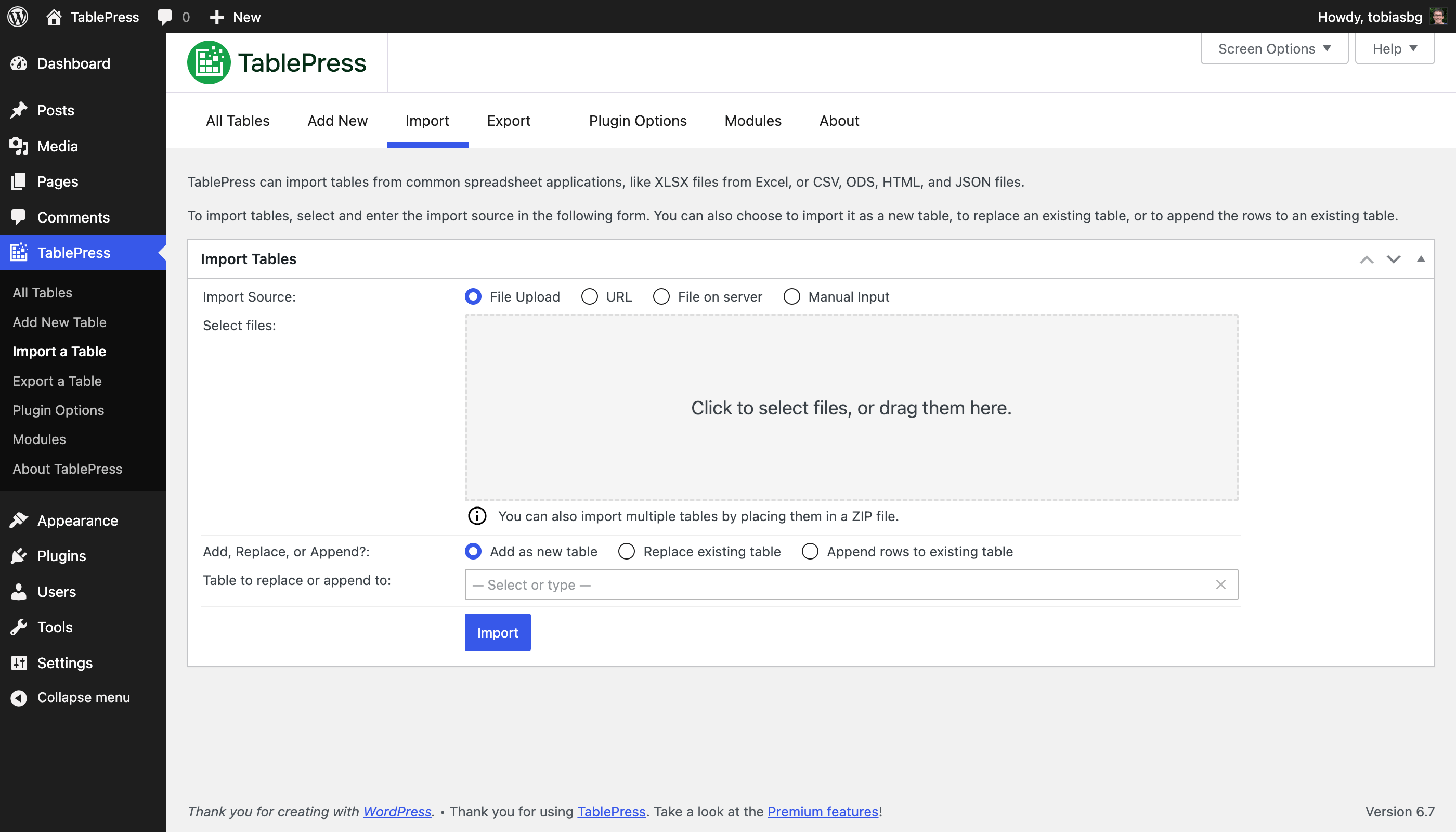
「インポート」画面 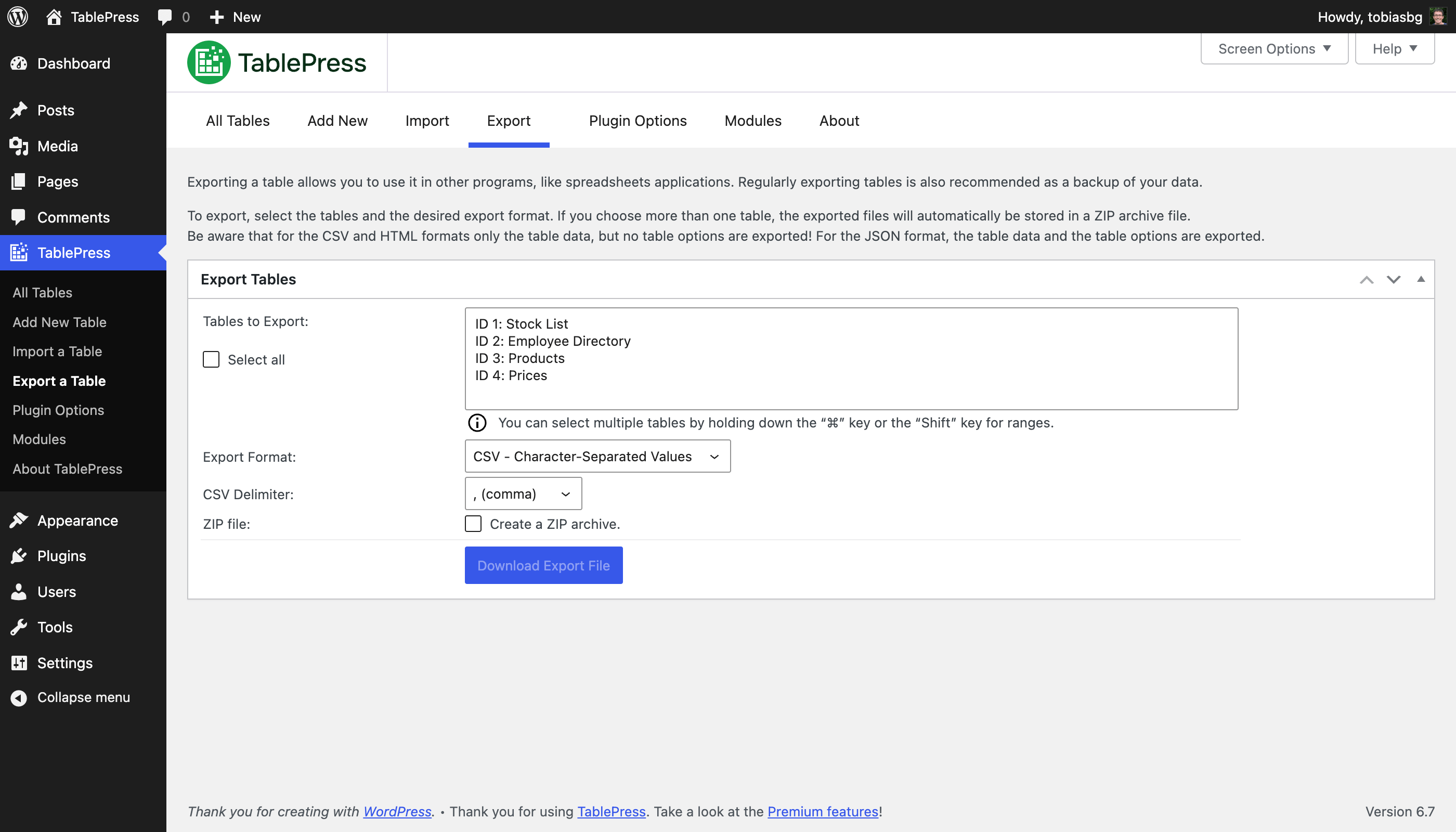
「エクスポート」画面 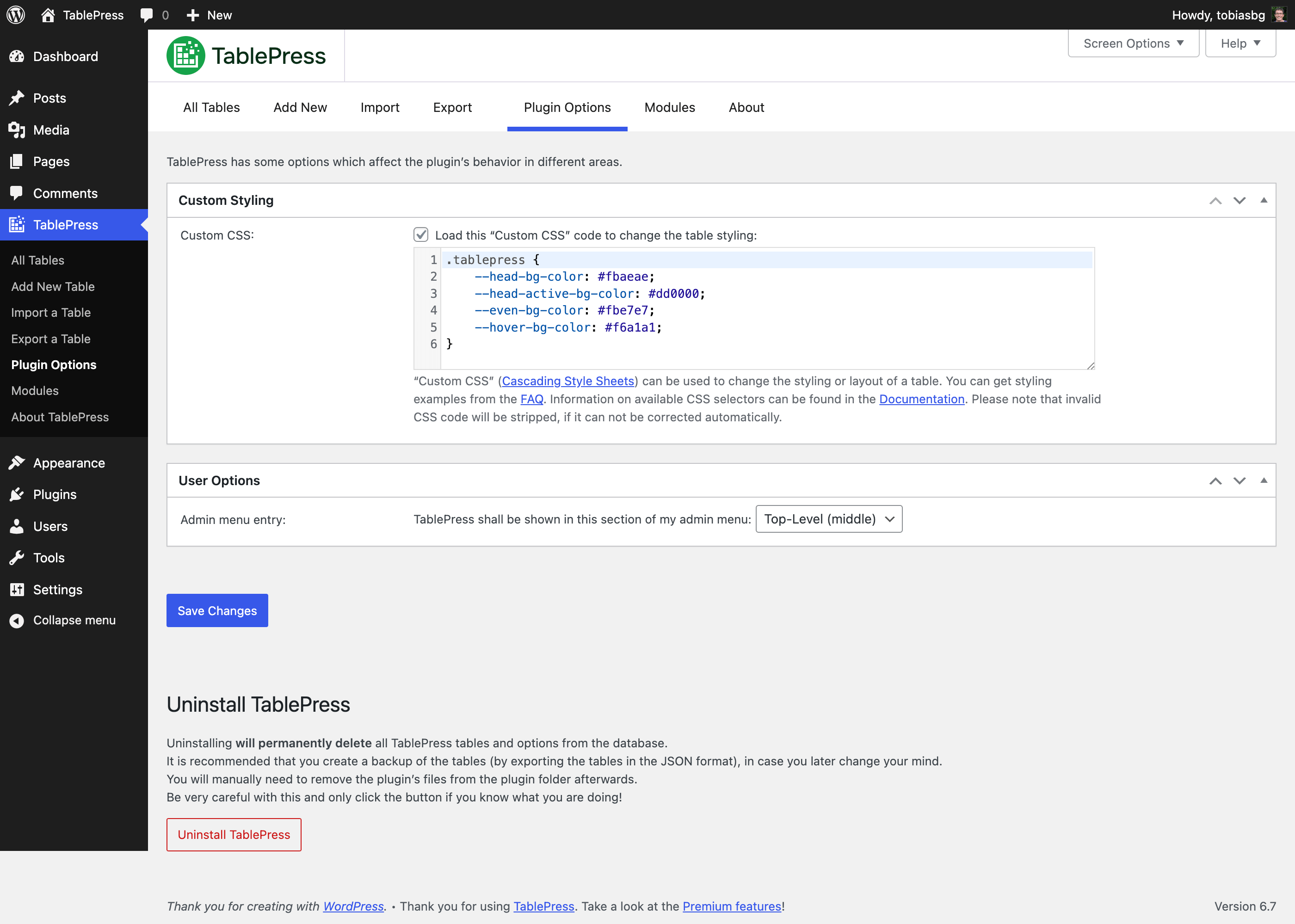
「プラグイン設定」画面 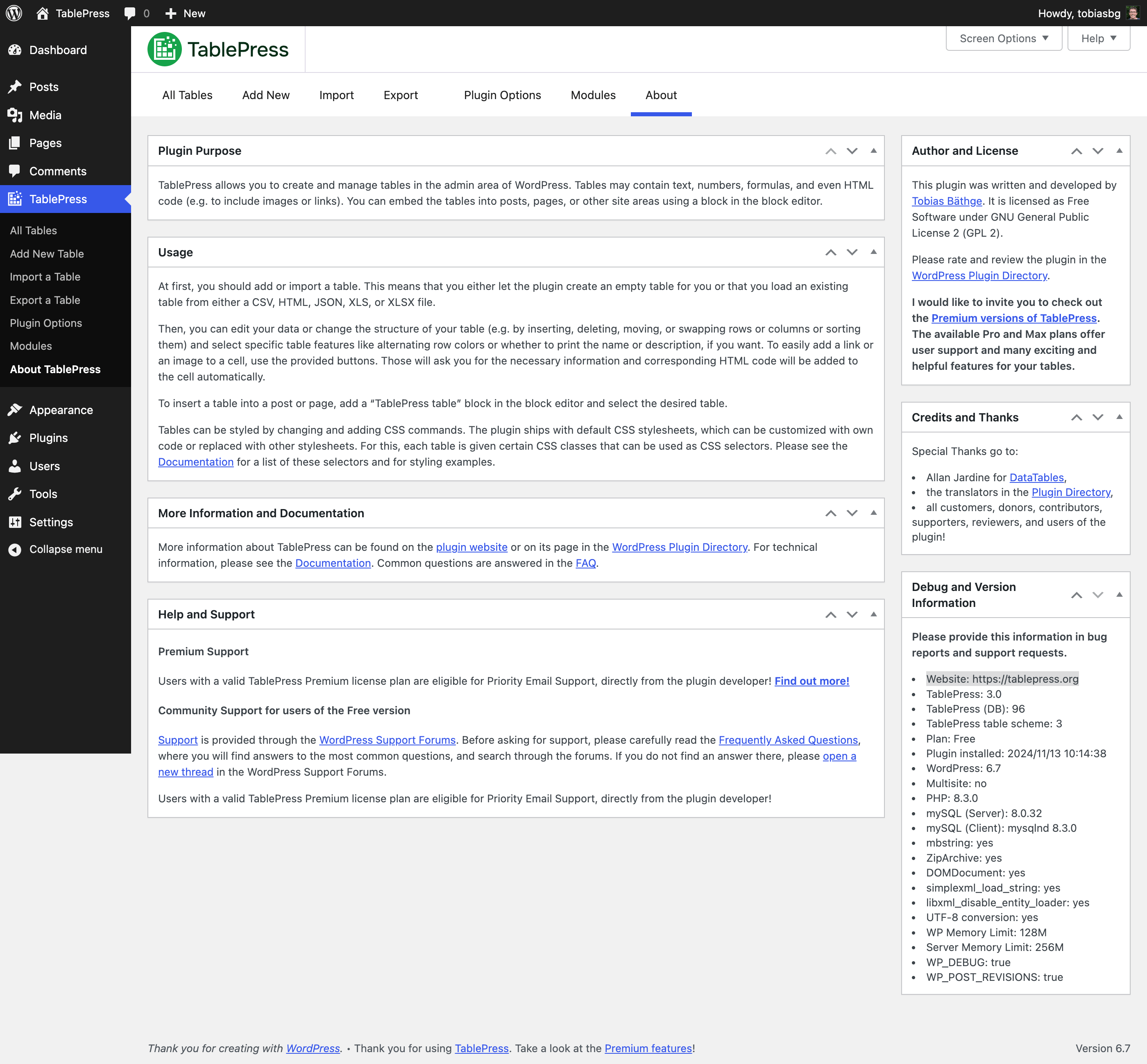
「TablePress について」画面 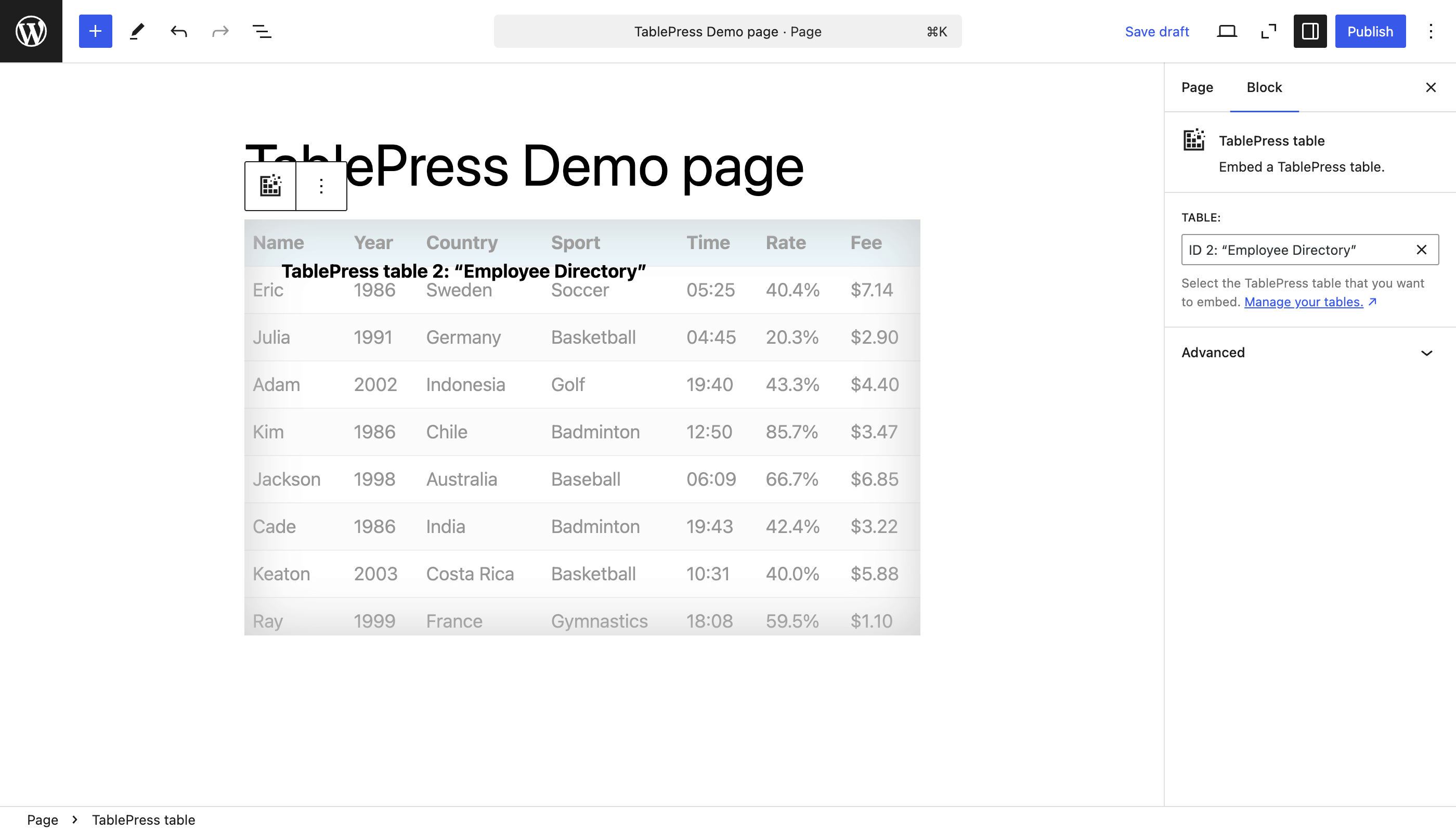
The “TablePress table” block in the block editor 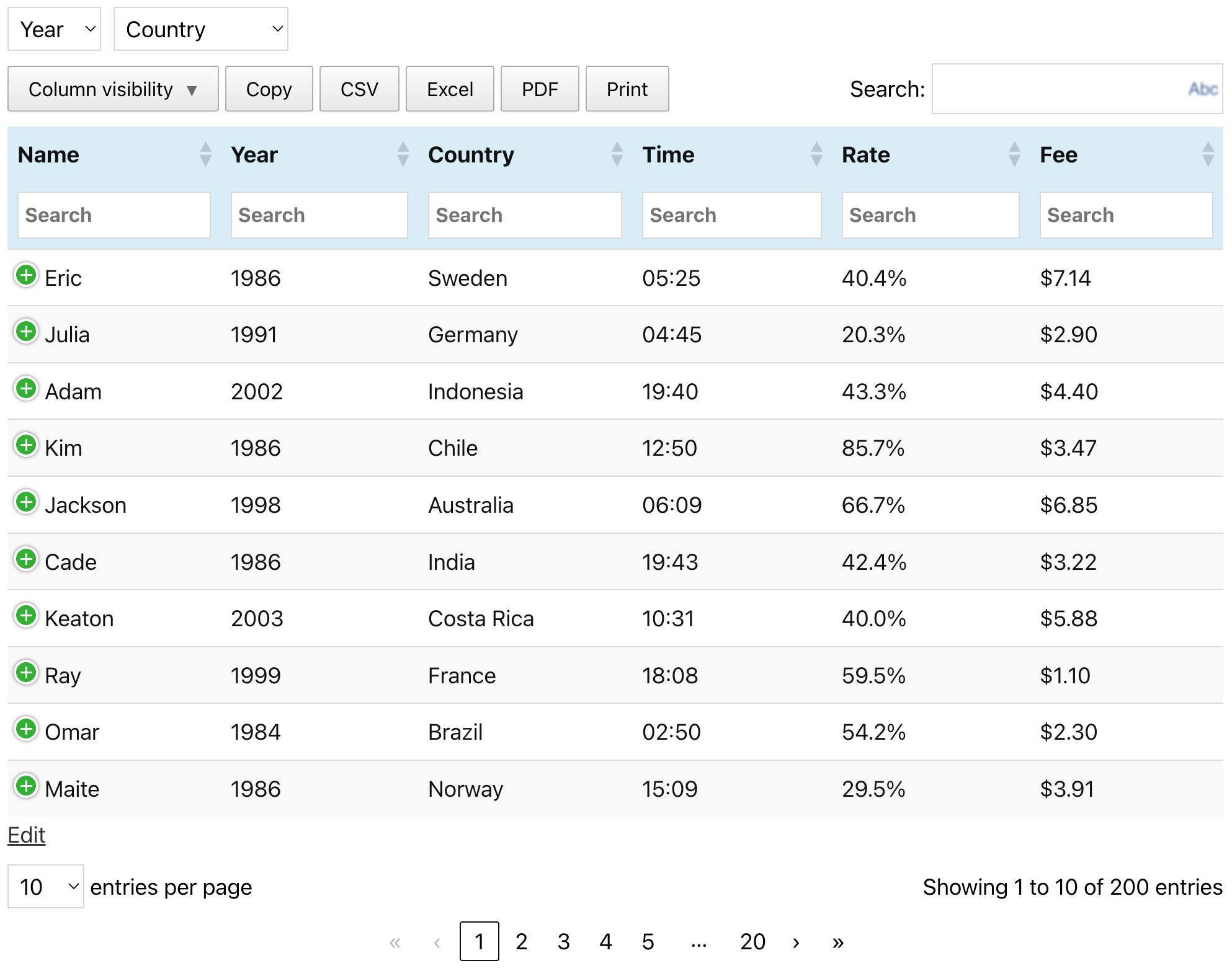
An example table (as it can be seen on the TablePress website)
ブロック
このプラグインは1個のブロックを提供します。
- TablePress table Embed a TablePress table.
インストール
The easiest way to install TablePress is via your WordPress Dashboard:
- Go to the “Plugins” screen, click “Add Plugin”, and search for “TablePress” in the WordPress Plugin Directory.
- Click “Install Now” and after that’s complete, click “Activate”.
- Create and manage tables by going to the “TablePress” screen in the admin menu.
- 投稿または固定ページにテーブルを挿入するには、ブロック エディターで「TablePress テーブル」ブロックを追加するか、Elementor ページビルダーでウィジェットを追加して目的のテーブルを選択するか、他のページビルダーでショートコードを使用します。
手動インストールは他の WordPress プラグインと同じように動作します:
- Download the TablePress ZIP file.
- サイトの「プラグイン」画面に移動し、「プラグインの追加」「プラグインのアップロード」をクリックしてアップロードします。
- または、ZIPファイルを解凍し、”tablepress ” フォルダーを FTP などで WordPress インストールの “wp-content/plugins/” ディレクトリに移動してください。
- Activate “TablePress” on the “Plugins” screen of your WordPress Dashboard.
- Create and manage tables by going to the “TablePress” screen in the admin menu.
- 投稿または固定ページにテーブルを挿入するには、ブロック エディターで「TablePress テーブル」ブロックを追加するか、Elementor ページビルダーでウィジェットを追加して目的のテーブルを選択するか、他のページビルダーでショートコードを使用します。
FAQ
-
どこでよくある質問への回答を見つけることができますか?
-
さまざまな機能やスタイルに関する多くの質問は、TablePress サイトの FAQ ページ と広範な TablePress プラグインドキュメント で回答されています。
-
サポート
-
プレミアムサポート
有効な TablePress プレミアムライセンスプランを持つユーザーは、プラグイン開発者から直接、優先メールサポートを受けることができます ! 詳細を見る !
無料版ユーザー向けのコミュニティサポート
サポートに関する質問、バグレポート、機能リクエストについては、WordPress サポートフォーラム をご利用ください。まずはフォーラムを検索し、既存の回答が見つからない場合にのみ 新しいトピックを作成してください。ありがとうございます !
-
要件
-
要するに: WordPress 6.2 以降ですが、WordPress の最新バージョンを常に推奨します。また、サーバーはPHP 7.4以降である必要があります。
-
言語とローカリゼーション
-
TablePress uses the “Translate WordPress” platform. Please see the sidebar on the TablePress page in the WordPress Plugin Directory for available translations.
To make TablePress available in your language, go to the TablePress translations page, log in with a free wordpress.org account and start translating.
-
開発
-
You can follow the development of TablePress more closely in its official GitHub repository.
-
セキュリティ上の問題はどこに報告すればよいですか ?
-
TablePress のソース コードで見つかったセキュリティ上の問題やバグは、Patchstack 脆弱性開示プログラム を通じて報告してください。↵
Patchstack チームが検証、CVE の割り当てをお手伝いし、TablePress 開発者に通知します。 -
どこでより多くの情報を得ることができますか ?
-
Visit the plugin website at tablepress.org for the latest news on TablePress, follow @TablePress on Twitter/X, or subscribe to the TablePress Newsletter.
評価


貢献者と開発者

変更履歴
Changes in recent versions are shown below. For earlier changes, please see the changelog history.
Version 3.2.6 (December 16, 2025)
- Improvement: The CSS code for styling hovered rows when child rows are present was improved for better performance.
- Improvement: It’s easier for developer to adjust or modify the file name or contents of automatically exported tables. (TablePress Pro and Max only.)
- Bugfix: The “Delete Table” button at the bottom of the “Edit” screen now longer raises and error.
- Bugfix: Don’t accidentally prevent the filter term “0” in the “Row Highlighting” and “Cell Highlighting” feature modules. (TablePress Pro and Max only.)
- Cleaned up and simplified code, for easier future maintenance, to follow WordPress Coding Standards, and to offer helpful inline documentation.
- Several external code libraries and build tools have been updated to benefit from enhancements and bug fixes.
- Full compatibility with WordPress 6.9.
- Improved support for PHP 8.5.
Version 3.2.5 (October 28, 2025)
- Security fix: Authenticated Stored XSS (CVE-2025-12324). Thanks to Rafshanzani Suhada and the Wordfence team for following responsible disclosure policies when reporting this issue!
- Cleaned up and simplified code, for easier future maintenance, to follow WordPress Coding Standards, and to offer helpful inline documentation.
- Updated external libraries to benefit from enhancements and bug fixes.
- Improved support for PHP 8.5.
Version 3.2.4 (October 21, 2025)
- Improvement: Improve table import when importing URLs from external services like Google Sheets, Microsoft OneDrive, and Dropbox.
- Bugfix: Elementor integration: Prevent an error with the “Element Cache”.
- Cleaned up and simplified code, for easier future maintenance, to follow WordPress Coding Standards, and to offer helpful inline documentation.
- Updated external libraries to benefit from enhancements and bug fixes.
Version 3.2.3 (September 23, 2025)
- Elementor integration: Support for clearing the “Element Cache” was added.
- Elementor widget: The “Configuration Parameters” field is now shown properly again.
- Elementor widget: “Dynamic Tags” are now supported for the “Configuration Parameters” field.
- New feature: The “Advanced Pagination Settings” feature module now offers pagination with a select dropdown field. (TablePress Pro and Max only.)
- Improvement: The “Individual Column Filtering” search fields now support the native Clear button. (TablePress Pro and Max only.)
- Bug fix: Ensure that available premium translation files are loaded correctly. (TablePress Pro and Max only.)
- Cleaned up and simplified code, for easier future maintenance, to follow WordPress Coding Standards, and to offer helpful inline documentation.
- Updated external libraries to benefit from enhancements and bug fixes.
- Improved support for PHP 8.5.
Version 3.2.2 (September 23, 2025)
This version was not released, due to issues in the release process.
Version 3.2.1 (August 28, 2025)
- Security fix: Authenticated Stored XSS (CVE-2025-9500). Thanks to Muhammad Yudha and the Wordfence team for following responsible disclosure policies when reporting this issue!
- Cleaned up and simplified code, for easier future maintenance, to follow WordPress Coding Standards, and to offer helpful inline documentation.
- Updated external libraries to benefit from enhancements and bug fixes.
- Improved support for PHP 8.5.
Version 3.2 (August 26, 2025)
TablePress 3.2 is a feature, stability, maintenance, and compatibility update. Here are the highlights:
Improved Frontend Table Performance
- Tables and their interactivity features are more accessible for visitors with disabilities and users of assistive technologies, with improved labelling and easier-to-use keyboard navigation!
Many New Features and Enhancements for Existing Premium Features
- Fixed Header
- When combining the Fixed Header Row with Horizontal Scrolling, the header will scroll properly as well.
- Server-side Processing
- It is now possible to use the “Column Filter Dropdowns”, “Individual Column Filtering”, and “Inverted Filtering” feature modules while benefitting from the fast loading of large tables from the server!
- Advanced Access Rights
- The user interface now allows filtering for users and tables, to quickly find the right combination!
- Only user roles that are allowed to edit tables will be shown, making the overview much more lightweight!
- Index or Counter Column
- The rendering performance has been improved for large tables.
- Row Order and Column Order
- The “Random” option is now shown in the block’s feature section’s dropdown!
- Advanced Pagination Settings
- The “Show more” button shows better scrolling behavior when using it with long tables!
- Column Filter Dropdowns
- The filtering dropdowns can now be used with Server-side Processing, making it a great choice for large tables!
- Individual Column Filtering
- Besides text input fields, the dropdowns are now also supported when using Server-side Processing!
- Inverted Filtering
- Large tables now benefit from speed improvements, when using Server-side Processing and Inverted Filtering!
Behind the scenes
- Several minor bugs and inconsistencies have been fixed and improved!
- Cleaned up and simplified code, for easier future maintenance, to follow WordPress Coding Standards, and to offer helpful inline documentation.
- Updated external libraries to benefit from enhancements and bug fixes.
- Automated code compatibility checks and build tools simplify chores for easier development.
- Improved support for PHP 8.4.
Premium versions
- Even more great features for you and your site’s visitors and priority email support are available with a Premium license plan of TablePress. Go check them out!