


| CARVIEW |
tweet-hs: Command-line tool for twitter


Flags
Manual Flags
| Name | Description | Default |
|---|---|---|
| development | Enable -Werror | Disabled |
Automatic Flags
| Name | Description | Default |
|---|---|---|
| llvm-fast | Enable build with llvm backend | Disabled |
| parallel-gc | Use parallel garbage collector | Disabled |
Use -f <flag> to enable a flag, or -f -<flag> to disable that flag. More info
Downloads
- tweet-hs-1.0.2.3.tar.gz [browse] (Cabal source package)
- Package description (revised from the package)
Note: This package has metadata revisions in the cabal description newer than included in the tarball. To unpack the package including the revisions, use 'cabal get'.
Maintainer's Corner
For package maintainers and hackage trustees
Candidates
| Versions [RSS] | 0.4.0.7, 0.5.0.0, 0.5.0.1, 0.5.1.0, 0.5.1.2, 0.5.2.0, 0.5.3.0, 0.5.3.2, 0.5.3.3, 0.5.3.4, 0.5.3.5, 0.5.3.6, 0.5.3.7, 0.5.3.8, 0.5.3.9, 0.5.3.10, 0.5.3.11, 0.5.3.12, 0.5.3.13, 0.6.0.0, 0.6.0.1, 0.6.1.2, 0.6.1.3, 1.0.0.0, 1.0.0.1, 1.0.1.0, 1.0.1.1, 1.0.1.2, 1.0.1.3, 1.0.1.4, 1.0.1.5, 1.0.1.6, 1.0.1.7, 1.0.1.8, 1.0.1.9, 1.0.1.21, 1.0.1.27, 1.0.1.33, 1.0.1.35, 1.0.1.36, 1.0.1.37, 1.0.1.38, 1.0.1.39, 1.0.1.40, 1.0.1.41, 1.0.1.42, 1.0.1.43, 1.0.2.1, 1.0.2.2, 1.0.2.3 |
|---|---|
| Dependencies | ansi-wl-pprint (<1.0), authenticate-oauth (<1.8), base (>=4.11 && <5), bytestring (<0.12), composition-prelude (>=3.0.0.0 && <3.1), containers (>=0.6.0.0 && <0.7), directory (<1.4), extra (<1.8), htoml-megaparsec (>=2.1.0.0 && <2.2), http-client (<0.8), http-client-tls (<0.4), http-types (<0.13), megaparsec (>=7.0 && <9.4), microlens (<0.5), optparse-applicative (<1.9), split (<0.3), text (<2.1), tweet-hs, unordered-containers (<0.3) [details] |
| License | BSD-3-Clause |
| Copyright | 2016-2020 Vanessa McHale |
| Author | Vanessa McHale |
| Maintainer | vamchale@gmail.com |
| Uploaded | by vmchale at 2021-07-25T18:13:08Z |
| Revised | Revision 1 made by vmchale at 2023-05-23T15:31:53Z |
| Category | Web |
| Source repo | head: git clone https://hub.darcs.net/vmchale/tweet-hs |
| Distributions | |
| Reverse Dependencies | 1 direct, 0 indirect [details] |
| Executables | tweet |
| Downloads | 30862 total (182 in the last 30 days) |
| Rating | (no votes yet) [estimated by Bayesian average] |
| Your Rating |
|
| Status | Docs available [build log] Last success reported on 2021-07-29 [all 1 reports] |
Readme for tweet-hs-1.0.2.3
[back to package description]Command Line Interface Tweeter


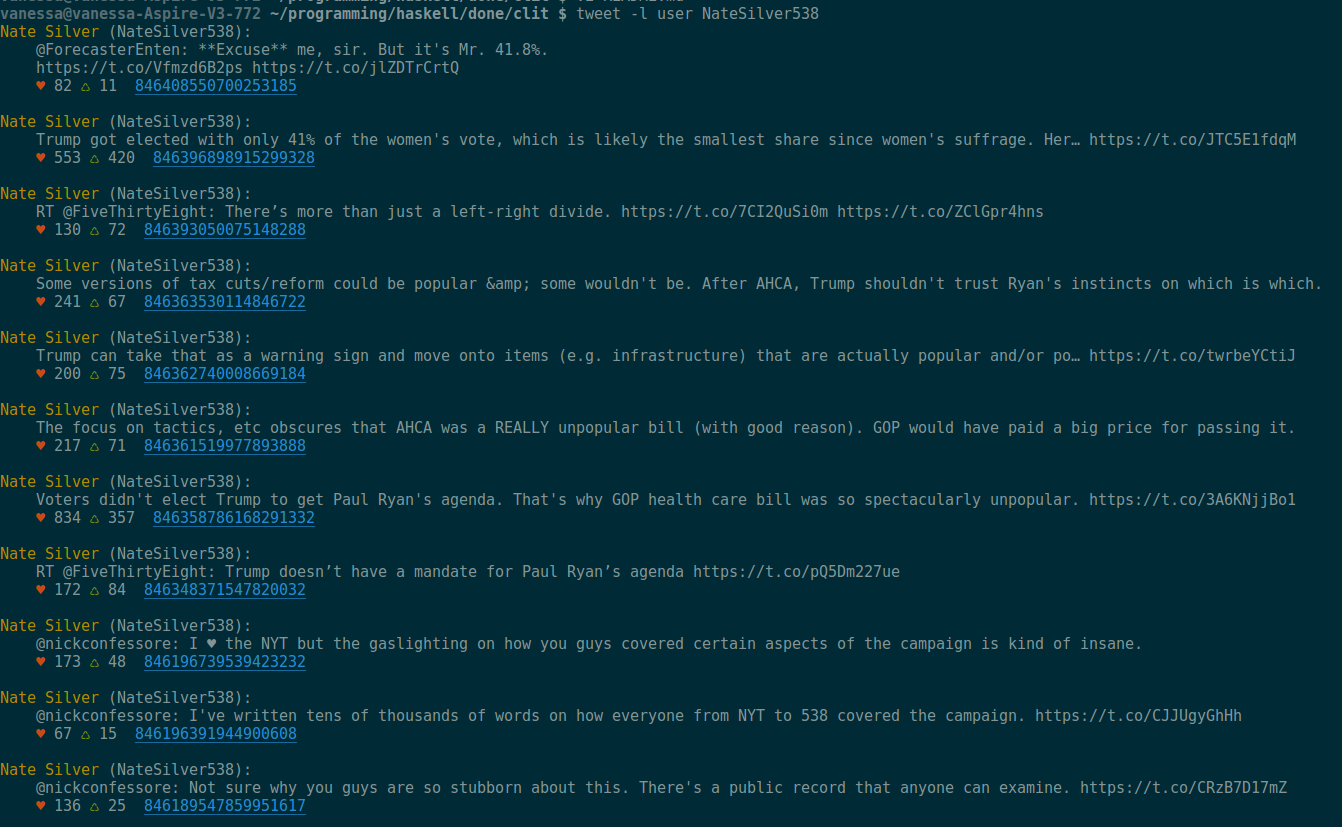
tweet-hs is a command-line tool for twitter. It has more features than
its rust counterpart and it's a bit
slower.
Reasons to use tweeth-hs:
- Faster than other tools (t, oysttyer)
- Support for colored output.
- Can be used in scripts
- You know haskell and like being able to extend your tools.
- You want something that can be called from vim
- You want a twitter library for haskell.
- BSD3 licensed
Reasons not to use tweet-hs:
- You want "twitter in a terminal" that rainbowtools or oysttyer provides.
- You want to be able to easily tweet emoji
Comparison to other command-line clients
| Tool | Language | Color output | Interactive | Vim plugin support | Scriptable | Send emoji |
|---|---|---|---|---|---|---|
| tw | Rust | x | x | x | ||
| rainbowstream | Python | x | x | x | ||
| oysttyer | Perl | x | ½ | |||
| tweet-hs | Haskell | x | x | x | ||
| t | Ruby | ½ | x |
Config
Generate a token to authorize access to your twitter account by following the guide here
Then place your API keys and OAuth tokens in a file ~/.cred.toml, as in the
following example:
api-key = "API_KEY_HERE"
api-sec = "API_SECRET_HERE"
tok = "OAUTH_TOKEN_HERE"
tok-sec = "TOKEN_SECRET_HERE"
Installation
If you're on Linux/Windows the best way is probably to download the binaries from the releases page here.
To build from source, install haskell stack; on unix systems this is as simple as
wget -qO- https://get.haskellstack.org/ | sh
Then type stack install tweet-hs it will put an executable called tweet on your path.
Use
View Profiles and timelines
To get your timeline, simply type:
tweet view
To view a user's profile, type e.g.
tweet user NateSilver538 --color
Sending tweets
To send a tweet:
tweet send "This is my tweet"
Input from stdin
To tweet from stderr, run a command that pipes stderr to stdin, i.e.
stack build &>/dev/null | tweet input
The tweet executable reads from stdin only, but you can view the options (replies, number of tweets to thread, etc.) with
tweet --help
This script powers the twitter account @my_build_errors for instance. There's an example bash script for in bash/example
Viewing your timeline
You can also use
tweet view
or
tweet view --color
to view your own timeline.
GHCi integration
You can define the following in your ~/.ghci
:def tweet (\str -> pure $ ":! tweet send \"" ++ str ++ "\"")
Completions
The directory bash/ has a mkCompletions script to allow command completions for your convenience.
Library
A haskell package is included. It's fairly easy to use once you have the credentials set up, with two main functions: thread and basicTweet: the first for threading your own tweets or replying to someone else's and the second for just tweeting.