You signed in with another tab or window. Reload to refresh your session.You signed out in another tab or window. Reload to refresh your session.You switched accounts on another tab or window. Reload to refresh your session.Dismiss alert
Rails ERD - Generate Entity-Relationship Diagrams for Rails applications
Rails ERD is a gem that allows you to easily generate a diagram based on your application's Active Record models. The diagram gives an overview of how your models are related. Having a diagram that describes your models is perfect documentation for your application.
The second goal of Rails ERD is to provide you with a tool to inspect your application's domain model. If you don't like the default output, it is very easy to use the API to build your own diagrams.
Rails ERD was created specifically for Rails and works on versions 3.0-5.0. It uses Active Record's built-in reflection capabilities to figure out how your models are associated.
Preview
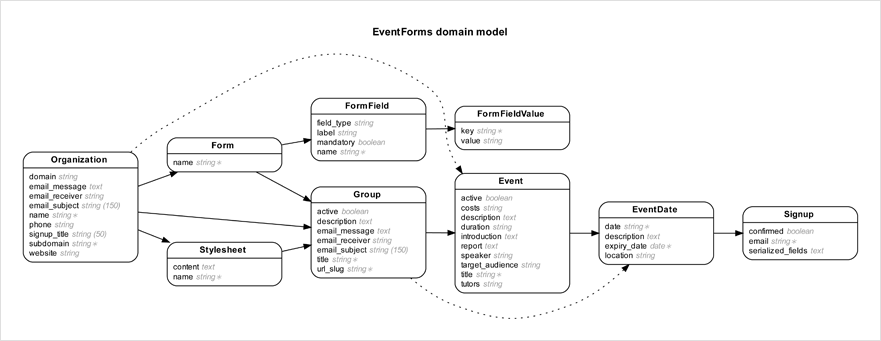
Here's an example entity-relationship diagram that was generated by Rails ERD:
See the installation instructions for a complete description of how to install Rails ERD. Here's a summary:
Install Graphviz 2.22+ (how?). On macOS with Homebrew run brew install graphviz.
on linux - sudo apt-get install graphviz
Add gem 'rails-erd', group: :development to your application's Gemfile
Run bundle exec erd
Configuration
Rails ERD has the ability to be configured via the command line or through the use of a YAML file with configuration options set. It will look for this file first at ~/.erdconfig and then ./.erdconfig (which will override any settings in ~/.erdconfig). The format of the file is as follows (shown here with the default settings used if no .erdconfig is found). More information on customization options can be found in Rails ERD's project documentation.