You signed in with another tab or window. Reload to refresh your session.You signed out in another tab or window. Reload to refresh your session.You switched accounts on another tab or window. Reload to refresh your session.Dismiss alert
Note: Do NOT install gptcommit hook via gptcommit install under the root of your git repo.
Supported Versions
Extension Version
VS Code Version
gptcommit Version
< 0.1.0
1.75+
0.1.16
0.1.x
1.70+
0.1.16
0.2.x
1.70+
0.3.0
0.3.x
1.70+
0.5.x
Commands
Run via Ctrl+Shift+P or Cmd+Shift+P:
GPTCommit: Generate Git Commit Message
Generate the commit message
GPTCommit: Setup OpenAI API Key
Setup the OpenAI API Key. You can get the API key from OpenAI
GPTCommit: Use a different OpenAI model
Use a different OpenAI model. For a list of public OpenAI models, checkout the OpenAI docs. Default is now gpt-3.5-turbo.
GPTCommit: Set output language
Set the output language. Default is en.
GPTCommit: Show per-file summary
Enable "show per-file summary"? It's disabled by default.
GPTCommit: Open gptcommit configuration file
Open the local gptcommit configuration file (~/.git/gptcommit.toml)
Extension Settings
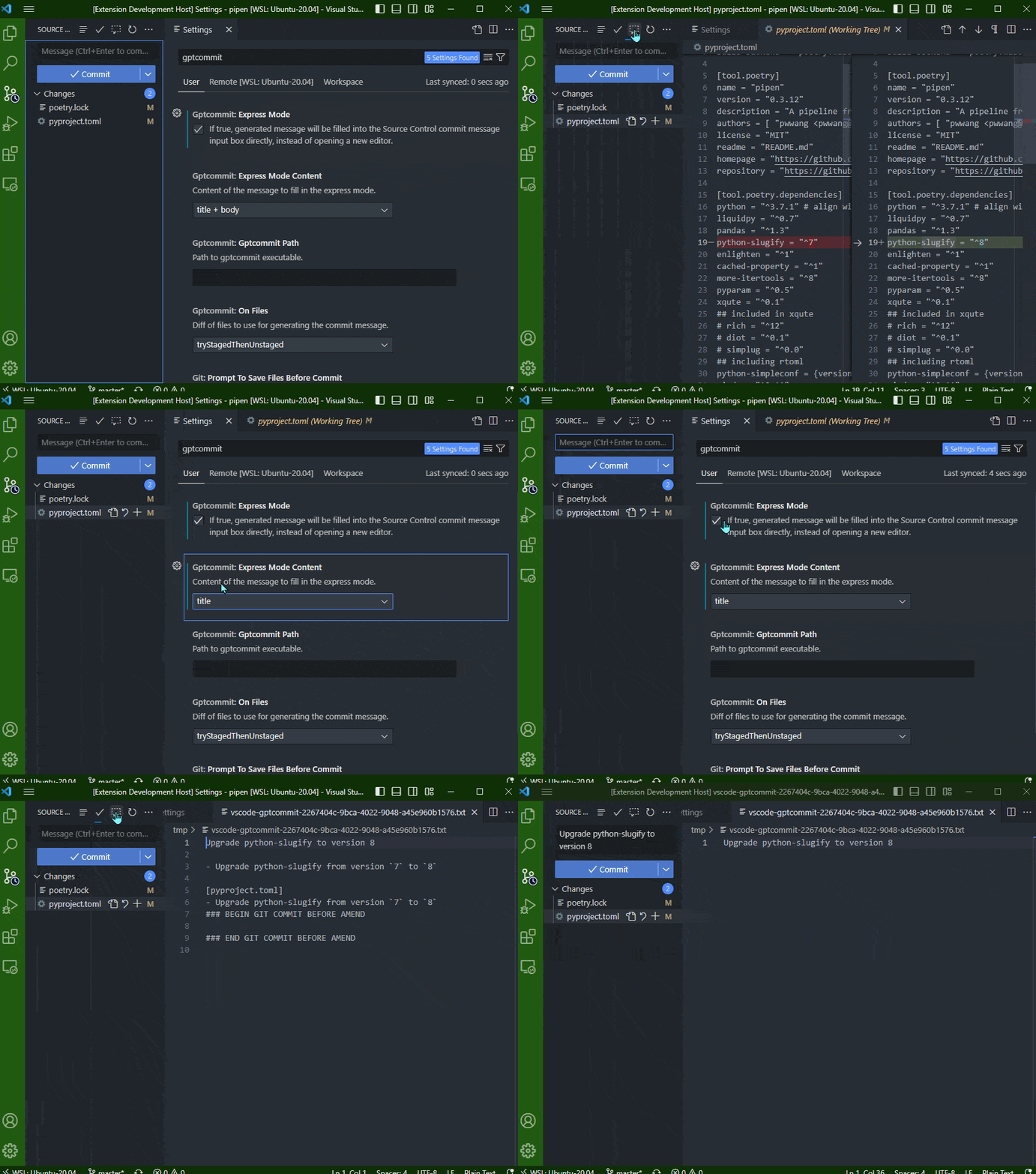
ExpressMode: If true, generated message will be filled into the Source Control commit message input box directly, instead of opening a new editor.
ExpressModeContent: Content of the message to fill in the express mode.
Note that to show per-file summary, you need to enable "show per-file summary" by running the GPTCommit: Show per-file summary command.
GptcommitPath: Path to the gptcommit executable.
OnFiles: Diff of files to use for generating the commit message.
staged: Use staged files
unstaged: Use unstaged files
tryStagedThenUnstaged: Try staged files first, then try unstaged files if no staged files are found
Advanced configuration
Note that now all the configuration via the extension is saved in the .git/gptcommit.toml file. If you have to change advanced configuration, you can edit the .git/gptcommit.toml file directly, but make sure you know what you are doing. You can also use the GPTCommit: Open gptcommit configuration file command to open the configuration file.
If you want to use the configuration globally, you can copy the .git/gptcommit.toml file to ~/.config/gptcommit/config.toml, or just the sections of the configuration you want to be used globally.
Also refer to the gptcommit documentation for more information.
About
Automated git commit messages using GPT models via gptcommit for VS Code.