You signed in with another tab or window. Reload to refresh your session.You signed out in another tab or window. Reload to refresh your session.You switched accounts on another tab or window. Reload to refresh your session.Dismiss alert
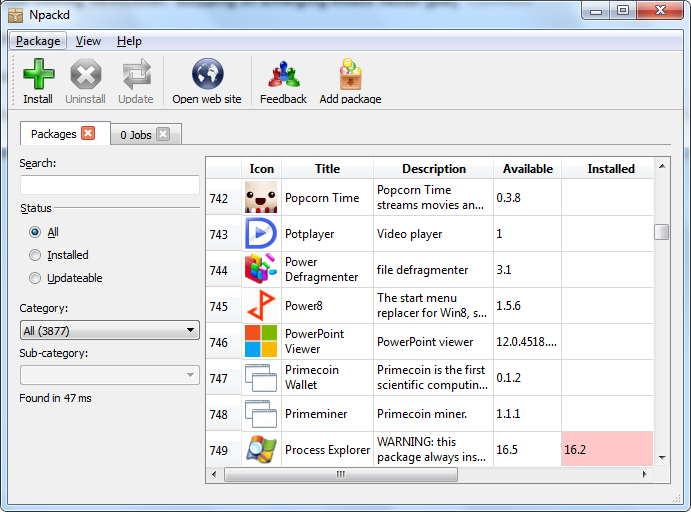
It helps you to find and install software, keep your system up-to-date and uninstall it if no longer necessary. You can watch this short video to better understand how it works. The process of installing and uninstalling applications is completely automated (silent or unattended installation and un-installation). There is also a command line based version of Npackd which you can install from the command line:
Easy installation of the graphical user interface from the command line (64 bit):
You can follow the news on Twitter or via the Forum
Main features
synchronizes information about installed programs with the control panel "Add or remove software" and MSI package database. Allow uninstallation of those packages.
support for proxies (use the internet settings control panel to configure it)
password protected pages. This can be used to restrict access to your repository.
fast installation and uninstallation without user interaction. A typical application is installed and uninstalled in seconds (downloading the package is the most lengthy operation)
dependencies
shortcuts in the start menu are automatically created/deleted
multiple program versions can be installed side-by-side
cryptographic checksum for packages (SHA1 and SHA-256)