You signed in with another tab or window. Reload to refresh your session.You signed out in another tab or window. Reload to refresh your session.You switched accounts on another tab or window. Reload to refresh your session.Dismiss alert
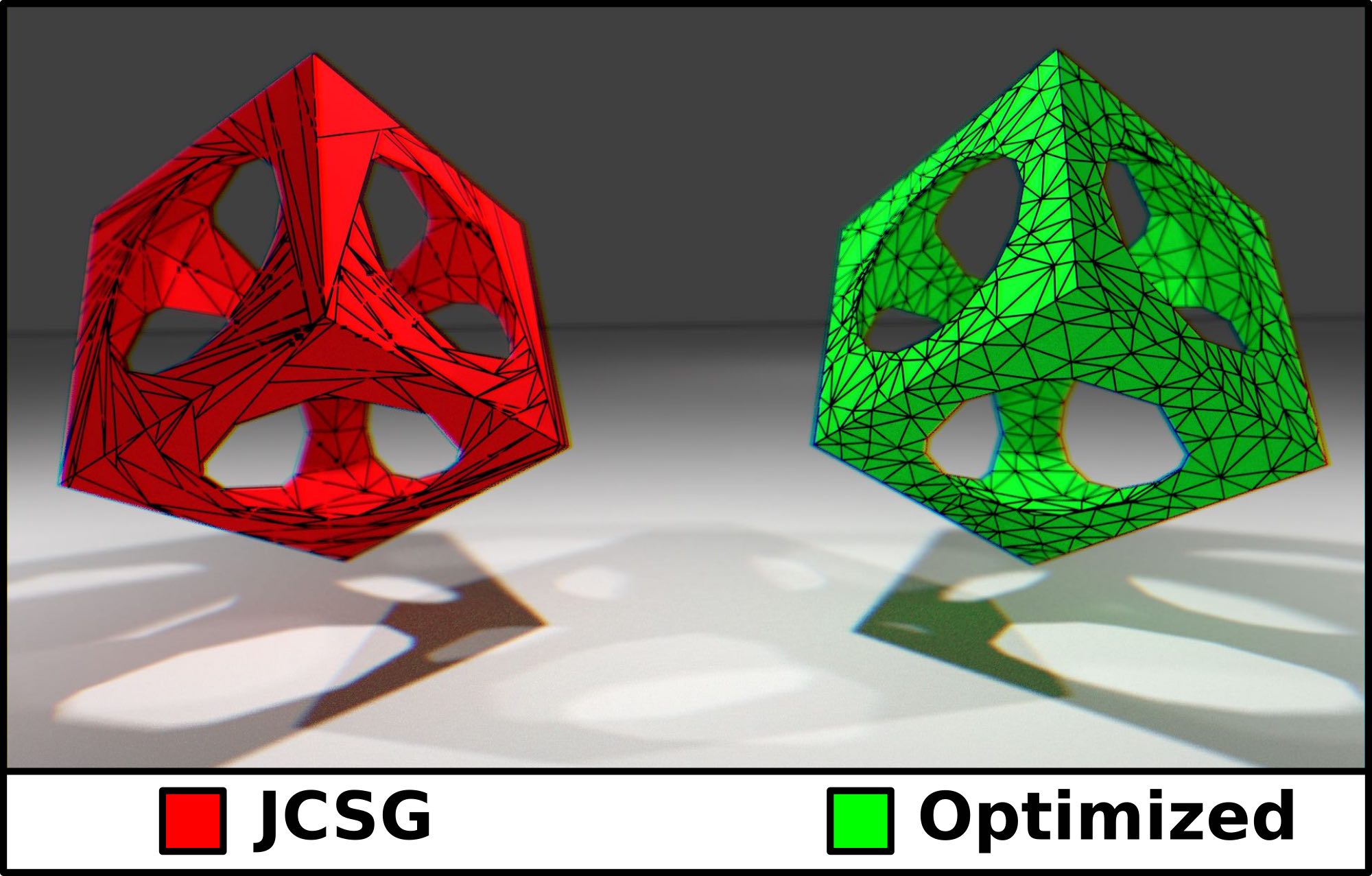
JCSG extension library for producing high-quality meshes from JCSG mesh objects. The mesh optimization is performed with the cross-platform meshing software ProMesh which is available as ug4 plugin.
Sample Code
// we use cube and sphere as base geometriesCSGcube = newCube(2).toCSG();
CSGsphere = newSphere(1.25).toCSG();
// compute difference between cube and sphereCSGcubeMinusSphere = cube.difference(sphere);
// create a copy of cube-sphere that shall be optimizedCSGoptimized = cubeMinusSphere.
transformed(Transform.unity().translateX(3));
// perform the optimizationCSGall = MeshTools.optimize(
optimized, // csg object to optimize1e-6, // tolerance1e-4, // max tolerance0.25, // min edge length1.5// max edge length
);
// save optimized mesh as "all.stl"Files.write(Paths.get("all.stl"), all.toStlString().getBytes());
How to Build JCSG-MeshExtensions
Requirements
Java >= 1.8
Internet connection (dependencies are downloaded automatically)
IDE: Gradle Plugin (not necessary for command line usage)
IDE
Open the JCSG-MeshExtensionsGradle project in your favourite IDE (tested with NetBeans 8.2) and build it
by calling the assemble task.
Command Line
Navigate to the Gradle project (e.g., path/to/JCSG-MeshExtensions) and enter the following command
Bash (Linux/OS X/Cygwin/other Unix-like shell)
bash gradlew assemble
Windows (CMD)
gradlew assemble
About
JCSG extension library for producing high-quality meshes from JCSG mesh objects.