


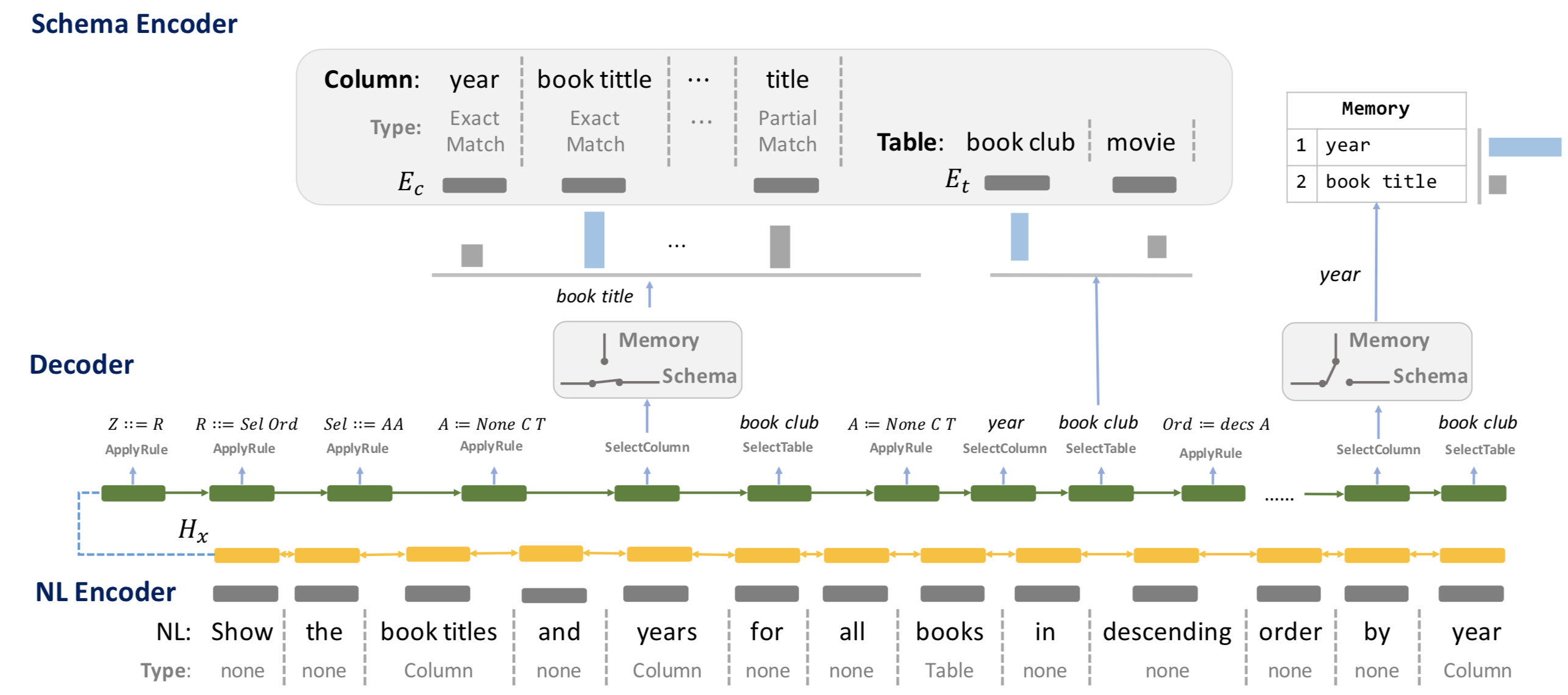
Code for our ACL'19 accepted paper: Towards Complex Text-to-SQL in Cross-Domain Database with Intermediate Representation
Python3.6Pytorch 0.4.0or higher
Install Python dependency via pip install -r requirements.txt when the environment of Python and Pytorch is setup.
- Download Glove Embedding and put
glove.42B.300dunder./data/directory - Download Pretrained IRNet and put
IRNet_pretrained.modelunder./saved_model/directory - Download preprocessed train/dev datasets from here and put
train.json,dev.jsonandtables.jsonunder./data/directory
You could process the origin Spider Data by your own. Download and put train.json, dev.json and
tables.json under ./data/ directory and follow the instruction on ./preprocess/
Run train.sh to train IRNet.
sh train.sh [GPU_ID] [SAVE_FOLD]
Run eval.sh to eval IRNet.
sh eval.sh [GPU_ID] [OUTPUT_FOLD]
You could follow the general evaluation process in Spider Page
| Model | Dev Exact Set Match Accuracy |
Test Exact Set Match Accuracy |
|---|---|---|
| IRNet | 53.2 | 46.7 |
| IRNet+BERT(base) | 61.9 | 54.7 |
If you use IRNet, please cite the following work.
@inproceedings{GuoIRNet2019,
  author={Jiaqi Guo and Zecheng Zhan and Yan Gao and Yan Xiao and Jian-Guang Lou and Ting Liu and Dongmei Zhang},
  title={Towards Complex Text-to-SQL in Cross-Domain Database with Intermediate Representation},
  booktitle={Proceeding of the 57th Annual Meeting of the Association for Computational Linguistics (ACL)},
  year={2019},
  organization={Association for Computational Linguistics}
}
We would like to thank Tao Yu and Bo Pang for running evaluations on our submitted models. We are also grateful to the flexible semantic parser TranX that inspires our works.
This project welcomes contributions and suggestions. Most contributions require you to agree to a Contributor License Agreement (CLA) declaring that you have the right to, and actually do, grant us the rights to use your contribution. For details, visit https://cla.microsoft.com.
When you submit a pull request, a CLA-bot will automatically determine whether you need to provide a CLA and decorate the PR appropriately (e.g., label, comment). Simply follow the instructions provided by the bot. You will only need to do this once across all repositories using our CLA.
This project has adopted the Microsoft Open Source Code of Conduct. For more information see the Code of Conduct FAQ or contact opencode@microsoft.com with any additional questions or comments.