


The minimalist, zero-config documentation generator for Node.js developers.
Turn Markdown into beautiful, blazing-fast websites in seconds.


View Live Demo • Documentation • Report Bug
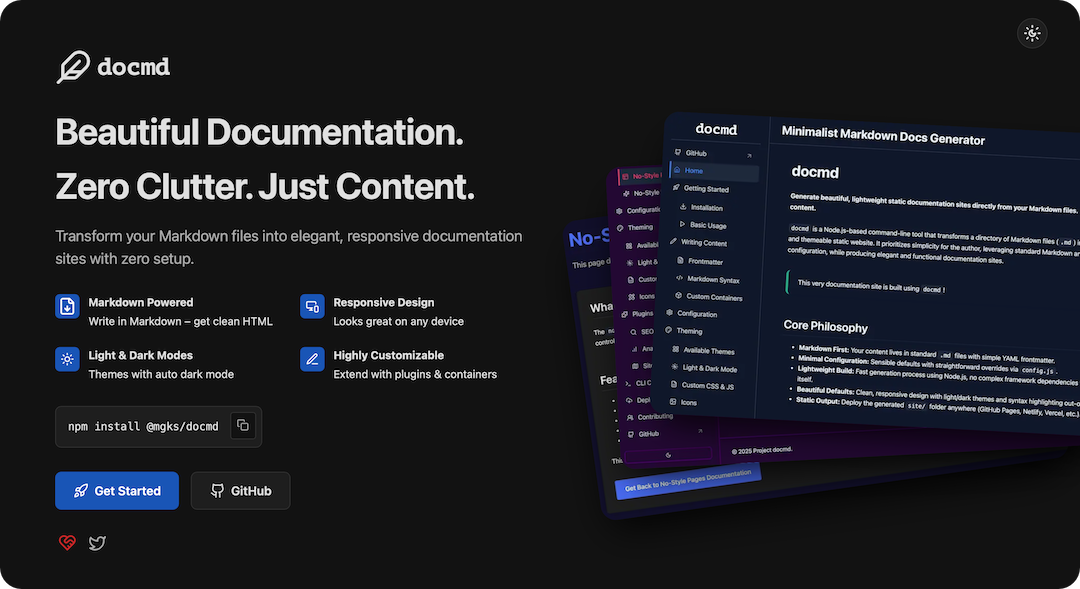
Most documentation tools today are too heavy (React hydration, massive bundles) or require ecosystems you don't use (Python/Ruby).
docmd fills the gap. It is a native Node.js tool that generates pure, static HTML.
- ⚡ Blazing Fast: No hydration delay. Instant page loads.
- 🔍 Offline Search: Powerful full-text search included automatically.
- 🛠 Zero Config: Works out of the box with sensible defaults.
- 🎨 Theming: Built-in light/dark modes and multiple themes (
sky,ruby,retro). - 📦 Node.js Native: No Python, no Gemfiles. Just
npm install. - 🧩 Rich Content: Built-in support for Callouts, Cards, Tabs, Steps, and Changelogs.
You don't need to install anything globally to try it out.
# 1. Initialize a new project
npx @mgks/docmd init my-docs
# 2. Enter directory
cd my-docs
# 3. Start the dev server
npm start
Dev server output:
     _                 _
   _| |___ ___ _____ _| |
  | . | . |  _|     | . |
  |___|___|___|_|_|_|___|

   v0.x.x
🚀 Performing initial build for dev server...
✅ Generated sitemap at ./site/sitemap.xml
✅ Initial build complete.
👀 Watching for changes in:
    - Source: ./docs
    - Config: ./docmd.config.js
    - Assets: ./assets
    - docmd Templates: ./src/templates (internal)
    - docmd Assets: ./src/assets (internal)
🎉 Dev server started at https://localhost:3000
Serving content from: ./site
Live reload is active. Browser will refresh automatically when files change.
| Feature | Description |
|---|---|
| Markdown First | Standard Markdown + Frontmatter. No proprietary syntax to learn. |
| Smart CLI | Intelligent config validation catches typos before they break your build. |
| Custom Containers | Use ::: callout, ::: card, ::: steps, ::: tabs, ::: collapsible, ::: changelog, and more to enrich content. |
| Smart Search | Built-in, offline-capable full-text search with fuzzy matching and highlighting. No API keys required. |
| Diagrams | Create flowcharts, relationship diagrams, journey, piecharts, graphs, timelines and more with Mermaid. |
| No-Style Pages | Create custom landing pages (highly customizable custom HTML pages) without theme constraints. |
| Auto Dark Mode | Respects system preference and saves user choice. |
| Plugins | SEO, Sitemap, and Analytics support included out-of-the-box. |
How does docmd stack up against the giants?
| Feature | docmd | Docusaurus | MkDocs (Material) | Mintlify |
|---|---|---|---|---|
| Language | Node.js | React.js | Python | Proprietary |
| Output | Static HTML | React SPA | Static HTML | Hosted / Next.js |
| JS Payload | Tiny (< 15kb) | Heavy | Minimal | Medium |
| Setup | ~2 mins | ~15 mins | ~10 mins | Instant (SaaS) |
| Cost | 100% Free OSS | 100% Free OSS | 100% Free OSS | Freemium |
For frequent use, install globally:
npm install -g @mgks/docmddocmd init- Create a new documentation project.docmd dev- Start the live-reloading local server.docmd build- Generate static files tosite/for deployment.
Switching themes is as easy as changing one line in your docmd.config.js.
module.exports = {
  theme: {
    name: 'sky', // Options: 'default', 'sky', 'ruby', 'retro'
    defaultMode: 'dark'
  }
}We welcome contributions! Please see our Contribution Guidelines for details.
- Fork the repository.
- Create your feature branch (
git checkout -b feature/AmazingFeature). - Commit your changes (
git commit -m 'Add some AmazingFeature'). - Push to the branch (
git push origin feature/AmazingFeature). - Open a Pull Request.
This project is open source and free to use. If you find it valuable, please consider:
- ⭐️ Starring the repo on GitHub (it helps a lot!)
- ☕ Sponsoring the project to support ongoing development.
Distributed under the MIT License. See LICENSE for more information.
{ github.com/mgks }


