You signed in with another tab or window. Reload to refresh your session.You signed out in another tab or window. Reload to refresh your session.You switched accounts on another tab or window. Reload to refresh your session.Dismiss alert
For some time now, I've been wanting to clean up the code and finally got around to it.
However, I also ended up removing some features that I felt were not useful in a bid to keep things simple.
I also have changed the default maps in order to get rid of ugly leader maps and now the commands accept a count instead of accepting it as an input.
If you prefer to use the earlier version, you can download it from here
#vim-origami
Plugin to satisfy all your folding needs
Justify all the open-fold markers
Create new open/close foldmarkers conveniently
If you like the plugin, show some love by rating it at vim.org and spreading the word.
##Screenshots
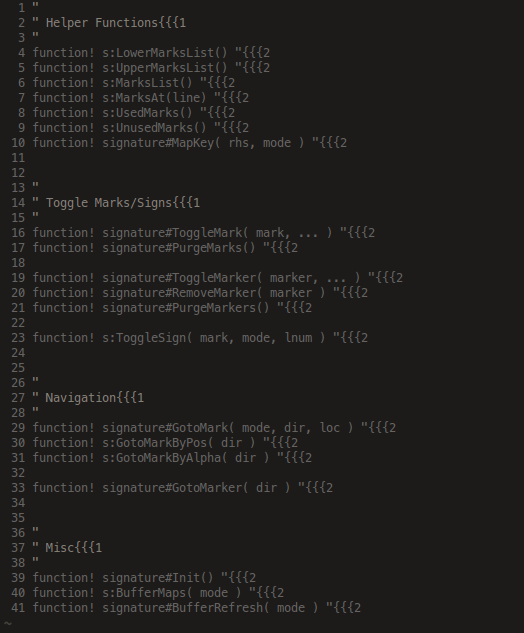
Before: foldmarkers strewn all over the place
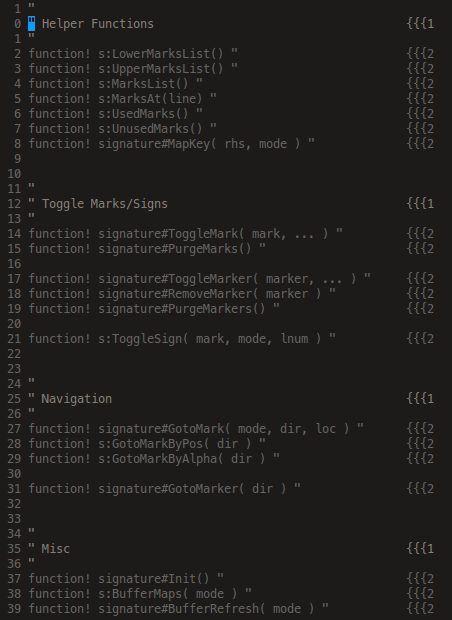
After: all the foldmarkers aligned neatly in a column
Staggered alignment visually showing the heirarchy
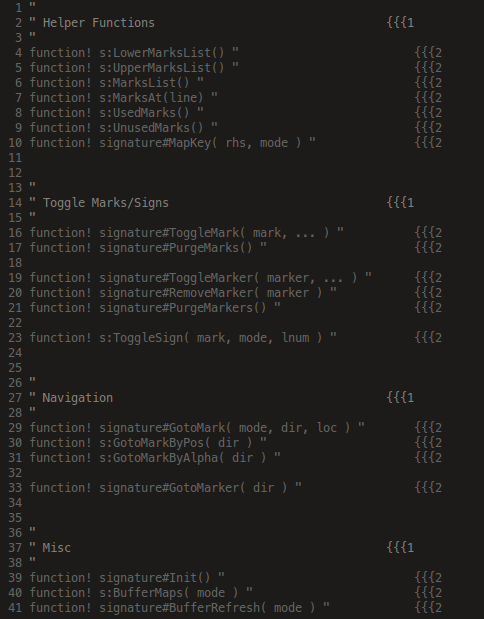
Force the alignment to happen on a particular column
##Installation
I highly recommend using a plugin manager to do the dirty work for you.
If for some reason, you do not want to use any of them then unzip it to your ~/.vim directory
##Usage
So, once that's done, out of the box, the followings mappings are defined by default:
  `<count>Za`  Align all folds of level 'count'
         `ZA`  Align all folds
  `<count>ZF`  Insert a start foldmarker of level 'count' at the end of line and comment it
  `<count>Zf`  Insert a start foldmarker of level 'count' at the end of line but don't comment it
  `<count>ZC`  Insert an end  foldmarker of level 'count' at the end of line and comment it
  `<count>Zc`  Insert an end  foldmarker of level 'count' at the end of line but don't comment it
         `ZD`  Delete the foldmarker from the line
If no count is given, then the actions are performed on unnumbered folds