You signed in with another tab or window. Reload to refresh your session.You signed out in another tab or window. Reload to refresh your session.You switched accounts on another tab or window. Reload to refresh your session.Dismiss alert
An VS Code extension to copy python dotted paths to the clipboard.
Features
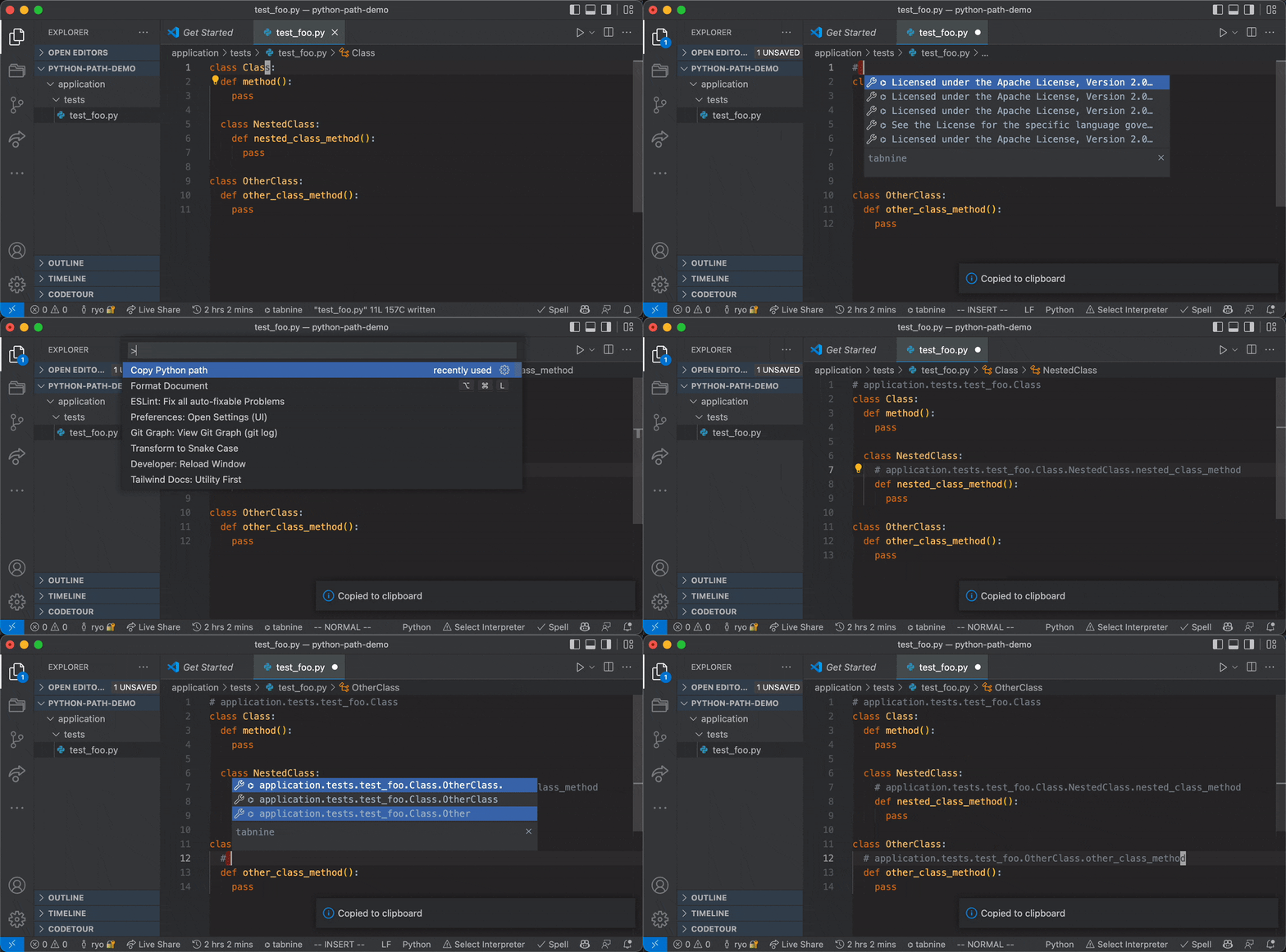
Would you like to get the python path, e.g. when running unittest?
When the copy python path command is executed, it copies the python dotted path to the clipboard. It also works with context menus.
Copying Imported Symbols
You can now also copy the full dotted path of symbols imported in your Python file. Just place your cursor on an imported symbol and run the command:
fromml_service.lms.models.course_builderimportCreateCourseQuizRequestdefgenerate_quiz_view(request: Request) ->Response:
data=CreateCourseQuizRequest(**json.loads(request.body)) # Place cursor here and run the command# Will copy: ml_service.lms.models.course_builder.CreateCourseQuizRequest
Similarly, running the "Copy python import statement" command on an imported symbol will generate the appropriate import statement:
from ml_service.lms.models.course_builder import CreateCourseQuizRequest
Configuration
If you want to add the workspace folder name to the beginning of the dotted path, add the following setting to setting.json.
If you want to omit a specific root path from the dotted path (e.g., if your path is root.app.folder1.classFoo and you want to omit root.app), add the following setting: