You signed in with another tab or window. Reload to refresh your session.You signed out in another tab or window. Reload to refresh your session.You switched accounts on another tab or window. Reload to refresh your session.Dismiss alert
Leverage machine learning algorithms to easily segment, classify, track and count your cells or other experimental data.
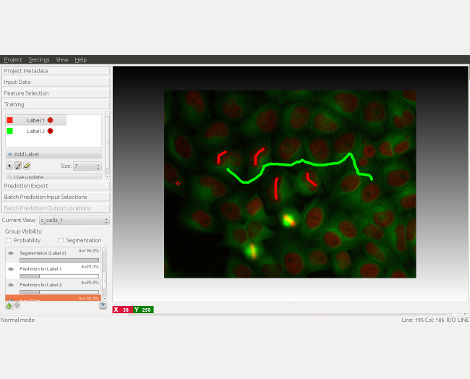
Most operations are interactive, even on large datasets: you just draw the labels and immediately see the result.
No machine learning expertise required.
Go to the download page, get the latest non-beta version for your operating system, and follow the installation instructions.
If you are new to ilastik, we suggest to start from the pixel classification workflow.
If you don't have a dataset to work with, download one of the example projects to get started.
Conda installation (experimental)
ilastik is also available as a conda package on our ilastik-forge conda channel.
You can install it from the commandline using conda:
The current version of ilastik (up to the stable release 1.4.1) is developed for Python 3.9.
Versions of ilastik until 1.4.1b2 are based on, and only compatible with Python 3.7
Starting from ilastik 1.4.1b3 ilastik environments can be created with Python versions 3.7 to 3.9.
Limitations when going with Python 3.7: please use a version of tifffile >2020.9.22,<=2021.11.2 (see also note in environment-dev.yml).
Usage
ilastik is a collection of workflows, designed to guide you through a sequence of steps.
You can select a new workflow, or load an existing one, via the startup screen.
The specific steps vary between workflows, but there are some common elements like data selection and data navigation.
See more details on the documentation page.
Support
If you have a question, please create a topic on the image.sc forum.
Before doing that, search for similar topics first: maybe your issue has been already solved!
You can also open an issue here on GitHub if you have a technical bug report and/or feature suggestion.