You signed in with another tab or window. Reload to refresh your session.You signed out in another tab or window. Reload to refresh your session.You switched accounts on another tab or window. Reload to refresh your session.Dismiss alert
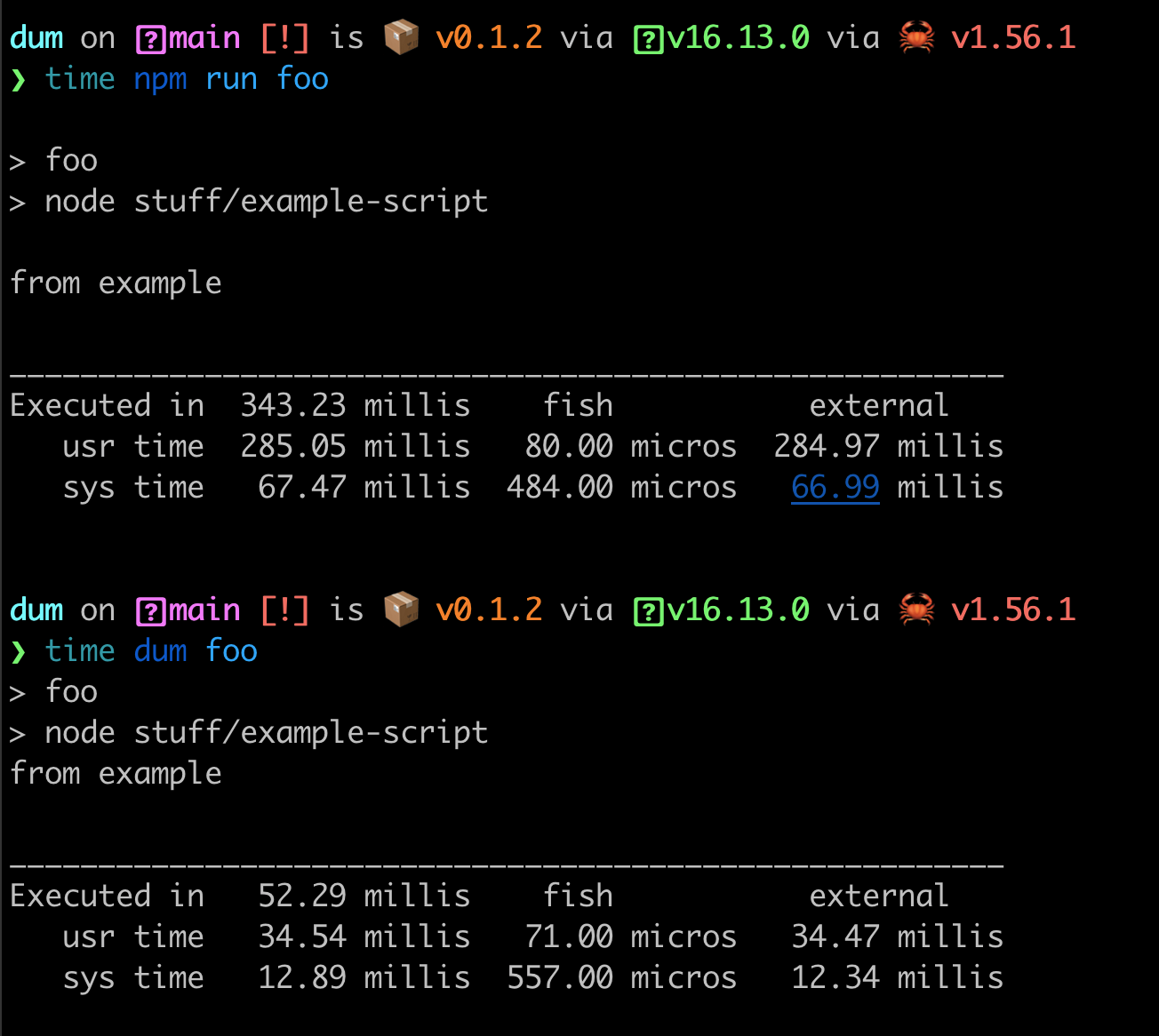
dum replaces npm run and npx. Instead of waiting 200ms for your npm client to start, it will start immediately.
💛 You can help the author become a full-time open-source maintainer by sponsoring him on GitHub.
How
This is written in Rust! (Or any compile-to-native language).
Benchmark (hyperfine "dum foo" "npm run foo" --warmup 10):
dum <npm_script|bin_script> [...args_to_forward]: Run npm scripts or scripts in node_modules/.bin, like yarn run, npm run, npx.
If you want to pass flags to dum itself, like the -c flag to change directory, you should put it before the script name, like dum -c another/directory script_name --forward some_flag.
Examples:
dum some-npm-script
dum some-npm-script --flags will --be forwarded
# Like npx, but mush faster
dum some-npm-package-cli-name --flags will --be forwarded
# Change working directory
dum -c packages/sub-package build
# More
dum --help
Install Packages
Dum is not a package manager yet, but we forward install, add, remove commands to the package manager you're currently using:
# Run `npm i` or `yarn` or `pnpm i` depending on the project
dum install # or `dum i`# Like above but add packages
dum add react vue -D
dum remove react vue
We detect the package manager automatically by checking for lock files in the current directory. If no lock file is found, we ask you to select a package manager first.