




Description
Ce n’est pas une extension de création de formulaire comme les autres. Forminator est l’extension de construction de formulaires WordPress la plus facile à utiliser, adaptée à chaque site web et à chaque situation. C’est l’outil le plus simple pour créer n’importe quel formulaire : des formulaires de contact, de commande, de paiement, de courrier électronique, des widgets d’évaluations, des sondages interactifs avec résultats en temps réel, des quiz de type buzzfeed « pas de mauvaise réponse », des estimateurs de services et des formulaires d’inscription avec option de paiement via PayPal ou Stripe.
C’est le plus fabuleux constructeur de formulaires pour WordPress à destination de… et bien… tout le monde !
Le constructeur visuel par glisser-déposer de Forminator facilite la configuration et l’ajout de formulaires à votre site WordPress. Collectez des informations, rendez votre contenu interactif et générez plus de conversions grâce à Forminator.
Unlock all form fields and premium addons from the start with Forminator Pro.
Level up immediately with exclusive Pro features like Stripe subscription forms, dynamic PDF generation, and easy geolocation & autocomplete. Learn more about Pro.
Formulaires Forminator, enquêtes, quiz, sondages, calculs et plus…
- Formulaires – Des formulaires personnalisés pour tous vos besoins avec autant de champs que vous le souhaitez.
- Sondages – Des sondages interactifs permettant de recueillir les opinions des utilisateurs et utilisatrices, avec de nombreuses options et réglages dynamiques.
- Quiz – Des quiz amusants ou stimulants auxquels vos visiteurs peuvent répondre et partager sur les réseaux sociaux.
- Calculs – Collectez des informations, générez des prospects, prenez des commandes et engagez les visiteurs.
- Paiements – Acceptez les paiements, les dons, les acomptes, vendez de la marchandise avec les intégrations Stripe et PayPal incluses.
Apprenez toutes les ficelles de Forminator avec ces tutoriels pratiques
- Creating the Perfect Contact Form with Forminator
- Create an Easy Payment Form (for free!) with Forminator
- How to Get the Most Out of Using Forminator
- How To Capture eSignatures Using Forminator
- How To Collect Emails and Generate Leads With a Forminator Quiz
Acceptez les paiements avec Stripe et PayPal
Start taking payments with Forminator. No Pro upgrade required! SCA compliant Stripe and PayPal come included. Just enter your publish keys to activate the Forminator payment module for both fixed and variable payments.
Partenaire Vérifié Stripe
Forminator est également fier d’être un partenaire vérifié Stripe. Ce partenariat nous permet de vous aider à tirer le meilleur parti de notre intégration Stripe grâce à des ressources supplémentaires, comme la possibilité de faire remonter les questions à leur assistance ou de demander des évaluations de prix personnalisées.
Stripe Dynamic Payments
Offer 40+ payment methods with Stripe’s Dynamic Payment Element, including Apple Pay, Google Pay, Klarna, and more. Easily manage which payment options are available to your users.
Les calculs sont un aimant à prospects
Il existe littéralement des milliers de combinaisons pour ajouter de la valeur à votre site avec les calculs :
- Formulaires d’inscription avec packages de mise à niveau
- Vendez un tee-shirt avec des variations de tailles, de couleurs, de prix et de taxes
- Ajoutez un calculateur d’IMC et / ou d’apport calorique à votre blog de santé et de remise en forme
- Intégrez un calculateur de prêt dans votre site financier
- Donnez à une sage-femme un calculateur de date d’accouchement
- Insta-devis ou estimateur de services
- Placez un calculateur de ROI sur le site de votre agence
- Et ainsi de suite…
Glissez-déposez des blocs de formulaire
Forminator propose de multiples blocs fonctionnant par glisser-déposer qui facilitent la création de formulaires – nom, e-mail, numéro de téléphone, texte, téléversement de fichier, site web, date, heure, nombre, HTML, pagination, boutons radio, opt-ins compatibles RGPD, paiements, calculs et champ masqué.
Vos intégrations préférées, y compris plus de 1000 applications déjà ajoutées
Forminator est fourni avec les intégrations d’applications tierces préférées de tous – services d’e-mails, CRM, stockage et gestion de projets.
- HubSpot
- Campaign Monitor
- ActiveCampaign
- Google Sheets
- Webhooks (Zapier, Make, Tray, etc)
- Trello
- MailChimp
- AWeber
- Slack
Développez et vendez vos propres extensions
Forminator is free and open to millions of WordPress users! Use the developer API and the included hooks and filters to build your own integrations or custom apps and sell them or give them away free here on WordPress.org.
Sondez vos visiteurs
Les sondages sont un excellent moyen d’engager les visiteurs. Forminator vous donne des résultats en temps réel avec des statistiques en direct affichées dans de magnifiques graphiques circulaires ou en barres.
Vos propres quiz du style de ceux de Facebook
Qui ne s’est pas déjà retrouvé à passer des « tests de QI » sur Facebook pour déterminer « Quel personnage de Star Wars vous êtes » ? Vous pouvez maintenant faire la même chose sur votre site avec les avantages que ça inclut. Avec Forminator, créez à la fois des questionnaires de connaissances et des quiz sans mauvaise réponse.
Recueillez des prospects avec vos quiz
Looking to use your quizzes for more than just entertainment and a way to engage your audience? Forminator also allows you to collect participants’ details (e.g., name, email, etc.) by integrating a lead generation form in your quiz.
Bloc Gutenberg
Forminator est là où vous en avez besoin, que vous soyez un habitué de l’éditeur classique de WordPress ou un adepte de Gutenberg. Dites adieu aux codes courts et ajoutez rapidement des formulaires dans vos publications grâce au bloc Forminator pour Gutenberg.
Routage et pré-remplissage des e-mails
Rendez votre site plus efficace, de la saisie des visiteurs aux temps de réponse par e-mail. Utilisez des chaînes de requête pour préremplir les informations de vos visiteurs et envoyer des formulaires directement à des équipes spécifiques avec le routage des e-mails, la réponse automatique et les conditions.
Envois de publication par l’utilisateur/utilisatrice via l’interface publique
Vous souhaitez permettre à vos visiteurs de soumettre une publication sans avoir besoin d’accéder au tableau de bord WordPress ? Avec Forminator, les visiteurs peuvent proposer des idées de publication depuis l’interface publique de votre site afin que vous puissiez facilement organiser et publier leurs idées. Attribuez une publication à un auteur par défaut, enregistrez-la comme brouillon, publiez immédiatement, etc.
Google reCAPTCHA
Vous ne voulez pas que votre boîte de réception soit inondée de messages indésirables. Google ReCAPTCHA est inclus gratuitement dans Forminator. Vous pouvez maintenant contrer les robots fous sans compliquer la tâche de vos visiteurs. Plus de phrases aléatoires difficiles à lire.
Antispam Features
Protect your forms with built-in antispam tools like reCAPTCHA, hCaptcha, and Cloudflare Turnstile. You can also allow or block specific email addresses, domains, or TLDs using customizable email filters.
Cloud and Preset Templates
Jumpstart form creation with Preset Templates, or save time by reusing your own custom forms across sites using Cloud Templates synced through the HUB.
Collectez, suivez et soyez prêt pour le RGPD
Forminator stocke et organise les soumissions afin que vous puissiez trier, analyser et gérer les réponses – bien sûr, tout en vous simplifiant la mise en conformité avec le RGPD et d’autres politiques de confidentialité légales.
Importer vos données existantes de Contact Form 7
Vous cherchez à déplacer des formulaires existants de CF7 ? L’assistant d’importation de Forminator vous permet de migrer tous vos formulaires, ou seulement certains, en quelques clics. Vous pouvez également transférer les données d’un certain nombre de modules complémentaires ainsi que les réglages de Contact Form 7.
Formulaires de connexion et d’inscription personnalisés
Create and embed custom login and registration forms for your sites (or multisites!). Take L&R forms to the next level: choose from a range of form fields, and customize settings, style, and behavior.
Champ de téléversement de fichiers multiples
En plus de proposer le téléversement de fichiers uniques, Forminator monte d’un cran en permettant aux utilisateurs de téléverser plusieurs fichiers. Vous pouvez également choisir de définir des types de fichiers spécifiques, de limiter le nombre de fichiers pouvant être téléversés, ainsi que la taille de fichier individuelle. L’interface par glisser-déposer du champ d’importation permet également aux utilisateurs de téléverser plus facilement leurs fichiers.
Group And Repeat Form Fields
The Field Group feature allows you to group any number of fields together in one form. You can also enable users to add as many additional field groups as needed when filling out your form. Great for repeatable data entry such as employment history, event attendees, lists, etc.
Restrictions avancées des champs de date
Parfait pour les réservations de rendez-vous et d’hôtel – La fonctionnalité Limites de sélection de dates de Forminator vous permet de restreindre les dates disponibles indiquées dans votre champ de date. Par exemple, vous pouvez afficher uniquement les dates futures, un certain nombre de dates à partir d’aujourd’hui, des dates comprises entre une plage de dates spécifique, des jours spécifiques de la semaine, etc.
Add An E-Signature Form Field (Pro Only)*
Vous avez une application en ligne qui nécessite une signature ou un contrat que vous devez faire signer à vos clients ? La fonctionnalité de signature électronique de Forminator permet aux visiteurs d’utiliser leur souris, leur trackpad ou leur doigt (sur les appareils tactiles) pour laisser une signature lors de la soumission du formulaire. Insérez simplement le champ « Signature électronique » et le tour est joué !
Receive Subscriptions and Recurring Payments on Stripe (Pro Only)*
Create fully-customized subscription forms with Forminator Pro’s Stripe Subscription add-on. Allow your customers to choose plans/pricing, billing cycle, custom upsells, a free trial option, and of course, make secure card payments. Forminator also saves you time by instantly and automatically syncing all subscription form data straight to your Stripe account.
*Note: These features are only available with Forminator Pro. Get instant access to Forminator Pro – as well as all our other premium plugins, managed WP hosting, our site management platform: The Hub, and 24/7 expert support – all with a WPMU DEV membership.
Que disent les gens à propos de Forminator ?
★★★★★
Une extension surprenante, il semble vraiment que seule votre imagination peut limiter ses utilisations. De nombreuses fonctionnalités telles que la prise de paiements, le calendrier… le tout gratuitement. Je ne peux pas croire que tout ce dont j’ai besoin est là-dedans, cela suscite la créativité et rend amusant le travail sur un site web. – araca
★★★★★
Cette extension possède une excellente interface utilisateur, bien pensée et bien conçue, elle offre tout ce que je recherchais (et je pense avoir essayé tous les concurrents sérieux). – tvsmvp
★★★★★
Cette extension est de loin le meilleur constructeur de formulaires gratuit ! J’en ai testé beaucoup mais celle-ci est tellement facile à utiliser… Essayez-le. Je suis SÛR que VOUS L’AIMEREZ. – johncarteroz
★★★★★
Un interface bien pensée, super facile à utiliser et des fonctionnalités géniales. Habituellement, je n’écris pas d’avis, mais je l’ai tellement adoré que je devais le faire cette fois ! – istavridi
Nos super extensions
Vous aimez Forminator ? WPMU DEV a d’autres extensions gratuites impressionnantes auxquelles vous devriez jeter un œil.
- Smush – Compression et optimisation d’images
- Hummingbird – Optimisation de la vitesse des pages
- Hustle – Pop-ups, slide-ins et opt-ins
- SmartCrawl – Optimiseur de référencement
- Defender – Sécurité, surveillance et protection contre le piratage
À propos de nous
WPMU DEV is a premium supplier of quality WordPress plugins, services and support. Join here:
https://wpmudev.com/
Don’t forget to stay up to date on everything WordPress from the Internet’s number one resource:
WPMU DEV Blog
Hey, one more thing… we hope you enjoy our free offerings as much as we’ve loved making them for you!
Contact et crédits
Captures d’écrans
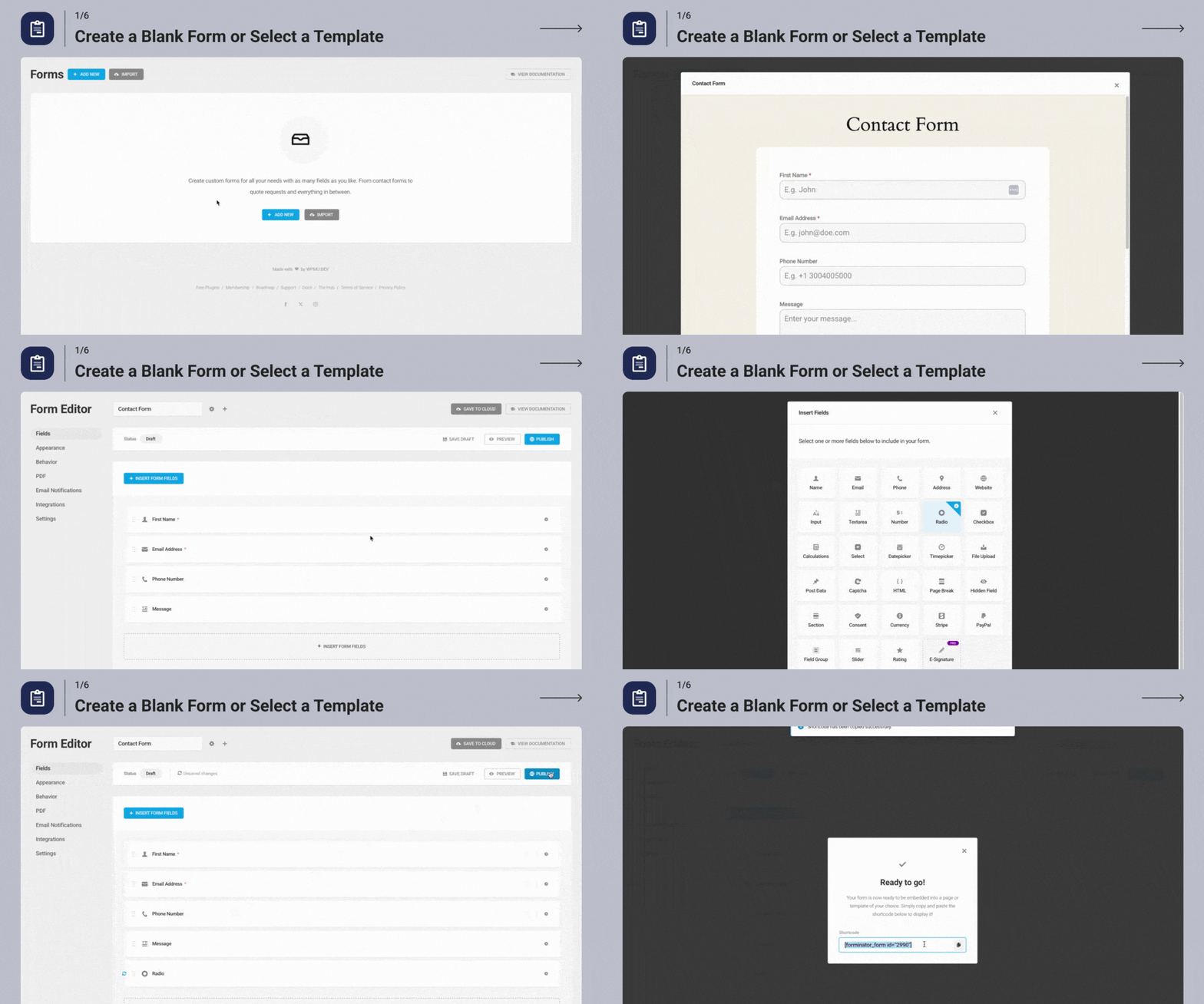
Create a Blank Form or Select a Template 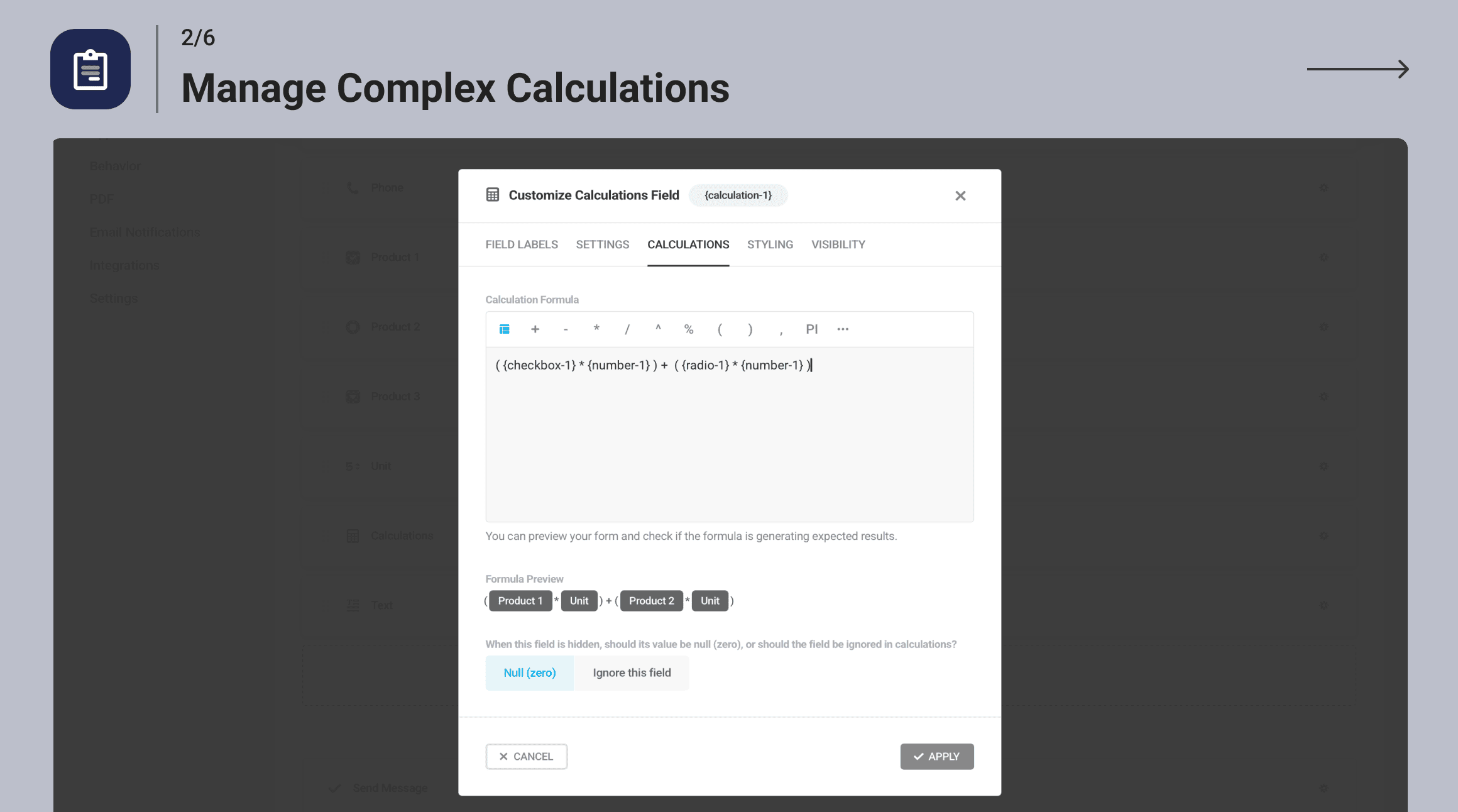
Manage Complex Calculations 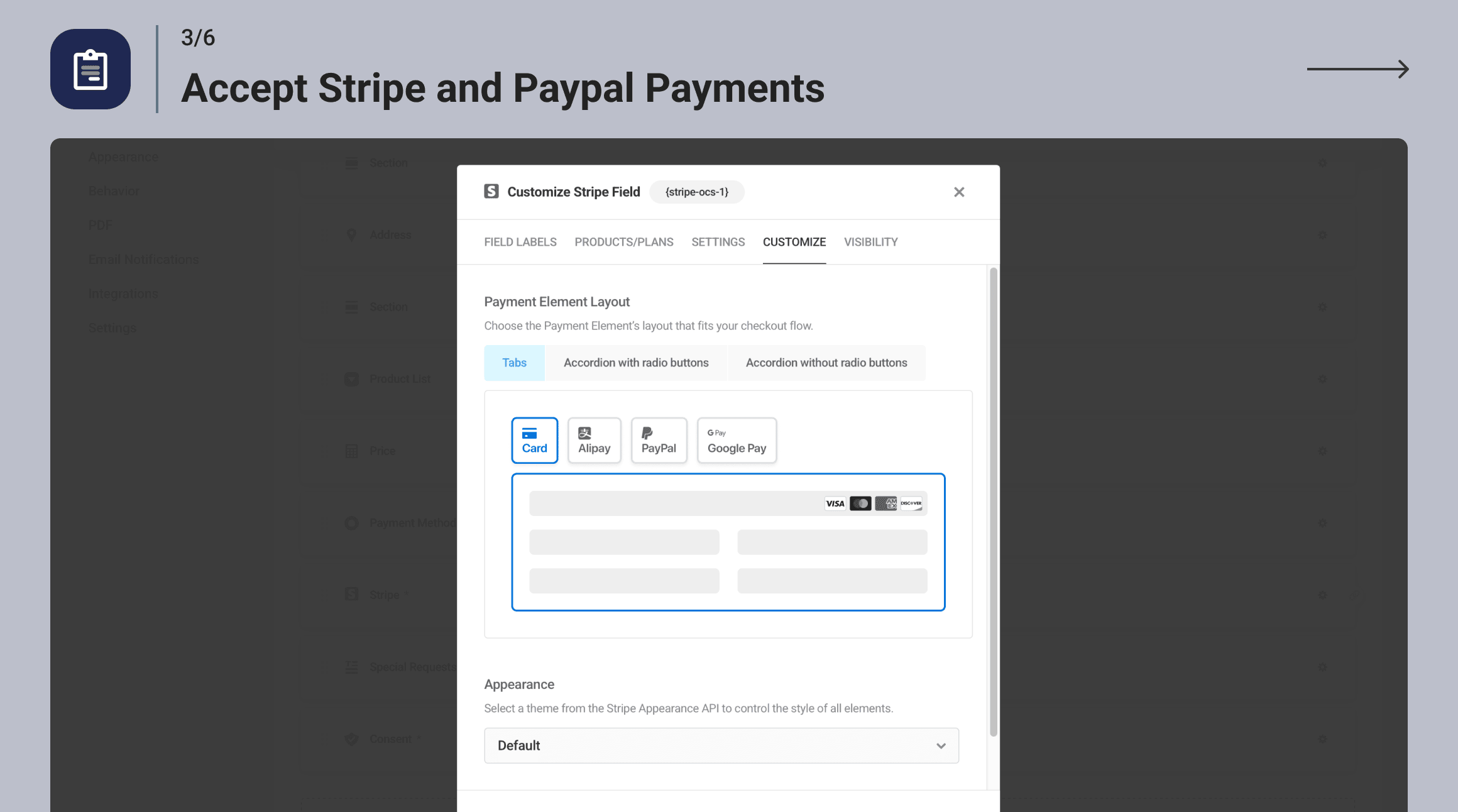
Accept Stripe and PayPal Payments 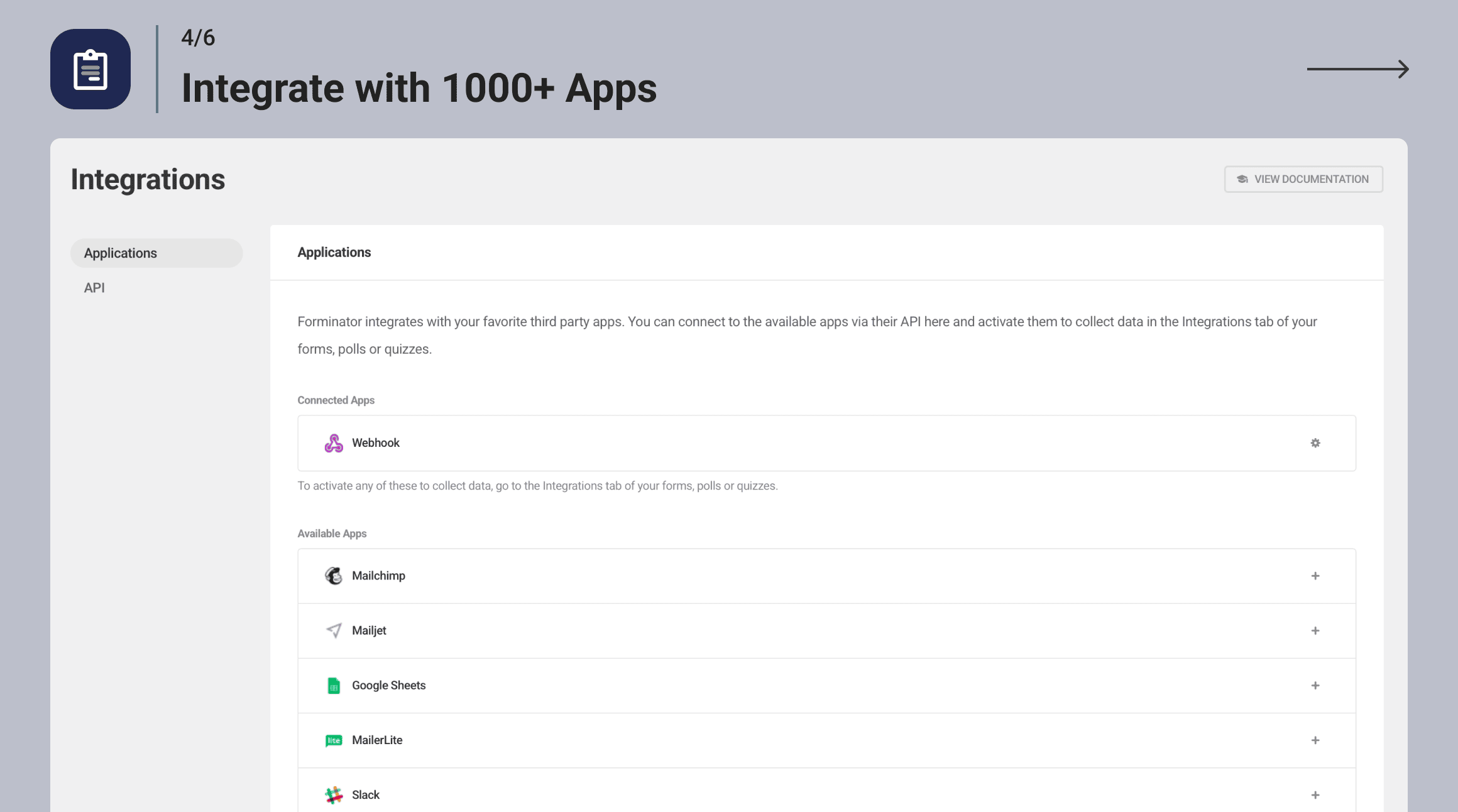
Integrate with 1000+ Apps 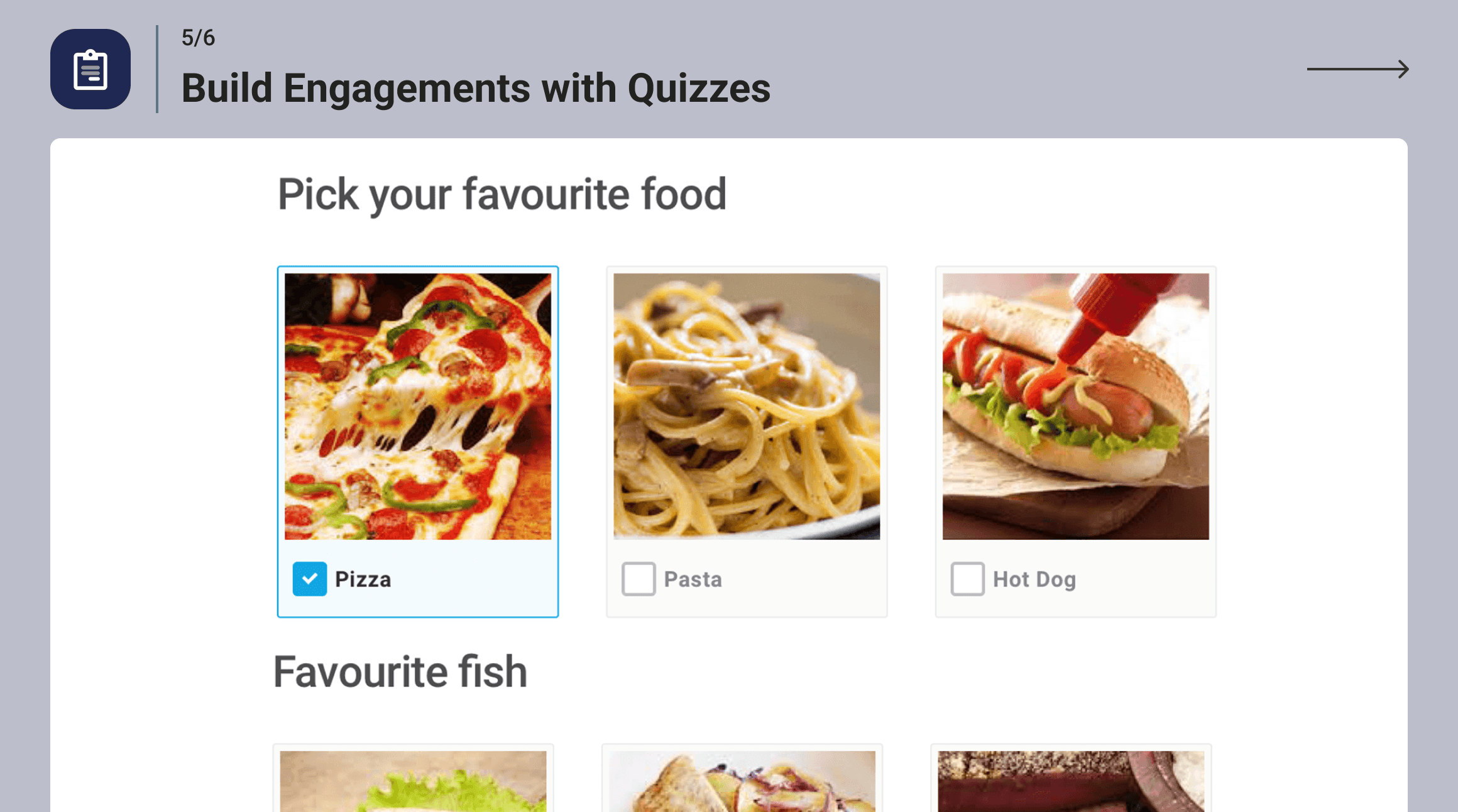
Build Engagements with Quizzes 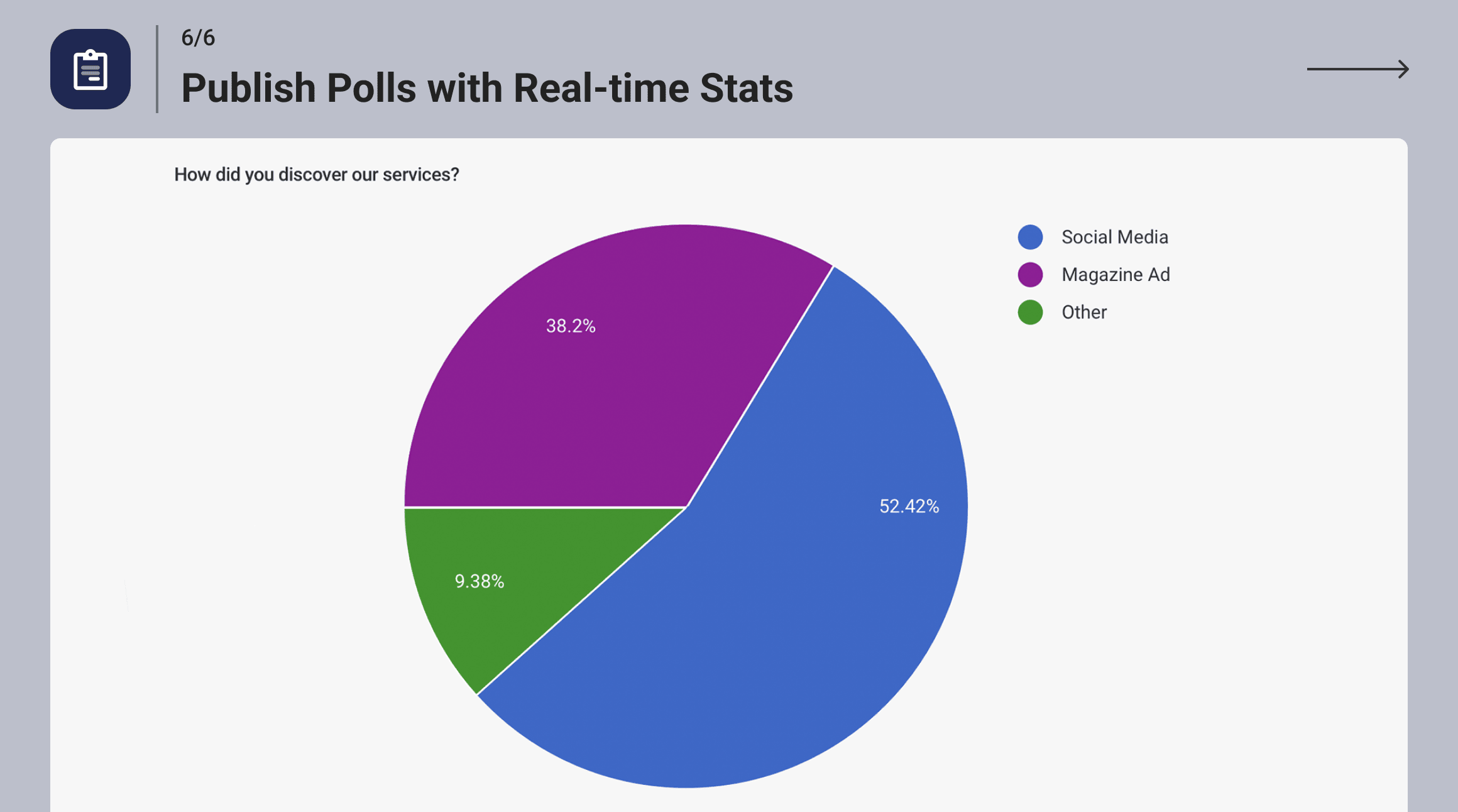
Publish Polls with Real-time Stats
FAQ
-
Why choose Forminator over WPForms?
-
Forminator offers more features and functionalities compared to WPForms, especially in its free version. While WPForms Lite has limited access to essential tools, Forminator offers over 20 form fields, conditional logic, and comprehensive spam protection.
Additionally, Forminator provides payment integrations with both Stripe and Paypal, whereas WPForms Lite only integrates with Stripe. Forminator also supports a wider range of integrations, as well as quizzing and polling tools, advanced customization and styling options, and robust submission management. These features are available only in the pro version of WPForms.
-
Forminator inclut-il un bloc Gutenberg ?
-
C’est vrai. Forminator est conçu pour fonctionner à la fois avec les éditeurs Gutenberg et ClassicPress.
-
Is Forminator GDPR Ready?
-
Forminator vous permet de vous conformer facilement à la RGPD et aux autres réglementations locales en matière de confidentialité… tous les outils sont inclus, mais en fin de compte, il vous incombe de mettre en œuvre une confidentialité et une protection des données saines sur votre site. À vous de faire le nécessaire.
-
Can I accept payments with Forminator?
-
Yes! Forminator includes free integrations with Stripe and PayPal. Stripe’s Dynamic Payment Element supports 40+ options—including Apple Pay, Google Pay, Amazon Pay, and Klarna.
-
Les options de paiement de Forminator sont-elles conformes SCA ?
-
Oui ! Forminator ne gère pas le traitement des paiements. Nous avons travaillé avec Stripe et PayPal pour nous assurer que nos intégrations respectent les réglementations de l’UE en matière d’authentification forte des clients (PSD2).
-
Can Forminator help prevent spam submissions?
-
Forminator includes built-in antispam tools like Captcha integrations from multiple providers, honeypot Fields, email filters, and support for third-party services like Akismet.
-
Comment créer un formulaire de contact dans WordPress avec Forminator ?
-
We’ve put together a simple guide to Forminator contact forms on our blog. You can read the article here
-
Je veux développer pour Forminator ! Où puis-je trouver la documentation de l’API ?
-
Find out all you need to know by checking out our API documentation here
-
Où puis-je obtenir de la documentation sur Forminator ?
-
How can I report security issues or bugs?
-
We take plugin security incredibly seriously; if you have a bug or vulnerability to report, you can do so through the Patchstack Vulnerability Disclosure Program. It’s fast, easy, and you will be notified when the issue is fixed. Report a vulnerability.
Avis


Contributeurs/contributrices & développeurs/développeuses
« Forminator Forms – Contact Form, Payment Form & Custom Form Builder » est un logiciel libre. Les personnes suivantes ont contribué à cette extension.
Contributeurs
“Forminator Forms – Contact Form, Payment Form & Custom Form Builder” a été traduit dans 19 locales. Remerciez l’équipe de traduction pour ses contributions.
Traduisez « Forminator Forms – Contact Form, Payment Form & Custom Form Builder » dans votre langue.
Le développement vous intéresse ?
Parcourir le code, consulter le SVN dépôt, ou s’inscrire au journal de développement par RSS.
Journal des modifications
1.49.2 ( 2025-12-18 )
- Fix: Security improvements
1.49.1 ( 2025-12-12 )
- Miscellaneous improvements
1.49.0 ( 2025-01-12 )
- Enhancement: Add Instant Preview
- Enhancement: Add the ability to insert new fields at any location in the Form Editor
- Enhancement: Update the Status Bar in the Editor
- Enhancement: Update the Editor sidebar
- Enhancement: Update Appearance settings
- Enhancement: Remove other admin notices in the Editor
- Enhancement: Show a success notification after creating an Appearance Preset
- Enhancement: Show free templates without errors when the Hub has issues
- Enhancement: Include information about using Cloud Templates in the Import and Export modals
- Enhancement: Remove the file name format from the PDF title
- Enhancement: Add a survey to collect user feedback
- Fix: Stripe notice appears in logs when a subscription payment requiring additional steps is submitted
- Fix: PayPal field throws an error when the amount is greater than 1000 in Japanese Yen
- Fix: Visibility Conditions missing on the Email Notification tab for Quizzes
- Fix: Some hidden fields trigger accessibility issues
- Fix: Export adds a
tag when multiple checkbox values are selected - Fix: Active submissions count in form stats shows all submission types when clicked
- Fix: Incomplete submissions appear in the stats graph on the forms listing page
- Fix: Removing an image in the Upload field doesn’t toggle visibility conditions
- Fix: Notices appear when using Number and Calculation fields in a form
- Fix: Issue with required Radio fields that have no options
- Fix: Fatal error when using the {signature-1} placeholder in PDFs
- Fix: Calculations not showing the slider value when it’s not a whole number
- Fix: Sending multiple options from Checkbox and Select fields to HubSpot
- Fix: Fatal error on the Add-ons page when the Add-ons list from the Dashboard plugin is not synced due to a network issue
- Fix: Retention description for the ‘0’ case
- Fix: Highlighting the parent block when selecting the child element in Appearance settings
1.48.3 ( 2025-11-20 )
- Miscellaneous improvements
1.48.2 ( 2025-10-15 )
- Fix: Issue with some submission data not properly rendering when object cache is enabled
- Fix: Error message for required Select fields is not cleared after submission
1.48.1 ( 2025-10-10 )
- Fix: Google Sheets token refresh issue
1.48.0 ( 2025-10-06 )
- Enhancement: Respect WordPress network settings that disable site creation and display a notice on the Form Editor screen for registration forms on the main site of multisite networks
- Enhancement: Respect WordPress settings that disable user registration and display a notice on the Form Editor screen for registration forms
- Enhancement: Add a new « Map ID » field to Geolocation settings
- Enhancement: Improve browser autofill
- Enhancement: Add option to enable or disable browser autofill for input fields (Name, Address, and Phone)
- Enhancement: Display Signature, Radio, Checkbox, and Upload fields in the email body as images instead of text or URLs
- Enhancement: Add « status » column to « frmt_form_entry » table in the database for submissions
- Enhancement: Improve WP caching for submissions based on their status
- Enhancement: Improve compatibility with Photonic Gallery plugin
- Enhancement: Hide integration API keys
- Enhancement: Add add-on page notices when there is no connection to the Hub
- Enhancement: Hide HTML field from Payment custom metadata
- Enhancement: Enable the Slider step values toggle by default
- Fix: Registration is still allowed even when the network option is deactivated
- Fix: Can’t set conditions that include the Date Picker field if the site language differs from English
- Fix: Stripe payment method does not change on the front end if the user visited the form before and did not submit it
- Fix: Select placeholder is duplicated when using an Elementor popup triggered by an On Click event
- Fix: Single Upload field not working in the media library with the Stripe field
- Fix: Sudden layout changes move the Submit button after filling out a required field
- Fix: Calculation field removes the modulo operator without brackets
- Fix: The min/max validation message is reversed for Number and Currency fields
- Fix: Fields with conditional visibility inside repeater groups do not record all data
- Fix: PayPal field breaks the selected values when the variable amount is not properly configured
- Fix: Word « array » for the Upload field appears in the PDF if no files are uploaded
- Fix: Show correct navigation links when some features are disabled
- Fix: Categories and Tags (Multiple) in the Post Data field remain selected when the form is submitted
- Fix: Incorrect classes on Submit button for paginated forms
- Fix: Number field value does not display in HTML fields if it is on the same row as a hidden Calculation field
- Fix: Default Radio/Checkbox image background color isn’t working
- Fix: Issue with Group field, HTML widget, and visibility conditionals
1.47.0 ( 2025-09-09 )
- Enhancement: Add page visibility conditions for paginated forms
- Enhancement: Improve Page Break field design
- Fix: Prevent placing the Page Break field in the same row with other fields
1.46.2 ( 2025-08-19 )
- Fix: Redirect URLs breaking due to double-encoding
1.46.1 ( 2025-08-13 )
- Fix: Resolved a fatal error that occurred when using certain dynamic Stripe payment methods.
1.46.0 ( 2025-08-12 )
- Enhancement: Adjust color shades for better contrast to meet WCAG 2.1 AA standards in forms with Forminator styles. You may notice minor visual changes.
- Enhancement: Add focus outline colors to fields to meet WCAG 2.1 AA standards in forms with Forminator styles. You may notice minor visual changes.
- Enhancement: Allow keyboard-only form completion
- Enhancement: Update Stripe library
- Enhancement: Improve progress bar calculation for paginated forms
- Enhancement: Compatibility with Elementor template editor
- Enhancement: Properly encode placeholder values used in URLs
- Enhancement: Prevent downgrading PRO to free version on servers that ignore the ‘Update URI’ plugin tag
- Enhancement: Update Onboarding Dashboard
- Enhancement: Compatibility with PHP 8.2
- Enhancement: Small UI improvements
- Enhancement: Improve Group field appearance on Submissions page
- Enhancement: Improve Group field single macro in Email Notifications and HTML fields
- Enhancement: Add filter to disable Add-ons
- Fix: Security improvements
- Fix: Prevent user creation in Network and Main Site when site registration is disabled
- Fix: Macro not working in Email Notification body for Group field
- Fix: Visibility rules based on AM/PM and Minutes in Time field not working correctly
- Fix: ‘Is’ visibility condition not working for Upload field
- Fix: ‘Is Not’ visibility condition not working with Number fields when value is 0
- Fix: Date field validation issue with visibility rules
- Fix: Hidden Address field shifts columns in CSV exports
- Fix: Incorrect calculation of Repeated fields with visibility conditions
- Fix: Incorrect calculation when a hidden field is used in a formula
- Fix: Visibility conditions not working correctly inside Group fields
- Fix: ‘Hide’ visibility conditions not working when based on Hidden fields
- Fix: Issue filling Stripe Billing Details
- Fix: Min/Max validation issue in Number field
- Fix: Textarea field styling broken on Material Design Style
- Fix: Slider field colors not saved in Appearance Presets
- Fix: Password field validation message broken when using quotes
- Fix: RTL mode issues with Select field
- Fix: Submission ID in Hidden field not working in Email Notification subject
- Fix: HTML field displays only the first item of Repeated field
- Fix: Repeater field not working in Elementor popup
- Fix: Issue with success message after submitting Polls
- Fix: Quiz result and Lead form data missing in Email Notifications when ‘Store Submissions in Database’ is disabled
- Fix: Scrolling issue on Add-ons page
- Fix: Fatal error when using Multiple Upload field
- Fix: Expiry Date field not allowing manual input
- Fix: Default hint missing for Skip Form button
- Fix: Visibility tab not showing reactivated Multiple Name fields
- Fix: Confirm Email field validation message not editable
- Fix: Close button not translatable in some modals
- Fix: Error message not shown on Timepicker when a description is present
- Fix: ‘Approve’ button missing for Registration form in some cases
- Fix: JavaScript error when adding Conditional Visibility to Submit button
- Fix: Textarea field overlaps with error message
- Fix: Number field limits not working when inline validation is disabled in paginated forms
- Fix: Screen reader does not read label for Slider field
1.45.1 ( 2025-07-15 )
- Fix: Security improvements
1.45.0 ( 2025-07-08 )
- Enhancement: Add Autosave option to prevent data loss during editing
- Enhancement: Allow custom Markdown in field labels and descriptions
- Enhancement: Include custom input option for Select, Checkbox, and Radio fields
- Enhancement: Add Min and Max labels to Slider field
- Enhancement: Make Preset Templates available via Hub Connector
- Enhancement: Show default field error messages as placeholders
- Enhancement: Show notification after creating a new form
- Enhancement: Improve UI in various areas
- Fix: Number and Currency field formatting is lost when using specific merge tags in PDFs
1.44.3 ( 2025-06-30 )
- Fix: Security improvements
1.44.2 ( 2025-06-04 )
- Fix: Security improvements
1.44.1 ( 2025-05-20 )
- Fix: Remove unused files
1.44.0 ( 2025-05-13 )
- Enhancement: Disable validation on Preview
- Enhancement: Adjustments to Dashboard page
- Enhancement: Adjustments to Form Editor
- Enhancement: Adjustments to Preset Template flow
- Enhancement: Update Cloud Templates page behavior
- Enhancement: Allow closing modals with Escape key
- Enhancement: Improve process for deleting fields
- Enhancement: Improve text readability of gray text
- Fix: Email field visibility rules do not work correctly with other fields in the same row
- Fix: Form submit success JS event not triggered when using Stripe field
- Fix: Currency formatting missing in emails when using single placeholder
- Fix: Poll submit button colors not applied correctly
- Fix: Submission ID placeholder not passed to HubSpot integration
1.43.1 ( 2025-05-12 )
- Fix: Incorrect 1.43.0-free version label causing update loop
1.43.0 ( 2025-04-30 )
- Enhancement: Numerous accessibility improvements
- Enhancement: Add label for AM/PM selectbox
- Enhancement: Update Toggle colors in High Contrast Mode to make them more visible
- Enhancement: Prevent modal from closing when clicking outside it while adding forms
- Enhancement: Add placeholder for date and time in Email Notification subject
- Enhancement: CC and BCC fields are now also replaced when importing forms
- Fix: “Invalid user role” error on multisite Registration form
- Fix: Condition is not working properly for decimal numbers
- Fix: Currency field formatting issue in email notifications
- Fix: File was not uploaded if the form was submitted before the upload completed
- Fix: Post Data Field labels are not translatable
- Fix: PayPal Field is not rendering in Gutenberg editor
- Fix: Visibility rules based on Email field don’t work when Confirm Email field is enabled
- Fix: Prevent creating duplicate Stripe payment intents on form load for subscriptions
- Fix: Validation issue caused by Signature Field
- Fix: Captcha field compatibility issue with Elementor popup
- Fix: Submission error caused by « is not » condition in PayPal field
- Fix: Email notifications fail if routing is based on field values containing spaces or special characters
- Fix: Consent Field placeholder is not working inside HTML field
- Fix: « Go back » behaves incorrectly after previewing form templates
- Fix: PHP deprecated error on PHP 8.2 during import forms
- Fix: PHP deprecated errors while connecting Slack integration with any form
- Fix: Quiz submit button custom text doesn’t update when Leads option is enabled
- Fix: Missing text format in PDF Payment field
- Fix: Paginated form reloads to first page before redirecting in the same tab
- Fix: Additional CSS classes on PDF page header and footer not working properly
- Fix: PDF CSS selectors do not work in Custom CSS option
- Fix: Select field was displaying HTML entity ' instead of the correct character (‘) in placeholder
1.42.2 ( 2025-04-21 )
- Enhancement: Add a new menu item to help you discover other free plugins by WPMU DEV and more
1.42.1 ( 2025-04-16 )
- Fix: Security improvements
1.42.0 ( 2025-04-08 )
- Enhancement: Add Cloudflare Turnstile Integration
- Enhancement: Add the ability to allow or block specific emails or domains in the Email field
- Enhancement: Add Email Confirmation Field
- Enhancement: Add PDF template based on DIV tags
- Enhancement: Add ability to hide empty fields in the generated PDF
- Enhancement: Twitter rebranding
- Fix: Apple Pay amount defaults to $1 when using Stripe dynamic payment methods
- Fix: Stripe field displays a note about future charges even for one-time payments
- Fix: Form fails to submit when using Indian Stripe accounts with restricted keys using dynamic payment methods
- Fix: Incorrect Google address in Autocomplete for certain countries
- Fix: Visibility Conditions in Field Groups cause calculation errors
- Fix: Draft does not load if the Select field mode was changed
- Fix: Images added to quiz answers don’t have alt attributes
- Fix: Fatal error when submitting expired Draft forms
- Fix: Fatal error on free version when Signature field is added to the form
- Fix: Label is added twice for the Name field with Multiple options
- Fix: Textarea field does not preserve formatting for the default value
- Fix: Slider field handle overlaps the calendar when the Date Picker field is clicked
- Fix: Issue with replacing spaces with dashes in PDF names
- Fix: Slider custom colors revert to default after closing form preview
- Fix: Hidden field with Submission Date as default returns empty value
1.41.2 ( 2025-03-24 )
- Fix: Visual editor scrolling issue
1.41.1 ( 2025-03-11 )
- Fix: Appearance Presets get reset to default values after update
1.41.0 ( 2025-03-10 )
- Enhancement: Slider Field update
- Enhancement: Caching DB query results to improve efficiency
- Enhancement: Improve compatibility with PHP 8.4
- Enhancement: Improve compatibility with WordPress 6.8
- Enhancement: Remove unused code
- Enhancement: Highlighting forms with uncompleted configuration
- Fix: Calculation field with Prefix is not triggered on initial form load
- Fix: PayPal payment fails due to expired reCAPTCHA
- Fix: Google Sheets integration works only initially if Page Reload submission is enabled
- Fix: HubSpot integration issue with their consent field
- Fix: Submission fails when Checkbox option with value of 0 is selected
- Fix: Error message is not visible in some cases
- Fix: PDF filename issues when using Cyrillic characters
- Fix: Translations don’t work on Appearance Presets section under Settings page
- Fix: Number field gets out of focus when hovering away from the field
- Fix: Ampersand (&) is not supported in form names
- Fix: Issue with Select field validation
1.40.0 ( 2025-02-24 )
- New: Ability to place field description text above or below field inputs
- Enhancement: Cloud templates feature is now available for WPMU DEV Free Plan members
- Enhancement: Stop creating the same Stripe payment intents each time when a form loads
- Enhancement: Improve performance by caching DB query results for getting entries
- Enhancement: Compatibility with OceanWP Theme
- Enhancement: Only load Mixpanel classes if Usage Tracking is enabled
- Fix: Stripe not assigning the customer when new Stripe field is used
- Fix: Indian clients unable to receive Stripe payments due to missing Customer Name and Address
- Fix: Avoiding conflicts with intl-tel-input library in 3rd-party plugins
- Fix: Form disappears after PayPal payment for AJAX Submission Method
- Fix: Incorrect order of Personalities when there is a tie in Personality Quiz results
- Fix: Hidden field Values « HTTP Refer URL » and « Embed URL » are working in reverse
- Fix: Submitted form data shows incomplete information in some cases
- Fix: Remove .rar files from supported upload file types
- Fix: Empty form with Post field can be submitted
- Fix: Hide Select field options without values
- Fix: Upload fields not working properly
- Fix: Upload field with conditional visibility remains visible after form submission
- Fix: Form Submission fails with PHP Fatal Error when Visibility Condition set to Contains for Upload field
- Fix: Fatal Error when Google Sheet API token is invalid
- Fix: Fatal Error when publishing or unpublishing a form with Stripe Field and invalid Stripe Key
- Fix: Empty screen appears after entering name for existing Google sheet file and then clicking on « Enter » button
1.39.3 ( 2025-02-24 )
- Fix: Security improvements
1.39.2 ( 2025-02-21 )
- Fix: Security improvements
1.39.1 ( 2025-01-28 )
- Update readme information
1.39.0 ( 2025-01-28 )
- Enhancement: Phone field validation
- Enhancement: Optimize DB queries and their execution frequency
- Enhancement: Add block previews and update Forminator icon in Gutenberg editor
- Enhancement: Migrate packages and build to support @wordpress/element and native React from WordPress
- Enhancement: Remove deprecated classes from integrations
- Enhancement: Improve method to fetch upload directory
- New: Add submission date placeholder
- New: Add filter to disable Cloud Template features
- New: Add Filter to disable all payment-related features
- Fix: Stripe Field doesn’t load when Visibility Condition is set for Stripe Field with Live Mode
- Fix: Link to Stripe Payment Methods goes to test dashboard
- Fix: No error is displayed when Stripe Tax ID is invalid
- Fix: Stripe field error in Course Enrollment Form
- Fix: Incorrect country ordering if translation is applied
- Fix: Certain long numbers are messed up when pushed to Google Sheet integration
- Fix: When you input the form’s name and hit the « Enter » button multiple times, it creates multiple forms
- Fix: Phone field with international validation appears broken inside Group field
- Fix: Form redirect behavior is not working properly
- Fix: Modern multi-select style breaks other field Visibility Conditions
- Fix: « Is before » and « Is after » conditions are not working as expected
- Fix: Disable removal of dial code for International Validation
- Fix: Double country flag when there is an error after form submission
- Fix: Draft Submitted/Expired warning is not shown if form is loaded via Ajax
- Fix: Import certain forms fails
- Fix: iFrame is removed from HTML field
- Fix: Country names don’t appear properly in international phone field when using Colibri WP Theme
- Fix: Signature field is not shown as full width when it is inserted after page break
- Fix: Creating new form with Stripe field and without connecting it causes an error
- Fix: Error Message for Password strength setting contains an HTML entity code
- Fix: Select field options without value issue
- Fix: Address label is not translated when {all_fields} is used in Email Notification
- Fix: PHP notice on Submissions page
- Fix: Fatal error when ActionScheduler tables are missing
1.38.3 ( 2025-01-22 )
- Fix: Security improvements
1.38.2 ( 2025-01-13 )
- Fix: Stripe field shows subscription terms on One Time plans
- Fix: Phone field in Material Design has unnecessary space for the country flag
1.38.1 ( 2024-12-24 )
- Fix: Resolved an issue with the Forminator Elementor widget disappearing
- Fix: Resolved a bug affecting country selection in the phone field on mobile devices
1.38.0 ( 2024-12-18 )
- Enhancement: Add support for Stripe Dynamic Payment Methods
- Enhancement: Pass subscription ID in webhooks
- Enhancement: Improve Paypal Venmo integration
- Enhancement: Support for Stripe Subscriptions individual field tags
- Enhancement: Update get_entries() API method
- Fix: « Ready to go! » popup modal disappears after publishing the form
- Fix: Compatibility with Extra theme
- Fix: Wrong country flag on phone field
- Fix: Forms do not accept some file types even if they are allowed
- Fix: Deprecated notice when you connect Google Sheets
- Fix: The payment Receipt option does not work with subscriptions
- Fix: Empty screen appears when entering the name for Google sheet integration and then clicking on the « Enter » buttons
- Fix: Form Lifespan -> Expiry Date option does not work
- Fix: No warning message shows on imported form with subscription plan when stripe addon is disabled
- Fix: PHP error when a different WordPress language is selected
- Fix: Moving to the appearance tab in Poll throws console warnings
- Fix: PHP warning when submitting the registration form
1.37.1 ( 2024-11-25 )
- Fix: Conflict with Divi child themes
- Fix: Calculation field does not work due to Number Formatting
- Fix: Notice for _load_textdomain_just_in_time called incorrectly since WordPress v6.7
1.37.0 ( 2024-11-19 )
- Enhancement: New Basic Style mode for Forms
- Enhancement: Add Use Theme Colors option
- Fix: Low-level roles can create a Registration form
- Fix: Security improvements
- Fix: Incorrect access to Preset and Cloud templates for users on the Free plan
- Fix: Low-level roles can Approve or Delete Users when manual approval is set for the registration form
- Fix: PayPal payment cancellation fully prevents form submission with no option to re-try payment until the form is reloaded
- Fix: Calculation error in the donation template when the « other » donation option is selected
- Fix: Add missed settings for Appearance Presets
- Fix: Syntax error in CSS file causing issues with Litespeed Cache plugin UCSS
- Fix: Issue with creating the registration form
- Fix: No calendar background when the Colibri WP theme is active
- Fix: Upload file inline validation does not work for some file types
- Fix: Signature UI is broken on the Submission page in some cases
- Fix: All polls become inactive when there is more than 1 poll on a page and one of them is submitted
- Fix: Add security notice for Registration Forms for administrator roles
- Fix: Adding odd technical text on PDF files
1.36.3 ( 2024-10-25 )
- Fix: Phone fields issue
1.36.2 ( 2024-10-23 )
- Fix: Remove development dependencies from the plugin
1.36.1 ( 2024-10-21 )
- Fix: Security improvements
1.36.0 ( 2024-10-09 )
- Enhancement: Update Google Sheets integration library.
- Enhancement: Update phone number validation library.
- Fix: Improve compatibility with the Paid Memberships Pro plugin.
- Fix: Resolve issue where Forminator reCaptcha fails when both Defender 2FA and reCaptcha are enabled on login form.
- Fix: Correct CSS syntax error causing LiteSpeed Cache plugin’s UCSS to break.
- Fix: Address field preview issue when using the Full Site Editor and the Gutenberg Forminator Form block.
- Fix: Resolve signature field display issue in full-width mode.
- Fix: Prevent blank page on poll submission when « Display Results » is enabled and rendering is done via AJAX.
- Fix: Escape unescaped characters in participant email titles for quizzes with leads enabled.
- Fix: Ensure special characters are correctly counted in textarea fields when a character limit is set.
- Fix: Resolve issue where number fields with comma separators caused URL redirects to fail.
- Fix: Address conflicts between field conditions when switching between options.
- Fix: Correct template translation issues.
- Fix: Ensure redirects work properly based on date conditions.
- Fix: Resolve custom spacing issue in the « None » design style.
- Fix: Apply security improvements.
1.35.1 ( 2024-09-17 )
- Enhancement: Stripe API and PayPal secret key encryption
- Fix: Security improvements
1.35.0 ( 2024-09-02 )
- Enhancement: Code improvements
- Fix: Installatron on cPanel reverts Forminator Pro to Free
- Fix: Issues with submitting PDF files and storing submissions in the database
- Fix: Unpublished quiz does not display an error on submission
- Fix: Submission fails when the Consent field is translated
- Fix: Duplicated image when Custom Field is enabled
- Fix: PayPal payment form issues with reCaptcha
- Fix: Stripe field does not show if is hidden by CSS
- Fix: Checkbox Links are not crawlable
- Fix: If Required field validation is not checked first, the PayPal button does not work
1.34.1 ( 2024-08-14 )
- Fix: XSS vulnerabilities
1.34.0 ( 2024-07-18 )
- Enhancement: Compatibility with WordPress 6.6
- Fix: Rating field Color section inconsistent
- Fix: Multi Select field is forced to have a default option
- Fix: Lifespan submissions limit ignored for quizzes until the page is refreshed
- Fix: PDF attached in Email Notification
- Fix: On the third page of pagination, it is not possible to access the previous page of the form list
- Fix: Clicking « Submit Deposit » fails when entering a valid zip code
- Fix: « Is Not » condition is not working with zero or null value
- Fix: Form embedded in Elementor popup showing duplicate buttons
- Fix: When submitting the paginated form, fields can be hidden based on the visibility condition
1.33.0 ( 2024-07-10 )
- Enhancement: Stripe integration with new RAK Keys
- Fix: Border appears around the pagination form when clicking on any unfilled area or rating field
- Fix: Prefixes are not allowed in the Pakistani phone field
- Fix: Clicking the last dot of the pagination indicator skips required fields
- Fix: Custom required alert message does not appear in the Rating field
- Fix: Select field displays the first option instead of placeholder text
- Fix: When switching from Update Existing Template to New Template, the template name disappears from the selection.
1.32.0 ( 2024-07-02 )
- New Feature: Add Preset and Cloud Form Templates
- New Feature: Add a Rating field
- Enhancement: Ability to choose a worksheet to send data to in a Google Sheet
- Enhancement: Add a modern multi-select option to the Select field
- Enhancement: Update Phone Number validation library
- Enhancement: Compatibility with Custom Field Suite plugin
- Fix: Incorrect state in PayPal billing details
- Fix: Visibility conditional logic for the submit button based on radio doesn’t work on paged forms
- Fix: Issues with Group duplication and dragging
- Fix: Files stay on the server deleting submission files.
- Fix: Default HTML upload field is visible in Post Data featured image along with styled field
- Fix: Connected integrations are missing on the Integrations page for quizzes without leads
- Fix: Delay when dragging and dropping Forminator fields
- Fix: Issue when creating Preset
- Fix: Issues with form submission when the Name field is set to Required with prefill enabled.
- Fix: Textarea field width is not aligned with the other fields when placed on the 2nd column
- Fix: Colon removed from URL when using the Hidden field for redirect
- Fix: Submission_id in the Hidden field doesn’t work in MailChimp integration
- Fix: Forminator doesn’t show the menu selected when using Windows High Contrast Mode
- Fix: Captcha will not show on preview after the first try on Forms
- Fix: JS error when dragging and dropping fields in Forminator
- Fix: Issues with translating certain strings
1.31.0 ( 2024-06-03 )
- Enhancement: Update Stripe library to the latest version
- Enhancement: Add the ability to align ReCaptcha to the right
- Enhancement: Prevent disabling calculation option on fields that are used in Calculations field formulas
- Fix: Workato Webhook does not connect
- Fix: Password is sent as plain text in Login form when using a webhook
- Fix: Some fields do not support HTML tags in the description
- Fix: Incorrect password on Forminator Login form for a specific password
- Fix: Conflicts with the Suremember plugin
- Fix: Stripe field is not showing on PopUp plugins
- Fix: International phone validation field prevents submission even if the field is optional
- Fix: Quiz Final Count message is erased even after saving
- Fix: Open the GDPR links in a new browser tab by default
- Fix: Form expands when loaded via Ajax while having conditionally visible fields
- Fix: Number field is not working for Stripe pre-filled postal code
- Fix: Pagination custom button text is not working if you start the form with a Slider field
- Fix: Post data field shows only the first Category and first tag in email notification when Multiple option is selected for tags and categories
- Fix: Replace statement_descriptor_suffix to fit the Stripe API
- Fix: Some Custom CSS classes in the PDF add-on are no longer working
- Fix: Slider values are not getting reset when a form is submitted
- Fix: Sorting submissions does not apply to exported CSV
- Fix: Upload field issue with WebP file type
- Fix: HTML Validation for select fields
- Fix: Can’t assign Name field to username in User Login Form
- Fix: Escaping characters in redirect URL breaks form pre-population
- Fix: Contact Form 7 image file size limit is not imported
- Fix: Scheduled Exports in Submissions do not allow editing of the email on Forms
- Fix: Columns break when custom spacing value is set to 0
- Fix: Search bar on matching Hubspot fields isn’t working
- Fix: Incorrect scrolling in paginated forms with long HTML field content on mobile devices
1.30.2 ( 2024-04-30 )
- Fix: Temporarily support deprecated classes for integrations
1.30.1 ( 2024-04-09 )
- Fix: Backward compatibility with Complianz plugin
1.30.0 ( 2024-04-08 )
- New Feature: Integration with MailerLite
- Enhancement: Refactoring of all integrations
- Enhancement: Twitter rebranding
- Enhancement: UX improvements for Forminator addons
- Security Fix: Cross-Site Scripting (XSS) vulnerability
- Security Fix: SQL injection vulnerability
- Fix: Aweber integration not connecting when an identifier is added
- Fix: Replaced …