


| CARVIEW |

Format Website Builder Review 2026
Company Overview, Pricing, and Features

- Home
- Software & Services
- Format Website Builder Review 2026
 Format
If you’re just finishing up time in the studio and dreading the thought of sitting down to (finally) make a website for your business, don’t stress, Format might be exactly what you need to make the process easy.
With dozens of popular website builders available on the market, it’s hard to stand out unless you custom build for specifically for one type of consumer.
This is what the Format website builder has tried to do. Instead of allowing users to build anything they want through their service, they offer a clean portfolio creation platform. When you take a closer look at their options, it’s obvious they had creatives in mind.
If you’re not interested in creating a portfolio, skip Format before you waste too much time. But if that’s what you have in mind while searching for website builders, then this platform could be the perfect choice for you.
Who should use Format (best for):
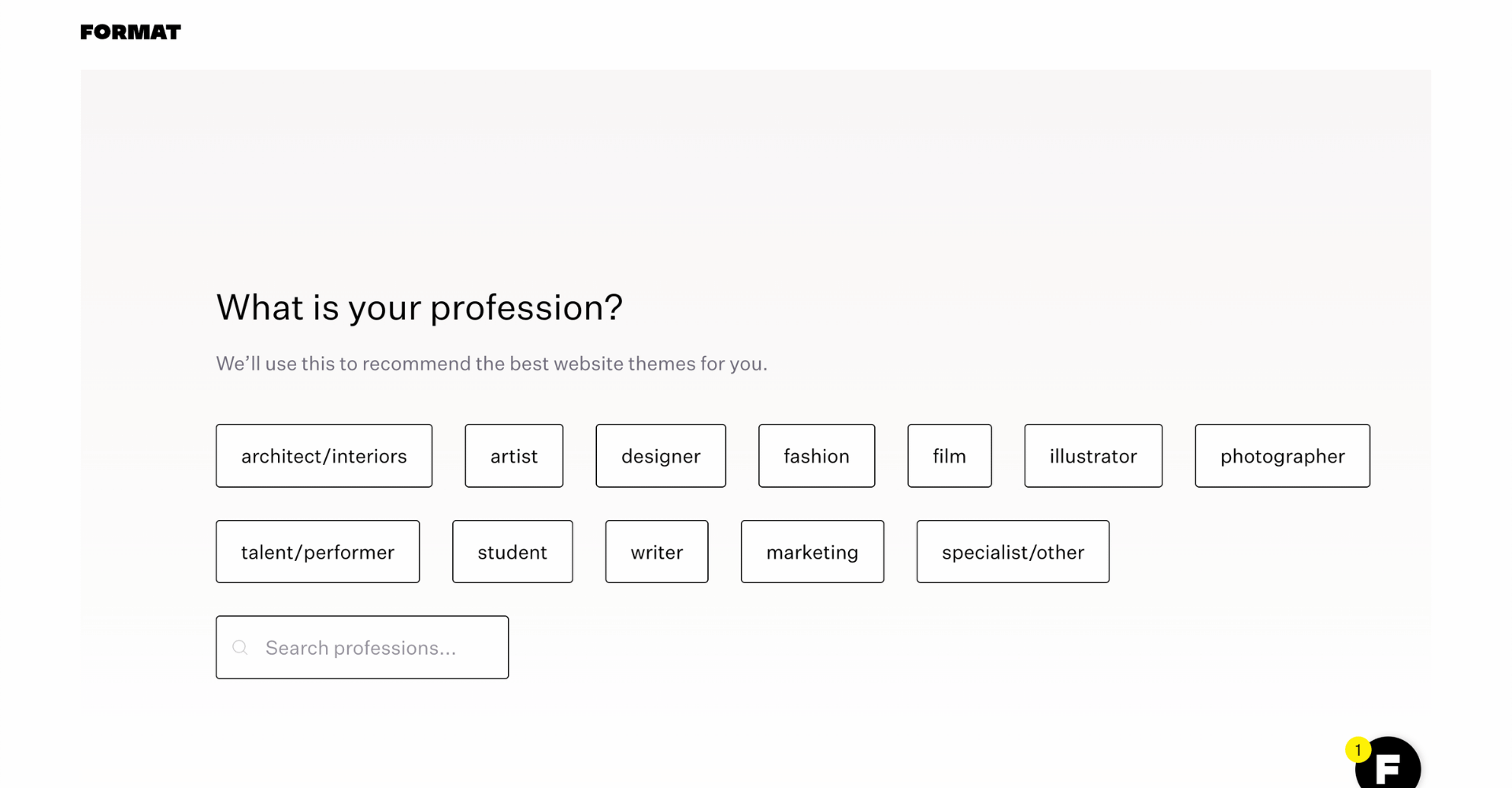
Format is tailored for photographers who want to showcase their work online without worrying much about the process of building a site. If you want to write simple blog posts and maybe even make money online by selling photos, then Format is the website builder for you.
Honestly, Format is great for sharing visual work of all types. If you’re an artist of any kind, you will love what Format has to offer.
On the other hand, if you’re looking to build a business website, have custom features you want to embed, or want to focus on blogging, this website builder might not be a great fit. Instead, I suggest looking at WordPress, Wix, or Squarespace.
Format key features
Templates for photographers – modern layouts tailored for photographers and artists to showcase their work, created by award-winning designers.
Customize without coding – unless you really want to add custom code, you can have a gorgeous portfolio site created simply by customizing portions of template pages.
Mobile optimized – all templates are designed for mobile users, so you don’t have to worry about how your portfolio will appear to visitors coming from smartphones and tablets.
Review summary
Format is a modern website builder that’s created for photographers and artists. It’s easy to use, and allows you to build and share a custom portfolio online within a day.
The platform does also offer blogging and eCommerce features, but these are intentionally streamlined and will only be good for smaller projects. For anyone who’s trying to build a different kind of online business, blog, or a more serious eCommerce store, Format is not suitable.
Detailed Format review
- Ease of use
- Templates
- Design flexibility
- Domain options
- Mobile site optimization
- SEO (Search Engine Optimization)
- Blogging functions
- eCommerce integration
- Business forward features
- Pricing & plans
- Format vs Squarespace Comparison
- Format: best website builder for photographers?
Ease of use
Format prioritizes simplicity. And they know their primary user base is new to website building, not seasoned website developers.
They’ve focused in on providing a great portfolio website builder for creatives. Unlike other website builders that have endlessly customizable features you can easily get lost in, Format focuses on tools to help make it easy to showcase your work.
The entire user interface is straightforward and clean, which is something you notice immediately.

The navigation menu keeps things tidy so it’s easy to access all areas of your Format website. You can easily switch between the primary areas you’ll need to build a professional website:
- Dashboard: overview of your site
- Portfolio: where you easily display and curate your body of work
- Workflow: function to run your business like tracking for clients and their private client galleries
- Selling: manage your listings for sale and prints
- Storage: where your media lives
Like with any new medium, there’s a learning curve. Format leverages nesting menus so it’s worth it to set aside a few hours to orient yourself to the options.
One thing we love is their use of hover text explaining the function of each area. It saves unnecessary clicks into each option to see what it does.
Format templates
Format’s range of templates are definitely a strong point. They have just under a 100 templates that are sorted in two main ways.
Profession:
- Architecture
- Art
- Design
- Illustration
- Makeup & Fashion
- Makreting
- Model
- Photography
- Student
- Video
- Wedding Photography
- Writing
Gallery Style:
- Horizontal Scroll
- Tiled
- Vertical Scroll
- Fullscreen
- Slideshow
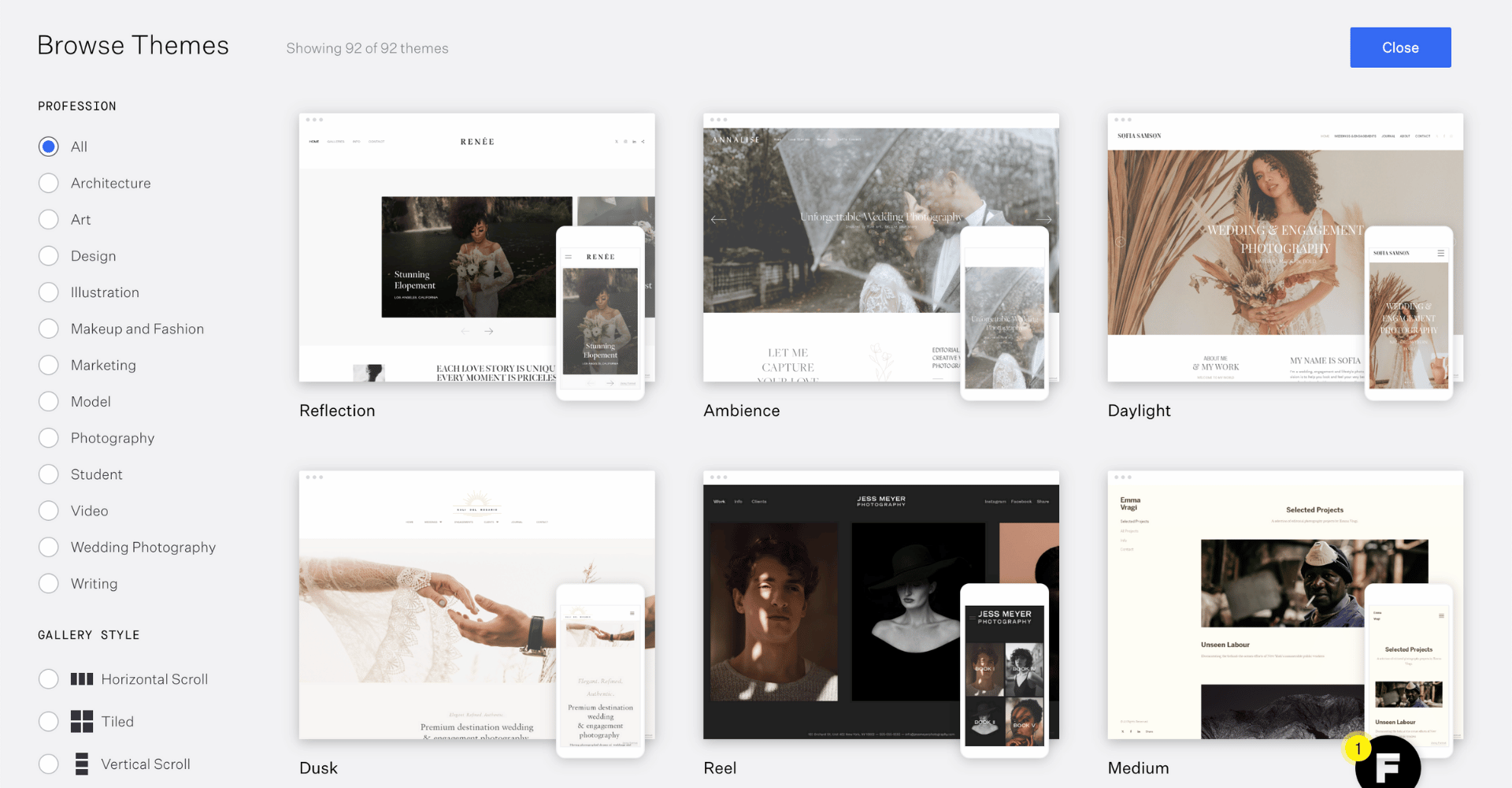
Their templates have enough variation that just about anyone can choose the best one for their needs. A lot of the templates give old school Instagram vibes, as you would expect with a website builder for creative professionals.
With that said, don’t stress too much about your template choice, they can be easily changed at any moment during the design process. So, choose one, and play around with it until you find the perfect fit for your site.
Aside from the templates being specifically designed to showcase photography an added perk is that they also automatically optimize images for the web while maintaining your sharpness and color accuracy. Less work for you.
Design flexibility
The template controls the design of your new website. You do have some freedom in editing the general layout, colors, and fonts.
Adjustments to your site are controlled by adding new sections. Your sections options are:
- Dividers
- Pre-formatted section templates: home page title section, sections combining text and images, etc
- Text
- Images
- Forms
- Media
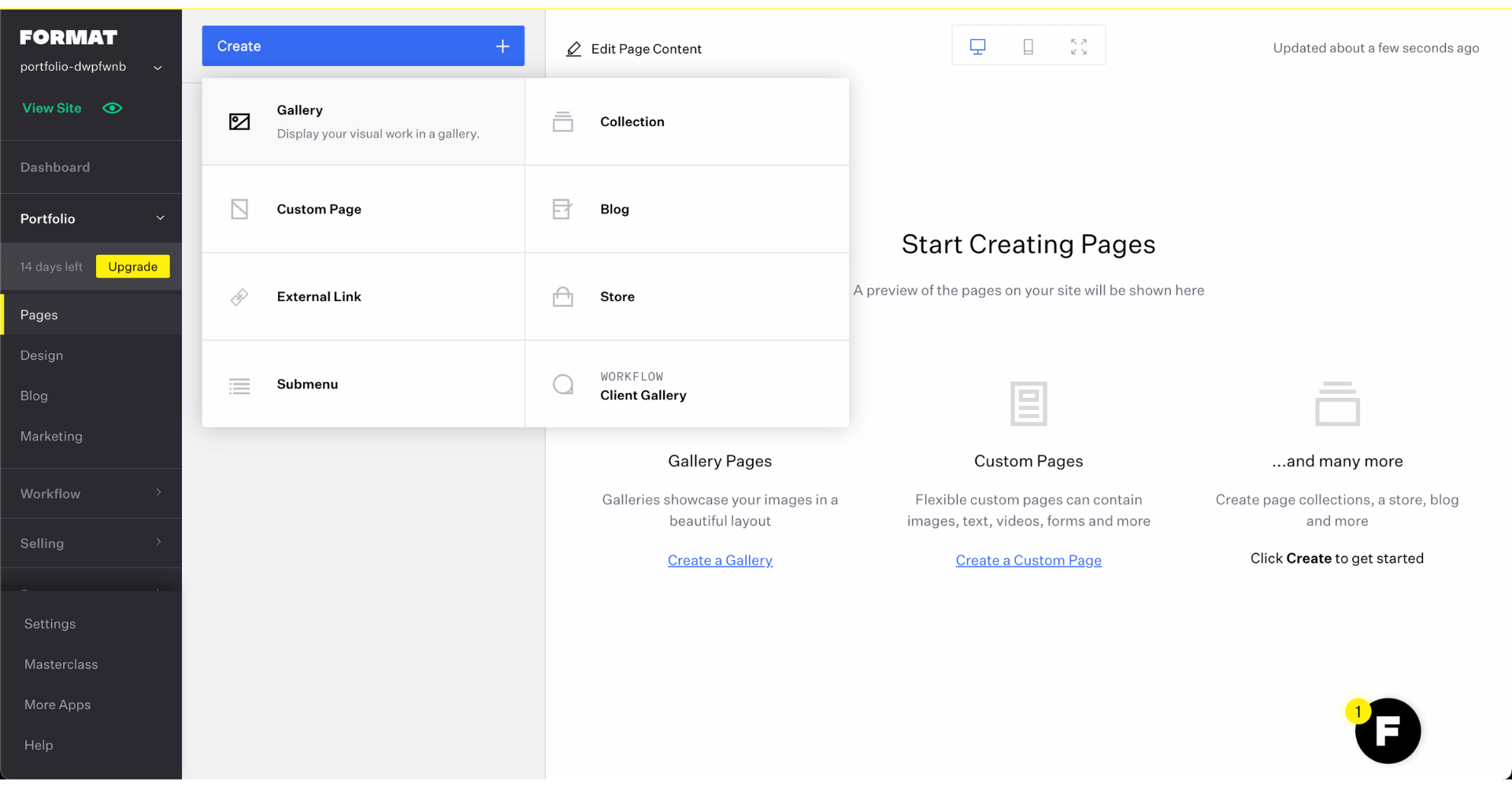
Compared to other website builders like Wix or Squarespace, the section options are limited. But their goal isn’t to be everyone’s use case, Format provides a simple user experience for a photography website or portfolio builder.
Once an element is added to the page, you can makes simple modifications to it. For text, that means selecting a predefined size of the font, alignment, making it bold or italic, and adding a link. Think along the lines of what you could do in a typical word editor.
When it comes to images, you can change the photo (use their images, import from DropBox, or upload a custom one), orientation, add alt text for search engine optimization, or make a link out of it. If the image is large enough, you’ll be able to zoom in. That’s all.
If you already have an understanding of website builders and customization options are important to you, the Pro Plan and up do offer the ability to upload custom fonts and have a custom code editor so if you want to get more detailed in your edits you’ll access to those features.
If this is your first website and you’re just wanting a quick way get your creative business online without needing to code, Format makes that easy.
Domain options
Unless you decide to purchase a custom domain name or transfer an existing one, you can access your Format website via their subdomain.
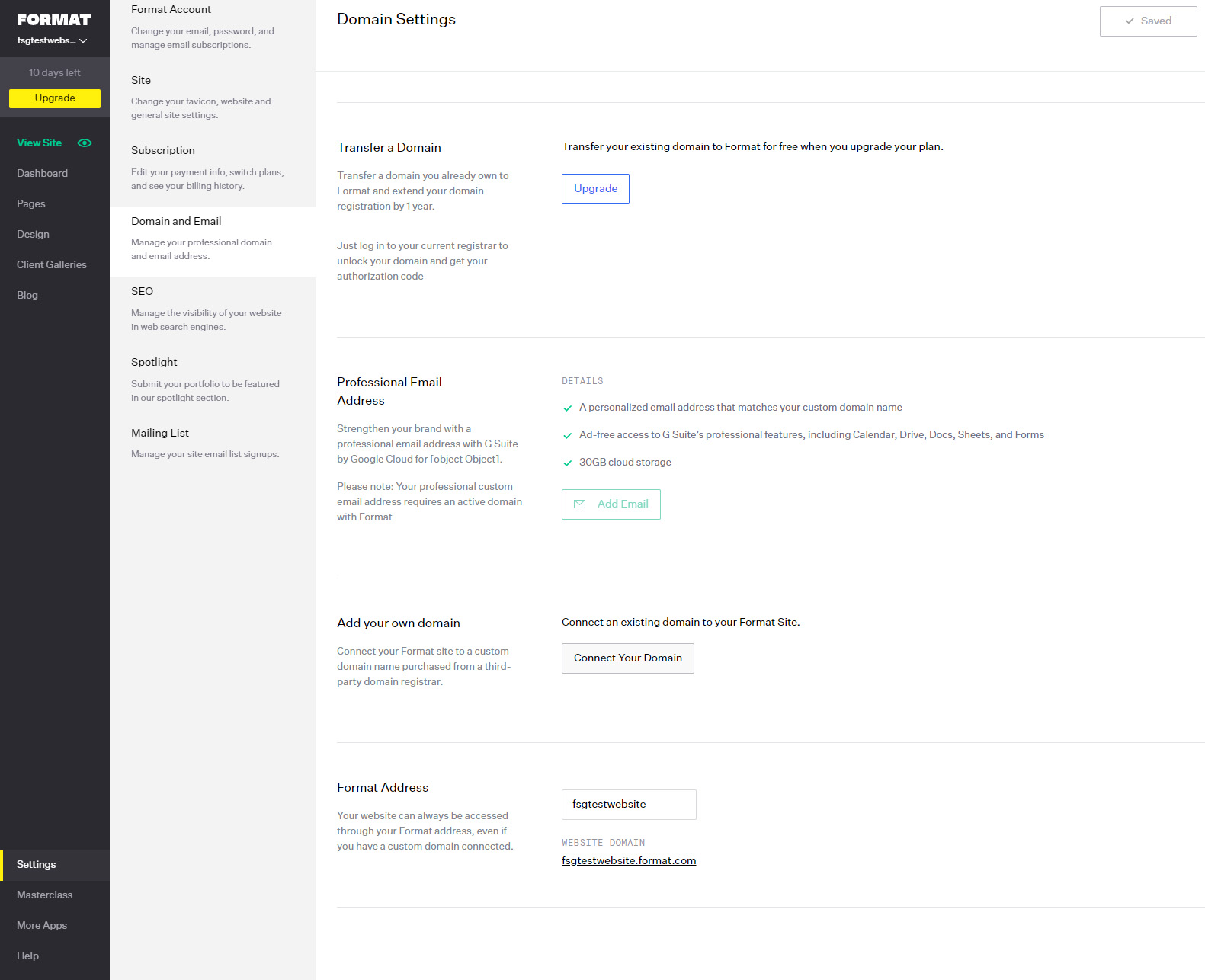
By default, that subdomain will be generated from your personal name, but you can always change it from the settings.
In that case, your site address can be anything.format.com unless it’s already in use by some other Format user. But since there aren’t as many Format users as there are at Wix, WordPress, or Squarespace, it shouldn’t be that hard to come up with a unique subdomain idea.
Mobile site optimization
Since Format has clearly put effort into professionally designed templates, it’s not surprising that all of them look great on mobile devices. With that said, there aren’t any customization options specifically for mobile layouts.
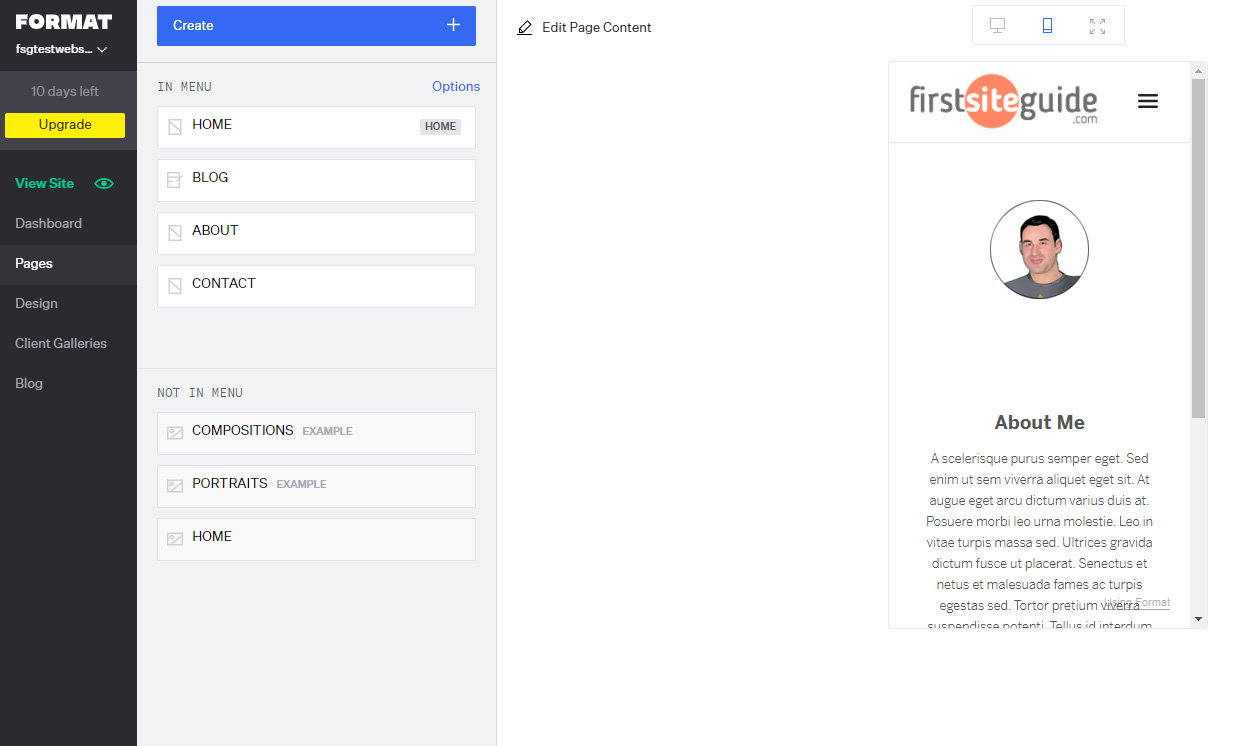
You can preview your website in mobile view at any time from the Pages or Design area. There’s peace of mind in knowing that your design will look professional on mobile as a large portion of website traffic now comes from mobile devices.
Also of note, there is a Format mobile app on iOS so you can make adjustments to your format pages easily from your phone.
SEO (Search Engine Optimization)
Since Format is such a simple builder, one wouldn’t expect to have options related to search engine optimization. However, it comes as a pleasant surprise to find a few SEO options available in the builder.
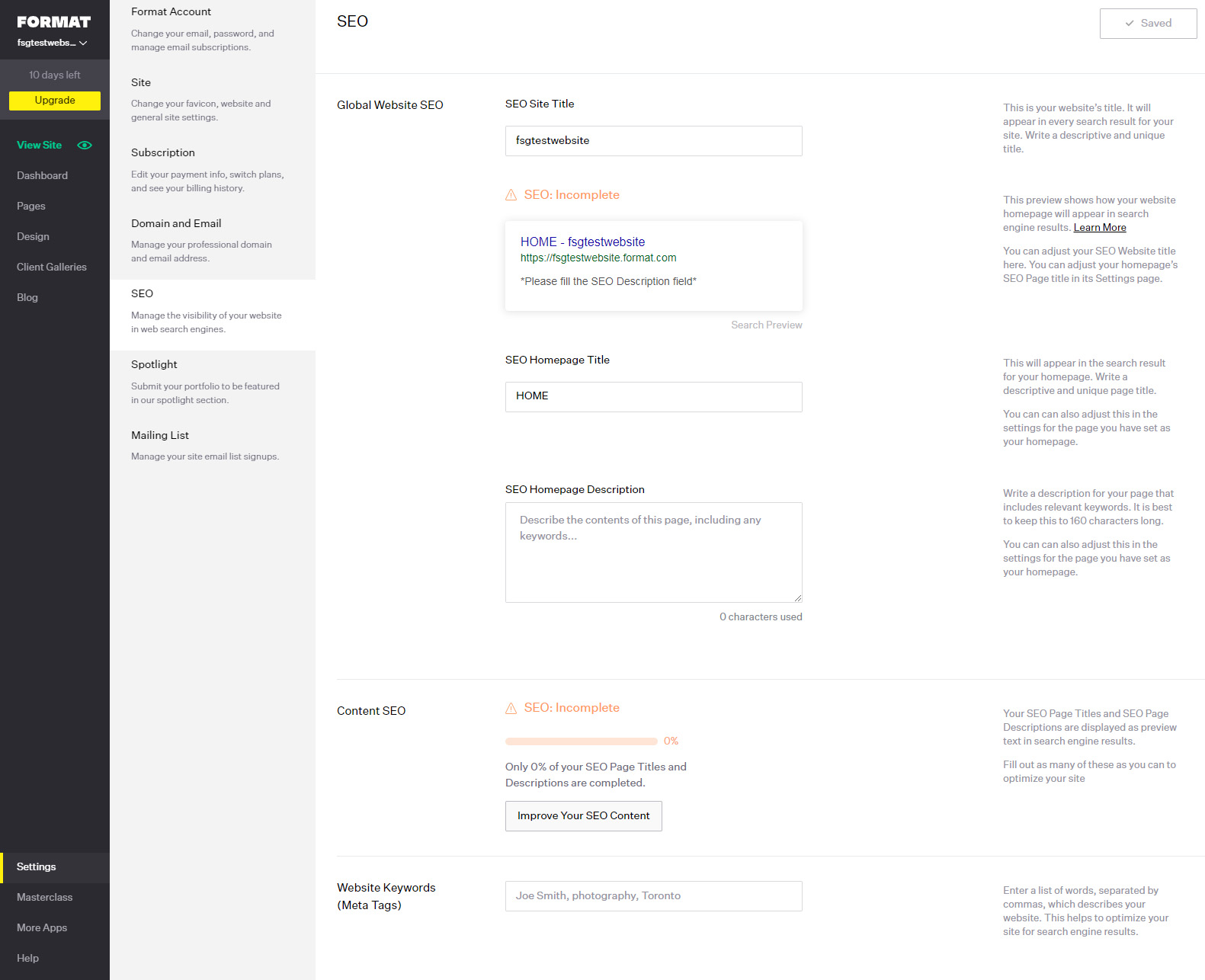
Changing titles, adding alt text to your images, and controlling the URL are all excellent additions to the options available with this straightforward builder.
I was surprised that Format creates a sitemap for you automatically, and that you can access it from the settings at any time. Google and other search engines will love your portfolio site because of this simple file.
They encourage setting up your Google Business Profile, which I love to see as that can have a huge impact on SEO for local businesses.
You can also connect your Google Analytics, and even add a few keywords you’d like to rank for. As long as you don’t expect to become an SEO star, these options will be more than enough for your simple site.
Format blogging functions
Even if you’re a photographer or an artist, you might still want to write something every now and then. This supports SEO efforts and gives search engines more context on your business and your website.
Format gives you some basic blogging options (which are sufficient for most creatives).
Adding a blog to your website is easy: either choose a template that includes one already or add one with one click from the Page settings.
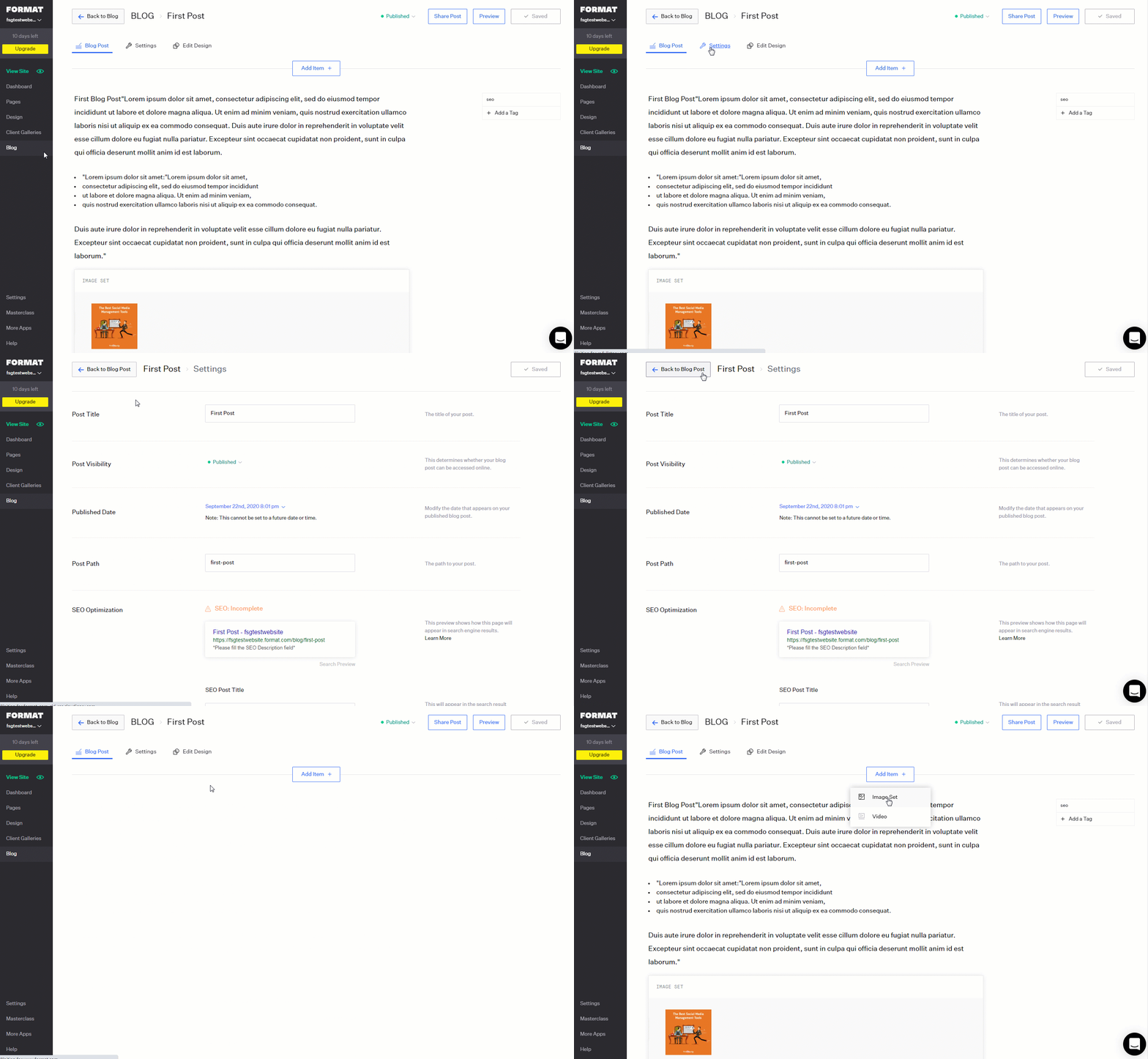
The blog editor is very simple and, as you might guess, focused on adding media. So, all you can do with your blog post is attach text, images, and videos without any special treatments.
The blogging functionality gives you the option to turn on comments and social sharing icons as well as change how your posts are displayed (grid, slideshow, or vertically).
There’s also a section for blog post SEO in each post settings so make sure to take advantage of this.
While this is adequate for someone entirely focused on imagery, those who tend to blog more often might want more features and options.
eCommerce integration
Creating a simple store honestly feels quite lovely when using Format. Whether you want to sell digital goods, services, print-on-demand prints, or even physical products, it’s quick and easy to set up.
Adding a store to your site means adding a new page. Add items you want to sell, give them descriptions, and attention grabbing images. Then, connect your PayPal Business account, and you will be ready to start selling.
You can manage the inventory and each product in the online store so if you’re selling only a few items, you’ll be good to go.

For those looking to launch a more complex ecommerce website, you’d be best served looking into other website builder options.
Format business features
Outside of the eCommerce features, there are additional business features that are specific to creative professionals. The Workflow section of your Format account allows you to keep track of communications and client details.

It’s essentially a slimmed down customer relationship management tool. You can form submissions, create client galleries, keep notes, setup transfer of files, and store any documents or contracts associated with that client.
These are really useful features if you’re using something like Google sheets to manage your client list now.
Format pricing and plans
Unlike other website builders that all come with free versions, Format offers a 14-day free trial only. You can start their trial without needing to put in billing information and 14 days should give you plenty of time to know if Format is right for your business.
Each plan has different details, we’ll go over those next. There’s also 24/7 customer support included.
Basic
-
$10/month
billed annually
10 website pages, 70 high resolution images, 10 client galleries, and 2GB file transfers.
Pro
-
$12/month
billed annually
Unlimited website pages, 1500 high resolution images, 100GB of storage, 15 minutes of hosted video, free custom domain name, 15 store products, 50 client galleries, and 5GB file transfers.
Pro Plus
-
$18/month
billed annually
Unlimited gallery images, free custom domain, 60 store products, 10000 client gallery images, custom code editing, premium layouts, mailing list builder, site-building service.
Premium
-
$25/month
billed annually
Unlimited website pages and high resolution images, 1TB image storage, 120 minutes of hosted video, up to 1000 store products, 250 client galleries, 10GB file transfers and the option for a free website build services if you sign up on the annual plan.
Customer support
The support is quite nice. They have a pretty substantial Help Library with articles searched by topic, everything from SEO to managing clients on Format. Many of these have video overviews as well.
There’s also a chatbot for questions and you have the ability to submit tickets for their team to review.
Format pros and cons
PROS
Templates – all templates look really beautiful, and you can tell professionals designed them. Also, the templates are easily editable so you can expect high-quality sites with no extra effort.
Mobile optimization – although you can’t edit mobile pages, everything is so well-optimized that you really do not have to care.
Support – all plans come with 24/7 support that you can rely on.
Features for Creatives – Built for creatives who are looking specifically to share their portfolio and track clients.
Quick Launch – Compared to a more full-featured website on WordPress or Squarespace, you’ll likely be able to launch a Format site much more quickly.
CONS
No free plan – unlike other page builders, there’s no free plan you can use long term.
Exclusivity – practically all that you can build with Format are portfolio sites. If you decide to create something else, you might have a tough time.
Blog – blogging options are very basic, and all you can do is write text and add images. There’s not even a commenting system included.
Examples of sites built with Format
Justin Dingwall — Created with Format

Ana Gil — Created with Format

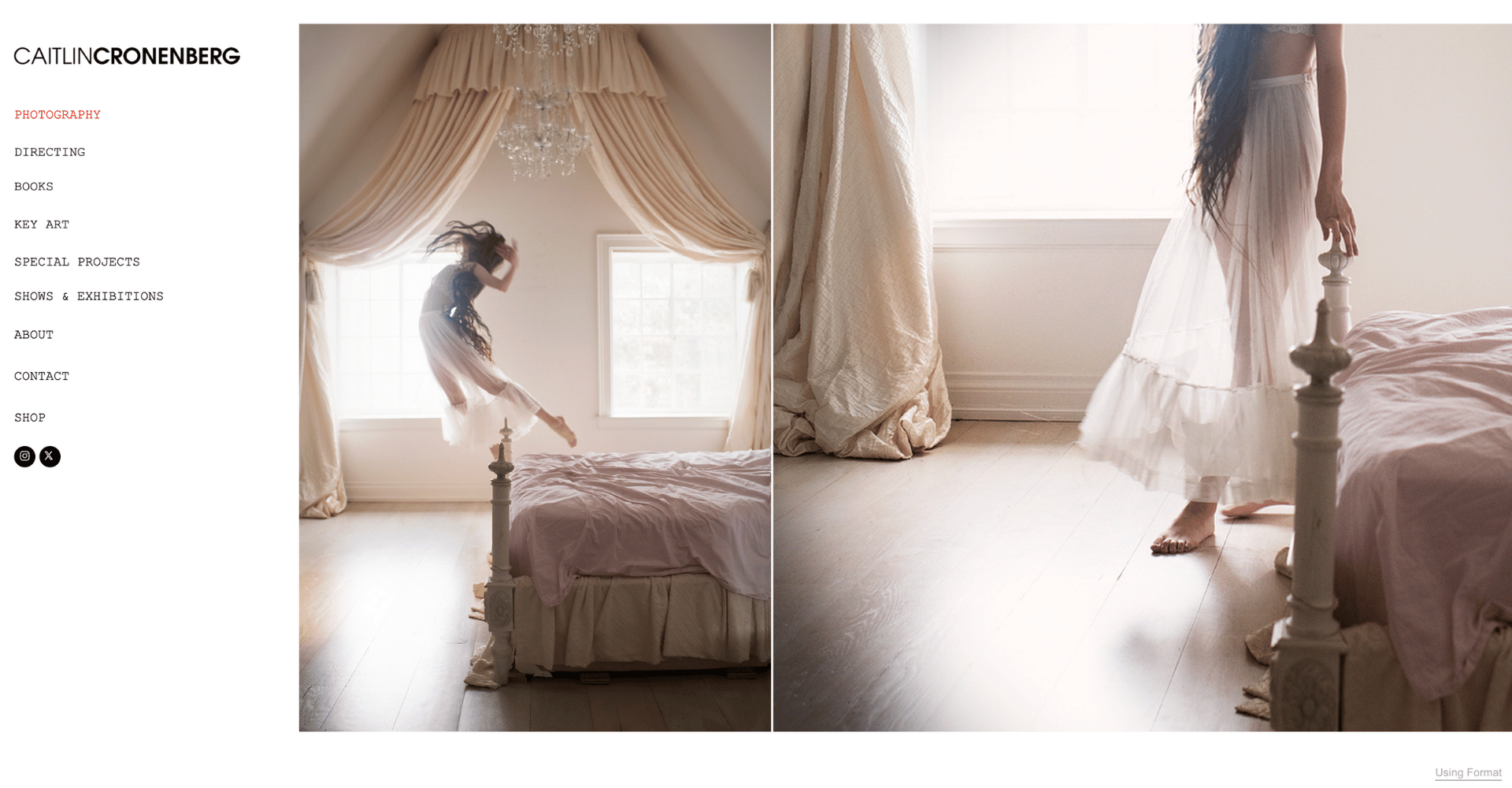
Caitlin Cronenberg — Created with Format
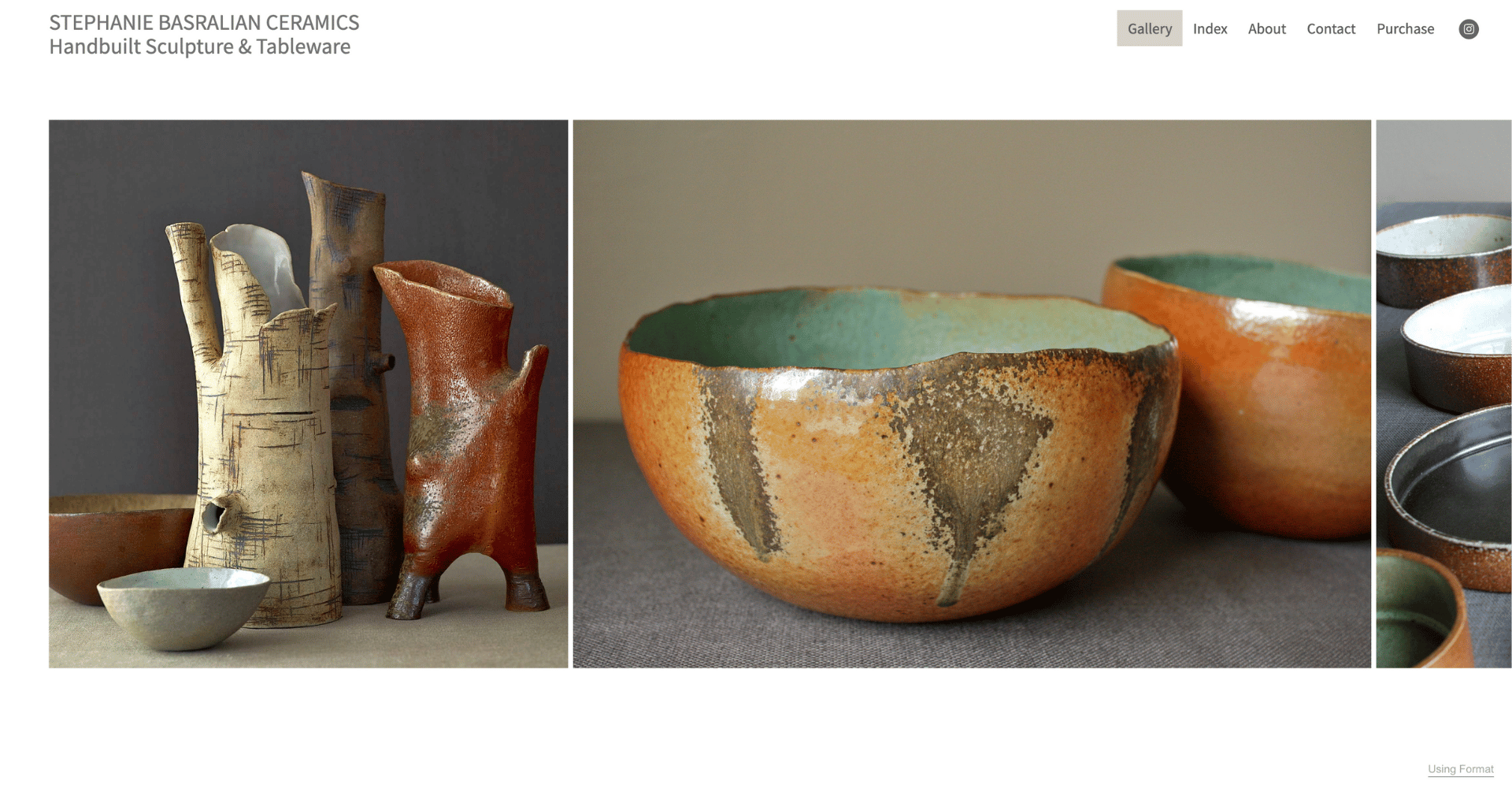
Stephanie Brasralian — Created with Format
Format vs Squarespace Comparison
These two platforms get talked about a lot among the photography and art community. If Squarespace is among your top options for your website and you want a quick comparison, we’ve put their functionalities side-by-side.
Image & Portfolio Handling – Winner: Format
If you haven’t picked up on it yet, Format is purpose-built for photography with Lightroom integration through its Publisher plugin, allowing you to publish portfolios directly from Lightroom.
Squarespace offers flexible gallery options but requires manual uploads and lacks photography-specific optimization.
| Format | Squarespace | |
|---|---|---|
| Lightroom Integration | Native plugin | Manual uploads only |
| Image Optimization | Photography-specialized | General-purpose |
| Gallery Layouts | Photography-focused | Multiple flexible options |
Client Management & Proofing – Winner: Format
Format includes dedicated client galleries with password protection and integrated contact forms, designed specifically for the photographer-to-client delivery workflow. The Lightroom integration extends to client gallery publishing, making proof sharing pretty seamless.
Squarespace lacks a purpose-built proofing system and requires third-party tools for professional client review workflows.
| Format | Squarespace | |
|---|---|---|
| Client Galleries | Built-in, password-protected | Gated content only |
| Lightroom Proofing | Integrated | Not available |
| Workflow Optimization | Photography-specific | General-purpose |
E-Commerce Capabilities – Winner: Squarespace
Squarespace offers enterprise-grade e-commerce with unlimited product variants, subscriptions, inventory management, and social selling integration. Format provides a basic store suitable for selling prints and services at low volume, but it’s nothing super sophisticated.
Squarespace is ideal if you’re treating your creative practice as a scalable business or expecting significant sales volume.
| Format | Squarespace | |
|---|---|---|
| Product Variants | Not available | Unlimited |
| Subscriptions | Not available | Supported |
| Commission | Zero | Payment processing fees only |
| Complexity | Simple | Advanced |
Content & Marketing Tools – Winner: Squarespace
Squarespace includes AI-powered blog generation, email marketing automation, member sites, and integrated SEO optimization tools. Format provides basic blogging but real dedicated marketing tools. It’s designed for creatives who want their work to speak without active promotion.
Squarespace is better suited for photographers building audience through content marketing and organic search.
| Format | Squarespace | |
|---|---|---|
| Blog Features | Basic | AI-assisted with automation |
| Email Marketing | Not included | Built-in with automation |
| SEO Tools | Limited | Comprehensive |
| Content Monetization | Not available | Member sites available |
Design & Customization – Winner: Squarespace
Squarespace’s Fluid Engine offers customization with full control over grids, block alignment, and layout manipulation. Format constrains customization intentionally, with templates designed to ensure cohesive visual presentation without design overwhelm.
Choose Squarespace if you need complete design freedom; choose Format if you prefer beautiful constraints.
| Format | Squarespace | |
|---|---|---|
| Templates | ~100 curated designs | Unlimited customization |
| Design Freedom | Constrained | Complete |
| Drag-and-Drop | Simple | Fluid Engine |
| CSS/HTML Access | Limited | Full access available |
Ease of Use – Winner: Format
Format is renowned for simplicity and can have photographers publishing professional portfolios within a day. Squarespace’s comprehensive features create a steeper learning curve with more configuration options and decisions required.
Format wins for photographers prioritizing speed to launch; Squarespace requires more upfront investment but offers greater long-term flexibility.
| Format | Squarespace | |
|---|---|---|
| Setup Time | Hours to days | Days to weeks |
| Learning Curve | Beginner-friendly | Intermediate |
| Configuration Decisions | Minimal | Extensive |
| Support Focus | Photography-specific | Broad business |
Format and Squarespace Comparison Table
| Format | Squarespace | |
|---|---|---|
| Best For | Solo photographers wanting quick, beautiful portfolios | Creatives scaling a business with content/e-commerce |
| Image Optimization | Photography-specialized | General-purpose |
| Client Proofing | Built-in with Lightroom | Requires workarounds |
| E-Commerce Power | Basic, commission-free | Enterprise-grade |
| Marketing Tools | Minimal | Comprehensive |
| Design Control | Constrained | Unlimited |
| Setup Difficulty | Very easy | Moderate |
FAQs
Although it is technically possible to have a blog on your Format website, that’s not something I would recommend. Format offers only basic blogging options, which are a viable option for people who want to showcase their new images on the site, with a short text addition. For anyone more serious about blogging, I would suggest skipping Format altogether.
Yes, you can earn money with your Format website. It comes with basic eCommerce options. You can quickly set up your own online store where you can sell digital goods and services, as well as physical items.
While Format does offer a 14-day trial period, it is not free to use. These fourteen days will be enough to test the platform and see what it is capable of, but to continue using it, you would have to start paying for one of their three pricing plans.
Format is a fantastic platform for creating portfolios. It’s designed exclusively for people who want to showcase their photographs, videos, and art online. However, it’s hard to make any other kind of website with it.
If you’re looking for a simple website builder that will let you create an astonishing portfolio, Format is a great choice.
Format is a simple website builder that’s not hard to learn or use. It only comes with the options needed for creating beautiful online portfolios.
Final Verdict: Is Format the best website builder for photographers?
If you’re a photographer or artist who wants to showcase your work by building a custom website, Format is an excellent platform to choose. Templates are modern, beautiful, and responsive. The editor is easy to use and comes only with options that you would actually need. So, you can quickly create a gorgeous site without stressing over the details.
If you’re a creative who’s looking to scale their business through organic marketing or to include heavy ecommerce usage you’ll likely find Format lacking for your needs. Based on your goals Format will either be an easy yes or a sure no.
I found this review really insightful! It’s great to see a detailed breakdown of Format’s features and pricing. I’m considering using it for my portfolio, but I’m curious about how it compares to other platforms in terms of customization options. Any thoughts on that? Thanks for the helpful information!