


| CARVIEW |
2017: The Year I Took Control
This time last year I had a plan, or at least I thought I did. I was going to spend 2017 writing and/or updating my last few Take Control books, while also spinning up a project that would take my career in an exciting new direction. My plan was both ambitious and risky, but I was looking forward to the adventure.
Well, my career did indeed go in an exciting new direction this year, but it wasn’t even remotely what I expected. Early in 2017, Adam and Tonya Engst asked if I’d be interested in buying Take Control Books—an idea so crazy it left me (briefly) speechless. But after months of discussion, planning, and meetings with accountants and lawyers, we sealed the deal on May 1 and I took over as head honcho of the publisher that had released more than 50 of my books. Take Control became not merely a part of alt concepts inc. but nearly the whole of it.
Running this business has been a lot of hard work, and indeed that’s an understatement along the lines of saying that Apple sells a lot of iPhones. Being a publisher is a full-time job. But I’m still writing books, too, which is enormously time-consuming. I also have a great deal of work to do in retooling the aging infrastructure behind Take Control and planning new projects. Oh, and let’s not forget about my wife and kids, all of whom appreciate attention on a regular basis. I have what feels like three-plus full-time jobs.
So I’ve been working ridiculously long hours. “Busy” doesn’t begin to describe it. “Exhausted” is in, let’s say, the outskirts of the ballpark’s parking lot. Even at that, I’m doing less than I feel I should, and making slower progress than I’d like.
In any case, if you’ve been wondering why I almost never post anything on Joe On Tech or on my blog at joekissell.com, wonder no more. The number of work hours required of me exceeds the number of hours available. But all this hard work is in the service of helping people understand and make the best use of technology—and, in the process, supporting my own family and providing income for our numerous authors, editors, and other contractors. I’m grateful to have this job.
About Joe On Tech
In early 2015, long before it occurred to anyone that I might one day be running Take Control, the former publishers decided to discontinue four of the books I’d written. The books had been popular and had sold well, but they were showing their age and there wasn’t space in the publishing schedule to keep them updated. I offered to adopt those books and republish them under my own brand, in order to keep the valuable information in them available and up to date. I created the Joe On Tech website partly as a place to sell the books, and partly as a place to write about tech-related topics that didn’t seem to fit anywhere else.
By late this year, those books all needed yet another update, and since I was now in charge of Take Control, I decided to move the books back to where they started. So I’ve released new editions of all four books with their original Take Control titles (Take Control of Backing Up Your Mac, Take Control of Maintaining Your Mac, Take Control of Troubleshooting Your Mac, and Take Control of Speeding Up Your Mac). I’m also offering the four books together as a bundle for half price—an even better deal than the erstwhile Joe On Tech “Mac Fitness Bundle.”
And with that, Joe On Tech is no longer in tne business of selling books! As I have no spare cycles in which to write articles for the Joe On Tech site, it’s unlikely to see more action. I suspect that I’ll eventually migrate the existing articles to another home.
None of this makes me sad, and it shouldn’t make you sad either. Running one publisher is plenty for me, and I have no shortage of places I can express myself online. I thought for a while that Joe On Tech might become more of a business focus for me, but it served its purpose and it was well worth doing. On to the next thing!
The Next Thing
In 2018, Take Control will publish and update many more books, just as it has done since 2003. No surprises there. I expect that both the books themselves and the Take Control website will undergo some visual and functional changes in the coming months, and I hope everyone likes them! I’m looking for ways to make things easier, less expensive, more helpful, and more attractive to everyone, while expanding our audience and helping our authors sell more books. I don’t have any specific major announcements at this point, but work is underway and we should start seeing the results of that reasonably soon.
In addition to those evolutionary changes to Take Control, Morgen and I are cooking up a totally new thing that I’m tremendously excited about. It’s weird, it’s fun, it’s clever, it’s cheap, and we think it will increase the total amount of happiness in the world. You’ll know it when you see it. Stay tuned.
Oh, and one more thing. At the end of 2016 I said I was planning to do something in the new year that would make fans of Interesting Thing of the Day happy, just as I’d said at the end of 2015. Two years in a row, that thing didn’t happen. Did I mention that I was unexpectedly busy this year? OK. Well, I’d like to point out that April 1, 2018 will be the 15th anniversary of Interesting Thing of the Day. All things being equal, that would be an auspicious date to introduce a new thing. No promises yet—remember, I have those three-plus full-time jobs—but I have an idea and a partial plan, and I’m going to see what I can do.
A Brighter Future
In my end-of-2016 joeMail message, I said:
My prediction—and, OK, I’ve been wrong before, but I’m pretty confident about this—is that the world will not end in 2017. I’m planning to do my part to bring about a brighter future for humanity, and I hope you’ll do the same.
Hey, I got something right! The world didn’t end. I’m still as committed as ever to that whole “brighter future for humanity” thing. And I’m realizing that there’s more than one way to skin that cat.
When I turned 50 back in January, I dyed my hair purple. I kept it purple most of this year, although the last of the color is now fading. It was quite an experience. I got drive-by (and walk-by) compliments all the time. Little kids would point at me and say, “Mommy, that man has purple hair! Can I have purple hair?” It was an incredible conversation starter.
I was able to bring a little bit of joy to other people just by walking down the street, and I didn’t mind the fact that some people were laughing at me rather than with me. Having purple hair provided countless opportunities I wouldn’t otherwise have had to connect with other human beings. People in totally different social, economic, and cultural groups—with whom I shared nothing obvious except for a wacky appearance—suddenly smiled at me and treated me like part of their tribe.
It was a little, silly thing. But it showed me that little, silly things are sometimes all it takes to make a big difference. I think I’ll do more of them, and I hope you will too!
Well, that about wraps it up for 2017. Peace and prosperity to you and yours in the new year!
P.S. Even if you’re not interested in my “Mac fitness” books, Take Control has dozens of other titles you might like. Through January 9, you can save 25% on all our books with the coupon WINTERFEST207, and we also invite you to take advantage of the same discount on over a dozen fantastic Mac apps—see the main WinterFest page for details.
 ]]>
]]>
As many Joe On Tech readers know, I have been an author for over 20 years, and for the last 14 of those years, most of my books have been published by Take Control Books. In fact, I’ve written 56 Take Control titles so far (nearly a third of their catalog), and royalties from those books have been my primary source of income for a long time. It has been a pretty good gig.
In a twist I never could have predicted or even imagined just a few months ago, my company (alt concepts inc.) has acquired Take Control Books from TidBITS Publishing Inc. (owned by Adam and Tonya Engst). I can’t say I’ve ever heard of an author purchasing their publisher before, and I’m still boggling at the weirdness of it all. But this arrangment is a Very Good Thing for everyone involved.
First of all, the venerable Take Control series will continue indefinitely, with an unbroken string of new and updated titles from the usual array of popular authors (including yours truly). If we’ve handled the technical details correctly, everything that was working before should continue to work in the future (and if not, we’ll fix it). Although there are various behind-the-scenes infrastructure changes like new IP addresses and author royalties being paid from a different bank account, the transition should be essentially seamless from our customers’ point of view.
This transition means that Adam and Tonya get a much-needed change of pace. Doing the same thing for too long can lead to boredom and burnout, and I think they felt the time was ripe to explore a different direction professionally. They didn’t want to simply discontinue Take Control, because the series has been so valuable to so many people (readers, authors, and editors alike), but they needed to find it a good home while ensuring that their income didn’t suddenly dry up. Because I’ve been so deeply involved with Take Control since the beginning, I was in a unique position to take over without having to learn the business from scratch.
And so I get a new title: Publisher! I’ll still be writing books, but not as many as before, because a great deal of my time will now be spent publishing other people’s books; managing the business; and dealing with various technological, financial, and logistical matters. I’ll help to recruit and nurture more authors and editors, develop new titles, and do the various other sorts of schmoozing and networking that publishers apparently do. My wife, Morgen Jahnke, will be a big part of this business too. Her main focus will be marketing and publicity, and one of her main goals is to help Take Control books reach a wider audience. Our calculations suggest that this new arrangement will give us greater financial stability, and with luck and hard work, we might even get a bit of an income boost over what would have been possible previously. That would be nice.
Take Control has been incredibly successful as a publisher of tech-focused ebooks, and the last thing I’d want to do is muck up a system that works well. I do, however, have lots of ideas about ways in which Take Control can be improved and expanded. It will take a while to work through my to do list—everything requires time, money, or both. But I am extremely motivated to guide Take Control onward and upward. It’ll be exciting.
You may be wondering what this all means for Joe On Tech. Well, the main reason I started this site was to give a home to several of my favorite Take Control titles that Adam and Tonya were unable to keep updating. (The blog portion of the site, which was admittedly somewhat of an afterthought, didn’t get much attention because I was nearly always busy writing books!) The four current Joe On Tech books will continue to be available, both on this site and at takecontrolbooks.com. I expect to update them later this year after Apple releases the next version of macOS. At some point, I’ll probably reintegrate them into the Take Control brand, because having everything under one virtual roof will make my life simpler. Quite likely the other articles here will also move over to the Take Control site, and when that happens, I’ll probably retire the Joe On Tech brand altogether. And that’s all fine with me. The books will live on, and I’ll still have a platform to express my thoughts on technology, it just won’t be cartoon-Joe-in-a-purple-shirt everywhere.
In short, there are no problems. On the contrary, I’m thrilled to be embarking on this new adventure (or, if you will, the Pro version of the previous adventure). Off we go!
For more details about the Take Control transition, see:
- Take Control Books Acquired by Joe Kissell
- Take Control Transition FAQ
- 2017: The Year I Take Control
- MacVoices interview
 ]]>
]]>
In the customer survey Take Control Books conducted a few months ago, the topic of one’s digital legacy was the most popular by a large margin. People are increasingly concerned about what will happen to their accounts, email, photos, and other data if they die or become incapacitated; and beyond that, how they can make sure all (and only) the data they want to pass down to future generations is preserved in a way that will still be useful decades or centuries from now. I tackle all these subjects, and more, in Take Control of Your Digital Legacy.
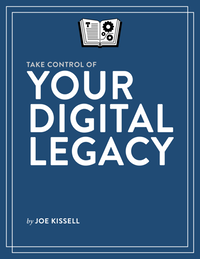
We’ve already received a surprising amount of feedback. Several groups have asked me to do presentations about the material in the book, and professionals such as estate lawyers and accountants have been inquiring about how they can buy the book in bulk for their customers. Every time I turn around someone else is telling me a story involving the importance of having a plan to pass on their digital information. I’m truly amazed at the level of interest.
I wondered how enthusiastically the market would embrace a book that is about, you know, death. But as it turns out, people are finding it life-giving to consider the notion that they can take concrete action to influence the distant future. And, as I say in the book, most of the steps you take to organize and preserve your data for posterity can also have concrete benefits right now.
The book answers questions like these:
-
How can I be sure someone I trust has access to all my passwords in the event of my death or another emergency?
-
What will happen to my social media accounts (Twitter, Facebook, etc.) when I die, and do I have any say over that?
-
Is there any way I can help my heirs figure out what information I have and where to find it, without laboriously indexing zillions of files?
-
What are the options for dealing with my saved email, random files on my computer, and assorted online accounts?
-
How can I go about digitizing family photos and other memorabilia I want to pass on?
-
Are there any potential issues involved in passing on purchased media (such as music, movies, and TV shows) to an heir?
-
What are the best file formats to use if I want my data to be readable in the distant future?
-
Which storage media are most likely to be readable years from now, and what can I do to prevent data loss over time?
-
What’s the advantage of writing my own obituary while I’m still alive?
There’s much more, too. This book is appropriate for people of any age, and regardless of which platform(s) you use. Apart from a couple of spots that required a bit of technical detail, it’s written for the layperson; you don’t have to be a computer whiz to make sense of this material.
You’ll learn all the fundamentals of digital estate planning: why your regular will should be accompanied by a digital will, how to inventory your digital assets without going crazy, and how to choose a digital executor. The book even includes a free downloadable template you can fill in to express your wishes for dealing with every aspect of your digital legacy.
Take Control of Your Digital Legacy costs $15, and it’s available right now from Take Control Books. I hope you’ll find it useful.
As is my custom, I spoke to Chuck Joiner about this book on MacVoices. Have a look (or listen):
 ]]>
]]>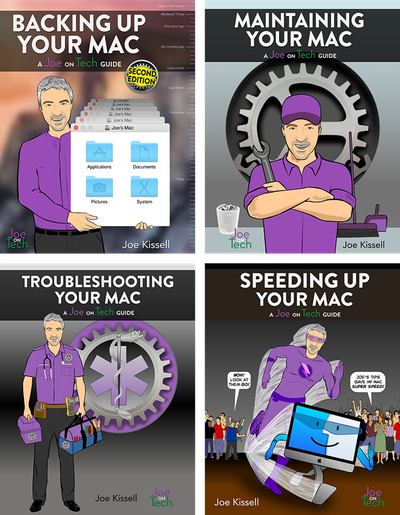
One of the occupational hazards of writing about technology is that books go out of date as hardware and software changes. In an ideal world, I’d update every one of my books each time the products they cover change. But come to think of it, I’m not sure that world would be ideal after all, because with sixty-ish books in my backlist, I would spend every waking hour doing nothing but updating books. Be that as it may, I’m delighted to say that at least the four current Joe On Tech guides have all been freshly updated to include coverage of macOS 10.12 Sierra (while continuing to support older versions of OS X going back to 10.9 Mavericks). I’m even more delighted to say that all these updates are free to everyone who owns earlier versions of the books.
Although the main change in all four titles was adding Sierra compatibility, I also took the opportunity to make a few other small additions and corrections to each title. I’d like to think all four books will remain accurate until Apple releases the next version of macOS in, I assume, late 2017, but I probably won’t be so lucky. In any case, as of September 20, 2016, the latest versions of the books are completely up to date:
- Backing Up Your Mac version 2.1
- Maintaining Your Mac version 1.2
- Troubleshooting Your Mac version 1.1
- Speeding Up Your Mac version 1.1
If you already had an older version of one of these books, you should already have received email from me explaining how to download the latest update. If you didn’t get that message, just click the “Check for Updates” link found on the next-to-last page of your book (or thereabouts).
But wait, there’s more! Along with the new versions, I’m also now offering a special ebook bundle at a greatly reduced price. The Mac Fitness Bundle includes all four ebooks, and costs only $39.99 (that’s less than the price of three individual books). If you don’t already own these books, the bundle is a great way to learn everything you need to know to keep your Mac healthy and fit.
I discussed the updated books and the new bundle with Chuck Joiner on MacVoices. Have a look:
 ]]>
]]>
Apple released macOS 10.12 Sierra on September 20. If you’d like to upgrade but are feeling nervous or hesitant, I’d like to recommend my latest book: Take Control of Upgrading to Sierra. This is my tenth Take Control of Upgrading to… book, going all the way back to Take Control of Upgrading to Panther back in 2003. Because this book is informed by years of experience and countless test installations, you can upgrade with confidence.
As I say in the book’s introduction, upgrading doesn’t have to be a big deal. If you’ve upgraded your Mac numerous times and have excellent backups (and fast broadband), you’ll almost certainly be fine without having to read my book. But if you’ve never upgraded a Mac’s operating system before—or if it’s been years (Snow Leopard holdouts, I’m looking at you)—you may want a bit of expert advice about how to prepare your Mac, avoid (or fix) problems, and get up and running afterward with minimal fuss.
As usual, I spoke to Chuck Joiner about this book on MacVoices. Have a look (or listen):
 ]]>
]]>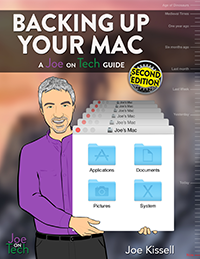
As I foreshadowed last week, the massively revised second edition of Backing Up Your Mac: A Joe On Tech Guide has been published. Although I originally thought this would be a minor update, I kept finding more things that had changed in the world of Mac backup hardware, software, and services. And, I wanted to incorporate a number of reader suggestions and requests. So the second edition has quite a bit of new stuff in it, and is also (of course) up to date with the latest version of OS X (soon to be macOS).
In the Take Control world, we normally charge an upgrade fee for new editions. I don’t mean to set a precedent for Joe On Tech guides, but for a variety of reasons it seemed like a better idea to offer this version as a free update to anyone who has the first edition. If you are such a person, you should already have received an email from me with instructions for downloading the new version (ahem, followed shortly thereafter by another message with the correct links!), but if not, please click the Check for Updates link on the next-to-last page for details.
 ]]>
]]>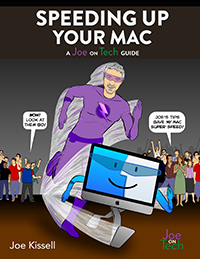
My lastest book, Speeding Up Your Mac: A Joe On Tech Guide, is finally available! I’ve been promising this book for quite some time, and it’s been frustrating these last several months not being able to make good on that promise. (Life has been complicated. You know how it is.) I appreciate the patience of those of you who have been waiting so long, and I’m pleased to say your wait is over.
Alert readers can probably discern from the book’s title that it has to do with improving your Mac’s performance 😀. That’s true, but there’s more to the story.
I suspect most Mac users have experienced the feeling that their Macs have gotten gradually slower over time. It’s usually a subtle thing, but one day you start noticing that things don’t feel quite as zippy as they once did. More time passes, and you notice increasing delays in opening files, loading webpages, switching apps, or whatever. And then one day you realize you’ve crossed a line and you start yelling at your Mac. (This might be more useful after macOS 10.12 Sierra ships and Macs include Siri. Can’t wait to find out.) Right around that time, Apple announces new models and your immediate temptation is to solve your speed problem by buying an entirely new Mac. And hey, who doesn’t like a shiny new computer? But you may also feel like your old Mac should have plenty of life in it and wonder whether there isn’t some way to make it feel as fast as it did when you bought it.
As a matter of fact, you can return your Mac to its formerly peppy self, and in many cases, even go beyond that. That’s what my new book tells you how to do.
The thing is, there are gazillions of websites with tips about improving Mac performance, but most of them are based solely on anecdotal evidence. You can try a bunch of these random procedures, but you have no way to know up front whether any of them will be successful, and even if your Mac is faster at the end, you may have no idea which of the things you tried solved your problem, or how to prevent slowdowns in the future.
I prefer taking a scientific approach. You can perform tests to narrow down the exact causes of speed problems, and then take just the right steps to solve those problems. Better yet, you can measure your Mac’s speed before and after any change so you know exactly whether (or to what extent) it improved things. And that’s just what my new book tells you how to do. You’ll learn the basic facts about what affects your Mac’s performance, find out which commonly recommended procedures are myths, and discover how to systematically identify and fix your Mac’s actual speed problems. The book covers everything from quick fixes to more involved hardware upgrades. And it shows you various ways to monitor your Mac’s performance in the future, so that if performance problems appear again, you can nip them in the bud.
Speeding Up Your Mac: A Joe On Tech Guide is available now in both ebook ($9.99) and paperback ($14.99) forms. As has been the case for previous Joe On Tech books, this book is based on an earlier title of mine called Take Control of Speeding Up Your Mac (last updated in 2012 and now discontinued), but it’s greatly updated and expanded. If you have the old Take Control title, click Check for Updates on the cover to learn about a special upgrade offer.
This is the fourth Joe On Tech guide (after Backing Up Your Mac, Maintaining Your Mac, and Troubleshooting Your Mac), and it completes my “Mac fitness” series of ebooks. I do plan additional Joe On Tech books (and other products) for the future—some of them dealing with the Mac, and some not. Here’s hoping life doesn’t introduce too many more complications between now and then!
Update: As usual, I did a MacVoices video interview with Chuck Joiner about the new book. Check it out!
 ]]>
]]>Today I’m happy to announce updates to two Joe On Tech guides. Both are free to anyone who had the previous version. I’ve already sent email to people who bought these books directly from me, informing them of the updates and how to obtain them. If you have the book and didn’t hear from me for some reason, click the Check for Updates link on the next-to-last page of the book. (If you have the paperback version of either book, I obviously can’t update that for free, but the Check for Updates URL in the printed book will tell you how to download the latest version in ebook format.)
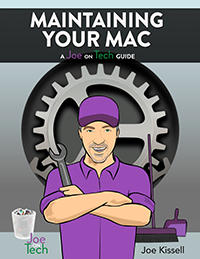
First is Maintaining Your Mac version 1.1. This is a minor update to address a few small issues that appeared after the book’s original publication:
-
Added A Note to Readers, which describes all four “Mac fitness” books from Joe On Tech
-
Changed all the alt.cc and joeontech.net links to use HTTPS
-
Switched to using the term “macOS” (the new name for OS X starting with Sierra, due in late 2016) where possible
-
Updated names, URLs, and pricing for various products
-
In the sidebar Other RAM Tests, added Atomic to the list of tools for testing your RAM
-
In Exercise Your Notebook’s Battery, mentioned Apple’s advice to calibrate batteries in notebook Macs with removable batteries
-
Corrected the name of the link to click for updating Take Control ebooks in Check for Ebook Updates
-
Updated the sidebar RAM Usage Meanings to reflect the correct labels for memory usage categories in Mavericks and later
-
In Monitoring Utilities, added Checkmate to the list and included a note about a version of MenuMeters that works on 10.11 El Capitan and later
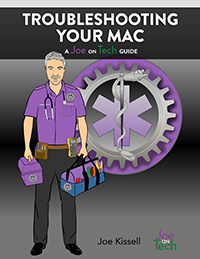
Next, Troubleshooting Your Mac: A Joe On Tech Guide has moved to version 1.0.1. In this comparatively tiny update, I’ve made just a few small adjustments to keep the book current:
-
Changed all the alt.cc and joeontech.net links to use HTTPS
-
Switched to using the term “macOS” where possible
-
Addressed a few small errors and formatting inconsistencies
-
Updated A Note to Readers (and several other portions of the book) to reflect the availability of Speeding Up Your Mac
-
Added a new utility from Micromat called Atomic to the list of tools you can use to Check Your RAM
-
Added a link to a book in Printing Doesn’t Work that, somewhat ironically, was missing only in the printed version of this book
One last thing: I’m this close to finishing a brand new, second edition of Backing Up Your Mac too! Like the others, it will be a free update (even though the changes are much more substantial). Check back in a couple of days for news.
 ]]>
]]>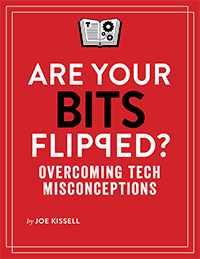
And now for something (almost) completely different! My latest book from Take Control—#53!—is not actually a “Take Control” book at all. It’s called Are Your Bits Flipped?, and unlike my usual fare, it’s not a how-to book! Instead, it’s a collection of essays about technology misconceptions—what you might be getting wrong and why, how things really work, and how to avoid forming new misconceptions. I think you’ll find it enjoyable as well as educational.
Computers store data as a series of bits, each of which can be either a 1 or a 0. You put bits together to make bytes, and put bytes together to make kilobytes, megabytes, gigabytes, and so on. But the thing is, if even a single bit is “flipped” from a 1 to a 0 or from a 0 to a 1, that can change everything. It might lead to an error message, a crash, or worse. In other words, a tiny, simple error can have significant consequences. Likewise, when our ideas about how things work are just a tiny bit off, the resulting mistakes in our mental models can lead us to waste time, make poor decisions, and make bad matters worse.
Everyone has flipped bits (metaphorically speaking) from time to time. There’s no shame in having a flipped bit; it doesn’t mean you’re stupid or careless or inattentive. Just that you happened to miss, or misunderstand, a small piece of information, and that error had a cascading effect. This book is my attempt to reveal and correct a bunch of these common misconceptions—flipping those bits back to their correct values. I also offer some advice on keeping your bits from being flipped in the future.
About half of the chapters in the book are based on articles I wrote for the FlippedBITS series at TidBITS (although they’ve all been thoroughly updated and edited since then). The remaining chapters are in the same vein, mostly responding to questions I’ve heard or behaviors I’ve noticed that tell me someone hasn’t quite grasped the way things work. This $15 book is 190 pages long, and even at that, I had to cut a number of topics that were in the outline. If there’s sufficient interest in this book, I have many other ideas about topics that could be added in a future edition.
I hope you enjoy reading Are Your Bits Flipped? as much as I enjoyed writing it!
As is my custom, I spoke to Chuck Joiner about the book on MacVoices:
 ]]>
]]>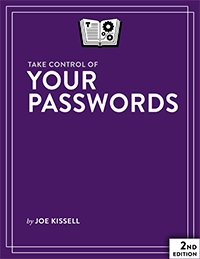
It’s the season for second editions, and hot on the heels of my updated Dropbox book, Take Control Books has released a new edition of Take Control of Your Passwords. This book is my complete guide to understanding how passwords work and dealing with the many frustrations they involve—with as little inconvenience as possible. Passwords are a pain, but they aren’t going away any time soon, and the better you understand the risks and your options for dealing with them, the safer you’ll be.
This book grew by 44 pages in its second edition. Quite a lot has happened in the world of digital security in the past couple of years, and this book now brings you up to date with the latest technologies and advice. In particular, I say a great deal more about two-factor authentication (and its close relative, two-step verification), an increasingly common way to supplement an ordinary password with extra security by requiring a secondary code or other confirmation when you log in. I also describe new gadgets, apps, and services that are designed to reduce password pain in various ways, provide a more accurate description of entropy (a measure of how hard it is to guess a password), and even include an appendix explaining the simple math you can use to calculate entropy yourself.
Because a password manager is an essential component of any solid password strategy, I’ve updated and expanded the discussions of 1Password and LastPass and added descriptions of four password managers that the previous edition of the book didn’t cover. I also detail more features that are worth thinking about, such as support for iOS browsers, Apple Watch, one-time passwords, and U2F (universal two-factor) authentication.
Take Control of Your Passwords costs $15, but anyone who had the first edition can upgrade at a discount (click Ebook Extras on the cover for details).
Here’s my MacVoices interview about the book:
 ]]>
]]>