


| CARVIEW |



FEATURES
Your website. Your content. Your way.
Your design. Your markup. Your architecture. EE never interferes with your code or your vision.
CHANNELS
Organize your content into flexible channels.
In ExpressionEngine, your site content is stored in channels—flexible data containers with fields for any type of information. Create channels for blogs, news, team bios, product or service descriptions, document downloads, you name it! Once your information is in a channel, it can be served anywhere on your site.

FRONT-END EDITING
Edit your content. No control panel needed.
ExpressionEngine makes managing your site's content as streamlined as possible. See something you want to change? Enter edit mode and start making your updates directly on the front end. It’s as simple as that.

THE DOCK
Complete control of your front-end editing experience.
The Dock in ExpressionEngine is your front-end command center. It lets you jump into Edit mode to access all of your site's content, as well as other features to fine tune your site's functionality.

TEMPLATES
Your own code powered by ExpressionEngine tags.
In ExpressionEngine, a page (or a page component such as a header or footer) is called a Template. A Template may contain ANYTHING that a webpage might contain: HTML, JavaScript, PHP, whatever. Templates also usually contain ExpressionEngine Tags. These Tags are incredibly easy to learn, and they give you the power to create amazing, dynamic experiences.

CUSTOM FIELDTYPES
Pick the perfect fields to capture your content.
With over 20 different field types, no matter what you dream or design it's safe to say you can build it with ExpressionEngine.
ENTRY CLONING
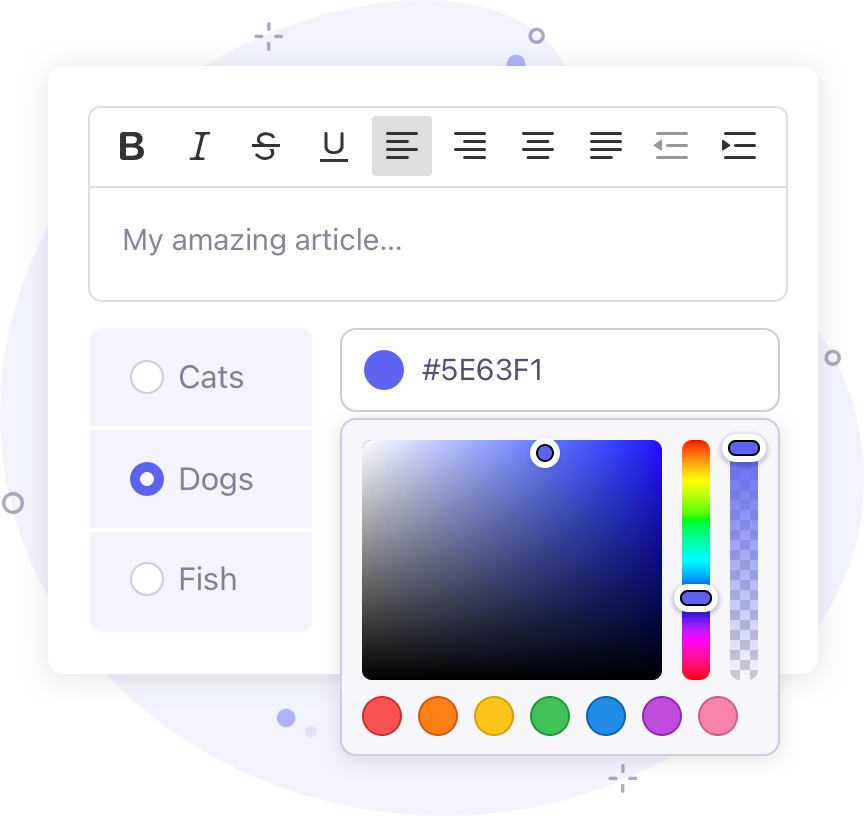
Clone any channel entry with a single click!
Save time with entry cloning. ExpressionEngine has the ability to easily clone entries, allowing for faster and more efficient entry creation.

ADD-ON PROLETS
Bringing the power of add-ons to the front end.
Prolets in ExpressionEngine allow you to access the essence of add-ons that are crucial to your site's operation, all while browsing the front end of your site.

USER MANAGEMENT
Easily manage different types of members.
ExpressionEngine's incredible member management features let you build fantastic user experiences.

MULTIPLE SITES
Manage multiple sites from a single control panel.
From a single ExpressionEngine installation you can manage all of your websites. Each website can be 100% unique, or you can share design, content, and members across your sites. How freaking cool is that?!

LIVE PREVIEW
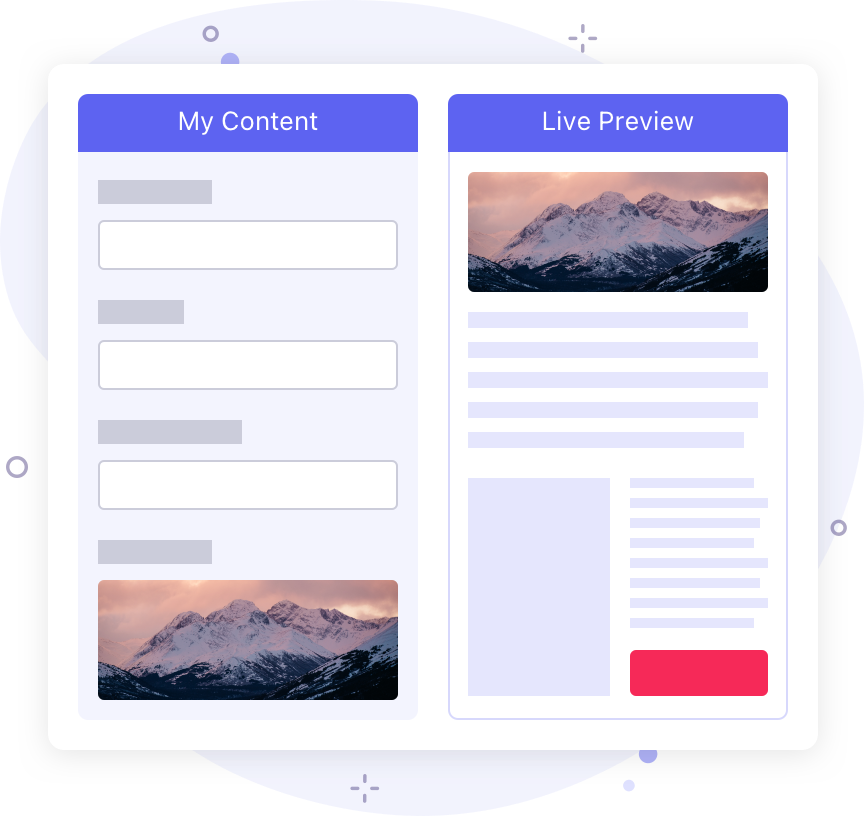
Preview your content before you commit.
For content editors, Live Preview displays your content as you type, shown in your site's design. No guesswork. No reloading pages. Just create!
FORUMS
Build your own online community.
ExpressionEngine comes with a full-featured discussion forum module so you can keep the conversation going!

ADD-ONS
Extend ExpressionEngine’s capabilities.
ExpressionEngine has a large community of developers making add-ons that extend system capabilities. With ExpressionEngine add-ons, no matter the task, you'll have a solution.

SECURITY
A proven track record of rock-solid security.
To say we're obsessed with security is an understatement. ExpressionEngine has never had a serious security issue in its 15-year history.
PRIVACY & CONSENT
Implement cookie consent, GDPR compliance, and more.
ExpressionEngine has a robust set of consent and privacy tools that make it easy to implement cookie consent, GDPR compliance, and more!
And so much more…
One-Click Updates
Updating most CMSs can be a scary chore; taking your site offline, uploading files, changing configurations, and crossing your fingers. With ExpressionEngine a site update is one click, and seconds away. You won’t even have time to grab a cup of coffee.
Jump Menu
The Jump menu lets you navigate ExpressionEngine at lightning speed with a single shortcut. Go to any page, any setting, find or create entries in a specific channel, or set your color theme in a matter of keystrokes.
File Manager
Browse your files with the new, beautiful thumbnail view, then edit and preview a file’s information with one click.
Fluid Fields
A Fluid field is a collection of fields. The fields assigned to the Fluid field can then be used multiple times in the same entry when creating/editing the entry. The author also has control over the order of the fields.
Relationships
Relationships are an extremely powerful tool that allow you to connect entries in one Channel to those in another one, or even to other entries in the same Channel.
Categories
Categorize entries to your heart’s content. Each entry can be assigned to multiple categories, and you can create as many unique category groups as you want. Categories can also have images or other data tied to them.
Member Roles
Advanced permissions couldn’t be more simple. Instead of a single member group, each member can now be assigned to multiple member roles.
Template Caching
Both templates and embeds can be cached, producing an extremely fast rendering time.
Publish Layouts
Allows you to create unique layouts for each channel, including which fields are shown or hidden. You can even add tabs to the publish layout to bring field organization to another level.
Grid Fields
Provides a way to group fieldtypes in repeatable rows. This is useful for when you need to group a subset of data in your channel entry form that may or may not have a varying number of rows.
Rich Text Editing
The Rich Text Editor is like a word processor that allows you to create richly-formatted content without writing any HTML.
Template Partials
Template partials add flexibility and reusability, while making it simple to make site-wide changes by editing the Template partial’s source instead of having to modify many templates.
Send Emails
ExpressionEngine’s built in email system allows you to easily send emails via PHPMail, Sendmail, and SMTP, making it easy to hook up to many third party email service providers.
Command Line Interface
The Command Line Interface (CLI) makes the creating of add-ons, migrations, models, and prolets a matter of seconds, getting developers to the heart of their work faster.
Translations
Language packs provide localized versions of the control panel for many languages!
Database Backups
The Database Backup Utility allows you to make simple SQL dump backups of your ExpressionEngine database quick and easily.
SEO Friendly
ExpressionEngine’s structured content approach makes managing SEO an easy undertaking.
Entry Versioning
The Entry versioning feature lets you save previous revisions of your channel entries, so you never lose any edits you make.
Image Modifiers
Image modifiers make it easy to resize, crop, rotate, and even convert image formats right in your templates!
Duration Fieldtype
Duration is a fieldtype that allows you to store lengths of time. For instance, time results for races, running times of feature films, etc.
SQL Query Form
This section presents a form that you can use to submit any standard database query.
Data Search and Replace
Allows you to search for text within your site and replace it with another piece of text.
Template Exporting
Quickly and simply export a zip of your templates. Great to use as a starting point on sites, or as a quick backup.
Search
Powerful search module with simple and advanced search capability. You can search within channels, comments, members, and categories.
Search Term Log
The Search Term Logging feature lets you keep track of any search terms your site visitors use.
Access Throttling
Permits you to limit the number of page requests by a single IP address within a given time interval.
Control Panel Access Logs
Allows you to view access logs for your Control Panel. The system tracks all logins, logouts, and various other actions.
Query Module
The Query Module allows you to perform SQL queries, returning results from your database without having to use PHP all without leaving your templates.
HTTP Header
The HTTP Header plugin allows you to set HTTP headers in your templates.
RSS Parser
The RSS Parser plugin provides RSS parsing tags for your templates. It uses SimplePie to parse and render any RSS or Atom feed you throw at it.
Requests
Gives you access to GET, POST, cookie, ip_address, user_agent and request_headers in templates.
Captcha
The built in CAPTCHA system allows you to use reCaptcha v3, or our native CAPTCHA system.
New Relic
ExpressionEngine supports deep application monitoring with New Relic out of the box. When New Relic is deployed on your server, you will instantly have visibility into performance metrics.
File Upload Manipulations
Allows you to add predefined manipulations to take place on files when they're initially uploaded. Great for creating thumbnails, or optimized images.
Education
Learn ExpressionEngine from the best.
Carefully collected, created, and discussed.
Documentation
Looking to better understand the big picture, or for a reference on specific features? The docs have you covered!
Forums
The forum is a great place to ask questions, answer questions, and learn from the community at large!
University
ExpressionEngine University is the source of learning for all things ExpressionEngine!

ExpressionEngine. Build something amazing!
Combining a thriving developer community with best-in-class support, ExpressionEngine is mission control for your website’s content.
Installation
Ready to go? Follow our simple installation instructions to get up and running with ExpressionEngine in only a few minutes.
Getting Started
New to ExpressionEngine? Watch the 10 Minute Primer to learn how ExpressionEngine works and how to build a simple website.
Join the Community!
ExpressionEngine is more than just a CMS, it's a community. Join us by contributing to the project in GitHub or joining the conversation on Slack.
Packet Tide owns and develops ExpressionEngine. © Packet Tide, All Rights Reserved.