


Elementor Hosting includes automatic daily backups. In addition, users can backup whenever they want, on-demand.
| CARVIEW |
Select Language
HTTP/2 301
date: Sun, 28 Dec 2025 10:30:19 GMT
content-type: text/html; charset=UTF-8
location: https://elementor.com/wordpress/
server: cloudflare
cf-ray: 9b5061afad461712-BLR
cf-cache-status: DYNAMIC
cache-control: max-age=3600
expires: Sun, 28 Dec 2025 11:30:19 GMT
set-cookie: __cf_bm=mM7PuU_LXJDnIapkHb4kaBycHBbKiYeEabIcZrtCzpE-1766917819-1.0.1.1-iRMkjHCDiTAJMGtAHAKFlJTcXfyPYpi.R9.QxSpD1IWQrIxnBjSt7s26g8dx578itqqnBRDs8v5ExabxeMu6DaoQ7KvpE3vLcfWcMDKuk3o; path=/; expires=Sun, 28-Dec-25 11:00:19 GMT; domain=.elementor.cloud; HttpOnly; Secure; SameSite=None
set-cookie: __cf_bm=mPlO3G01BWr9ELOsC3PSMTLr7h2v9ltZrb4wIqFySp0-1766917819-1.0.1.1-QH3qqZHUEdwwN3wHcQ5X.3qaZSSH7oodk1JxY4Oj.mOTIRSlYpmcdDNV9xPOPamr7CGjYgmS_aGCy9PerD8h_6zwR2jEd91JUMf.vfgMRvU; path=/; expires=Sun, 28-Dec-25 11:00:19 GMT; domain=.elementor.com; HttpOnly; Secure; SameSite=None
strict-transport-security: max-age=15552000
vary: Accept-Encoding
x-redirect-by: WordPress
ec-cdn-cache-control: public, max-age=300, s-maxage=604800
ec-cdn-status: dynamic
ec-cdn-status-reason: status not ok
ec-cdn-supported: 1
ec-coldstart:
ec-source: dynamic
traceparent: 00-9b5061afd3f47fa80000001766917818-9b5061afd3f47fa8-01
x-powered-by: Elementor Cloud
HTTP/2 200
date: Sun, 28 Dec 2025 10:30:20 GMT
content-type: text/html; charset=UTF-8
content-encoding: gzip
cf-ray: 9b5061b46ce51712-BLR
cf-cache-status: DYNAMIC
cache-control: public, max-age=300, s-maxage=604800
link: ; rel="alternate"; title="JSON"; type="application/json"
set-cookie: __cf_bm=WGqXfyOMPr5hovp.AIIEZb1abDLR8LhXLSz6sY1LYk4-1766917820-1.0.1.1-RyyBiLBM83KLID2TW8EIseraCXfsoSW9NA4IZqGOJ.GMhMtMvR.g6IHT8L.K4IxJOxyhG80xMa4gVezO2v2o9yrUTU1AWzWNBs.3Roc4Qy4; path=/; expires=Sun, 28-Dec-25 11:00:20 GMT; domain=.elementor.cloud; HttpOnly; Secure; SameSite=None
strict-transport-security: max-age=15552000
vary: Accept-Encoding
ec-cdn-cache-control: public, max-age=300, s-maxage=604800
ec-cdn-status: miss
ec-cdn-supported: 1
ec-coldstart:
ec-source: dynamic
traceparent: 00-9b5061b495417fa80000001766917819-9b5061b495417fa8-01
x-powered-by: Elementor Cloud
server: cloudflare
Download WordPress - Latest Version (Free)
WordPress


Hosted with
Download WordPress
the most popular cms in the galaxy
Choose your path to website creation
FREE
Get WordPress + Elementor Website Builder
Download and install WordPress and
Elementor’s free Website Builder.
- Elementor Free Builder
- WordPress
- Drag-and-drop editing
- Hello Biz Theme
- Hosting Not Included
all in one
Get WordPress + Elementor Hosting
Get WordPress, Elementor Pro Website Builder & Managed Hosting. Start creating in 60 seconds.
- Elementor Pro Website Builder (valued at /year)
- Managed Hosting Included
- 100+ Widgets and advanced Pro features
- 1-Click Setup
- No download required.
Clean version (No Elementor)
WordPress
Download and install WordPress.
- Elementor builder not included.
- Hosting not included
How to Create a WordPress Website
From learning the basics of WordPress web creation to creating and publishing your website – we’ve put together two essential guides to get your website up and running.
Step-by-Step
WordPress Beginner’s Guide
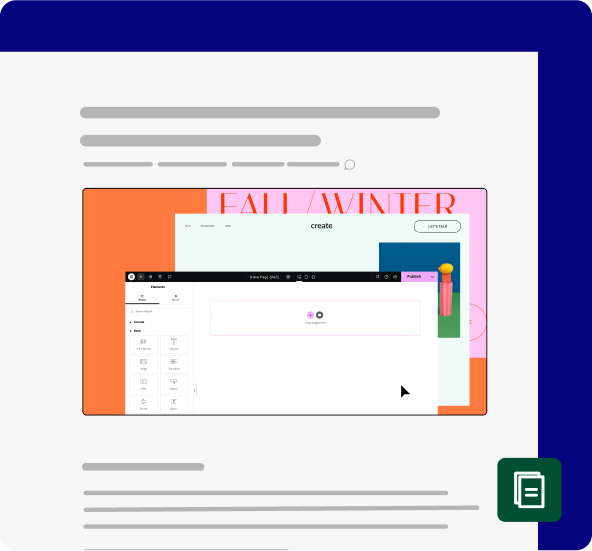
Begin your WordPress journey by exploring our step-by-step guide to help you navigate the initial stages of learning WordPress.
WordPress Quick Start Video
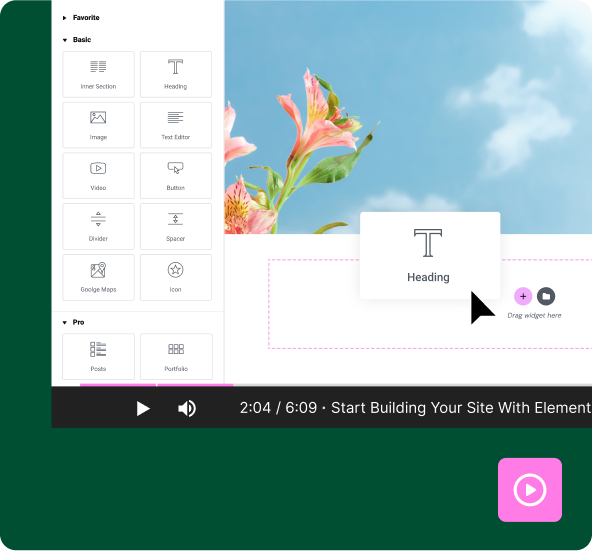
For visual learners! Watch this video that walks you through the basics for starting to use WordPress. Watch, pause, and learn at your own pace.
Whatever You Need, We’ve Got You Covered
Explore the Help Center and our vibrant community forums to connect with fellow users, share experiences, and seek advice.
Does Elementor Hosting include automatic backups?
Can I upgrade or downgrade my Elementor hosting plan?
Absolutely, Yes!
What is the refund policy for Elementor Hosting?
We offer a 30-day, money back guarantee on any new plan – no questions asked!
Can I transfer my existing website to Elementor host?
Definitely, yes. We offer free migration with our partnership with Migrate Guru and our migration specialists are on call for whatever issues you might run into.
What are the benefits of using Elementor Hosting?
Elementor Hosting includes the full feature set of Elementor Pro Website Builder together with managed hosting that’s ideal for Elementor-built websites. It gives you a hassle-free advanced server solution, making managing websites simpler and more accessible to you. Elementor Hosting includes a free SSL certificate, 24/7 security monitoring, automatic and on-demand backups, site cloning, staging and an entire range of advanced hosting tools – all for one affordable price.
Additionally, we offer free migration with our partnership with Migrate Guru in case you ever want to move your WordPress and/or Elementor website to Elementor Hosting. Our professional support team offers unified support for both builder and hosting questions – so you’ll never have to bounce between different providers when trying to solve a problem.
What is Elementor Hosting?
Elementor Hosting is a cloud-based solution for building and hosting WordPress websites. It includes WordPress, Elementor’s Pro Website Builder, and Hosting already built-in. There is no need to download any plugin and is an entire package which includes all Pro widgets, advanced editing features, the Hello Theme, and high-performance managed hosting. The hosting infrastructure is built around the Google Cloud platform and CDN Cloudflare and includes free SSL, automated daily backups as well as a range of high performance features that guarantee 99.99% uptime.
How can I upgrade to Elementor Pro?
You can upgrade your free Elementor Builder by following the directions on our website at elementor.com/pro or elementor.com/pricing-plugin.
Does Elementor offer pre-made templates?
Elementor’s Website Builder includes 100+ pre-designed templates at no extra cost and even offers complete website kits for free.
What are the limitations of the free version of Elementor?
The free version of the Elementor plugin, when compared to the paid version (Elementor Pro), has some limitations. It does not include advanced features like Popup builder, the complete set of Form-building features, ecommerce customizations, Custom CSS and importantly – it does not include access to support.
Can I build a complete website with just the free version of Elementor?
Absolutely! You can build beautiful websites with the free version of Elementor. If you upgrade to the Elementor Pro plugin, or sign up to Elementor Hosting (which includes Elementor’s Pro Builder plus Hosting) you’ll get all the Pro Website Building Features including marketing tools, Ecommerce features, advanced design capabilities, full customization options, and you will be entitled to 24/7 premium support.
Do I need to create an Elementor account to use the free plugin?
When downloading Elementor’s free builder plugin, there is no requirement to create an Elementor account.
What features are included in the free version of WordPress and Elementor?
The free version of WordPress and Elementor has all that’s needed to create a WordPress website. It includes Elementor’s free builder which uses visual drag-and-drop editing to create your website, 60+ widgets, free pre-designed templates and the Hello theme. It does not include hosting, which will need to be purchased elsewhere.
How can I install WordPress on my web server?
In general, after downloading WordPress, you’ll need to upload the WordPress files using an FTP client or the file manager in the control panel of your hosting service. You’ll then need to configure a database for WordPress, run the WordPress installation and enter the required username, password and email address.
Do I need to create a WordPress account before downloading the software?
No, there is no requirement to create an account.
What is the difference between downloading “clean” WordPress and downloading WordPress with Elementor?
Downloading WordPress alone is exactly the same as downloading WordPress directly from WordPress.org. After downloading, you will need to find a hosting provider to host and serve up your website pages on the Internet.
Downloading WordPress with Elementor still requires downloading and activating WordPress and the Elementor Free plugin. Both options require finding a hosting provider to house and serve up your website pages.
What is Elementor and how does it work with WordPress?
Elementor is a WordPress plugin that enables you to build websites using its drag & drop interface and hundreds of widgets and features. It is the most widely used website builder in the WordPress ecosystem due to its intuitive interface and powerful design capabilities. It empowers users to create visually appealing and functional websites without the need for coding knowledge. Today, it powers more than 15 million websites worldwide.
Is WordPress free to download and use?
Yes. WordPress is open source software that’s free for anyone to download. It’s one of the most popular and widely used CMS platforms, powering a significant portion of the websites on the Internet.
Where can I download WordPress?
WordPress alone can be downloaded directly from WordPress.org or here via the 3rd option above.
What are the differences between the three options above?
The 1st option lets you download WordPress and Elementor’s Free Website Builder plugin. The Elementor Website Builder includes the basic widgets for building and editing your website, free templates and the Hello theme. After downloading, you will need to install and activate the plugins. To make your website available on the Internet you will need to find a hosting provider that will host your website.
The 2nd option is Elementor Hosting which is a cloud-based solution for building and hosting WordPress websites. It includes WordPress, Elementor’s Pro Website Builder and Hosting – all already built-in. There is no need to download any plugin and is an entire package which includes all Pro widgets, advanced editing features, the Hello Theme, and high-performance managed hosting that’s built around the Google Cloud platform and CDN Cloudflare. All you need to do is signup for a subscription and start building your website.
The 3rd option is WordPress only – without Elementor’s website builder or hosting. It is the same exact version you can get when directly downloading from WordPress.org.
The Fastest Path for New Users
Build professional websites with the power and flexibility of Elementor Hosting
Includes: WordPress + Elementor Pro Builder + Managed Hosting + Theme