


| CARVIEW |
Select Language
HTTP/2 301
date: Mon, 29 Dec 2025 15:20:13 GMT
content-type: text/html; charset=UTF-8
location: https://docs.gravityforms.com/access-your-form-settings/
server: cloudflare
strict-transport-security: max-age=604800
strict-transport-security: max-age=31536000; includeSubDomains
x-content-type-options: nosniff
x-content-type-options: nosniff
x-xss-protection: 1; mode=block
x-xss-protection: 1; mode=block
x-frame-options: SAMEORIGIN
x-frame-options: SAMEORIGIN
content-security-policy: frame-ancestors 'self';
referrer-policy: no-referrer
referrer-policy: strict-origin-when-cross-origin
x-redirect-by: WordPress
fastcgi-cache: MISS
cf-cache-status: DYNAMIC
nel: {"report_to":"cf-nel","success_fraction":0.0,"max_age":604800}
report-to: {"group":"cf-nel","max_age":604800,"endpoints":[{"url":"https://a.nel.cloudflare.com/report/v4?s=G%2F6NknH5NGilRx9QZ68P4e%2FxMyWYtrXweEPN72SHvp%2BkRTj9tb4Pvf%2B25ZpMUIGg46QDOQJ9IGRFB2xlGXTJpW9p7IvXNBy0dMmWzFSv5kaj3%2BAt"}]}
cf-ray: 9b5a47b3dc5e9ac4-BLR
HTTP/2 200
date: Mon, 29 Dec 2025 15:20:13 GMT
content-type: text/html; charset=UTF-8
server: cloudflare
vary: Accept-Encoding
strict-transport-security: max-age=604800
strict-transport-security: max-age=31536000; includeSubDomains
x-content-type-options: nosniff
x-content-type-options: nosniff
x-xss-protection: 1; mode=block
x-xss-protection: 1; mode=block
x-frame-options: SAMEORIGIN
x-frame-options: SAMEORIGIN
content-security-policy: frame-ancestors 'self';
referrer-policy: no-referrer
referrer-policy: strict-origin-when-cross-origin
link: ; rel="alternate"; title="JSON"; type="application/json"
link: ; rel=shortlink
fastcgi-cache: HIT
report-to: {"group":"cf-nel","max_age":604800,"endpoints":[{"url":"https://a.nel.cloudflare.com/report/v4?s=tre4H9R6gclB%2FeyJku9qSVeqBWOCqlW%2BWIhjtYSRw0IX%2FLnO0HricYyBIQ1Qq9A06sEPMjNxlEediC5Te7YvejivUnM%2FRQWnDwIu%2BKp13hkFkowr"}]}
cf-cache-status: DYNAMIC
nel: {"report_to":"cf-nel","success_fraction":0.0,"max_age":604800}
content-encoding: gzip
cf-ray: 9b5a47bab8cb9ac4-BLR
Access Your Form Settings - Gravity Forms Documentation

In this animation, we access the Form Settings from the list view, and make a small change to the form title. 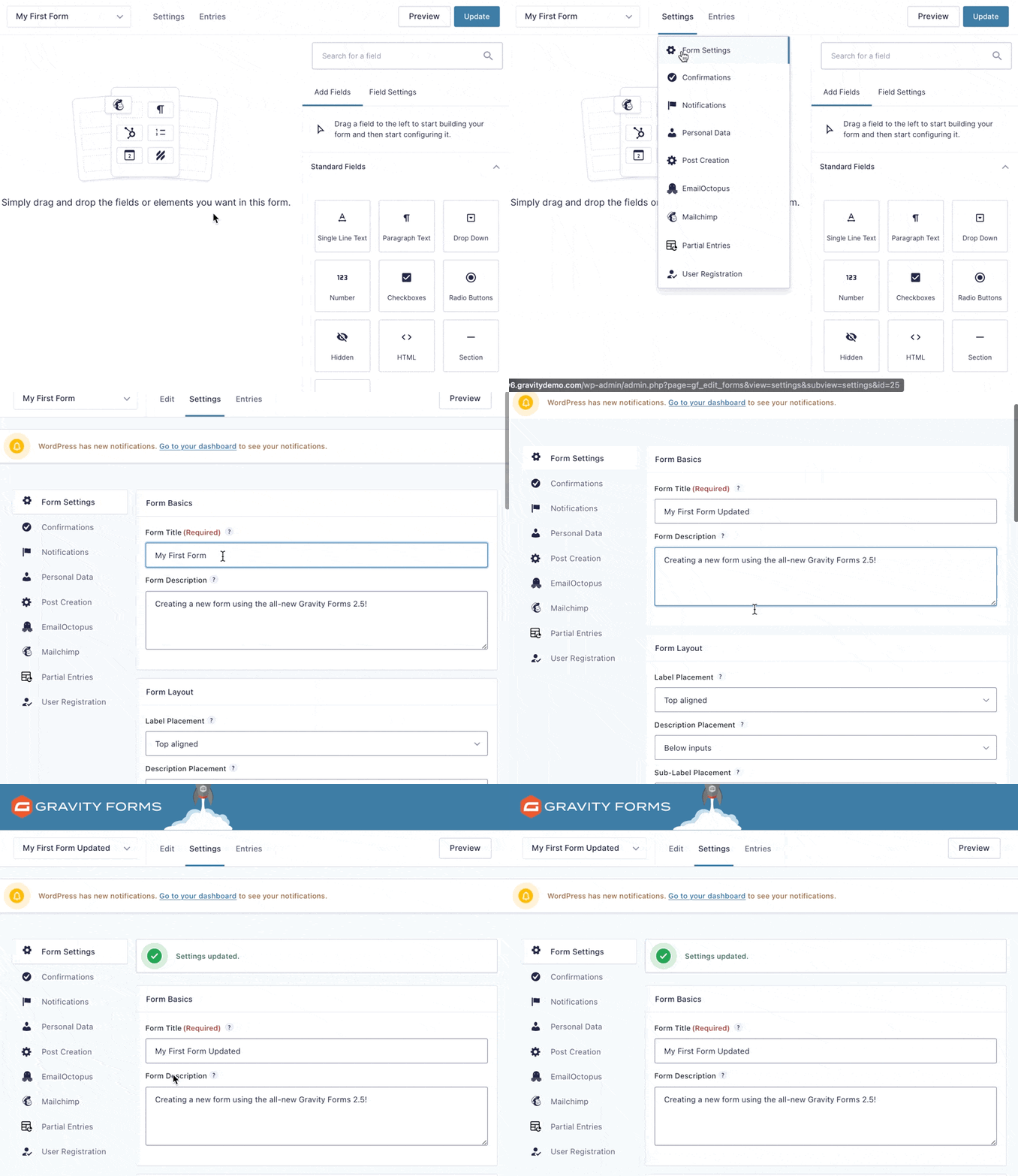
In this animation, we access the Form Settings from the Form Editor, and make another edit to the form title.


Access Your Form Settings
Introduction
Each of your forms has its own set of settings and options that affect only that form. This is different to the global Gravity Forms Settings that affect all your forms. This article shows you how to access your form-specific settings.
From the Form List Screen
- Hover over the form title you wish to change in the list.
- When the menu appears below the form title, click or hove over settings to expose a drop down showing Form Settings.
- Now you can edit the settings you need.
- Once you are done, don’t forget to scroll to the bottom and click Save Settings.
From the Form Editor Screen
- Hover over or click Settings in the top bar.
- In the drop down menu that appears, click form Settings.