


| CARVIEW |
Select Language
HTTP/2 301
date: Tue, 30 Dec 2025 10:03:47 GMT
content-type: text/html; charset=UTF-8
location: https://captcha4wp.com/features/
server: cloudflare
cf-ray: 9b60b5932f5f3c76-BOM
cf-cache-status: MISS
vary: Accept-Encoding
ki-cf-cache-status: MISS
x-content-type-options: nosniff
x-edge-location-klb: 1
ki-edge: v=24.0.1;mv=5.0.18
ki-origin: g1p
x-kinsta-cache: MISS
x-redirect-by: WordPress
set-cookie: __cf_bm=tY8AcAm151lzZxwu6NCnxsT_lH_KPhV2LyH.j9z5mS4-1767089027-1.0.1.1-FhO7s7xOHTLYpGA2IDviPCzW.8ampAsbKhXFXnvWSYTvitRRVW42PouVTrZCkHyTcbOYL7tBihL3ZB.4SdiSo5plTJrKjl53G5ksWkpcuAc; path=/; expires=Tue, 30-Dec-25 10:33:47 GMT; domain=.captcha4wp.com; HttpOnly; Secure; SameSite=None
report-to: {"endpoints":[{"url":"https:\/\/a.nel.cloudflare.com\/report\/v4?s=qrwnA7B%2BFaA%2FgQP5XbAnH2Ddr3yLq9PhMrfM6CRxRodRSCLVgPvCJ1on09pWyZopOtmIBr9iluCvf9pg1KIsdlmTQERPd985sPsTFy%2F7WEUITtI2W1ya8M63YXrnMuqD"}],"group":"cf-nel","max_age":604800}
nel: {"success_fraction":0.01,"report_to":"cf-nel","max_age":604800}
alt-svc: h3=":443"; ma=86400
HTTP/2 200
date: Tue, 30 Dec 2025 10:03:48 GMT
content-type: text/html; charset=UTF-8
content-encoding: gzip
cf-ray: 9b60b597baa93c76-BOM
cf-cache-status: MISS
cache-control: public, max-age=0, s-maxage=86400
last-modified: Tue, 30 Dec 2025 10:03:48 GMT
link: ; rel="alternate"; title="JSON"; type="application/json", ; rel=shortlink
vary: Accept-Encoding
cache-tag: 5e43f74f-2374-4b10-9ddb-79e59af1cbb5,6eb1e34d45b9b0b690ffb5ec3b2d608c4da4fbe152121faab77da49a6ee67c95
ki-cf-cache-status: SAVING
x-content-type-options: nosniff
x-edge-location-klb: 1
ki-cache-tag: 5e43f74f-2374-4b10-9ddb-79e59af1cbb5,6eb1e34d45b9b0b690ffb5ec3b2d608c4da4fbe152121faab77da49a6ee67c95
ki-cache-type: Edge
ki-edge: v=24.0.1;mv=5.0.18
ki-origin: g1p
x-kinsta-cache: HIT
report-to: {"endpoints":[{"url":"https:\/\/a.nel.cloudflare.com\/report\/v4?s=2VrAM2GCK8x%2Fb%2FpNZAyZf0UGzD1gqXiD1Cm37QRT0At8LOWXnInZZWOP6l5Gm1SS7lnaqt79dGtwKTykLz3MYb62sc%2BOHkqoiCP1Bq6PwBxcSt0sA1TXx3Tgq7XAuex7"}],"group":"cf-nel","max_age":604800}
nel: {"success_fraction":0.01,"report_to":"cf-nel","max_age":604800}
server: cloudflare
alt-svc: h3=":443"; ma=86400
Features - Captcha4WP
WordPress CAPTCHA 4WP













Captcha 4WP has been acquired by WPKube.

WordPress CAPTCHA 4WP
plugin benefits & features
CAPTCHA 4WP is a fully-customizable & easy to use CAPTCHA plugin for WordPress and e-Commerce websites, including WooCommerce sites. Here are all the features and benefits that make CAPTCHA 4WP the most powerful CAPTCHA solution.
Extensive compatibility with third party plugins
Compatible with all WordPress forms and login pages, as well as with WooCommerce, Contact Form 7, Gravity Forms, BuddyPress, bbPress, MailChimp for WordPress, and others.
Support for multiple CAPTCHA providers
Choose from multiple CAPTCHA service providers, including Google ReCAPTCHA, hCaptcha, and Cloudflare Turnstile – all can be integrated via the user-friendly wizard.
One-click WooCommerce support
Easily add CAPTCHA to the WooCommerce login, checkout, and other pages. You can even specify where in the checkout CAPTCHA should be added and configure other parameters.
Geo-blocking
Deny or allow form submissions from specific countries and set action-based comment handling behavior based on country for easier submission management and less spam.
Superior CAPTCHA user experience
Configure CAPTCHA failover so when the automated checks that require no human interaction fail, your customers’ journey is not interrupted. Instead they are prompted with another CAPTCHA to confirm they are not a bot.
Easy, quick installation and setup
No coding experience or editing is required. Simply follow the setup wizard to enter the CAPTCHA keys, and then select on which forms to add CAPTCHA tests. Everything can be done and set up within just a few clicks.
Protect WordPress login & password forms
Protect your WordPress login pages and password forms from login brute force attacks, and automated bots trying to guess and reset passwords.
Fully configurable CAPTCHA solution
Configure CAPTCHA to fit your requirements. You can change the language, the CAPTCHA score, error message, colors, size, CSS scripts and other aspects.
Spam comments protection
Avoid having thousands of spam comments automatically posted on your website. Add CAPTCHA to your website’s comments form so only real humans post and interact with your website.
Support for any type of form
With CAPTCHA 4WP you can add CAPTCHA spam tests to any type of form you have on your website, even on custom PHP-built forms that are not running on WordPress.
Whitelist IP addresses, users & URLs
Strike a balance between usability and security with CAPTCHA 4WP. Whitelist users or IP addresses and exempt your trusted users from CAPTCHA tests.
Professional world-class support
Our professional support team is ready to help you. With an average response time of just 8 hours, you’re in capable hands should you require any assistance.
Installing CAPTCHA 4WP Free
Well done you. You're one step closer to safeguarding your WordPress website from spam and automated attacks with CAPTCHA 4WP. You'll be able to effortlessly integrate CAPTCHA into your forms and enjoy a website with enhanced security.
Below are two ways to install CAPTCHA 4WP on your website:
OPTION 1
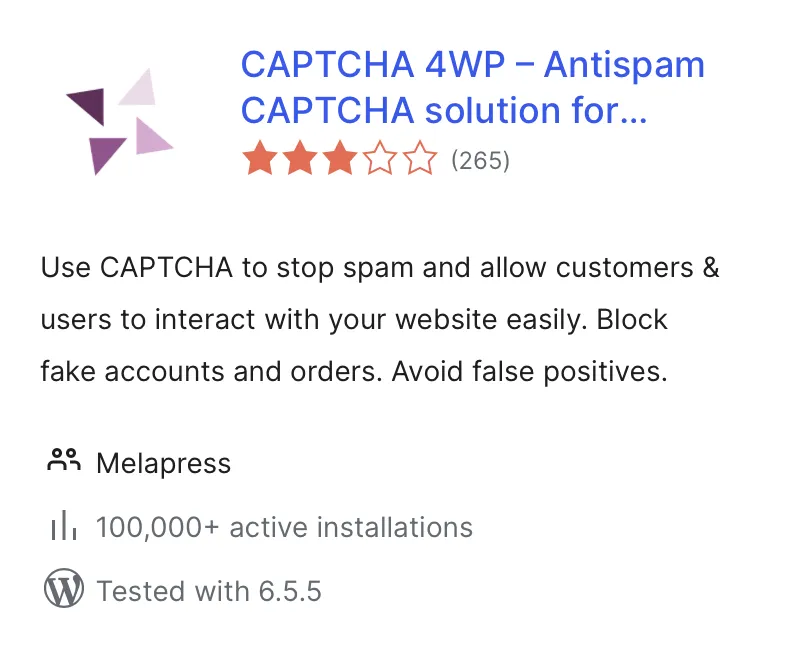
Go to your plugin dashboard on your site, then go to "Add New", and then search for CAPTCHA 4WP.
OPTION 2
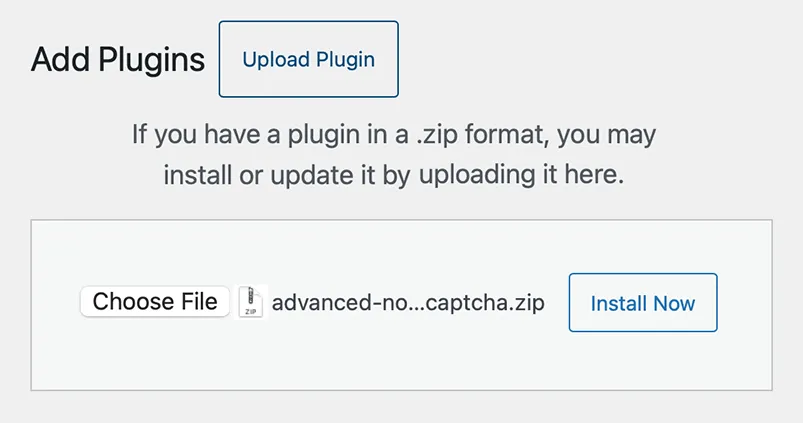
Download the CAPTCHA 4WP plugin zip, then select upload in your plugin dashboard under "Add New".