


| CARVIEW |



Learn more
No featured offers available
We feature offers with an Add to Cart button when an offer meets our high standards for:
- Quality Price,
- Reliable delivery option, and
- Seller who offers good customer service


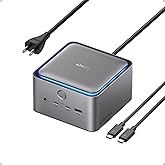
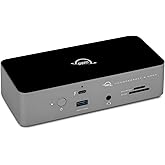
Satechi Thunderbolt 5 CubeDock, Built-in NVMe SSD Enclosure, Silver | Docking Station, 80 Gbps/120 Gbps USB4 v2, 140W charging, displays up to 8K, 2.5 GbE, Type-A/C 10 Gbps, active cooling
| Brand | Satechi |
| Color | Silver |
| Hardware Interface | Ethernet, PCI Express 4.0, Thunderbolt, USB 3.2 Gen 2, microSDXC |
| Compatible Devices | Downwards compatible with Thunderbolt 4, USB 4 devices | MacBook Pro 14/16-inch (2026 M5/M4/M3/M2/M1), MacBook Air 13/15-inch (2026 M5/M4/M3/M2/M1), iPad Pro 11/13-inch (2025 M5/M4), Mac Mini (2024 M4/M2/M1), iMac (2024 M4/M3/M1), Mac Studio Max/Ultra (2025 M4/M3/M2/M1), Thinkpad X1, X13, Surface Studio 2/1, Surface Pro 11/10/9, Windows laptop, Thunderbolt devices. See more |
| Total USB Ports | 4 |
| Product Dimensions | 5"L x 5"W x 2"H |
| Number of Ports | 13 |
| Item Weight | 1229 g |
| Wattage | 180 |
| Number of Items | 1 |
About this item
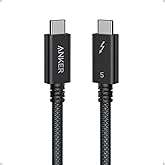
- 𝐎𝐧𝐞 𝐂𝐮𝐛𝐞, 𝐈𝐧𝐟𝐢𝐧𝐢𝐭𝐞 𝐂𝐨𝐧𝐧𝐞𝐜𝐭𝐢𝐨𝐧𝐬 - Transform your desk with a single Thunderbolt 5 connection that powers your laptop, runs multiple 8K displays, and expands your entire setup through one elegant aluminum CubeDock. Enjoy up to 120Gbps bandwidth, 140W charging, and USB4 v2 compatibility—all from a compact, clutter-free cube built for modern professionals. For optimal performance, use the included or certified Thunderbolt 5 cable to ensure stable data and SSD connectivity.
- 𝐒𝐭𝐮𝐧𝐧𝐢𝐧𝐠 𝐌𝐮𝐥𝐭𝐢-𝐃𝐢𝐬𝐩𝐥𝐚𝐲 𝐏𝐨𝐰𝐞𝐫 - Experience true plug-and-play visuals with single 8K 144Hz, dual 8K 120Hz, or triple 8K 60Hz on Windows—or dual 6K 60Hz on macOS M3/M4/M5. No drivers. No DisplayLink. Designed for editors, designers, and gamers who demand smooth motion and lifelike color.
- 𝐒𝐦𝐚𝐫𝐭𝐞𝐫 𝐏𝐨𝐰𝐞𝐫 & 𝐂𝐨𝐧𝐧𝐞𝐜𝐭𝐢𝐯𝐢𝐭𝐲 - Charge, connect, and create effortlessly. With 140W host charging, 30W USB-C PD, UHS-II SD/microSD (312 MB/s), USB-C/A 10 Gbps, and 2.5 Gb Ethernet, CubeDock keeps every device powered and your workflow running fast. One cube unites every connection—turning cable chaos into seamless simplicity.
- 𝐁𝐮𝐢𝐥𝐭-𝐈𝐧 𝐒𝐒𝐃 𝐄𝐧𝐜𝐥𝐨𝐬𝐮𝐫𝐞 & 𝐂𝐨𝐨𝐥𝐢𝐧𝐠 - Add up to 8TB of M.2 NVMe storage (PCIe 4×4) and work directly from your dock at up to 6000MB/s speeds—no external drives required . The adaptive cooling system and vented aluminum design maintain performance while operating at a 20–40 dB(A) fan noise, even during long renders, backups, or gaming marathons.
- 𝗪𝗵𝗮𝘁 𝗬𝗼𝘂 𝗚𝗲𝘁 - Satechi Thunderbolt 5 dock comes with a Thunderbolt 5 Cable, 180W Power Supply, C5 Cable, Screwdriver & 2 screws, 2 thermal pads. We offer prompt customer service and a user manual for your convenience. Plus, Satechi products are backed by a 2-year limited warranty, protecting against defects in materials and workmanship under normal use. SSD is NOT included.
 Report an issue with this product or seller
Check Compatibility
Explore more from across the store
From the brand

Upgrade Your Setup
Thunderbolt 5 CubeDock Dock Station with SSD Enclosure
-

-
Every Port You Need
-
OntheGo Collection
-
FindAll Collection
-
Qi2 Charging Collection
-
Connectivity & Expansion
-
Docking Stations
-
Power & Charging
-
Productivity Essentials
-
About Satechi
We’re more than just another tech brand; we’re innovators committed to bringing you faster, more efficient solutions.
Our USB Type-C hubs, adapters, and accessories are designed to seamlessly combine performance and style. No matter what your goals are, our gear is here to make your life a little easier.








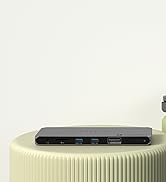

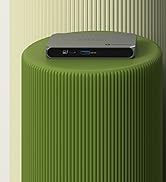
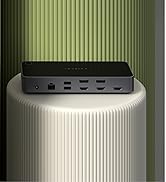



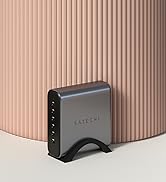





Product description


-
How many external displays can I connect to this dock?
Windows devices support up to 3. For macOS, this depends on your Mac’s chip. M1/M2 support 1 display; M3 in clamshell and M4 supports 2. M5 Pro and Max support up to 3 with the dock.
-
Can I run three external displays on macOS?
It depends on your Mac. Display support is limited by the chip, not the dock. M5 Pro supports up to 3 external displays, and M5 Max supports up to 4. If your Mac supports fewer, only that number will work.
-
Do I need Thunderbolt 5 to get maximum display performance on Windows?
Yes. To achieve 8K or high-refresh-rate 4K output, your Windows system must support Thunderbolt 5. Older standards may limit performance.
-
Does the dock have active cooling?
Yes. The dock includes an internal fan that activates only when necessary. It remains cool during standard use and increases cooling under heavy workloads to sustain performance. Fan noise ranges from 20–40 dB(A).
-
Can I install an SSD with a heatsink inside the dock?
Yes. The dock supports M.2 NVMe SSDs with built-in heatsinks measuring up to 0.49 inches thick, helping improve thermal performance during sustained high-speed transfers.
Product Videos

Product information
| Hardware Interface | Ethernet, PCI Express 4.0, Thunderbolt, USB 3.2 Gen 2, microSDXC |
|---|---|
| Compatible Devices | Downwards compatible with Thunderbolt 4, USB 4 devices | MacBook Pro 14/16-inch (2026 M5/M4/M3/M2/M1), MacBook Air 13/15-inch (2026 M5/M4/M3/M2/M1), iPad Pro 11/13-inch (2025 M5/M4), Mac Mini (2024 M4/M2/M1), iMac (2024 M4/M3/M1), Mac Studio Max/Ultra (2025 M4/M3/M2/M1), Thinkpad X1, X13, Surface Studio 2/1, Surface Pro 11/10/9, Windows laptop, Thunderbolt devices. |
| Total Usb Ports | 4 |
| Number of Ports | 13 |
| Wattage | 180 |
| Minimum Required Operating System Version | Mac OS 11 Big Sur, Windows 10, iPadOS 16 |
| Item Dimensions L x W x H | 5"L x 5"W x 2"H |
|---|---|
| Item Weight | 1229 g |
| Color | Silver |
|---|
Warranty & Support
Feedback

| Brand | Satechi |
|---|---|
| UPC | 810086362592 |
| Manufacturer | Satechi |
| Model Number | MN25STH02 |
| Warranty Description | 2 Year Manufacturer |
| Best Sellers Rank |
|
| ASIN | B0G7VZKXPZ |
| Customer Reviews |
4.0 out of 5 stars |
Safety and product resources
Safety documents
Top Brand: Satechi


Customer reviews
Customer Reviews, including Product Star Ratings help customers to learn more about the product and decide whether it is the right product for them.
To calculate the overall star rating and percentage breakdown by star, we don’t use a simple average. Instead, our system considers things like how recent a review is and if the reviewer bought the item on Amazon. It also analyzed reviews to verify trustworthiness.
Learn more how customers reviews work on AmazonCustomers say
 Generated from the text of customer reviews
Select to learn more
Reviews with images

Awesome Dock Station
Top reviews from the United States
- 5 out of 5 stars
Works GREAT, great customer support from Satechi!
Reviewed in the United States on April 13, 2026Updated to 5 Stars on 4/19/2026
Excellent customer service. I had a problem with an audio interface that appeared not to be working correctly when plugged into the dock. Tried every cable known to man, in thunderbolt, usbc and usba ports and I was suffering dropouts.
I contacted customer service and they were very helpful. We went back and forth over messages to no avail.
Was about to return the device when I noticed the orange microphone icon in the menu bar. Hmm, wonder why? As I was looking around, I remembered the audio interface had two xlr ports for microphones (I seldom use these.) So, I went to the audio interface’s software and muted the microphones. Voila! Dropouts now gone.
So, I can, without reservation, give this unit a 5 star review and Satachi the company.
Old post, now irrelevant.
You never have enough ports on a Mac desktop. Which is why I purchased this. Great match to the MacMini aesthetic.
I’ve run into trouble with the Apogee Duet 3 audio interface (takes the processing load off the Mac) as all the Cube ports introduced dropouts when monitoring via headphones connected to the Apogee. I moved the connector to a thunderbolt port on the Mac Mini or one of the front USBC ports on the Mini and the dropouts disappeared. Thus, it’s a CubeDock issue. :( The CubeDoc is connected to the MacMini host with a short Thunderbolt 5 cable.
2 people found this helpfulSending feedback...Sending feedback...HelpfulThank you for your feedback.Sorry, we failed to record your vote. Please try againThanks, we'll investigate in the next few days.Sorry, We failed to report this review. Please try again - 4 out of 5 stars
Small, powerful, and well-thought out
Reviewed in the United States on July 8, 2026Purchased for future expansion and NVMe slot; using with an Macbook Pro M3.
PROS
- Works out of the box with no drivers needed; no issues with drives or monitors disconnecting
- Small; looks great on a desk. Other companies could learn from Satechi's understated branding. Sure, they're taking it straight from Apple, but it works. I don't need a big thunderbolt sticker on my dock to know it's a TB dock.
- Well thought out port placement and design. I prefer all the TB ports to be in the rear, so this works for me; there's one USB 3.2 port up front which is great for quickly adding a CF card reader.
- TB5 for future-proofing to a reasonable extent
- Fan is quiet, but see below
- Hasn't gotten hot even when transferring large files. but see below
- NVMe slot will come in handy once prices drop in you know, 6-600 months. Will update review then.
- Has 3 downstream TB ports vs 2 like many others; I don't need Display port or HDMI, and I don't need more than 1 or 2 USB-A ports. Coupled with the 2 USB-C 3.2 gen 2 ports it has what I need to power a display plus an additional if I need it, an SSD with media files, and two backup drives. The NVMe slot will free-up one of the ports, so bonus.
- Not cheap, but it's a good value vs. other TB5 docks especially when on sale because of the port selection. Much of the competition seems intent on giving you only 2 downstream TB5 ports and more USB-A and C. Maybe that works for some but not my use case, and especially not at a higher cost.
CONS
- Fan is always running. It's quiet and not intrusive, but it's always on even when the laptop is asleep. Raises concern for future dependability. Backup drives are connected, so turning off is not an option
- Stays warm to the touch even when the computer is asleep. I raised it with 1/4" silcone feet to help airflow.
- Does the power light have to be so big and bright? A tiny indicator light would be just as useful.
- No CF card reader. That's really a con of all docks since it seems no one else builds them in. Why not include one when I assume many users are photographers?
- No mounting holes on bottom; would like the option to place under desk without a rack.
2 people found this helpfulSending feedback...Sending feedback...HelpfulThank you for your feedback.Sorry, we failed to record your vote. Please try againThanks, we'll investigate in the next few days.Sorry, We failed to report this review. Please try again - 5 out of 5 stars
Great design. Solidly built.
Reviewed in the United States on July 21, 2026Superb! Fantastic purchase.
Sending feedback...Sending feedback...HelpfulThank you for your feedback.Sorry, we failed to record your vote. Please try againThanks, we'll investigate in the next few days.Sorry, We failed to report this review. Please try again - 3 out of 5 stars
Nice form factor and build. Noise however a negative.
Reviewed in the United States on April 29, 2026I like Satechi products in general for their sleek and functional design. I had high hope of this expensive TB5 docking station. The form factor and material used are top notch. However, the fan noise is not really as claimed "quiet" as it is quite loud and most of the time spinning. In a quiet room, it is quite distracting. Personally I am very sensitive to it. Otherwise, it is a nice product.
4 people found this helpfulSending feedback...Sending feedback...HelpfulThank you for your feedback.Sorry, we failed to record your vote. Please try againThanks, we'll investigate in the next few days.Sorry, We failed to report this review. Please try again - 5 out of 5 stars
USB - C for days ..
Reviewed in the United States on July 10, 2026This is an excellent product !
Sending feedback...Sending feedback...HelpfulThank you for your feedback.Sorry, we failed to record your vote. Please try againThanks, we'll investigate in the next few days.Sorry, We failed to report this review. Please try again - 2 out of 5 stars
Works well with M1 Max Studio
Reviewed in the United States on April 21, 2026Just received and installed. Using this along with M1 Mac Studio. Connects easily. I'm surprised how hot it gets. I have not used all ports yet but I'm pleased to see that I had nearly no speed loss with an external SSD.
Packaging for a $400 item was horrible. They simply put the box in a paper bag that was torn wide open. I'm surprised the unit didn't fall out.
update: I admit I don't know much about all these different ports, power needs and tech crap. But I just tried using a MacSuper drive and it wouldn't work in any port. The message says it needs power, but I though these ports, including the thunderbolt 5 did supply power. What's the point of the dock having it's own power supply? That's the 2nd thing I've plugged into it that doesn't work. Very disappointed.


Just received and installed. Using this along with M1 Mac Studio. Connects easily. I'm surprised how hot it gets. I have not used all ports yet but I'm pleased to see that I had nearly no speed loss with an external SSD.
Packaging for a $400 item was horrible. They simply put the box in a paper bag that was torn wide open. I'm surprised the unit didn't fall out.
update: I admit I don't know much about all these different ports, power needs and tech crap. But I just tried using a MacSuper drive and it wouldn't work in any port. The message says it needs power, but I though these ports, including the thunderbolt 5 did supply power. What's the point of the dock having it's own power supply? That's the 2nd thing I've plugged into it that doesn't work. Very disappointed.
4 people found this helpfulSending feedback...Sending feedback...HelpfulThank you for your feedback.Sorry, we failed to record your vote. Please try againThanks, we'll investigate in the next few days.Sorry, We failed to report this review. Please try again - 5 out of 5 stars
Future Proof Your Mac with Thunderbolt 5 CubeDock
Reviewed in the United States on May 8, 2026I've been looking for a docking station for my 13 inch MacBook Air (MBA) w M4 chip to drive two monitors - previously, I had two separate dongles with HDMI ports and the wiring got messy. Although the MBA has a Thunderbolt 4 chip, I chose this device because of the number of ports and the availability of adding a storage chip inside. I also like the front power button to turn off the device so that my MBA battery will not constantly charge which will degrade my battery over time.
One person found this helpfulSending feedback...Sending feedback...HelpfulThank you for your feedback.Sorry, we failed to record your vote. Please try againThanks, we'll investigate in the next few days.Sorry, We failed to report this review. Please try again - 4 out of 5 stars
Easy to setup and use
Reviewed in the United States on June 12, 2026Works great but when I tried it out with my older MacBook pro there was some issues. It had more to do with my MacBook than the dock. I also put in a 4TB ssd card in. Very easy to do and worked flawlessly. Highly recommend if your looking for more ports and additional storage capabilities.
Sending feedback...Sending feedback...HelpfulThank you for your feedback.Sorry, we failed to record your vote. Please try againThanks, we'll investigate in the next few days.Sorry, We failed to report this review. Please try again


Top reviews from other countries
- ow-015 out of 5 stars
Mac miniやMacbook Airなどの拡張性が弱い機種の「相棒」として長く使えます。
Reviewed in Japan on June 9, 2026Vine Customer Review of Free Product私はMacユーザーですが、こちらのドッキングステーションは
見た目もMac miniやstudioなどをデザインと質感も似ているので
机に置いた時にマッチするので購入しました。
こちらがただのハブではなくSSDを8TBまで拡張でき
複数のディスプレイへの接続、全面にSDカードや3.5mm音声出力などがあるので
Mac miniやMacbook Airなど、拡張性にやや弱い機種との
良いパートナーになります。Macは特に購入時のカスタマイズで
容量を増やすととても高いので、本体にはアプリと最低限の
作業途中のファイルのみ保存し
多くの動画や写真はこちらに保存…がコストとして良い配分ができ
PC本体を買い替えても長く使えると思います。
あわせてアクティブ冷却により、多くのハブが熱ダレしたりし
実際は全ての端子を同時に使えなかったりするのとは違い
動画や3Dレンダリングなどで大量のデータ転送をしていても
安定しているのも嬉しいです。
内臓ファンの音はやや大きいですが、その分しっかり冷却効果を感じられます。
ただしMacの場合、外部ディスプレイは
M5 Proで3台、Maxで4台と制限あるため
そのような用途の方は本体も高いMacになってしまいますが
Mac miniやAirをメインで使う方には現状で十分だと思います。
地味に気に入っているのはCタイプだけではなく
Aタイプの端子も表裏に各1つあること。
コンパクトな設計なのでCタイプばかりになりそうですが
周辺機器や、USBメモリなどよってはまだまだAタイプもあるので
余計なハブをつけなくてつけられるのは良いです。
逆にMac mini本体もこのように簡単にSSDを交換できれば良いのに…と思います。
Sending feedback...Thanks, we'll investigate in the next few days.Sorry, We failed to report this review. Please try again - taishouya5 out of 5 stars
ケーブル一本でMacBook Airの拡張・給電・高速ストレージを集約できる完成度の高いドック
Reviewed in Japan on June 14, 2026Vine Customer Review of Free ProductMacBook Air周りのケーブルと機器がごちゃつくのを何とかしたくて、こちらのSATECHIのThunderbolt 5ドック「CubeDock」を購入しました。一台でデスク環境がすっきりまとまり、満足しています。
何より気に入っているのが、ケーブル一本で完結する手軽さです。MacBook AirにThunderbolt 5ケーブルをつなぐだけで、給電・ディスプレイ出力・周辺機器の接続がまとめて済みます。これまで何本も挿し替えていたのが、デスクに着いて一本つなぐだけになり、見違えるほど片付きました。140Wの給電に対応しているので、MacBook Airもこれ一台で余裕をもって充電できます。
ディスプレイ出力も快適です。私のMacBook Airでは外部モニターへのデュアル出力ができて、ドライバーやDisplayLinkが不要でつなぐだけで認識するプラグ&プレイなのが助かりました。色の再現も素直で、なめらかに表示してくれるので、作業画面を広く使えてはかどります。
接続ポートが充実しているのもありがたいポイントです。USB-C/A、SD/microSDカードリーダー、2.5Gbイーサネットまで揃っているので、これ一台であらゆる機器をまかなえます。MacBook Airはポートが限られているので、ここまで一気に拡張できるのは本当に便利でした。特に有線LANが2.5Gbに対応しているのが嬉しく、Wi-Fiよりも安定して高速な通信ができるので、大きなファイルのやり取りやバックアップも快適です。
そして特に重宝しているのが、内蔵のSSDエンクロージャーです。私は手持ちの2TBのM.2 SSDを組み込んで使っているのですが、Thunderbolt 5接続だからこそSSD本来の速度をしっかり引き出せて、読み書きが非常に高速です。外付けドライブを別に用意して配線を増やす必要もなく、ドック本体に収めたまま直接やり取りできます。大きめのファイルもストレスなく扱えて、MacBook Air本体のストレージを圧迫せずに済むのがありがたいです。デスクに据えて使うものなので、ストレージまで一台にまとまっているとケーブルも増えず、すっきりしたまま大容量と高速性を両立できるのが気に入っています。冷却もしっかりしていて、長時間の作業でもファンの音が過度に気になることはありませんでした。
付属品も充実していて、Thunderbolt 5ケーブルや電源アダプター、SSD取り付け用のネジやサーマルパッドまで同梱されています。手持ちのSSDを組み込む作業も、付属のネジとサーマルパッドのおかげでスムーズにできました。2年間の保証が付いているのも、価格帯を考えると安心材料になりました。
ケーブル一本でMacBook Airの拡張・給電・高速ストレージを集約できる完成度の高いドックで、満足度はかなり高いです。私のようにポートの少ないMacBook Airを使っていて、デスク周りをすっきりさせたい人や、手持ちのM.2 SSDを高速に活用したい人には、おすすめできる一台だと感じています。


 5 out of 5 stars
ケーブル一本でMacBook Airの拡張・給電・高速ストレージを集約できる完成度の高いドック
Reviewed in Japan on June 14, 2026Vine Customer Review of Free ProductMacBook Air周りのケーブルと機器がごちゃつくのを何とかしたくて、こちらのSATECHIのThunderbolt 5ドック「CubeDock」を購入しました。一台でデスク環境がすっきりまとまり、満足しています。
何より気に入っているのが、ケーブル一本で完結する手軽さです。MacBook AirにThunderbolt 5ケーブルをつなぐだけで、給電・ディスプレイ出力・周辺機器の接続がまとめて済みます。これまで何本も挿し替えていたのが、デスクに着いて一本つなぐだけになり、見違えるほど片付きました。140Wの給電に対応しているので、MacBook Airもこれ一台で余裕をもって充電できます。
ディスプレイ出力も快適です。私のMacBook Airでは外部モニターへのデュアル出力ができて、ドライバーやDisplayLinkが不要でつなぐだけで認識するプラグ&プレイなのが助かりました。色の再現も素直で、なめらかに表示してくれるので、作業画面を広く使えてはかどります。
接続ポートが充実しているのもありがたいポイントです。USB-C/A、SD/microSDカードリーダー、2.5Gbイーサネットまで揃っているので、これ一台であらゆる機器をまかなえます。MacBook Airはポートが限られているので、ここまで一気に拡張できるのは本当に便利でした。特に有線LANが2.5Gbに対応しているのが嬉しく、Wi-Fiよりも安定して高速な通信ができるので、大きなファイルのやり取りやバックアップも快適です。
そして特に重宝しているのが、内蔵のSSDエンクロージャーです。私は手持ちの2TBのM.2 SSDを組み込んで使っているのですが、Thunderbolt 5接続だからこそSSD本来の速度をしっかり引き出せて、読み書きが非常に高速です。外付けドライブを別に用意して配線を増やす必要もなく、ドック本体に収めたまま直接やり取りできます。大きめのファイルもストレスなく扱えて、MacBook Air本体のストレージを圧迫せずに済むのがありがたいです。デスクに据えて使うものなので、ストレージまで一台にまとまっているとケーブルも増えず、すっきりしたまま大容量と高速性を両立できるのが気に入っています。冷却もしっかりしていて、長時間の作業でもファンの音が過度に気になることはありませんでした。
付属品も充実していて、Thunderbolt 5ケーブルや電源アダプター、SSD取り付け用のネジやサーマルパッドまで同梱されています。手持ちのSSDを組み込む作業も、付属のネジとサーマルパッドのおかげでスムーズにできました。2年間の保証が付いているのも、価格帯を考えると安心材料になりました。
ケーブル一本でMacBook Airの拡張・給電・高速ストレージを集約できる完成度の高いドックで、満足度はかなり高いです。私のようにポートの少ないMacBook Airを使っていて、デスク周りをすっきりさせたい人や、手持ちのM.2 SSDを高速に活用したい人には、おすすめできる一台だと感じています。
Sending feedback...Thanks, we'll investigate in the next few days.Sorry, We failed to report this review. Please try again - Revlimit5 out of 5 stars
ノートPCで複数モニター、電源も様々な機器やLANケーブルも1本のケーブルで接続。
Reviewed in Japan on June 23, 2026Vine Customer Review of Free Productアルミ製で見た目がAppleのMacライクなデザインのThunderbolt5 ドッキングステーションです。
自作ゲーミングPCで、グラボからモニター4枚出力していますが、ゲーム用の2枚以外のSNS用と配信用の2枚をドッキングステーション経由で出力することでグラボの負荷を下げれないかと思いましたが、期待するほどの効果はありません。この商品はそういう使い方をするものではありません。
本来想定される使い方は、ノートパソコンと組合せでの使用です。
CubeDocから最大3台のモニターに出力できます。DHMIやDPなどの外部出力が少ないノートパソコンで複数のモニターを使用することができます。
また、SSDエンクロージャー内臓で最大8TBのM.2 NVMe(PCIe 4×4)を追加して外付けドライブとしても使用できます。転送速度も最大6000MB/と高速です。ゲーミングノートの外付けドライブとしても使えそうです。
またUSBポートは給電も可能でホストポートは最大140Wの給電が可能なのでGPU搭載のノートPCの可動にも余裕があります。
全面には、SDとmicroSDカードリーダーや3.5mmオーディオジャックもあって至れり尽くせり。背面には、Thunderbolt5ホストが1つと、Thunderbolt5ポートが3つ。それ以外にもLANポートやUSB-AやUSB-Cもあるので、スマホの充電や外付けドライブなどの接続にも困りません。
ノートパソコンとの接続は、Thunderbolt5ホスト1本だけ接続すれば全てが使用できるので、外出時には何本もケーブルを外す必要はありません。これはかなり便利です。
Sending feedback...Thanks, we'll investigate in the next few days.Sorry, We failed to report this review. Please try again - 🐶🐰🐱ろじ🐤🐯🐿️5 out of 5 stars
複数モニター環境構築向け、ハイスペックドッキングステーション
Reviewed in Japan on May 30, 2026Vine Customer Review of Free ProductSATECHIさんのThunderbolt 5 CubeDock™ ドッキングステーションのレビューです。
本体以外にアダプター、TB5ケーブル、SSD取り付け用ビス・ドライバー・熱伝導シートが付属します。
ほぼ総金属製のドッキングステーションです、造り(見た目)は非常に美しいです。
サイズは幅・奥行き127ミリ、高さ55ミリほどのサイズとなります。
ホストマシンとTB5ケーブルで接続することによりTB5ポートを3つに拡張。
他にも前面にはSD/microSDスロット、USB3.2gen2の10GbpsのタイプAとC(30W対応)。
背面にも10GbpsのタイプAとC、有線LAN2.5Gbposのポートも備わっています。
前面の3.5ミリジャックはイヤホンを接続することによりサウンドデバイスが立ち上がります。
RealtekのUSBオーディオで最大24bit 192kHzに対応、ノイズも乗らずしっかり聴ける性能があります。
底部にはSSDエンクロージャーが備わっておりSSDを一つ搭載可能。
TB5のポートが3つ増えるのが特徴的、TB5で接続できる機器やモニターを複数お持ちの方、
これから複数モニターの環境を整えたい方に向いた製品に思います。
モニターを一つ繋いだくらいでは熱もほぼ感じずまだまだ余裕があるといった感じの動作。
アダプターの大きさからもハイエンドな環境を構築なさりたい方に向いた商品に思います。
まさにステーションといった頼りになる機種です、おすすめします。
Sending feedback...Thanks, we'll investigate in the next few days.Sorry, We failed to report this review. Please try again - owner_MB5 out of 5 stars
✦見た目も性能も妥協なし◎SSDまで内蔵できるThunderbolt 5ドック
Reviewed in Japan on May 30, 2026Vine Customer Review of Free Product【SATECHI Thunderbolt 5 CubeDock】のレビューです。
正直かなり高額な製品ですが、
・Thunderbolt 5対応
・最大140W給電
・Windows:最大3台の8Kモニター出力対応
・Mac:最大2台の6Kモニター出力対応
・2.5GbE LAN
・SD/microSDカードリーダー搭載に加え、
・M.2 NVMe SSDを内蔵できるハイスペックな構成になっています。
✦気に入ったポイント① 見た目がかっこいい!
SATECHIらしいシルバーのアルミ調デザインで、白環境デスクとの相性が抜群です◎
Apple製品との親和性が高いデザインで、Mac miniの下に敷いても隣に置いても全く違和感がないレベルです✨️
✦気に入ったポイント② 前面ポートが使いやすい
前面には
・電源ボタン
・SDカードスロット
・microSDカードスロット
・USB-C(10Gbps/最大30W給電)
・USB-A(10Gbps)
・マイク/イヤホンジャックが搭載されています。
SDカードを頻繁に扱う方や動画編集をする方にはかなり便利だと思います◎
✦気に入ったポイント③ SSDを内蔵できる
本製品最大の特徴の一つが、底面にM.2 NVMe SSDを搭載できることです。
2230~2280サイズまで対応し、最大8TBまで搭載可能✨️
転送速度も最大約6000MB/sとかなり高速です⚡️
本体を振った際にカラカラ音がしたため気になって確認したところ、SSD固定用のパーツやサーマルパッドが収納されていました!(故障ではないので、ご安心ください)
✦気に入ったポイント④ モニター3台運用も可能
本体にHDMIやDisplayPortはありません。
その代わり、Thunderbolt 5/USB-C映像出力で接続する設計になっています。
Windows環境では最大3台の8Kモニターに対応し、Macでも最大2台の6Kモニターへの複数画面出力が可能です。
モニターを使わなくても、
・高速SSD
・外付けストレージ
・オーディオ機器
・各種USB機器などを接続できるため、使い勝手良きでした👍️
✦冷却性能について
内部にはファンが搭載されており、本体両サイドと底面に吸排気用のスリットがあります。
高速通信やSSD運用時は発熱も大きくなりますので、アクティブ冷却が搭載されているのは安心感がありました。
✦気になったポイント① 価格が高い
一番気になったのはやはり価格です。。
SATECHI製品はデザイン性が高く、Apple製品との統一感も魅力ですが、近年の安や物価上昇の影響もあり、かなり高価な部類に入ります。
ただ、
・Thunderbolt 5対応
・140W給電
・SSD内蔵可能
・2.5GbE LAN搭載まで備えた製品はまだ少なく、機能を考えると納得感はあります。
逆にThunderbolt 4やThunderbolt 5非対応PCの場合は性能を活かしきれないため、もっとリーズナブルなドックでも十分かもしれません。
✦気になったポイント② 電源プラグ
外箱はかなりコンパクトでしたが、付属ACアダプタは海外向けプラグ形状(3ピン)でした。
そのままでは日本の一般的なコンセント(2ピン)で使用できず、変換アダプタが別途必要でした。
✦総評
価格は高めですが、「デスク環境を本気で整えたい人向け」のドッキングステーションだと思いました。
・Thunderbolt 5対応
・最大140W給電
・SSD内蔵可能
・Windows:最大3画面、Mac:最大2画面出力対応
・2.5GbE LAN搭載
・デザインが非常に良い
私のように見た目も重視するタイプにはかなり刺さる製品でした☻
Thunderbolt対応PCを使っていて、配線をスッキリまとめながら高速環境を構築したい方にはおすすめできるドッキングステーションだと思います◎


 5 out of 5 stars
✦見た目も性能も妥協なし◎SSDまで内蔵できるThunderbolt 5ドック
Reviewed in Japan on May 30, 2026Vine Customer Review of Free Product【SATECHI Thunderbolt 5 CubeDock】のレビューです。
正直かなり高額な製品ですが、
・Thunderbolt 5対応
・最大140W給電
・Windows:最大3台の8Kモニター出力対応
・Mac:最大2台の6Kモニター出力対応
・2.5GbE LAN
・SD/microSDカードリーダー搭載に加え、
・M.2 NVMe SSDを内蔵できるハイスペックな構成になっています。
✦気に入ったポイント① 見た目がかっこいい!
SATECHIらしいシルバーのアルミ調デザインで、白環境デスクとの相性が抜群です◎
Apple製品との親和性が高いデザインで、Mac miniの下に敷いても隣に置いても全く違和感がないレベルです✨️
✦気に入ったポイント② 前面ポートが使いやすい
前面には
・電源ボタン
・SDカードスロット
・microSDカードスロット
・USB-C(10Gbps/最大30W給電)
・USB-A(10Gbps)
・マイク/イヤホンジャックが搭載されています。
SDカードを頻繁に扱う方や動画編集をする方にはかなり便利だと思います◎
✦気に入ったポイント③ SSDを内蔵できる
本製品最大の特徴の一つが、底面にM.2 NVMe SSDを搭載できることです。
2230~2280サイズまで対応し、最大8TBまで搭載可能✨️
転送速度も最大約6000MB/sとかなり高速です⚡️
本体を振った際にカラカラ音がしたため気になって確認したところ、SSD固定用のパーツやサーマルパッドが収納されていました!(故障ではないので、ご安心ください)
✦気に入ったポイント④ モニター3台運用も可能
本体にHDMIやDisplayPortはありません。
その代わり、Thunderbolt 5/USB-C映像出力で接続する設計になっています。
Windows環境では最大3台の8Kモニターに対応し、Macでも最大2台の6Kモニターへの複数画面出力が可能です。
モニターを使わなくても、
・高速SSD
・外付けストレージ
・オーディオ機器
・各種USB機器などを接続できるため、使い勝手良きでした👍️
✦冷却性能について
内部にはファンが搭載されており、本体両サイドと底面に吸排気用のスリットがあります。
高速通信やSSD運用時は発熱も大きくなりますので、アクティブ冷却が搭載されているのは安心感がありました。
✦気になったポイント① 価格が高い
一番気になったのはやはり価格です。。
SATECHI製品はデザイン性が高く、Apple製品との統一感も魅力ですが、近年の安や物価上昇の影響もあり、かなり高価な部類に入ります。
ただ、
・Thunderbolt 5対応
・140W給電
・SSD内蔵可能
・2.5GbE LAN搭載まで備えた製品はまだ少なく、機能を考えると納得感はあります。
逆にThunderbolt 4やThunderbolt 5非対応PCの場合は性能を活かしきれないため、もっとリーズナブルなドックでも十分かもしれません。
✦気になったポイント② 電源プラグ
外箱はかなりコンパクトでしたが、付属ACアダプタは海外向けプラグ形状(3ピン)でした。
そのままでは日本の一般的なコンセント(2ピン)で使用できず、変換アダプタが別途必要でした。
✦総評
価格は高めですが、「デスク環境を本気で整えたい人向け」のドッキングステーションだと思いました。
・Thunderbolt 5対応
・最大140W給電
・SSD内蔵可能
・Windows:最大3画面、Mac:最大2画面出力対応
・2.5GbE LAN搭載
・デザインが非常に良い
私のように見た目も重視するタイプにはかなり刺さる製品でした☻
Thunderbolt対応PCを使っていて、配線をスッキリまとめながら高速環境を構築したい方にはおすすめできるドッキングステーションだと思います◎
Sending feedback...Thanks, we'll investigate in the next few days.Sorry, We failed to report this review. Please try again


Product summary presents key product information
Keyboard shortcut
shift
+
alt
+
opt
+
D
Product Summary: Satechi Thunderbolt 5 CubeDock, Built-in NVMe SSD Enclosure, Silver | Docking Station, 80 Gbps/120 Gbps USB4 v2, 140W charging, displays up to 8K, 2.5 GbE, Type-A/C 10 Gbps, active cooling
From Satechi
About this Item
- 𝐎𝐧𝐞 𝐂𝐮𝐛𝐞, 𝐈𝐧𝐟𝐢𝐧𝐢𝐭𝐞 𝐂𝐨𝐧𝐧𝐞𝐜𝐭𝐢𝐨𝐧𝐬 - Transform your desk with a single Thunderbolt 5 connection that powers your laptop, runs multiple 8K displays, and expands your entire setup through one elegant aluminum CubeDock. Enjoy up to 120Gbps bandwidth, 140W charging, and USB4 v2 compatibility—all from a compact, clutter-free cube built for modern professionals. For optimal performance, use the included or certified Thunderbolt 5 cable to ensure stable data and SSD connectivity.
- 𝐒𝐭𝐮𝐧𝐧𝐢𝐧𝐠 𝐌𝐮𝐥𝐭𝐢-𝐃𝐢𝐬𝐩𝐥𝐚𝐲 𝐏𝐨𝐰𝐞𝐫 - Experience true plug-and-play visuals with single 8K 144Hz, dual 8K 120Hz, or triple 8K 60Hz on Windows—or dual 6K 60Hz on macOS M3/M4/M5. No drivers. No DisplayLink. Designed for editors, designers, and gamers who demand smooth motion and lifelike color.
- 𝐒𝐦𝐚𝐫𝐭𝐞𝐫 𝐏𝐨𝐰𝐞𝐫 & 𝐂𝐨𝐧𝐧𝐞𝐜𝐭𝐢𝐯𝐢𝐭𝐲 - Charge, connect, and create effortlessly. With 140W host charging, 30W USB-C PD, UHS-II SD/microSD (312 MB/s), USB-C/A 10 Gbps, and 2.5 Gb Ethernet, CubeDock keeps every device powered and your workflow running fast. One cube unites every connection—turning cable chaos into seamless simplicity.
- 𝐁𝐮𝐢𝐥𝐭-𝐈𝐧 𝐒𝐒𝐃 𝐄𝐧𝐜𝐥𝐨𝐬𝐮𝐫𝐞 & 𝐂𝐨𝐨𝐥𝐢𝐧𝐠 - Add up to 8TB of M.2 NVMe storage (PCIe 4×4) and work directly from your dock at up to 6000MB/s speeds—no external drives required . The adaptive cooling system and vented aluminum design maintain performance while operating at a 20–40 dB(A) fan noise, even during long renders, backups, or gaming marathons.
- 𝗪𝗵𝗮𝘁 𝗬𝗼𝘂 𝗚𝗲𝘁 - Satechi Thunderbolt 5 dock comes with a Thunderbolt 5 Cable, 180W Power Supply, C5 Cable, Screwdriver & 2 screws, 2 thermal pads. We offer prompt customer service and a user manual for your convenience. Plus, Satechi products are backed by a 2-year limited warranty, protecting against defects in materials and workmanship under normal use. SSD is NOT included.
Product Description
Feedback
Did you find this product summary feature useful?

 |
Amazon Music
Stream millions
of songsAmazon Ads
Reach customers
wherever they
spend their time6pm
Score deals
on fashion brandsAbeBooks
Books, art
& collectiblesACX
Audiobook Publishing
Made EasySell on Amazon
Start a Selling AccountVeeqo
Shipping Software
Inventory Management
Amazon Business
Everything For
Your BusinessAmazonGlobal
Ship Orders
InternationallyAmazon Web Services
Scalable Cloud
Computing ServicesAudible
Listen to Books & Original
Audio PerformancesBox Office Mojo
Find Movie
Box Office DataGoodreads
Book reviews
& recommendationsIMDb
Movies, TV
& Celebrities
