Shop top categories that ship internationally
No featured offers available
Learn more

No featured offers available

We feature offers with an Add to Cart button when an offer meets our high standards for:

  • Quality Price,
  • Reliable delivery option, and
  • Seller who offers good customer service
“No featured offers available” means no offers currently meet all of these expectations. Select See All Buying Options to shop available offers.

This item cannot be shipped to your selected delivery location. Please choose a different delivery location.
Similar items shipping to India
IN
India
Added to

Sorry, there was a problem.

There was an error retrieving your Wish Lists. Please try again.

Sorry, there was a problem.

List unavailable.
  • 9 VIDEOS
  • Wacom MovinkPad 11, Android Mobile Drawing Tablet, with Pro Pen 3 | No computer needed, 8GB RAM/128GB storage, anti-glare matte screen, All-In-One portable tablet with advanced pen precision
  • How Lucas Piaceski wants people to react to his art

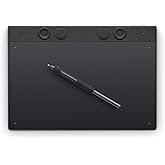
Wacom MovinkPad 11, Android Mobile Drawing Tablet, with Pro Pen 3 | No computer needed, 8GB RAM/128GB storage, anti-glare matte screen, All-In-One portable tablet with advanced pen precision

4.5 out of 5 stars (231)
Amazon's Choice highlights highly rated, well-priced products available to ship immediately.
Amazon's Choice

This item cannot be shipped to your selected delivery location. Please choose a different delivery location.
Brief content visible, double tap to read full content.
Full content visible, double tap to read brief content.
Size: 11 inch

About this item

  • ALL-IN-ONE DESIGN: 11.45" Android 14 tablet, 8 GB memory/128 GB storage, battery-free, slim barrel Pro Pen 3, no computer needed; comes with Wacom Canvas app, 2 years of CLIP STUDIO PAINT DEBUT & trials of Ibis Paint, Magma blaze & Artwod training
  • QUICK DRAW READY: Tap and hold the pen on screen to instantly launch Wacom Canvas and start sketching or taking notes the moment an idea hits, just like opening a sketchbook or notebook
  • BEST-IN-CLASS PEN PERFORMANCE: Designed for MovinkPad, this slim version of Wacom Pro Pen 3, delivers 8,192 pressure levels, has three buttons, and comes with replacement nibs stored in the pen's back end
  • PAPER-LIKE DRAWING EXPERIENCE: bright, sharp display with matte etched glass surface that feels like paper with subtle texture - reduces glare and fingerprints so you can focus on creating without distractions
  • THIN, LIGHT, PORTABLE: Weighs just 1.3lbs, lighter than most laptops and easily fits in a bag or backpack, supports popular digital pens (Dr. Grip, LAMY, STAEDTLER); goes wherever a sketchbook can go

Additional Details

Verified by Transparency
The brand applies a unique Transparency code to each item. We verify this code before shipping. You can verify this code using the Amazon Shopping app to confirm it comes from the brand and view additional product details.
Verified by Transparency
Each item has a unique code that we verify before shipping. Learn more

From the brand


Product description

movinkpad

Most tablets begin with the screen and add a pen later. MovinkPad 11 takes a different approach. It’s a full Android tablet built around Wacom’s most advanced pen technology, so everything you do feels more natural from the start. Sketch, design, write, annotate, or capture ideas the moment they happen. With a screen that feels like paper and apps you already use, MovinkPad is ready the second the pen touches it - whether you're at a desk, in a meeting, or sketching outdoors.

Pro Pen 3 - Wacom's finest pen technology

Once you use a Wacom pen, everything else feels like a compromise.

Just pick up the pen and go. That's it. No charging, no pairing, no mode-switching. Pro Pen 3 is ready the moment you reach for it - so the idea you had walking in the door doesn't disappear while you wait for hardware. When you do put pen to screen, 8,192 levels of pressure and ±60° tilt recognition mean every line, shade, and stroke lands exactly where your hand intended it.

movinkpad 11

Drawing surfaces shouldn't need fixing.

MovinkPad 11 is built with a precision etched-glass surface that's physically textured, not coated - so your pen grips naturally from the first stroke to the last. No additional films or accessories needed to make it feel right. The micro-texture diffuses light for a true matte finish, reducing reflections while maintaining details and accurate color. It also repels fingerprints, so you can focus without constantly tilting or wiping the screen - especially useful in bright environments where glare would ruin a glossy surface.

light and portable

Create and connect anywhere.

Ultra-portable at 1.3 pounds, MovinkPad 11 goes wherever you do. A 7700 mAh battery powers all-day use, while front and rear cameras make it easy to capture, scan, or join calls. With WiFi and Bluetooth, it keeps you connected and creating.

movinpad

One device for everything.

MovinkPad 11 puts the full Android world in one place. Download your apps from the Google Play Store and move between sketching, notes, and downtime without missing a beat.

movinkpad

Capture ideas the moment they hit.

Just tap and hold the pen to the screen to wake the tablet and use Wacom Canvas. No unlocking, no loading, no hunting for the right app. The moment an idea hits… a sketch, a note, a thought worth keeping - you’re already there.

movinkpad 11

We didn’t add a pen to a tablet. We built a tablet around a pen.

For over 40 years, Wacom has focused on one thing: making digital pen input feel natural. Professionals choose Wacom because that focus shows up in every detail - from pressure that responds correctly, to a surface that isn't slick glass, to a pen that never needs charging. Other tablets can work with a pen. MovinkPad is designed for it. Pick it up and you'll know.

carview.php?tsp=
Wacom MovinkPad 11, Android Mobile Drawing Tablet, 11" with Battery-Free Slim...
carview.php?tsp=
Wacom MovinkPad Pro 14, Android Mobile Drawing Tablet, 14" OLED No Computer N...
Who will love it? Students, aspiring artists and note-takers who want an affordable all-in-one drawing tablet that's designed around the best digital pen experience. Professional creators, designers and serious artists who demand the best standalone tablet experience with premium display quality and pro-level performance.
Does it need a computer? No computer needed! Standalone Android 14 tablet with built-in creative apps. Draw anywhere independently. No computer needed! Fully functional standalone Android 15 tablet. Bonus: try out beta-test features like connecting it to a computer.
Computer Compatibility Compatible with Windows 11; macOS 14 (Sonoma), 15 (Sequoia) & 26 (Tahoe). Windows ARM-based systems & Intel Macs not supported.
What's the resolution? 11.45" LCD display with 2200×1440 resolution (2K) for crisp, detailed artwork and note-taking. 14" OLED display with 2880×1800 resolution (3K) and 100% DCI-P3 color gamut - the highest quality screen in the Movink lineup.
What's the processor? MediaTek processor with 8GB RAM delivers smooth drawing and multitasking for creative apps and note-taking. Qualcomm Snapdragon 8s Gen 3 processor with 12GB RAM - flagship mobile performance for demanding creative work and seamless multitasking.

Product information

Warranty & Support

Amazon.com Return Policy:Amazon.com Voluntary 30-Day Return Guarantee: You can return many items you have purchased within 30 days following delivery of the item to you. Our Voluntary 30-Day Return Guarantee does not affect your legal right of withdrawal in any way. You can find out more about the exceptions and conditions here.

Feedback

carview.php?tsp=

Wacom MovinkPad 11, Android Mobile Drawing Tablet, with Pro Pen 3 | No computer needed, 8GB RAM/128GB storage, anti-glare matte screen, All-In-One portable tablet with advanced pen precision


Found a lower price? Let us know. Although we can't match every price reported, we'll use your feedback to ensure that our prices remain competitive.

Where did you see a lower price?

Price Availability
/
/
/
/
Please sign in to provide feedback.

What's in the box

  • Wacom Movink Pad 11, USB-C to C Cable, Wacom Pro Pen 3 with Nib Holder, Replacement Nibs (Felt x3), IPI booklet & regulation sheet
  • Top Brand: Wacom

    Highly Rated
    100K+ customers rate items from this brand highly
    Trending
    10K+ orders for this brand in past 3 months
    Low Returns
    Customers usually keep items from this brand

    Customer reviews

    4.5 out of 5 stars
    231 global ratings

    Customers say

    Customers find this drawing tablet to be the best standalone option, offering an excellent experience for on-the-go work and quick sketches. The tablet features a matte screen with a perfect texture, and customers appreciate its ease of setup and use, good value for money, and battery life. However, the responsiveness receives mixed feedback, with some customers reporting touch input issues, and compatibility is also mixed, particularly with Dell devices.
    AI Generated from the text of customer reviews

    Select to learn more

    59 customers mention functionality, 50 positive, 9 negative
    Customers find the tablet's functionality excellent, describing it as the best standalone drawing device and praising its fantastic pen.
    Great tablet!Read more
    ...These are merely nitpicks. It's an excellent drawing tablet that I've been able to use on the way to work, at work, and at home, and...Read more
    ...Great resolution with a nice screen surface. Nice, big screen. Comes with a trial with CLIPStudio, which is a new environment for me....Read more
    This is a really good drawing tablet! Super quick and painless setup (no WiFi or Google account needed if you don't want it!),...Read more
    31 customers mention drawing experience, 31 positive, 0 negative
    Customers praise the tablet's drawing capabilities, noting it's excellent for on-the-go work and quick sketches, with one customer mentioning it's superior to the iPad Pro.
    ...This is simply a drawing tablet, and I don't need it to do anything else other than that well.Read more
    The pen is fantastic, combined with the screen makes for a great drawing experience....Read more
    ...In short, this tablet is really good for drawing but I’m sure Wacom is banking on everyone to use this tablet as an additional pc drawing monitor....Read more
    ...The pen feels a little cheap but it's draws really well. You can adjust the pen pressure in the Clip Studio paint settings....Read more
    26 customers mention value for money, 19 positive, 7 negative
    Customers find the graphic tablet to be good value for money, with one customer noting it's particularly suitable for beginner digital artists.
    ...I believe that it has a great price for what you get.Read more
    ...Cost effective to most Apple products (which most articles direct you too) and rivals a traditional tablet in my opinion....Read more
    Pen is so so not premiumRead more
    ...It’s cheaper than the base iPad and comes with a stylus! A stylus that doesn’t require charging!...Read more
    25 customers mention ease of use, 22 positive, 3 negative
    Customers find the graphic tablet easy to set up and use, with one customer noting that it's ready to draw out of the box.
    ...It's light, easy to use, and so far it's worth every penny.Read more
    ...Even if you haven't had a drawing tablet before. It's easy to learn if you know android you will enjoy it.Read more
    ...It's durable, sleek, easy to set up, use, and transport if needed....Read more
    This is a wonderful drawing tablet. It is very easy to use.Read more
    21 customers mention screen feel, 21 positive, 0 negative
    Customers appreciate the tablet's screen, noting its paper-like feel and perfect texture, with one customer specifically mentioning its micro-etched finish.
    ...The matte screen out of the box feels good to draw on and it's way better than glossy screens....Read more
    ...It's so portable and the batteries are pretty good. The screen feels like paper. This Wacom tablet will make you want to draw everyday!! 🤓Read more
    ...The palm rejection is great, screen feels wonderful and has a great matte texture, battery lasts for ages, writing is smooth and works about as...Read more
    ...so much easier, the picture quality is gorgeous, and i love the feel of the pen and how it feels against the screen....Read more
    20 customers mention battery life, 15 positive, 5 negative
    Customers are satisfied with the tablet's battery life, with one customer noting that the stylus doesn't require charging.
    ...The pressure levels are good with the pen. Battery life is good. By the time I've killed the battery, I'm ready for a break....Read more
    ...It had great compatibility. The battery ran all day for me and I was working for a total of 9 hours (4 hours then a break for lunch then, 5 hours)....Read more
    ...though this is a widely reported problem with this tablet: it will not charge and will not power on....Read more
    ...Enjoyed the matte screen and size with no glare. The pencil doesn’t need charged and easily connects to device. Easy to set up and start drawing....Read more
    36 customers mention responsiveness, 25 positive, 11 negative
    Customers have mixed experiences with the tablet's responsiveness, with some finding it works well as a drawing tablet while others report issues with touch inputs and pen functionality.
    ...I am very happy with it so far. Seamless, responsive with good color. Great resolution with a nice screen surface. Nice, big screen....Read more
    ...The screen is vibrant and smooth to draw/write on. The pen is responsive and comfortable to use. The battery life is impressive....Read more
    ...You’re stuck using gestures, but palm rejection will block them if your finger is near the screen while the pen is hovering....Read more
    ...volume buttons because to me they should be switched but the tablet itself works great. It charges quickly and is super convenient....Read more
    20 customers mention compatibility, 11 positive, 9 negative
    Customers have mixed experiences with the tablet's compatibility, with some reporting issues with Dell devices, while one customer notes seamless integration with Clip Studio.
    ...The Wacom Canvas that comes installed is great for note taking and quick sketches, and those sketches can be ported to a different app like Clip...Read more
    ...I can’t lie. Obviously this only takes the Campatibke Wacom pens and cannot take the Art Pen 2 (I don’t think it does the Art Pen 1??)...Read more
    ...screen is bright and clear, making it enjoyable to draw, sketch, and take notes....Read more
    ...For example, the instant pen display feature does not currently work with some Mac computers, like those using OS 26 (Tahoe)....Read more
    Do Your Research - You Will Find This an EXCELLENT Drawing/Painting Tablet Option!
    5 out of 5 stars
    Do Your Research - You Will Find This an EXCELLENT Drawing/Painting Tablet Option!
    You definitely need to do research beforehand and take the negative reviews with a grain of salt. I am sorry for the many who have had bad experiences with this unit and respect their input and I hope Wacom is reading and noting and improving this product with the input. In my case I am having and excellent experience, albeit with some challenges but in my initial review and use of the Wacom MovinkPad Pro 14 tablet I have found an to be excellent drawing/painting option. As an utraained artist with 50 years of drawing experience, not professional...yet... I have really become interested in digital art. I have a Huion 10" no-screen drawing pad (which also is a nice unit - but I wanted a stand alone/work along with my computer color (hi-res) drawing/painting tablet). The Wacom MovinkPad Pro 14, has filled the bill and then some. I've had it several days and I'm enjoying it more with each use. It is excellent going from graphite and paper to digital (I like both mediums but digital has a nice pull for me right now). Price: at $899 and comparing what I am getting from my HP Sceptre x360 flip/touch laptop that I can also draw on, the price is definitely reasonable. I did not want to have to disconnect/reconnect my laptop from the USB hub (multi-display) when I wanted to draw and the Huin non-screen kept me in a constant learning curve haing to draw and not look at the drawing surface but rather look at the screen (blind drawing, which is an artistic skill beeing taught which is a good skill to attain) but is was a very annoying variable - I just wanted to draw. The Wacom MovinkPad Pro 14 solves this problem and the price is accurate and it is an investment. Quality of product: I'm pretty impressed. Very thin, streamlined screen/case (I immediately purchased a protective case because I can have an "ooops moment" and I do not want to lose my investment I waited so long for). The MovinkPad Pro 14 outer case is robust and the OLED screen is amazing in clarity and the amount of display dimming variations is excellent. Crisp and clear display. I'm still learning the pen and finger motions for navigation but there is a lot of info through Google/Brave browser AI that gives you tips; very similar to a smartphone version of the drawing programs. The power button is located in a good spot (to minimize accidental power off bumps and the SD card slot (near power button) is protected and easy to insert your SD card (I recommend supplementing with at least a 512gb card for starters - and I am letting the MovinkPad manage the storage). Powers up quickly. Once you learn the tablet's navigation conventions swiping and moving through menus is quick and responsive. The pad, during use, does not heat up as some other users have experienced. Updating software and firmware has not been a problem, a little slow but the file sizes are huge. Pen and finger responsiveness is excellent, minimal latency or delay (even with Instant Pen connection to computer). The 14 inch screen is a great feature. Smaller than that is less intuitive for me (it is about the size or a little more, than a sheet of paper (LOL, maybe because of this unit, some day I'll upgrade to the Wacom Cintique 27 (pricey!). The drawing surface is similar to the Kindle Scribe Paperwhite where you have a micro textured surface to mimick the "tooth" of paper when drawing with graphite pencils; very nice feature and the muscle memory kicks in with that feel when drawing on paper. Color of case is fine. I would have opted for black but that is minor. Definitely a solid 5 out of 5 for quality of the tablet. Quality of the Drawing Pen: The Pro Pen 3 works excellent but it is a little thin and light for me (but comparible to a regular drawing pencil, actually) so I purchased the customization kit to add weight and bulk to the pen to help. I'm still working through the pen buttons. I keep activating them when I draw, so I have to decide: deactivate or adjust and learn how to not accidentally activate them. The buttons are convenient though (remove stray pen stroke in one click, etc.) Software: The native Wacom Canvas skething program is fine but I do not use it and I am still setting up the Wacom shelf gallery (conecting my Google Drive files, etc. The preload allows you to try Clip Studio Paint and CSP EX (see the product link - subscriptions include the latest Verion 5 software subscription). which I do not plan to purchase but I did purchase Clip Studio EX (Version 3) perpetual license for my laptop, which I can access with the MovinkPad Pro 14 via Instant Pen Display Mode. Beta Feature: Instant Pen Display mode: I do not have time to give all the details on how to do this. I did some research, you can as well and I cannot guarantee it will work in every situaion and it is still in Wacom's Beta program so I'm sure they will continue to support and iron out the bugs. Instant Pen Display (see my video on it) works well for me, I'm very happy with it. I used it via direct USB connect as well as wirelessly and I did not notice a lot of latency going wireless. Be advised this is still a Beta feature and may not work on every computer. I needed to some use patience and follow the recommendations carefully. It took some time, made sure all updates where on the tablet, turned on debugging mode on the tablet, etc. but got it working and this is an excellent feature. It added a new screen to my already multi-screen set up and it ran Clip Studio EX very smoothly. Third Party software: I am an avid user of Sketchbook Pro and although Amazon's Rufus AI says it does not work with Sketchbook, it does work on the MovinkPad Pro 14 and does so fabulously (I made sure to tell Rufus this as well... ;) You just download the "mobile" or Android version of Sketchbook Pro from Play store. It is free software but for a very small investment you can purchase the Pro version (highly recommended to get your premium pens/brushes. Set up was easy and I downloaded all the pens, brushes and pallettes that Sketchbook offers and it is a robust program on this unit. (I'll try to add a couple rough pics to prove it). Compatibility & Connectivity: Excellent with my HP Sceptre x360-15 laptop. Minimum to no latency when drawing (see videos). Compatibility to third party software is excellent. I have both Sketchbook PRo and Krita downloaded so far and both are working well. Remember it is Android 15 so it is similar to your mobile phone's platform. Overall I am thrilled with this purchase. I'm attempting to do a drawing a day (goal) to hone my skills with the tablet. I may post updates as I run into any issues but I do not have regrets with this purchase so far. Solid 5 out of 5 stars and I highly recoommend the Wacom MovinkPad Pro 14 drawing tablet to anyone looking for an excellent drawing tool. Also, I did purchase the Asurion 3 year protection plan because of the initial cost and investment.
    Thank you for your feedback
    Sorry, there was an error
    Sorry we couldn't load the review

    Top reviews from the United States

    • 5 out of 5 stars
      Probably the best drawing tablet there is
      Reviewed in the United States on June 16, 2026
      Brief content visible, double tap to read full content.
      Full content visible, double tap to read brief content.

      Very good tablet. It responds well, it connects to other devices quickly (it and my phone are inseparable atp), it has made productivity so much easier, the picture quality is gorgeous, and i love the feel of the pen and how it feels against the screen.

      Some minor issues i have are that the touch screen can be finicky occasionally, the tablet doesn't have an audio jack, the file system isn't the easiest to navigate (but you can download a different one to help with that), and i already have a stuck pixel after a day of use, but nothing bad enough to drop my score down, even combined. These are merely nitpicks.

      It's an excellent drawing tablet that I've been able to use on the way to work, at work, and at home, and whenever i have the itch to start drawing, it's super easy to set up and it takes literally seconds to get started with whatever program you like to use (Krita user here).

      I also call my friends on discord or listen to youtube on it while i draw, and the sound quality is amazing, my friends can't hear themselves while on speaker, and there's no lag from having multiple tabs open.

      Very much recommended, it's at least a 9.7/10 for me.

      5 people found this helpful
      Sending feedback...
      Thank you for your feedback.
      Sending feedback...
      Thanks, we'll investigate in the next few days.
    • 5 out of 5 stars
      Fantastic Drawing Tablet for Creativity
      Reviewed in the United States on June 26, 2026
      Brief content visible, double tap to read full content.
      Full content visible, double tap to read brief content.

      The Wacom MovinkPad 11 is an excellent drawing tablet with a responsive and accurate pen experience. The screen is bright and clear, making it enjoyable to draw, sketch, and take notes. It feels lightweight yet well built, and the setup was quick and easy. The performance is smooth, and the battery life is impressive for extended creative sessions. Whether you’re a beginner or an experienced artist, this tablet offers a great balance of quality, portability, and functionality. I highly recommend it to anyone looking for a reliable digital drawing tablet.

      4 people found this helpful
      Sending feedback...
      Thank you for your feedback.
      Sending feedback...
      Thanks, we'll investigate in the next few days.
    • 5 out of 5 stars
      Independent Artists, LET'S GO!
      Reviewed in the United States on February 3, 2026
      Brief content visible, double tap to read full content.
      Full content visible, double tap to read brief content.

      I needed a tablet I could solely dedicate to digital painting and illustration without all the distractions of a traditional tablet. Additionally, I wanted something versatile that could handle intense creative work, while also plugging into my laptop, if needed.

      I almost stuck with the Movink11 , then had a change of heart and sprang for the 14.

      I am very happy with it so far. Seamless, responsive with good color. Great resolution with a nice screen surface. Nice, big screen.

      Comes with a trial with CLIPStudio, which is a new environment for me. I downloaded infinite paint as well which works wonderfully. Android powered, so any Android drawing apps you are accustomed to, you can easily download and get to work.

      No freezing, even on large works.

      The wake up sketch environment is pretty cool, and you can turn it off if it gets in the way.

      Comfortable to hold, but I am paranoid of dropping it.

      I immediately purchased a case for it, which is a 3rd party case for complete coverage and a pen holder.

      Really has helped me reconnect with my creative endeavors. Now to just get past the artist's block...

      Overall, if you have the $$ to invest in your work, and need something to pull away from your computer that won't distract you from your muses, get it.

      Cost effective to most Apple products (which most articles direct you too) and rivals a traditional tablet in my opinion. Dedicsted to your creative whims.

      For all of you artists on here, Im expecting a portfolio of your beautiful work in 2 months.

      Get to work!

      17 people found this helpful
      Sending feedback...
      Thank you for your feedback.
      Sending feedback...
      Thanks, we'll investigate in the next few days.
    • 5 out of 5 stars
      A winner!
      Reviewed in the United States on July 1, 2026
      Brief content visible, double tap to read full content.
      Full content visible, double tap to read brief content.

      I like this a lot! The device is lightweight without feeling cheap. The screen is vibrant and smooth to draw/write on. The pen is responsive and comfortable to use. The battery life is impressive. The included drawing software is pretty simplistic, but it helps avoid the overwhelm that comes from more feature-heavy software, allowing you to just get that idea down before it's gone.

      I've found it to be a great multitasker and tablet. Runs browsers and other apps with ease.

      All around, I think this is a great product at an excellent price point.

      2 people found this helpful
      Sending feedback...
      Thank you for your feedback.
      Sending feedback...
      Thanks, we'll investigate in the next few days.
    • 4 out of 5 stars
      Excellent drawing experience for a tablet
      Reviewed in the United States on September 17, 2025
      Brief content visible, double tap to read full content.
      Full content visible, double tap to read brief content.

      The product came with a dried on yellow oily stain on the box along with gouges. The shipping box was fine so it makes me wonder why an employee would consider this fine to ship. If you buy, be aware of that your unit may come like this. The product seems to be fine and I will post a longer review shortly. But here are some initial impressions. I have used Wacom products for 15+ years.

      1. Solid feel.

      2. Love the textured matte display.

      3. Drawing is superior to my iPad Pro.

      4. This cheaper version of the Wacom Pro Pen 3 is flimsy and keeps coming unscrewed. Many other reviews have noted this. I didn’t want to believe it but it’s very true. Makes me want to spend the $130 to get the full version of the Pro Pen 3 that is built well.

      5. Despite having a three year old mid range processor the tablet is snappy and works fine for drawing.

      Overall: I love the tablet but the lower quality pen is a disappointment.

      Excellent drawing experience for a tablet
      Excellent drawing experience for a tablet
      4 out of 5 stars
      Excellent drawing experience for a tablet
      Reviewed in the United States on September 17, 2025

      The product came with a dried on yellow oily stain on the box along with gouges. The shipping box was fine so it makes me wonder why an employee would consider this fine to ship. If you buy, be aware of that your unit may come like this. The product seems to be fine and I will post a longer review shortly. But here are some initial impressions. I have used Wacom products for 15+ years.

      1. Solid feel.

      2. Love the textured matte display.

      3. Drawing is superior to my iPad Pro.

      4. This cheaper version of the Wacom Pro Pen 3 is flimsy and keeps coming unscrewed. Many other reviews have noted this. I didn’t want to believe it but it’s very true. Makes me want to spend the $130 to get the full version of the Pro Pen 3 that is built well.

      5. Despite having a three year old mid range processor the tablet is snappy and works fine for drawing.

      Overall: I love the tablet but the lower quality pen is a disappointment.

      5 people found this helpful
      Sending feedback...
      Thank you for your feedback.
      Sending feedback...
      Thanks, we'll investigate in the next few days.
    • 5 out of 5 stars
      This is the portable drawing tablet I didn’t know I needed!
      Reviewed in the United States on November 21, 2025
      Brief content visible, double tap to read full content.
      Full content visible, double tap to read brief content.

      I am a current owner of the Movink 13 Pen Display, which has absolutely been a daily driver for the last year and change. A truly integral part of my setup and flow, and a full workhorse. Using it as an extended monitor, PDF signer, photo editor, and to my dismay, the catalyst to my son's 40 thousand scribbles that I have to save because he somehow loves and remembers all of them. All this to say, I love the display and its role in my creative work.

      The Movinkpad Pro 14, is an elevated experience, bordering on imposter syndrome. On paper this tablet is more robust across the board, but in use and portability, it soars!! I love the matte screen and somehow the pen glides and draws smoother. The color contrast is deeper and the precision is something to write home about. I’ve taken it out into the world away from chargers and couldn’t even be bothered to be concerned about battery life. Wacom has somehow managed to make this feel light and durable. I would love a case or sleeve to ease my mind while I toss it in my bag, but I haven’t really searched for one.

      Overall, this is a more than solid upgrade and with the portability, I am looking forward to how much further, both physically and creatively, I can go with this tablet. I just took a weekend trip and only brought this as my email, art, entertainment center and let me tell you it did not disappoint. The only issue was how much my sons didn’t want to share it with me or each other.

      6 people found this helpful
      Sending feedback...
      Thank you for your feedback.
      Sending feedback...
      Thanks, we'll investigate in the next few days.
    • 5 out of 5 stars
      Where have you been all my life?
      Reviewed in the United States on December 20, 2025
      Brief content visible, double tap to read full content.
      Full content visible, double tap to read brief content.

      I use my Wacom Cintiq Pro 22, and I love it. But I always wanted a screen (from Wacom), to be totally portable. So I can draw anywhere at my home, and not be stuck at my desk, and also have the option to take it outside my home. All this without the use of a desktop or laptop.

      The Wacom MovinkPad Pro 14 is that miracle machine, it's bigger than the MovinkPad Pro 11. And now that I mentioned the 11, the Wacom MovinkPad Pro 14 has this feature called Instant Display Mode, where you can connect it to your desktop and display your desktop on its screen and use everything on your desktop. I find that sweet.

      I didn't notice any lag. This is a standalone drawing pad, that uses Wifi for connectivity, and integrates with Google. You can see your Gmail, get on YouTube, and browse the web. You can use the available stylus, and/or touch, which is flawless. I haven't noticed any smushes on the touchscreen.

      All in all, you can use this device as your standalone drawing pad. With memory capacity to 2 TB on an SD card, and the ability to use Clip Studio Paint. If you can't use Clip Studio Paint for whatever reason, you can use their built-in Wacom Canvas, it has limited features, though. It also has the Wacom Shelf, where all your drawing sketches and projects are saved.

      Lastly, I use the Wacom MovinkPad Pro 14 as a companion to my Wacom Cintiq Pro 22. Giving me the freedom and the comfort of drawing away from my desktop, but making my desk setup, my base of operations. Where all my work is finalized. It's a nice piece of tech, for what it's worth. It's mainly for sketching (with Wacom Canvas), and full-fletch drawing (Clip Studio Paint). The ability to browse the web like any tablet, is a plus.

      10 people found this helpful
      Sending feedback...
      Thank you for your feedback.
      Sending feedback...
      Thanks, we'll investigate in the next few days.
    • 1 out of 5 stars
      Failed in under 30 days - bad support experience
      Reviewed in the United States on February 21, 2026
      Brief content visible, double tap to read full content.
      Full content visible, double tap to read brief content.

      Failed within 30 days — will not charge or power on. After researching online, this appears to be a common issue. I would recommend choosing a different model and potentially avoiding Wacom altogether, given how poorly this problem is being handled.

      I missed the Amazon replacement/refund window, so I had to contact Wacom support directly. I submitted my Amazon order details along with a screenshot of the purchase confirmation. Despite the device already being registered on Wacom’s website and the order being placed through Wacom’s official Amazon listing, they are requesting additional proof of purchase.

      They are also requiring a video demonstrating the issue, even though this is a widely reported problem with this tablet: it will not charge and will not power on. I have tested multiple chargers and cables, including the cable that came with the device. (It did not include a charging adapter, which is disappointing at this price point.)

      13 people found this helpful
      Sending feedback...
      Thank you for your feedback.
      Sending feedback...
      Thanks, we'll investigate in the next few days.

    Top reviews from other countries

      Translated by Amazon
      See original
    • 4 out of 5 stars
      La mejor opción con sistema Android disponible hasta ahora.
      Reviewed in Mexico on May 19, 2026
      Brief content visible, double tap to read full content.
      Full content visible, double tap to read brief content.

      Debo empezar esto diciendo que toda la vida he sido entusiasta de dibujar en papel tradicional debido a mi incapacidad de moverme al 100% a usar un dispositivo móvil donde lo haga de manera electrónica. Siempre la terrible sensación al dibujar sobre un vidrio ha sido suficiente para regresar al tradicional papel buscando la tracción generada sobre el papel. Había usado una Xpen magic Pad cuya experiencia al trazar era más o menos decente. Habiendo usado dispositivos Wacom anteriormente y supe de esta nueva tablet así que quise probar. La experiencia ha sido muy buena. No se si es la punta de la pluma o la cubierta mate del cristal que hace que la operación sea única. La pluma delgada no me encanta, hubiera preferido que fuera más gruesa para un mejor agarre pero cumple. Usar este dispositivo con el app Concepts es lo que ha hecho una gran diferencia. El app Canvas que trae esta bastante por abajo de lo que necesitas, no tiene nada que no encuentres en Bamboo paper si solo quieres hacer un sketch rapido. Lo que esta terrible es que la tablet no tiene como mantener unida la pluma lo que la expone a que la pierdas. La Xpen traía un soporte que la protege de atrás y un un espacio que aloja la pluma. Las fundas disponibles para la tablet están bastante ordinarias pero eso es mejor a exponerla a que se caiga y se dañe. Esta tableta es de lo mejor por el momento, espero que en la siguiente actualización de Clip Studio no deje de funcionar como le pasó a la versión de la Xpen que compre que no se axtualiza. Recomendable si buscas un dispositivo para hacer una ilustración de principio a fin en una tableta portátil.

      Sending feedback...
      Thanks, we'll investigate in the next few days.
      Translated from Spanish by Amazon
      See original
    • 5 out of 5 stars
      Movinkpad 11 Comparable to Ipad Air ?
      Reviewed in Canada on September 17, 2025
      Brief content visible, double tap to read full content.
      Full content visible, double tap to read brief content.

      The Wacom Movinkpad 11 is excellent in many ways. How does it compare to something like the Ipad air m2 or m3? Well that was my previous device so I'll explain.

      The Movinkpad 11 first off, of course feature and etched glass anti glare screen. This is one of the best parts about it in my opinion as it is far superior to glossy screen and screen protectors. Superior in that it provides a tactile feeling and some resistance while drawing. It feels very smooth, unlike the sticky feeling of the bare ipad screen due to the anti finger print coating. It of course does introduce some grain and the bare ipad screen will have more clarity. But the grain is much less than any screen protectors you can use on the ipad air. As for performance, for drawing and art, I've found it exceeded my expectations handling very large files with ease. 4000x5000 300 dpi 30ish layers no lag whatsoever. However if you need to use warp tools on large files or 3d programs this is where the ipad will be superior. But for creating 2d art it does excellent and with 99% srgb coverage, 400 nits of brightness it works perfectly. The p3 color range is mostly useless on the ipad as practically all artists will be creating art in srgb unless you are looking to print your work.

      & with 90hz adaptive refresh rate I found it I couldn't even spot any more noticeable pen lag than on my ipad air due to the air being locked at 60hz.

      The pen is very light which may not feel "premium" but it does help with any arm fatigue helping you to draw longer with no effort at all.

      The nibs included although they appear plastic are actually a new kind of felt nib mixed with plastic that wacom now uses. These nibs feel very interesting, I do like them alot but they will tend to wear down. There are many different types of nib materials you can use, I will be trying the rubber ones next and getting more of these.

      Outside of art is where you will notice more performance issues, such as with gaming or just general smoothness of transitioning windows and such, but if you are looking for something for purely art this tablet is so underrated.

      Why do I say it's underrated? Well it's because many reviewers complain of the processing power yet none show you a time other than 3d programs where it's even slightly challenged. And so the bottom line to me is this;

      The only Ipad that could truly compare is the nano glass textured ipad, because having this kind of finish is amazingly easy to clean and feels so smooth to draw on. The brightness is not as high as many ipads but unless you are literally in direct sunlight, you can always draw outside easily as I do daily.

      The processor is weaker yes, but not weak enough to stop me from making large illustrations start to finish with no lag.

      And finally the thing is, since only the nano texture can compare, sure the ipad would last longer and be more powerful. But the price is so high I could just buy 2 more movinkpad11s by the time this one dies on me for the same price as 1 ipad with nano texture.

      The one weakness however I will admit is the size. Though this is a much better size than the 11 inch ipad. I actually had the 13 inch model. And if you really need size than thats where the movinkpad 11 won't be able to compete over the 13 inch ipad. However the movinkpad 11 is basically the same size as a ipad air 11 but horizontally but its vertically much longer. So in portrait orientation it is as tall as my ipad air 13. But in landscape mode it is much shorter.

      It's also quite a bit heavier than an ipad 11 inch but I have noticed its right bordering the line to handlability. I am often moving jt all about like a smaller sketch book which I never did with my 13inch ipad air because it was just so unwieldy.

      I do occasionally miss the size of the 13 inch but I do love the aspect ratio much more than the 11 inch ipad. Its perfect to keep it very mobile while having that extra room to have all your art program of choices menus open in landscape orientation.

      And if we are lucky, Wacom will release more models. I'd love a pro model version or even a 13 inch model.

      So my conclusion is if you are specifically looking for something with the best drawing experience at a affordable price than nothing can beat this tablet. If you need to be able to do other heavy tasks like 3D or gaming, or video editing then thats where you may want to sacrifice some of the drawing expereince for the power or an Ipad or Samsung device.

      So if you are up in the air over something like an Ipad or this for primarily drawing or painting, making illustrations, then I would highly recommend this tablet, the second you feel the smoothness and ease of moving your hand on this etched glass surface I think your doubts will be gone. I haven't touched my ipad much since when I first got this, just to compare the two I switched back and forth. But this one always came out on top for me, it's biggest weakness as I said for me was not the performance but just the size of the 13 inch ipad feels so spacious and you will need to adapt to a smaller display.

      Sending feedback...
      Thanks, we'll investigate in the next few days.
    • 5 out of 5 stars
      Excellent product !
      Reviewed in Canada on February 27, 2026
      Brief content visible, double tap to read full content.
      Full content visible, double tap to read brief content.

      Excellent tablet for graphics it is equivalent to an IPad on Android

      Sending feedback...
      Thanks, we'll investigate in the next few days.
    • 5 out of 5 stars
      Easy to use
      Reviewed in Canada on December 1, 2025
      Brief content visible, double tap to read full content.
      Full content visible, double tap to read brief content.

      Perfect for drawing. You will need to purchase drawing gloves to use it properly since it's touchpad, your skin will make marks and other stuff on your drawing. It is really easy to use and the app is full of features for different effect and different kinds of drawings.

      Sending feedback...
      Thanks, we'll investigate in the next few days.
    • 4 out of 5 stars
      Good drawing tablet for any level of artist.
      Reviewed in Canada on September 21, 2025
      Brief content visible, double tap to read full content.
      Full content visible, double tap to read brief content.

      It is a good tablet, does what it says. The only issue I had was OS felt laggy but when you opened up apps those ran perfectly fine. I may repurchase this at a later date.

      Also the matte screen that is very similar to Wacom Cintiqs definitely feels very nice when drawing. It's also very light weight and thin but still feels sturdy. I just wish the screen was a little bigger.

      Sending feedback...
      Thanks, we'll investigate in the next few days.

    Product Summary: Wacom MovinkPad 11, Android Mobile Drawing Tablet, with Pro Pen 3 | No computer needed, 8GB RAM/128GB storage, anti-glare matte screen, All-In-One portable tablet with advanced pen precision

    From Wacom

    4.5 out of 5 stars, 231 ratings

    Customer reviews

    200+ bought in past month

    Price

    No featured offers available

    Other sellers

    Other sellers

    About this Item

    • ALL-IN-ONE DESIGN: 11.45" Android 14 tablet, 8 GB memory/128 GB storage, battery-free, slim barrel Pro Pen 3, no computer needed; comes with Wacom Canvas app, 2 years of CLIP STUDIO PAINT DEBUT & trials of Ibis Paint, Magma blaze & Artwod training
    • QUICK DRAW READY: Tap and hold the pen on screen to instantly launch Wacom Canvas and start sketching or taking notes the moment an idea hits, just like opening a sketchbook or notebook
    • BEST-IN-CLASS PEN PERFORMANCE: Designed for MovinkPad, this slim version of Wacom Pro Pen 3, delivers 8,192 pressure levels, has three buttons, and comes with replacement nibs stored in the pen's back end
    • PAPER-LIKE DRAWING EXPERIENCE: bright, sharp display with matte etched glass surface that feels like paper with subtle texture - reduces glare and fingerprints so you can focus on creating without distractions
    • THIN, LIGHT, PORTABLE: Weighs just 1.3lbs, lighter than most laptops and easily fits in a bag or backpack, supports popular digital pens (Dr. Grip, LAMY, STAEDTLER); goes wherever a sketchbook can go

    Product Description

    Wacom MovinkPad 11 is made for drawing - no cords, no setup, no limits. It's not just another mobile tablet. This all-in-one tablet is built by the digital pen experts for creatives who want the freedom to sketch anytime, anywhere - without needing a computer or power outlet. Just pick it up and start drawing. Its lightweight, has an 11" anti-glare etched glass screen, and runs on Android 14; MovinkPad 11 is always ready when inspiration hits. Just tap and hold your pen to the screen to launch Wacom Canvas and start sketching - no waiting, no fuss. Whether you're new to drawing, like to doodle on the couch, or are ready to capture ideas on the go, MovinkPad 11 delivers the pen experience Wacom is known for to help you create more, wherever you are. No limits - just draw.

    Options Available

    Size

    • 11 inch
    • 14 inch
    Browse all available options

    Important Information

    Visible screen diagonal

    12" / 30 cm

    Feedback

    Did you find this product summary feature useful?

    Thank you for your feedback
    Thank you for your feedback. You selected "Yes, it is useful"
    Thank you for your feedback. You selected "No, it is not useful"
    Product summary presents key information. Close to see all product details.