


| CARVIEW |




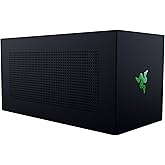
Razer Core X Chroma Aluminum External GPU Enclosure (eGPU): Compatible with Windows & MacOS Thunderbolt 3 Laptops, NVIDIA/AMD PCIe Support, 700W PSU, 4X USB 3.1, 1x Gbit Ethernet, Chroma RGB, Black
We don't know when or if this item will be back in stock.


| Brand | Razer |
| Motherboard Compatability | ATX |
| Case Type | Full Tower |
| Recommended Uses For Product | Business, Gaming |
| Color | Classic Black |
| Material | Aluminum |
| Power Supply Mounting Type | Bottom Mount |
| Cooling Method | Air |
| Model Name | Core X Chroma |
| Item Weight | 15.2 pounds |
About this item
- Desktop Grade Performance: Boosts Thunderbolt 3 laptop performance with support for up to 3 slot wide PCIe full sized desktop graphics cards (graphics card NOT included)
- Built-In Power Supply: Includes a 700W ATX PSU with 100W laptop charging via Thunderbolt 3; GPU max power support up to 500W
- Customizable RGB Lighting: Includes 16.8 million colors available; capable of syncing with gameplay and other Razer peripherals through Synapse 3 (lighting customization not supported on macOS)
- Compatibility (Windows): Requires Thunderbolt 3 external graphics (eGPU) support with RS45 or later and compatible NVIDIA or AMD graphics cards
- Compatibility (macOS): Requires Thunderbolt 3 and High Sierra 10.13.4 or later and compatible AMD graphics cards only (NVIDIA cards not supported)
 Report an issue with this product or seller
What other items do customers buy after viewing this item?
Product Videos

From the manufacturer

Desktop-Class Performance for Laptops

PCIe Desktop Graphics Cards Support
The Razer Core X Chroma features support for the latest PCIe desktop graphics cards including NVIDIA GeForce and AMD XConnect enabled Radeon cards. Highly mobile developers can now harness the power of compatible NVIDIA Quadro cards and AMD Radeon Pro cards for professional graphics performance.

Plug and Play
For quick connection to your game session, Razer Core X Chroma is plug and play when connected with compatible laptops. The single Thunderbolt cable connection unlocks desktop graphics, peripherals, Gigabit Ethernet, and Razer Chroma RGB lighting.

Thunderbolt 3 Connection
The unique dual-chip design of the Razer Core X Chroma effectively handles both graphic and peripheral data through a single Thunderbolt 3 cable to the laptop. The Thunderbolt 3 (USB-C) connection between a laptop and Razer Core X Chroma yields incredibly fast speeds, while offering a standard connection to various systems.
The Ultimate Notebook Companion

Versatile Compatibility
The Razer Core X Chroma is incredibly versatile and compatible with Thunderbolt 3 systems running Windows 10 RS4 or later and Macs running macOS High Sierra 10.13.4 or later. Laptops require a Thunderbolt 3 port with external graphics (eGPU) support.

Upgradeable Anytime
Stay at the top of your game by keeping your performance maxed. Razer Core X Chroma lets you easily upgrade your graphics card, so you can instantly give your laptop a boost.

Optimized Thermal Performance
Perfectly sized to fit your setup, the Razer Core X Chroma features additional cooling and open vents in its aluminum body for optimized thermal performance.


Blade 15 Base Model
|

Blade 15 Advanced Model
|

Blade Pro 17
|

Blade Stealth
|
|
|---|---|---|---|---|
| Customer Reviews |
4.4 out of 5 stars 784
|
4.3 out of 5 stars 103
|
4.1 out of 5 stars 63
|
4.3 out of 5 stars 55
|
| Display | 15-Inch FHD 144Hz or 4K OLED | 15-Inch FHD 300Hz or 4K OLED | Up to 17-Inch IPS-Grade 300Hz | 13-Inch IPS-grade 120Hz |
| Resolution | Up to 4K (3840 x 2160) | Up to 4K (3840 x 2160) | Up to 4K (3840 x 2160) 120Hz | Up to 4K (3840 x 2160) |
| Processor | 6-Core 10th Gen i7-10750H | 8-Core 10th Gen i7-10875H | 8-Core 10th Gen i7-10875H | Quad-Core 10th Gen i7-1065G7 |
| Graphics | Up to GeForce RTX 2070 MQ | Up to GeForce RTX2080 SUPER MQ | Up to GeForce RTX2080 SUPER MQ | NVIDIA GeForce GTX 1650Ti 4GB |
| Storage | Up to 512GB PCIe NVMe | Up to 1TB PCIe NVMe | Up to 1TB PCIe NVMe | 512GB PCIe NVMe M.2 |
| Memory | 16GB DDR4-2933MHz (8GB x 2) | 16GB DDR4-2933MHz (8GB x 2) | 16GB DDR4-2933MHz (8GB x 2) | 16GB LPDDR4X 3733MHz (Fixed) |
| Keyboard | Razer Chroma RGB Single-Zone | Per-Key Razer Chroma RGB | Per-Key Razer Chroma RGB | Razer Chroma RGB Single-Zone |
| WiFi | Wi-Fi 6 (802.11a/b/g/n/ac/ax) | Wi-Fi 6 (802.11a/b/g/n/ac/ax) | Wi-Fi 6 (802.11a/b/g/n/ac/ax) | Wi-Fi 6 (802.11a/b/g/n/ac/ax) |
| Addt'l Features | Thunderbolt 3 / USB-Charging | Thunderbolt 3 / USB-Charging | Thunderbolt 3 / USB-Charging | Thunderbolt 3 / USB-Charging |
| Weight / Size | 0.78"x9.25"x13.98" / 4.7lbs | 0.70"x9.25"x13.98" / 4.9lbs | 0.78"x10.24"x15.55 / 6.06lbs | 8.27"x11.99"x0.60" / 3.26lbs |
Product Description
The Razer Core x Chroma Thunderbolt 3 external desktop graphics enclosure enables full transformation of your compatible Laptop into a desktop-class gaming or workstation setup. The Thunderbolt 3 design provides dedicated lanes for both graphics and I/O ensuring fluid gameplay. Connect to the future with the most advanced and versatile eGPU solution available. Thunderbolt 3 cable length: 27.56 Inches/ 700mm, Please also ensure your laptop has the latest BIOS, firmware, Thunderbolt software, and other applicable updates before connecting to Razer Core X Chroma. Max inner dimensions - 12.99 x 6.29 x 2.24 inches, height measured from top of PCIe connector to the bottom of the locking pin ramps.
Product information
| Supported Motherboard | ATX |
|---|---|
| Case Type | Full Tower |
| Power Supply Mounting Type | Bottom Mount |
| Cooling Method | Air |
| Total USB 3.0 Ports | 4 |
| Total Usb Ports | 4 |
| Other Special Features of the Product | Led lights |
| Hard Disk Form Factor | 3.5 inches |
| Internal Bays Quantity | 3 |
| Compatible Devices | Laptop |
| Color | Classic Black |
|---|---|
| Enclosure Material | Aluminum |
| Antenna Location | Business, Gaming |
|---|
Warranty & Support
Feedback

| Brand | Razer |
|---|---|
| Model Name | Core X Chroma |
| Manufacturer | Razer |
| UPC | 811659032416 |
| Global Trade Identification Number | 00811659032416 |
| Built-In Media | 1 eGPU |
| Model Number | RC21-0143 |
| Mfr Part Number | RC21-01430100-R3U1 |
| Warranty Description | 1 Year Manufacturer |
| Best Sellers Rank |
|
| ASIN | B07Q78VMPW |
| Customer Reviews |
4.1 out of 5 stars |
| Item Weight | 15.2 pounds |
|---|---|
| Item Dimensions D x W x H | 14.7"D x 6.6"W x 9"H |
Safety and product resources
Safety documents
What's in the box
Top Brand: Razer


Customer reviews
Customer Reviews, including Product Star Ratings help customers to learn more about the product and decide whether it is the right product for them.
To calculate the overall star rating and percentage breakdown by star, we don’t use a simple average. Instead, our system considers things like how recent a review is and if the reviewer bought the item on Amazon. It also analyzed reviews to verify trustworthiness.
Learn more how customers reviews work on AmazonCustomers say
 Generated from the text of customer reviews
Select to learn more
Reviews with images

Not all USB-C cables are created equal.
Top reviews from the United States
- 5 out of 5 stars
Not all USB-C cables are created equal.
Reviewed in the United States on December 24, 2020The usb-c/Thunderbolt 3 cable you use to connect the Razer Core X to your compatible laptop MUST be able to deliver at least 60W of power and deliver data transmission speeds of 40Gbps. Razer provides a very short version of this cable with the Razer Core X. Be aware that the Apple Thunderbolt 3/USB-C Cable does not work for this function. I tried to use the one that comes with the Apple MBP 16 and it didn't work. The Razer Core X will not actually turn on unless a compatible video card is installed, Razer Core X power switch is on, and the right USB-C/TB3 cable is in place plugged in to your computer. If it is, then it will light up as soon as your connected compatible laptop computer turns on.
It works great and the installation process on my 4 year old Razer Blade 17 laptop was almost immediate as it recognized it and asked me to follow through on installing the necessary drivers for both the video card and the Razer Core X. This device works as advertised.
2022 update. I originally ran an ASUS ROG STRIX GeForce RTX 2060 Advanced Overclocked 6G in this unit. The card worked great, but was starting to feel underpowered in certain high object count situations.
I have since upgraded it to an EVGA GeForce RTX 3090 FTW3 Ultra Gaming, 24GB GDDR6X, iCX3 Technology. The Razer website lists the 3090 as compatible with the Razer Core X Chroma. This GPU card requires 350W to work and needs 3 GPU PCIe connections. Doing the math, the card would require a minimum 116.6667W per PCIe connector to function. The Razer Core X Chroma feeds 500W to the GPU but only has 2 PCIe connectors. With 250W to one connection, and 125W and 125W via a splitter to the 2nd and 3rd, this card turns on, works, and is recognized by the now 6 year old Razer Blade 17. However the card does throw a decent amount of heat so I wouldn't run it without AC on a hot day and I would let the fans on the eGPU run for about a minute or two after the laptop is shutdown before I shut the Core X Chroma off.
Finally as I learned more about performance bottlenecks, I found that in retrospect this card is overkill for this rig setup because of the data bottleneck through the Thunderbolt 3 cable. A GPU in a PC tower has a much faster data rate than Thunderbolt 3 can provide. So generally if you play games in FHD (1920X1080) with the settings turned up then a rig set up with an eGPU will work for you. It also means you will never be running the card at its full potential. If you want to be able to play at higher resolutions, you will want the GPU card in the PC tower wired into the motherboard. Don't use an eGPU.
So the moral of the story is do your homework. I would recommend anyone looking at GPUs for a Razer Core X Chroma to look at GPUs that only require 2 GPU PCIe's first and read the reviews. They'll use less power, and may get you the same FHD performance for less.
 5 out of 5 stars
Not all USB-C cables are created equal.
Reviewed in the United States on December 24, 2020The usb-c/Thunderbolt 3 cable you use to connect the Razer Core X to your compatible laptop MUST be able to deliver at least 60W of power and deliver data transmission speeds of 40Gbps. Razer provides a very short version of this cable with the Razer Core X. Be aware that the Apple Thunderbolt 3/USB-C Cable does not work for this function. I tried to use the one that comes with the Apple MBP 16 and it didn't work. The Razer Core X will not actually turn on unless a compatible video card is installed, Razer Core X power switch is on, and the right USB-C/TB3 cable is in place plugged in to your computer. If it is, then it will light up as soon as your connected compatible laptop computer turns on.
It works great and the installation process on my 4 year old Razer Blade 17 laptop was almost immediate as it recognized it and asked me to follow through on installing the necessary drivers for both the video card and the Razer Core X. This device works as advertised.
2022 update. I originally ran an ASUS ROG STRIX GeForce RTX 2060 Advanced Overclocked 6G in this unit. The card worked great, but was starting to feel underpowered in certain high object count situations.
I have since upgraded it to an EVGA GeForce RTX 3090 FTW3 Ultra Gaming, 24GB GDDR6X, iCX3 Technology. The Razer website lists the 3090 as compatible with the Razer Core X Chroma. This GPU card requires 350W to work and needs 3 GPU PCIe connections. Doing the math, the card would require a minimum 116.6667W per PCIe connector to function. The Razer Core X Chroma feeds 500W to the GPU but only has 2 PCIe connectors. With 250W to one connection, and 125W and 125W via a splitter to the 2nd and 3rd, this card turns on, works, and is recognized by the now 6 year old Razer Blade 17. However the card does throw a decent amount of heat so I wouldn't run it without AC on a hot day and I would let the fans on the eGPU run for about a minute or two after the laptop is shutdown before I shut the Core X Chroma off.
Finally as I learned more about performance bottlenecks, I found that in retrospect this card is overkill for this rig setup because of the data bottleneck through the Thunderbolt 3 cable. A GPU in a PC tower has a much faster data rate than Thunderbolt 3 can provide. So generally if you play games in FHD (1920X1080) with the settings turned up then a rig set up with an eGPU will work for you. It also means you will never be running the card at its full potential. If you want to be able to play at higher resolutions, you will want the GPU card in the PC tower wired into the motherboard. Don't use an eGPU.
So the moral of the story is do your homework. I would recommend anyone looking at GPUs for a Razer Core X Chroma to look at GPUs that only require 2 GPU PCIe's first and read the reviews. They'll use less power, and may get you the same FHD performance for less.
26 people found this helpfulSending feedback...Sending feedback...HelpfulThank you for your feedback.Sorry, we failed to record your vote. Please try againThanks, we'll investigate in the next few days.Sorry, We failed to report this review. Please try again - 5 out of 5 stars
The missing link for performance
Reviewed in the United States on October 6, 2020For a game developer and gamer like myself with a laptop this was WELL worth the money. I have a Lenovo Laptop with an integrated NVIDIA Quadro 5200 M card that tends to overheat a lot when playing some games. I am not able to tweak my settings for look and performance and even with a cooling fan under my laptop, my GPU would overheat and thus freeze my computer. I dropped in my old NVIDIA 1080i Founder Edition card as a test and I was very impressed to be using that card on my laptop and work so well. Looking forward to getting a 20 or 30 RTX series. I was equally impressed to be able to use all 3 of my monitors including one 2K monitor. So far, I am very impressed!
One person found this helpfulSending feedback...Sending feedback...HelpfulThank you for your feedback.Sorry, we failed to record your vote. Please try againThanks, we'll investigate in the next few days.Sorry, We failed to report this review. Please try again - 4 out of 5 stars
Probably the best Mac eGPU on the market
Reviewed in the United States on June 24, 2020Whoa boy, what a difference a day makes! I swapped this in from another brand of eGPU that, while not Apple supported, has been successfully run on Macs by many other users. Like the Core X Chroma, that model also provided an integrated TB3 hub with LAN and USB connections, which were key features for me and difficult to find on eGPUs. Unfortunately, I developed intermittent connectivity issues, which I believe were due to power constraints inherent in my previous box. My card (Vega 64) exceeded the maximum draw recommended for the power supply, and MacBook charging was limited to 87 watts, which is less than the 100 watts now spec’d for 16” MacBooks. Every 20 minutes or so, the driver would seemingly crash and restart, blacking my screen, ejecting drives...mass hysteria.
The Razer, however, has ample power, both for charging and compute. The Vega 64 installed easily and fired right up without the need to install additional software. It’s been smooth sailing ever since, so my power issues seem to be solved.
I am deducting a star, however, as Razer’s Synapse 3 software is, as of yet, still not available for MacOS. This means that Mac users are unable to access the full functionality of the RBG lighting system. To be fair, those are superficial enhancements that have no effect on the unit’s performance and, in the absence of custom instructions, the lighting effect will simply default to “spectrum” — not an unpleasant solution. However, their notable absence despite “Chroma“ marketing, makes the premium tacked on for the feature a tougher pill to swallow. Fortunately, the Core X Chroma’s other features are sufficiently strong (and its competition sufficiently poor) for many users to justify the purchase, even with minor software constraints. As far as Mac compatible eGPUs go, the Razer Core X Chroma is probably the best of the best.
Sending feedback...Sending feedback...HelpfulThank you for your feedback.Sorry, we failed to record your vote. Please try againThanks, we'll investigate in the next few days.Sorry, We failed to report this review. Please try again - 5 out of 5 stars
Apple / MacBook Pro EGPU and Graphics Card Story
Reviewed in the United States on May 28, 2020I have been so happy about recalling my experience using the Razer Core X Chroma. I had ordered a Core X (non chroma) during Black Friday weekend in Canada. YouTube reviewer 9to5 Mac had convinced me this was best EGPU enclosure for fit/finish/compatibly/value. 100 USD gets you question extras but since returning the Core X model and ordering this I was pleased that my install went as smoothly as it did...I am no gaming guru or ninja so RESEARCH and all your reviews helped so much. When I installed a Sapphire Nitro (plus/se) Radeon RX 5700 XT into this Razer Core X and connected it to my MacBook Pro 2018 15” Touchbar (i9/32/1TB/Radeon RX 560) it was so easy fitting and taking unit to install card.(So unlike Sonnet 650 which I returned..didn’t even have room for card despite Sonnett Compatibility Matrix/Chart saying so.
My Mac was running Catalina (January 2020) and that install was probably easiest and glitch free I have encountered with Apple/MacOS.
I turned on Core X and booted my Mac. I first powered the Chroma with the Mac powered down but Razer switched on. It was dead. Not working (Augggh) But I booted my Mac with TB3 cable attached and lights across the Razer flashed brilliantly and within Sapphire Nitro Fans spun with such quietness and multi colored performance. I will snap some photos later. But hope this review helps MacBook gamers out there. There is more to play on Mac than just Fortnite. :-)
Oh and why so happy recalling because I was such Esports/Gaming newbie and had bought 1/2 high end gaming monitors until I found ones I wanted then had to tackle the Graphics Card business
So despite that some consider Mac people to be non RGB / Color personality Gaming rigging ...I disagree. From my cool Razer Core Chrome and Sapphire RGB Card along with Asus ROG strobe I think I can hold my own now 😎
It is ironic I am old school frontline vintage gaming Pong to Atari and Intellivision to N64 and then huge online Xbox 1/360/S/1X Sony PS1/2/3/4 and MacOS but not one PC Game except Steam circa 2011
I say all this because I sold very complex (50K-100K SGI ** graphic workstations from 1995. I was even helping Game creators and once expensed 10 Nintendo 64 units with Golden Eye & Mario 64. The N64 cpu:graphics chip was manufactured and sold by Silicon Graphics**
Blah Blah right? Well ...did this past winter educate me on Modern PC graphics, displays, keyboards, mice...the whole Graphic Card Market confuses me I still don’t understand what Bitcoin somehow effected pricing. Anyho
Stay safe and hope this helped.
I invite friend requests
Dakar_Knight (PSN)
ShazamTO (Xbox Live)
ShazamTO (Nintendo Online)
“RC” (Amazon)
Alliston Ontario
2 people found this helpfulSending feedback...Sending feedback...HelpfulThank you for your feedback.Sorry, we failed to record your vote. Please try againThanks, we'll investigate in the next few days.Sorry, We failed to report this review. Please try again - 1 out of 5 stars
Don't contact support; just return it
Reviewed in the United States on June 26, 2019If you are looking at this for its built-in ethernet NIC, look elsewhere. This uses the ASIX AX88179 ethernet chip, which is very finicky and will not work with many configurations. Unfortunately, I did not know this at the time of purchase. Fortunately, my wireless works well, so I don't strictly *need* ethernet support--it's just a nice-to-have feature that sets the Core X Chroma off from its less-expensive competition. This review is more about Razer's support practices:
Razer practically begs you in all of its documentation to contact Razer support instead of returning the product if you have problems. Ignore them and just return it. If you contact Razer, they will spend time "troubleshooting" your problem just long enough for Amazon's return window to close, then find a way to drop you and say it isn't their fault. In my case, Razer "support" ran through the usual troubleshooting steps: Power cycle. Install updates. Reinstall the ethernet driver. Reinstall the thunderbolt driver. Plug the ethernet into a different port on the router. Plug the ethernet directly into the modem. Etc. Finally, just as Amazon's return window closed, they hit me with what I thought was just another troubleshooting step: Try to borrow a different laptop to try it with. Seemed like an innocent troubleshooting step to me: we're just trying to isolate the problem to software or configuration and rule out a hardware problem, right? Nope. As soon as I informed them that the ethernet works well with a borrowed laptop, they dropped me saying the Core X Chroma is working "as advertised", it is not their problem, and I should contact the manufacturer of my laptop. Seriously. Razer is a system manufacturer, so they know as well as anybody that no system manufacturer EVER provides support for third-party peripherals. It is clear all Razer "support" was doing was stringing me along until Amazon's return window closed. So now I'm stuck with a device whose major "feature" setting it off from its cheaper competition doesn't work.
Learn from my experience: Just return it. Never, ever contact Razer "support."
391 people found this helpfulSending feedback...Sending feedback...HelpfulThank you for your feedback.Sorry, we failed to record your vote. Please try againThanks, we'll investigate in the next few days.Sorry, We failed to report this review. Please try again - 5 out of 5 stars
A great way to bolster laptop GPU power
Reviewed in the United States on February 20, 2021Let's be honest. This is not the cheapest option for an eGPU chassis. If you're here reading this review you have the money to afford it so I'll just tell you why I bought it over other options for the Intel based Apple laptop my job gave me. First, it's Razer and I like their products. Second, it supports both Mac and Windows so I can expect to be able to use it regardless if my laptop changes. Third, this enclosure was officially listed by Apple as supported for their best-case scenario as of Q3 2020, an AMD 5700 XT. Fourth, the thunderbolt 3 power delivery of the chassis to a laptop is ~100W which should support almost any laptop that doesn't already have a discrete gpu. Lastly, it has USB and ethernet ports on the back of it to connect up other devices.
It's worked great for me with an MSI Radeon 5700 XT powering two external monitors to my 13" Macbook pro (which doesn't have a discrete GPU).
One word of caution: when I bought this, I assumed I would be able to dump the old Thundrebolt 3 docking station I had on eBay. But, because I am connecting TWO external monitors with 4k resolution to the AMD card in this chassis, the bandwidth was completely eaten up and I noticed hiccups with using the USB and ethernet ports. So, I ended up keeping my old dock for usb and ethernet. The laptop I was given by my job had two separate Thunderbolt 3 buses, so this was feasible. I imagine that if I only had ONE external monitor in 4k this would not have been an issue at all. This is not a criticism of Razer's product, just a technical gotcha warning.
Sending feedback...Sending feedback...HelpfulThank you for your feedback.Sorry, we failed to record your vote. Please try againThanks, we'll investigate in the next few days.Sorry, We failed to report this review. Please try again - 3 out of 5 stars
eGPU itself works fine in macOS. USB and Ethernet are terrible. Get the non-chroma model.
Reviewed in the United States on November 28, 2019First experience with an eGPU and I probably should have done more reading before I purchased anything. Currently having difficulties getting it to work with Bootcamp on a 16" Macbook Pro. This is not the fault of the Razer Core X Chroma, but I think it's worth mentioning to anyone thinking about going done this road. That said, with a Radeon card in it, it's plug and play (at least for GPU purposes) on the macOS side which was very nice. Performance with my 5700 XT seems about where I'd expect given the limitations.
The thing that IS the fault fo the Razer Core X Chroma though is how bad the USB and Ethernet ports are. The ethernet port requires an extra driver in macOS which isn't clear but not necessarily a problem in itself, but I could only get it to work for a few minutes before my system decided it no longer had internet access through that adaptor. Switching to WiFi fixed things, back to the Razer's Ethernet and I only got a couple minutes again. Worse than the ethernet though is that the USB devices seem to not get the correct/consistent power and connectivity they should. My keyboard kept disconnecting and reconnecting, my mouse didn't act right and my FiiO K3 headphone amp cut out regularly.
If you want an eGPU for a Macbook Pro (running macOS), this works great for just that. Do yourself a favor though and save some money by getting the non-chroma version and a cheap USB-C hub.
3 people found this helpfulSending feedback...Sending feedback...HelpfulThank you for your feedback.Sorry, we failed to record your vote. Please try againThanks, we'll investigate in the next few days.Sorry, We failed to report this review. Please try again - 5 out of 5 stars
Perfect one cable solution
Reviewed in the United States on January 29, 2020Perfect addition to my 2016 15" MBP with Dell's U3818DW. Instead of connecting my monitor via type c (monitor also acts as a usb hub) I now connect thunderbolt from my Core, and everything works just like before, with addition of extra performance boost.
Truly plug & play on macos but works on windows as well after a bit of magic (pci.sys from previous windows build and automate-eGPU EFI). All games I've tried so far are payable at native resolution (3840 x 1600 which is almost 4k) with maximum settings (RX 5700 XT):
- Witcher 3 – 45 FPS
- PUBG – 60 FPS
- Shadow of Tomb Raider – 45 FPS (on macos)
- Kingdom Come Deliverance – 25 FPS
Tested with September 2019 drivers (outdated).
Bonus – I was worried that I won't be able to control volume/brightness of my monitor from my macbook with Core in the middle – it does work after all!
Oh and build quality is just excellent, opening that hutch feels like opening a nuclear warhead.

Perfect addition to my 2016 15" MBP with Dell's U3818DW. Instead of connecting my monitor via type c (monitor also acts as a usb hub) I now connect thunderbolt from my Core, and everything works just like before, with addition of extra performance boost.
Truly plug & play on macos but works on windows as well after a bit of magic (pci.sys from previous windows build and automate-eGPU EFI). All games I've tried so far are payable at native resolution (3840 x 1600 which is almost 4k) with maximum settings (RX 5700 XT):
- Witcher 3 – 45 FPS
- PUBG – 60 FPS
- Shadow of Tomb Raider – 45 FPS (on macos)
- Kingdom Come Deliverance – 25 FPS
Tested with September 2019 drivers (outdated).
Bonus – I was worried that I won't be able to control volume/brightness of my monitor from my macbook with Core in the middle – it does work after all!
Oh and build quality is just excellent, opening that hutch feels like opening a nuclear warhead.
2 people found this helpfulSending feedback...Sending feedback...HelpfulThank you for your feedback.Sorry, we failed to record your vote. Please try againThanks, we'll investigate in the next few days.Sorry, We failed to report this review. Please try again


Top reviews from other countries
 Daniel5 out of 5 stars
Great machine!!!! Superb looking with RGB
Reviewed in Canada on December 11, 2019Absolutely great eGPU... I personally love the synapse app for the Razer products, its a one stop shop if yiu want to configure all Razer products bought and plugged to the Core X. The RGB looks really good, customizable as well!!!
Im very satisfied with the product eapecially since i can always takenout the graphic card and replace it with a newer one. Theres 4 usb ports in the back, the plate begind is removable to plub your screen with the graphic card. Super product!!!
Sending feedback...Thanks, we'll investigate in the next few days.Sorry, We failed to report this review. Please try again- Roberto Cabriales5 out of 5 stars
Excelente para MacBook Pro 2017
Reviewed in Mexico on April 18, 2021Funciono muy bien en la MacBook Pro 2017 lo resultados al ponerle una Quadro RTX 4000 fueron simplemente impresionantes, pero cuidado lo probé en la laptop workstation Dell Precision 5520 y los resultados fueron pésimos, en mi opinión si lo vas a comprar que sea para una MacBook Pro con procesador intel desde 2016.
 5 out of 5 stars
Excelente para MacBook Pro 2017
Reviewed in Mexico on April 18, 2021Funciono muy bien en la MacBook Pro 2017 lo resultados al ponerle una Quadro RTX 4000 fueron simplemente impresionantes, pero cuidado lo probé en la laptop workstation Dell Precision 5520 y los resultados fueron pésimos, en mi opinión si lo vas a comprar que sea para una MacBook Pro con procesador intel desde 2016.
Sending feedback...Thanks, we'll investigate in the next few days.Sorry, We failed to report this review. Please try again - Gabriel5 out of 5 stars
Buena calidad
Reviewed in Mexico on June 19, 2021Excelente calidad, aunque es un poco caro pienso es por los materiales ya que se siente muy resistente además de que cuenta con rugby y el espacio suficiente para tarjetas grandes como la rtx 3090.
Sending feedback...Thanks, we'll investigate in the next few days.Sorry, We failed to report this review. Please try again - Jordan4 out of 5 stars
Pretty good solid product
Reviewed in Canada on January 25, 2020Works really well for the most part - occasionally has some issue with my Mac book
Sending feedback...Thanks, we'll investigate in the next few days.Sorry, We failed to report this review. Please try again - ahn min woo2 out of 5 stars
パソコンの性能が高くなければなりません。
Reviewed in Japan on May 27, 2020節電型ノートパソコンに接続しました。
ずっと消えます。
私も消したいです。
Sending feedback...Thanks, we'll investigate in the next few days.Sorry, We failed to report this review. Please try again

 |
Amazon Music
Stream millions
of songsAmazon Ads
Reach customers
wherever they
spend their time6pm
Score deals
on fashion brandsAbeBooks
Books, art
& collectiblesACX
Audiobook Publishing
Made EasySell on Amazon
Start a Selling AccountVeeqo
Shipping Software
Inventory Management
Amazon Business
Everything For
Your BusinessAmazonGlobal
Ship Orders
InternationallyAmazon Web Services
Scalable Cloud
Computing ServicesAudible
Listen to Books & Original
Audio PerformancesBox Office Mojo
Find Movie
Box Office DataGoodreads
Book reviews
& recommendationsIMDb
Movies, TV
& Celebrities
