


| CARVIEW |




Akitio Thunder3 RAID Station
We don't know when or if this item will be back in stock.
| Hardware Interface | Ethernet, SATA 6.0 Gb/s, SDXC, Thunderbolt, USB 3.0 |
| Brand | Akitio |
| Color | Black |
| Hardware Platform | x86_64 |
| Material | Aluminum |
About this item
- Thunderbolt 3 for lightning fast transfer speeds up to 40 Gbps. Second Thunderbolt 3 port supports Thunderbolt 3 (40 Gbps), USB 3.1 (10 Gbps), and DisplayPort devices at the downstream daisy chian
- Hardware RAID controller (RAID 0, RAID 1, SPAN, Non-RAID) . Fan noise level: 14.5 dB(A) when fan is turned on
- Two USB 3.1 Gen 1 host ports with Type-A connectors for older USB devices; 1 Gigabit Ethernet port supporting auto-negotiation for 1G, 100M, 10M; Dedicated DisplayPort for additional 4K monitor; Built-in SD card reader
- Tool-less drive installation for 2.5-inch and 3.5-inch drives
- Cooling fan with power switch for noiseless operation
 Report an issue with this product or seller
Customers also viewed these products
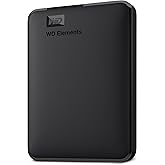 Western Digital WD 5TB Elements Portable External Hard Drive for Windows, USB 3.2 Gen 1/USB 3.0 for PC & Mac, Plug and Play Ready - WDBU6Y0050BBK-WESN | USB 3.2 Gen 1/USB 3.0 for PC, PlugINR 352.62 shippingGet it Aug 13 - 24Only 6 left in stock - order soon.
 WD 2TB Elements Portable External Hard Drive for Windows, USB 3.2 Gen 1/USB 3.0 for PC & Mac, Plug and Play Ready - WDBU6Y0020BBK-WESN | WDBU6Y0020BBK-WESN, USB 3.2 Gen 1/USB 3.0 for PC, Plug, Play Ready - WDBU6Y0020BBK-WESNINR 968.02 shippingGet it Aug 11 - 24Only 1 left in stock (more on the way).
Product guides and documents
Product Description
2Bay Hardware Raid station with USB, Ethernet & SSD card
Product Videos

Product information
| Hardware Interface | Ethernet, SATA 6.0 Gb/s, SDXC, Thunderbolt, USB 3.0 |
|---|---|
| Hardware Platform | x86_64 |
| Compatible Devices | PC |
| Hard Disk Form Factor | 2.5 inches, 3.5 inches |
| Supported Devices Quantity | 2 |
| Data Transfer Rate | 40 gigabits_per_second |
| Connectivity Technology | Ethernet, Thunderbolt, USB |
| Color | Black |
|---|---|
| Enclosure Material | Aluminum |
| Item Weight | 4.54 g |
|---|
Warranty & Support
Feedback

| Brand | Akitio |
|---|---|
| Global Trade Identification Number | 00888038002889 |
| Manufacturer | AKiTiO |
| UPC | 888038002889 |
| Item Type Name | RAID station |
| Model Number | T3RSAA0006Y00U |
| Mfr Part Number | T3RSAA0006Y00U |
| Best Sellers Rank |
|
| ASIN | B078MSGDYW |
| Customer Reviews |
4.2 out of 5 stars |
Safety and product resources
Safety documents
Customer reviews
Customer Reviews, including Product Star Ratings help customers to learn more about the product and decide whether it is the right product for them.
To calculate the overall star rating and percentage breakdown by star, we don’t use a simple average. Instead, our system considers things like how recent a review is and if the reviewer bought the item on Amazon. It also analyzed reviews to verify trustworthiness.
Learn more how customers reviews work on AmazonCustomers say
 Generated from the text of customer reviews
Select to learn more
Reviews with images
TWO SSD RAID 0 - Satisfied!
Top reviews from the United States
- 5 out of 5 stars
Exactly what I needed and probably what YOU need too!
Reviewed in the United States on July 6, 2019I upgraded to a new MacBook pro and wanted to take advantage of full TB3 speeds for editing video. This product fit the bill perfectly. I previously ran my two Samsung EVO SSDs as a Raid 1 from a OWC TB2 dock and I was slightly worried what would happen when I installed them in the Akitio enclosure... I was pleasantly surprised by the simple installation, and most of all, the seamless way in which the Raid simply appeared on my desktop. The Akitio has TB3 throughput for my other devices and an SD card slot in the front (to help with my MacBook not having one anymore).
Highly recommended!
Simple to instal!
Works like a dream!
Sending feedback...Sending feedback...HelpfulThank you for your feedback.Sorry, we failed to record your vote. Please try againThanks, we'll investigate in the next few days.Sorry, We failed to report this review. Please try again - 5 out of 5 stars
So far, so (quite) good
Reviewed in the United States on September 14, 2019This is a two-unit Thunderbolt-3 disk enclosure, with an ethernet port, two USB-3 ports, and a card reader thrown in.
You put drives in by undoing two thumbscrews, sliding a tray out, pinning the drives with more thumbscrews, and putting it back together. No screwdriver required. The whole assembly looks solid and well put together. It fits 3.5" and 2.5" drives (and smaller with adapters, obviously).
The fan is fairly quiet as computer fans go, but it's by no means inaudible. If you plan to put this on your desk, you will hear it. It is NOT a temperature-sensitive fan; it's always on.
There is a "fan off" switch in the back that comes with dire warnings not to do this for long or risk overheating. Whether this matters depends on what you put into the case. I put SSDs in and they simply don't produce enough heat to matter. If you put high-end hard drives in, you may need the fan to keep them healthy.
Thunderbolt operation is flawless so far. I'm using the Apple Thunderbolt 2-to-3 adapter (to an iMac with TB 2), and it works fine. Throughput is limited by the SSDs, not the interface.
Point of advice: If you want maximum-performance Thunderbolt SSDs, consider using a PCI-e enclosure (Akitio makes them) paired with M.2 drives. It's faster. I had specific requirements that led me to using a disk enclosure that probably don't apply to you.
Sending feedback...Sending feedback...HelpfulThank you for your feedback.Sorry, we failed to record your vote. Please try againThanks, we'll investigate in the next few days.Sorry, We failed to report this review. Please try again - 5 out of 5 stars
1ST All in One Almost Perfect Enclosure
Reviewed in the United States on March 12, 2019CON: The only thing this is missing is 87Watt power Delivery for it to be truly a 1 cord MacBookPro Setup.
PROS: ALOT!
1. It allows 2 SSDS to run in RAID 0 (Software macOS) and still support TRIM!!! No other enclosure does that on the market as of Early 2019.
2. It allows full bandwith SSD Write/read of 650/700 MBs.
3. IT powers my 4K Samsung 28" with DP 1.2 @ 4K And 60HZ
4. I pluged in a USB Dock into one of the USB ports and it work flawlessly.
5. SD Ultra Fast Read/Write Performance (Didn't Test i dont have a class 4 SD card) But i belive it will be awsome just like everything else about this device.
6. The Fan is a bit loud, but since im running SSDs i think ill run it with Fan off, but i dont know if the other components in the case create alot of heat, that require a fan? Right now i left the fan on...
7. It nicely goes to sleep when the macbook goes to sleep. And it wakes up during those macbook time machine backups while the macbook is sleeping, then goes back to sleep.
8. Im super happy with all this enclosure does.
9. I love the look of it. Althought its overkill in volume for 2 2.5" SSDs but its made to support 3.5" drives aswell.
Update 3/23/2019: :( 1GBE Stopped working 2 weeks in. Waiting to here from Akitio to see if we can fix it. If not its getting returned.
13 people found this helpfulSending feedback...Sending feedback...HelpfulThank you for your feedback.Sorry, we failed to record your vote. Please try againThanks, we'll investigate in the next few days.Sorry, We failed to report this review. Please try again - 4 out of 5 stars
Fast and convenient
Reviewed in the United States on August 10, 2019I wasn't in a hurry to spend $300 on an aluminum enclosure, but I really wanted to condense my MacBook Pro dongle boondoggle (2 hubs and an ethernet jack, plus external monitor cable) down to some kind of docking station solution. Every single TB3 docking station I tried (and I tried a lot) was terrible. So when my Drobo 5C failed, I decided to look at enclosures with hubs built in. Honestly, I'm so glad I did. I can run everything off of 1 cable with this box. Ethernet, DisplayPort connection, USB... even SD cards. I'm thrilled with it and it's fast. I can move an entire collection of RAWs in seconds.
My only issue with it is that it's not a 4 bay for redundancy. Maybe some day I can upgrade to a 4-bay solution when Akitio decides to make one. For now, I just have to trust my files to the cloud backup I use.
UPDATE: After some pretty extensive use in warmer than normal temps, I've come to realize how loud this enclosure is. I'm sure it's because it's a tiny fan pushing lots of air, but I wish Akitio would opt for a larger fan in a different case design.
One person found this helpfulSending feedback...Sending feedback...HelpfulThank you for your feedback.Sorry, we failed to record your vote. Please try againThanks, we'll investigate in the next few days.Sorry, We failed to report this review. Please try again - 5 out of 5 stars
An amazing 2-Bay Hardware RAID / HUB
Reviewed in the United States on February 3, 2018This an amazing 2-Bay Hardware RAID / HUB. I think I reviewed every RAID for sale, to include Other World Computing's over priced software based Thunderbolt RAIDs, before finding this one for my MacBook Pro 2013 15".
Works with Thunderbolt 3, Thunderbolt 2 and 1 (with Apple TB3 to TB2 adapter). I'm using the adapter (reversible) with my Thunderbolt 1 port. The hub function also saved me from having to purchase a separate hub for USB-C, USB 3/2, card reader, ethernet and Displayport (monitor).
The unit lives up to the advertising. In addition, the fan is quite and the unit spins down the hard drives when they are not in use, if set in Apple's system preferences, and sleeps if the computer sleeps.
The only downside is that the provided Thunderbolt cable is too short. 18" is not long enough if you have a laptop and want the unit behind the computer or somewhere out of the way. Unfortunately, the Thunderbolt spec limits PASSIVE cables to 18" to maintain USB 3 compatibility. Longer cables are ACTIVE cables and do not support USB 3. Maybe it would be better to have the Thunderbolt port on the front of the device?
I also wish it had a power button but that's not a big deal, if your using all of the hub functions, since it will need to be on whenever the computer is on.
I'm eyeing their eGPU units now.
8 people found this helpfulSending feedback...Sending feedback...HelpfulThank you for your feedback.Sorry, we failed to record your vote. Please try againThanks, we'll investigate in the next few days.Sorry, We failed to report this review. Please try again - 1 out of 5 stars
Misleading Advertising
Reviewed in the United States on June 20, 2019In several places in the ad it says that you can turn the fan off if it's too loud. (It is). So imagine my surprise when I opened the package to discover a large warning sticker on the side of the enclosure that says not to leave the fan off for longer than 30 minutes. There is no mention of that whatsoever in the ad. It turns out that OWC has that information on THEIR web site but I purchased it here. Several people here said they didn't mind the fan noise but that doesn't do me any good. It's too loud for me in my room. Akitio says you might be able to use it with the fan off if you use SSD's and don't use any of the other features. But they still don't recommend it. Money down the drain for me.
One person found this helpfulSending feedback...Sending feedback...HelpfulThank you for your feedback.Sorry, we failed to record your vote. Please try againThanks, we'll investigate in the next few days.Sorry, We failed to report this review. Please try again - 2 out of 5 stars
Good design but lost all data after firmware update
Reviewed in the United States on April 17, 2019Bought it a few weeks ago.
Pros:
- Nice design, well built.
- Tool-less installation.
- Thunderbolt3 connectivity.
- Can be used as a dock station for MacBook with USB-C ports.
Cons:
- The fan is a little bit louder than I expected. It produces more noise than my Mac Pro 2013.
- No power on/off switch although the device automatically turns off the fan as soon as your computer goes to sleep mode.
- Lost data after a firmware upgrade.
It damages the partition table somehow, and my RAID1 volume reported as "uninitialized" after the update. Luckily, the partition itself was intact, and I managed to recover data using recovery software. Akitio support team told me that shouldn't occur under normal circumstances, but they had no idea why this happened.
- RAID1 mode is poorly implemented.
If you want to put your data to Akitio station in RAID 1 configuration and you only have only who disks- you can't do that. Supported method of creating a RAID1 group is to present two formatted disks at once. You can't create RAID1 using one disk at the beginning and sync it to the second disk later. You may lose your data this way.
-There is no way to track the rebuild process (except blinking led).
Additionally, Akitio recommends avoiding RAID1 rebuilds. Instead, they suggest backing up data to the second location, replacing a faulty drive, switching to non-RAID mode, formatting drives, switching to RAID1, formatting volumes once again and restore data from the backup.
Needless to say, that might be a real challenge if you use high-capacity drives.
Update: I edited review after I have received answers from Akitio's support team.
10 people found this helpfulSending feedback...Sending feedback...HelpfulThank you for your feedback.Sorry, we failed to record your vote. Please try againThanks, we'll investigate in the next few days.Sorry, We failed to report this review. Please try again - 5 out of 5 stars
Fast and reliable
Reviewed in the United States on January 8, 2019Built like a brick ----house, well thought out. installing drives simple and secure. Some mention the fan is noisy. I never hear the fan. I leave it on 24/7. The only noise made is when my Barracuda 8 TB drives wind up when accessed. Never loses connection with my iMac. The power button has a blue ring that is lit, not too bright but if you are sensitive to light it may bother you. Each drive has a small green LED that lights up when the drives are being accessed. The only con is the included Thunderbolt 3 cable is passive and you need to purchase an active Thunderbolt cable for 40 GB speed. Glad I purchased.
Sending feedback...Sending feedback...HelpfulThank you for your feedback.Sorry, we failed to record your vote. Please try againThanks, we'll investigate in the next few days.Sorry, We failed to report this review. Please try again


Top reviews from other countries
 Toni Eronen4 out of 5 stars
Noisy fan
Reviewed in Germany on June 4, 2024Noisy fan but it works
Sending feedback...Thanks, we'll investigate in the next few days.Sorry, We failed to report this review. Please try again- Amazon Customer4 out of 5 stars
Great
Reviewed in Canada on August 2, 2019Fast, but had an issue with parts of the drive erasing (only happened once), but was likely the drive, not the case. Other than that, no issues.
Sending feedback...Thanks, we'll investigate in the next few days.Sorry, We failed to report this review. Please try again

 |
Amazon Music
Stream millions
of songsAmazon Ads
Reach customers
wherever they
spend their time6pm
Score deals
on fashion brandsAbeBooks
Books, art
& collectiblesACX
Audiobook Publishing
Made EasySell on Amazon
Start a Selling AccountVeeqo
Shipping Software
Inventory Management
Amazon Business
Everything For
Your BusinessAmazonGlobal
Ship Orders
InternationallyAmazon Web Services
Scalable Cloud
Computing ServicesAudible
Listen to Books & Original
Audio PerformancesBox Office Mojo
Find Movie
Box Office DataGoodreads
Book reviews
& recommendationsIMDb
Movies, TV
& Celebrities
