


| CARVIEW |
A new kind of password manager for small businesses
Secure your small business without breaking the bank or hiring a massive IT team. Protect every work account with secure passwords and keep on top of potential threats with a single, easy-to-use dashboard.

Priced right for small businesses
Password management plans
 USD
USD CAD
CAD EUR
EURUSD
Data stored in your currency's region
Teams Starter Pack
Secure your small team.
$19.95
USD
Up to 10 users per month. Paid annually.
- Share passwords and sensitive data
- Stay informed with actionable security alerts
- Assign access with role-based permissions
- Build securely with 1Password Developer tools
- Get help with friendly support and onboarding resources
Business
Security that adapts to your business.
$7.99
USD
Per user, per month. Paid annually.
Everything from Teams Starter Pack, plus:
- Integrate with Okta, Entra ID, OneLogin, Duo, and more
- Collaborate securely with role-based vault sharing and permissions.
- Strengthen security hygiene with Watchtower alerts
Stress-free security for small businesses
Protect your small business by making it simple for everyone to use strong passwords. Streamline onboarding and take swift action when a potential issue occurs. It's everything you need to secure your growing organization.
Protect everything with strong passwords and passkeys
1Password makes it simple for everyone to create strong and unique passwords for their online accounts. Your team can also go passwordless with passkeys, a faster and more secure alternative to passwords.
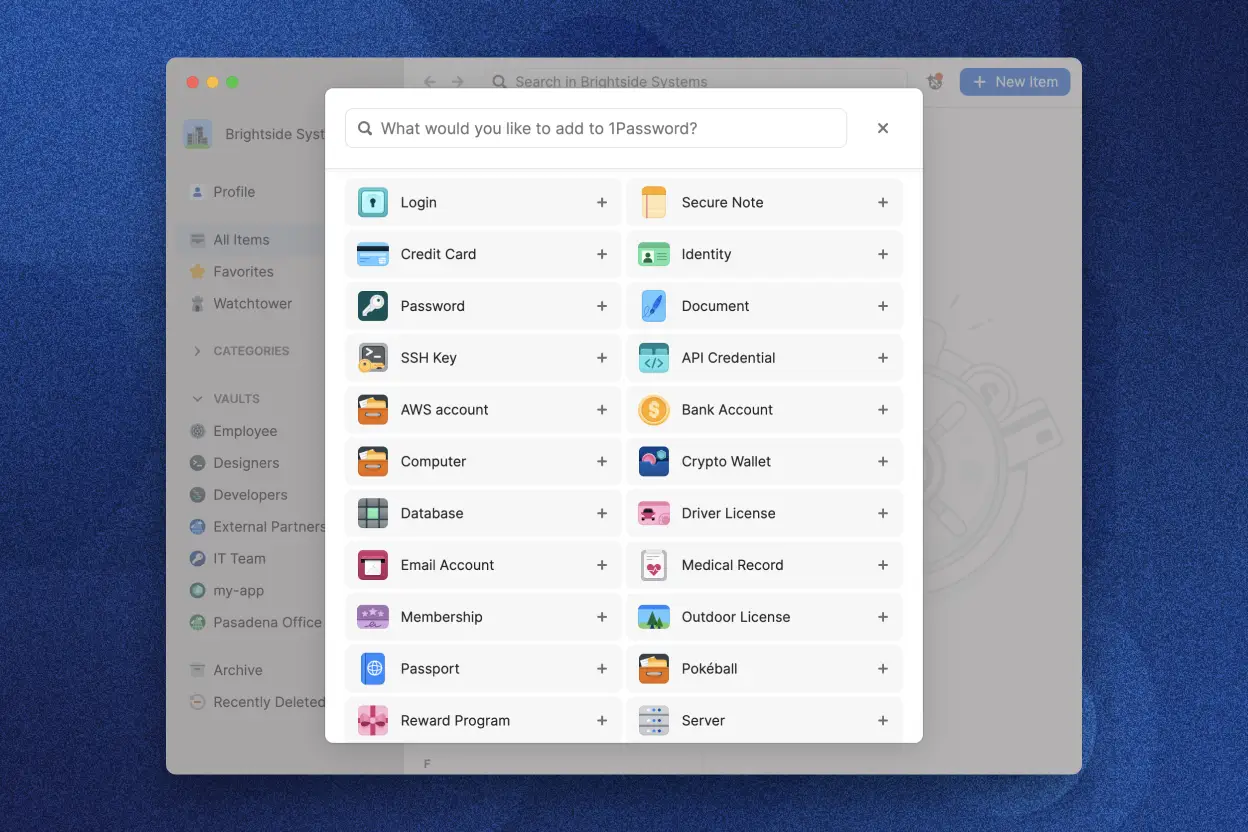
Simplify employee onboarding and offboarding
Accelerate onboarding by placing new hires in custom groups and granting them access to shared vaults. Revoke access when people leave for fast, stress-free offboarding.
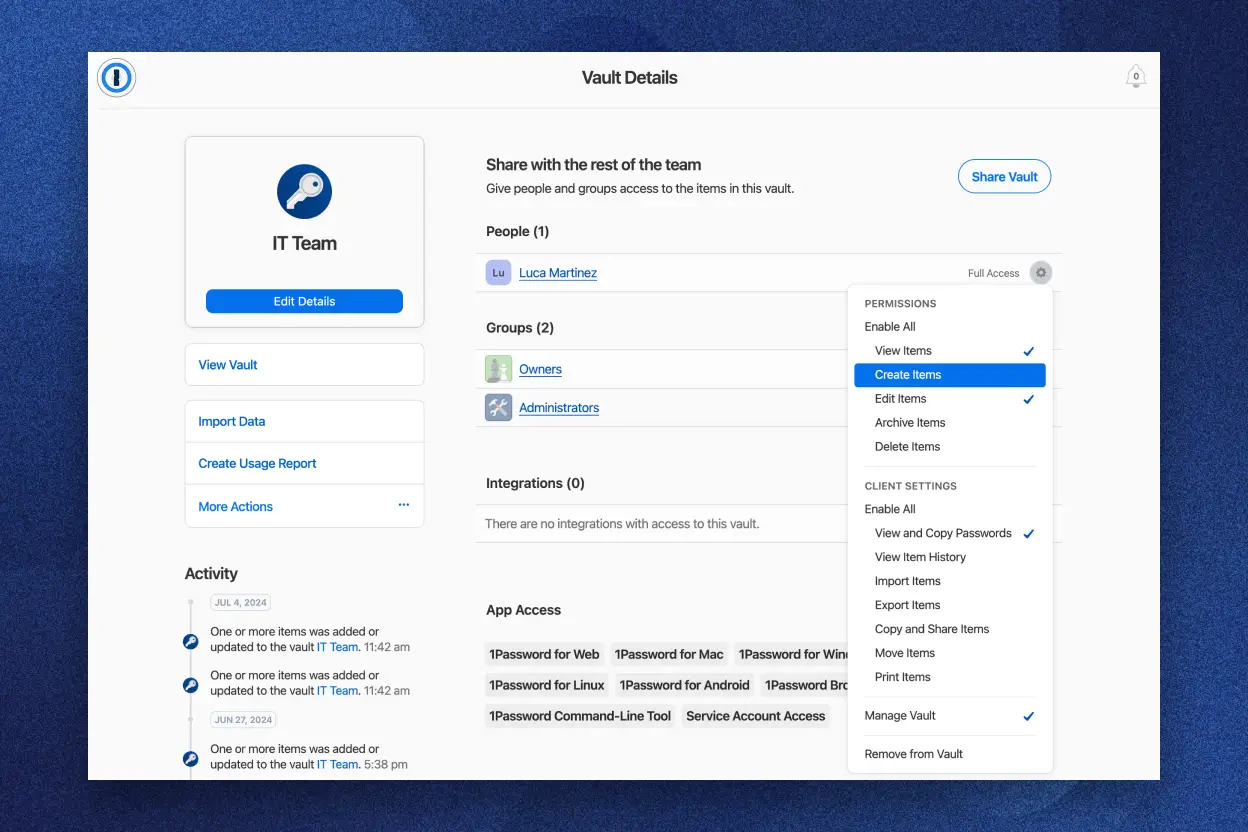
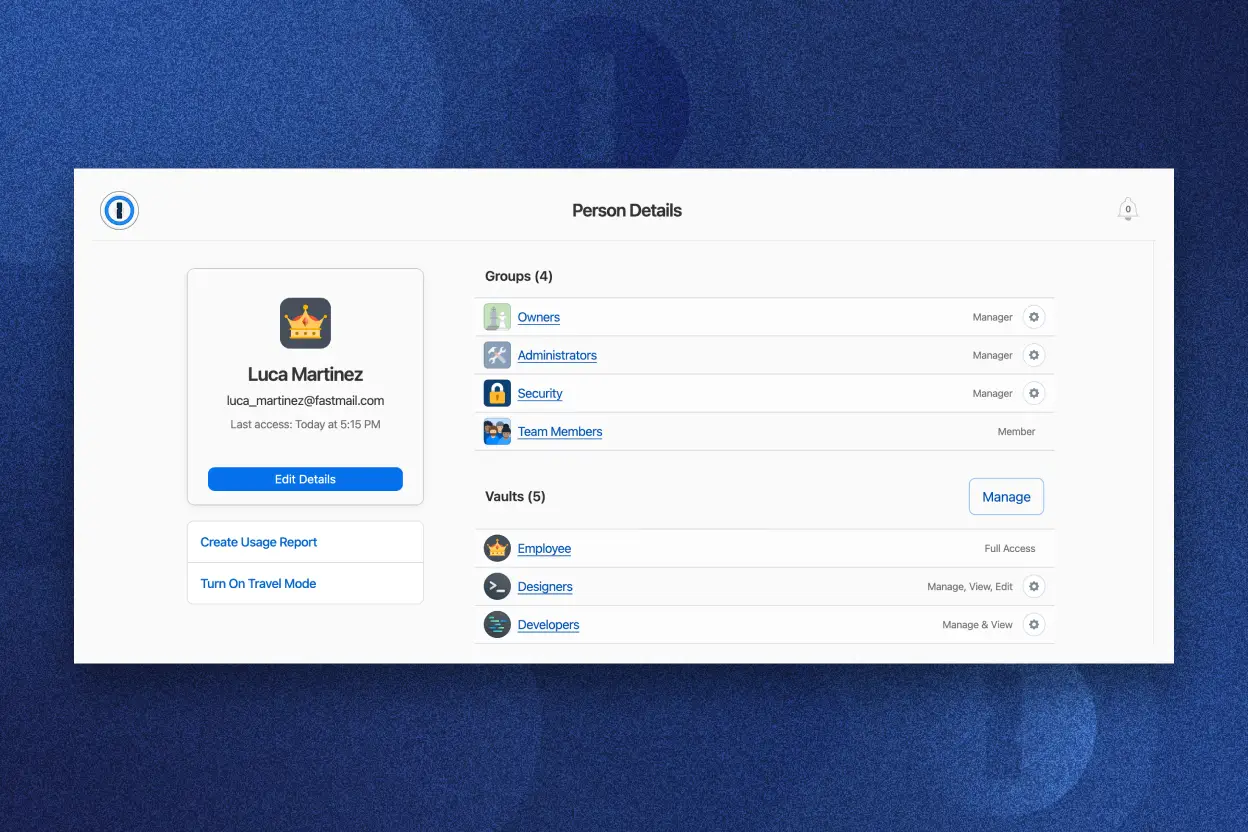
Manage what everyone in your team has access to
Follow the principle of least privilege by granting employees access to the strong passwords and other sensitive information they need to do their jobs, and nothing else.
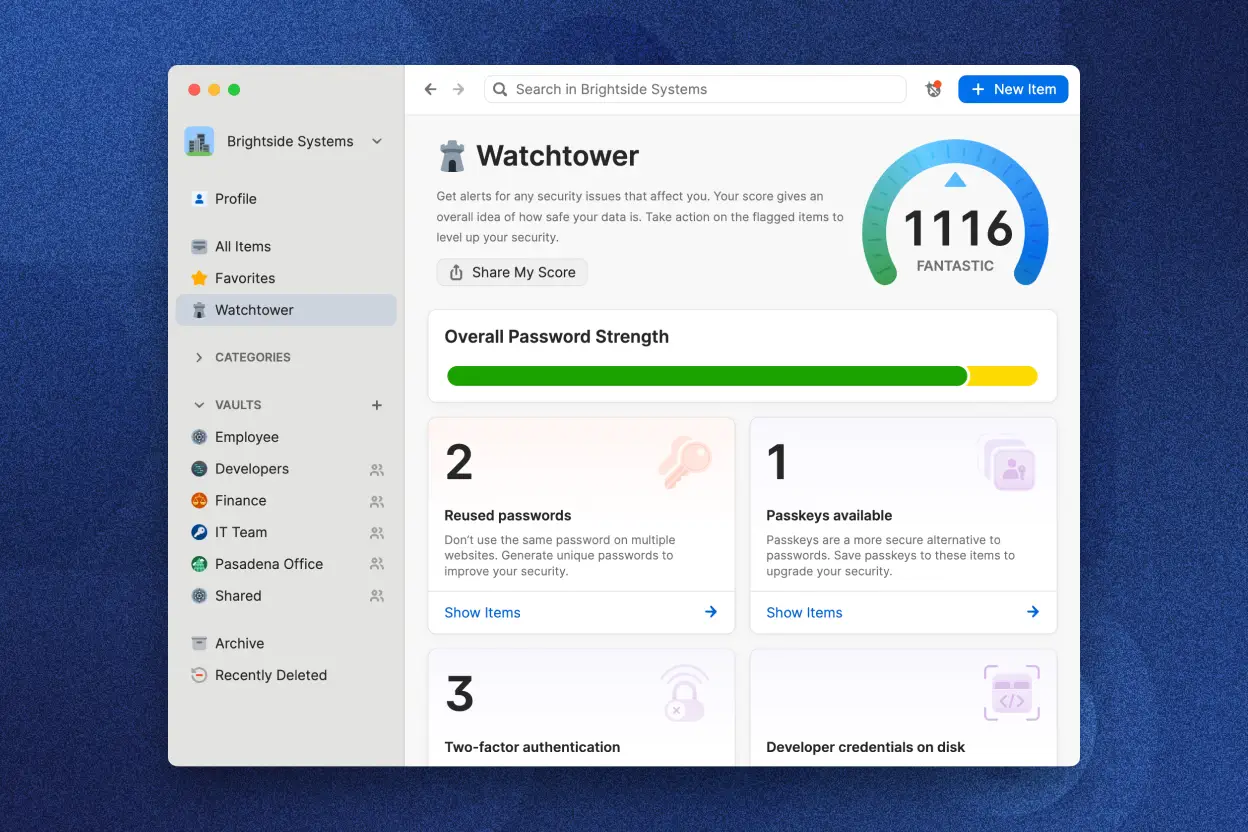
Monitor and tackle security issues with Watchtower
Watchtower flags weak passwords and other security problems to your team members, helping them stay safe online. Admins, meanwhile, get a unified dashboard to monitor password health, potential data breaches, user access, and more.
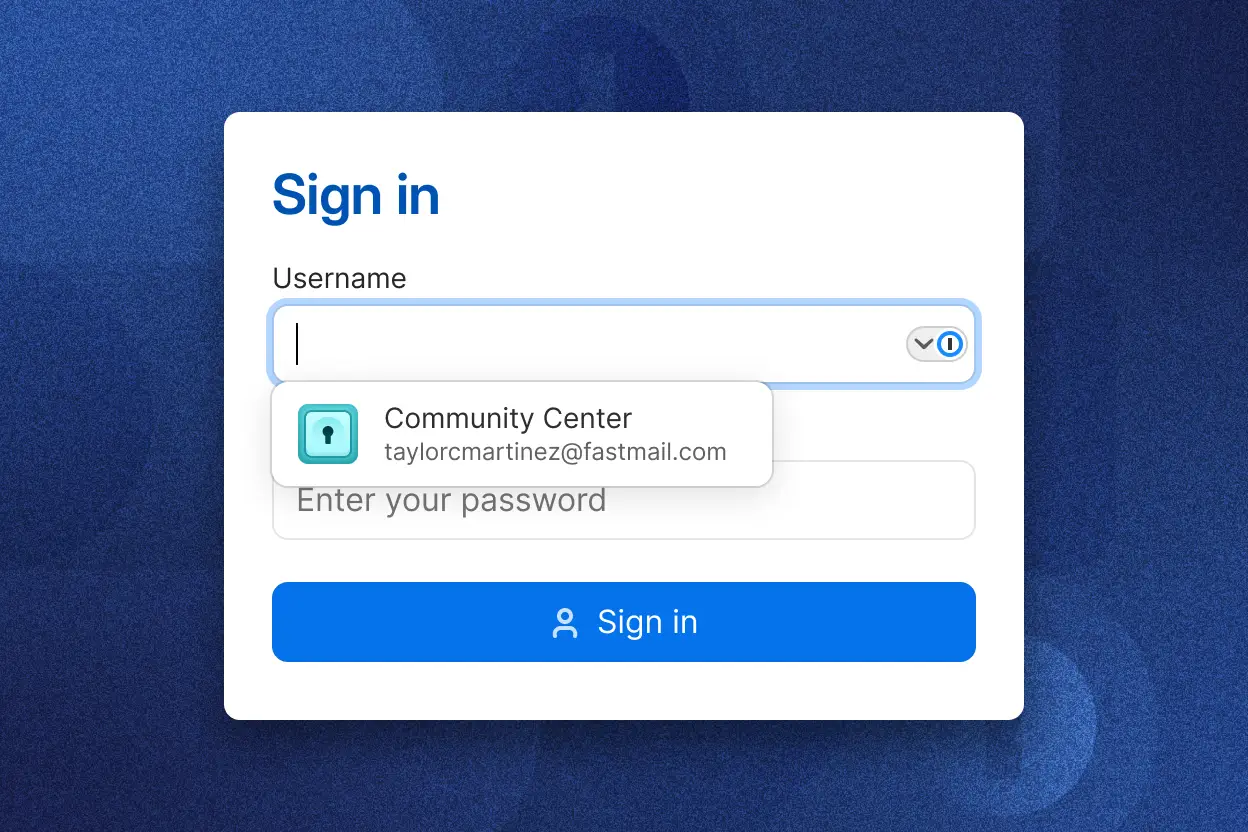
Boost productivity with autosave and autofill
Your team no longer needs to waste time remembering or typing out login information. 1Password makes everyone more productive by autofilling passwords, addresses, credit card details, and more.
Why customers love 1Password
1Password helps us maintain our security culture as we scale and grow. It’s important to have one tool across the business that we can rely on for everyone to safely store and share credentials.
Jan Van der Kolk
IT Manager, Dovetail

Since we don’t have a network administrator or a real IT person, 1Password allows me to focus on the other aspects of our business without having to worry about our security.
Michael Berick
Co-Founder, Maptote

Right out of the gate, it was a nice fit for us. It did everything and more that we wanted it to do.
Joe Kegel
IT Director, OneMethod
1Password helps us maintain our security culture as we scale and grow. It’s important to have one tool across the business that we can rely on for everyone to safely store and share credentials.
Jan Van der Kolk
IT Manager, Dovetail
Since we don’t have a network administrator or a real IT person, 1Password allows me to focus on the other aspects of our business without having to worry about our security.
Michael Berick
Co-Founder, Maptote
Right out of the gate, it was a nice fit for us. It did everything and more that we wanted it to do.
Joe Kegel
IT Director, OneMethod
1Password helps us maintain our security culture as we scale and grow. It’s important to have one tool across the business that we can rely on for everyone to safely store and share credentials.
Jan Van der Kolk
IT Manager, Dovetail
Since we don’t have a network administrator or a real IT person, 1Password allows me to focus on the other aspects of our business without having to worry about our security.
Michael Berick
Co-Founder, Maptote
Right out of the gate, it was a nice fit for us. It did everything and more that we wanted it to do.
Joe Kegel
IT Director, OneMethod
Security isn’t a feature. It’s our foundation.
1Password gives your team’s data the protection it deserves. Our two-key derivation model, which combines your account password and Secret Key, strengthens the security around your vaults. You can also rely on Watchtower to flag potential security issues and help you take action when needed.

Absolutely infeasible to crack
1Password’s unique two-key derivation uses an account password and Secret Key, so even if someone breached our service, they couldn’t decrypt anyone’s data.

Zero-knowledge architecture
Our security approach starts with AES 256-bit end-to-end encryption and we use multiple techniques to make sure your information is inaccessible to everyone else – including us.

Industry vetted security model
We rely on third-party security experts to test our data encryption, and offer the largest bug bounty program among all password manager providers.

Prevent breaches with active threat detection
Reduce risk with industry leading security and always-on monitoring against potential security threats. Get real-time actionable insights and recommendations so your teams can mitigate risks.
Better align with compliance mandates
Use granular controls to protect credentials, add vault permissions, and audit access events and actions to support your industry compliance and reporting requirements.

Best-in-class support
1Password is committed to providing our customers with the absolute highest level of support. Every customer is empowered with resources to support your growth on 1Password.
Dive deep into 1Password
The ultimate guide to small business security
Learn how to shape cybersecurity habits, boost productivity, and create lasting change across your organization.

Small business. Large security risks.
Discover how securing access to sensitive information and maintaining productivity doesn’t have to be a one-or-the-other option.
FAQs about 1Password for Small Business and Teams
What is a business password manager?
A password manager helps your business avoid data breaches by making it dead simple for employees to create and autofill strong, unique passwords at work. Password management software also gives team members an easy way to share passwords that doesn’t revolve around spreadsheets or sticky notes – both of which can become vulnerabilities.
Admins can use an enterprise password manager as part of their provisioning strategy, giving team members access to what they need to do their job and nothing else.
A good business password manager offers more than password storage, too. It can be used to protect, organize, and share multi-factor authentication (MFA) codes, SSH keys, documents, credit cards, and other sensitive information.
Is 1Password easy to use?
1Password is known for its ease of use and exceptional user interface. Why is this important? Well, a secure password manager isn’t helpful if your team doesn’t use it.
Unlike some password management solutions, 1Password can be picked up by anyone in a few minutes. The simplicity allows all of your team members to quickly start creating password vaults and replacing any weak or reused passwords with strong, unique alternatives.
If everyone on your team is using a password manager on a daily basis, you'll have better password security and organization across the board. That will ensure all of your team's sensitive data is given the very best protection against hackers and cybercriminals.
How does a business password manager help my business achieve compliance?
Modern businesses have many security-focused standards and certifications to think about. They're all slightly different but a common requirement is that organizations have secure log-on procedures, like using strong passwords and multi-factor authentication (MFA).
A business password manager helps you cross device, SaaS, and cloud security compliance off your checklist. 1Password makes sure that everyone is using strong passwords and lets you control who has access to important credentials. Employees can also use 1Password as a secure and convenient authenticator for services that support MFA.
Will using a business password manager make it easier to obtain affordable cyber insurance?
Insurance providers want to know your organization is doing everything possible to stay secure. Why? A thoughtful and multi-layered defense means your business is less likely to be breached by an attacker. And that means there's a lower chance the insurance provider will need to pay out.
One of the easiest ways to prove your team is following best practices – and therefore a low-risk target – is by using a business password manager like 1Password. It's a clear signal to cyber insurance companies that you're protecting important resources with strong credentials and have a culture of security that extends to every department.
Can 1Password help my business go passwordless?
1Password lets you go passwordless in one of two ways. The first is by letting your employees unlock their password manager with biometrics, like their face or fingerprint.
The second is by supporting passkeys, a secure alternative to passwords. Passkeys are simpler to use than passwords because there's nothing to memorize, type out, or paste in. Every passkey is strong and can only be used for one website or app. That means each account always has the best protection.
You can save and sign in with passkeys using 1Password on a range of different devices. The passwordless login credential is also supported by a growing number of websites and apps, including enterprise software like Adobe, Docusign, and GitHub.
Why is 1Password the best password manager?
There are plenty of password managers to choose from including LastPass, Bitwarden, Dashlane, NordPass, and Roboform. 1Password is the ideal password manager for large businesses because it offers an unmatched combination of security, convenience, and functionality.
Our industry-leading security recipe starts with AES 256-bit encryption, and we use multiple techniques to make sure only you have access to your information. Every team member has an account password and Secret Key which ensures the data they store in 1Password is kept safe, even in the unlikely event that an attacker breaches 1Password.
1Password also has intuitive, user-friendly apps for every operating system including macOS, iOS, Windows, Android, and Linux. These are supported by a convenient browser extension that works with all major web browsers including Apple’s Safari, Google Chrome, and Microsoft Edge.
1Password comes with a built-in password generator that lets everyone create secure passwords and acts as an authenticator app for websites and apps that support two-factor authentication.
Admins, meanwhile, get a streamlined admin console where they can configure 1Password, monitor usage in real time, manage permissions, create custom password policies, and more.
What is the Teams Starter Pack?
1Password offers a range of plans to accommodate businesses of all sizes, from startups to large enterprises.
The Teams Starter Pack is perfect for smaller businesses and protects up to 10 team members for $19.95 USD per month.
It offers everything you need to secure your growing business, like unlimited items in encrypted vaults, 24/7 support, and our unique dual-layer encryption for end-to-end protection.
If you have more than 10 team members, you should consider our business and enterprise plans.
Balance security and productivity with 1Password
Don’t let passwords become a thorn in your side. Untangle your credential chaos and build a culture of security with a 14-day free trial of 1Password.